New Software Confusing Router

Unfortunately with the new upgrade in Pro Software (regret) now my carbide motion had to be reinstalled.

Now through Carbide Motion I cannont open a g-code file. and after I hit initialize machine the z drops, not raises causing a bit to break.

Why the changes, and why no warning?

HELP :slight_smile:

Carbide Motion will still process a G-code file.

Which Z-axis does your machine have?

Which did you configure for?

See:

https://my.carbide3d.com/docs/shapeoko-setup/

Please let us know at support@carbide3d.com and we will do our best to assist.

Almost 99% of the time when initializing and the router goes down instead of up it is the configuration. The Z-Plus and the HDZ run in opposite directions for the stepper motor direction. So if your router starts going down in initialization you likely picked the wrong Z. The Z-Plus which is the standard Z on most C3D machines is refereed to as LeadScrew and the HDZ is refereed to as BallScrew.

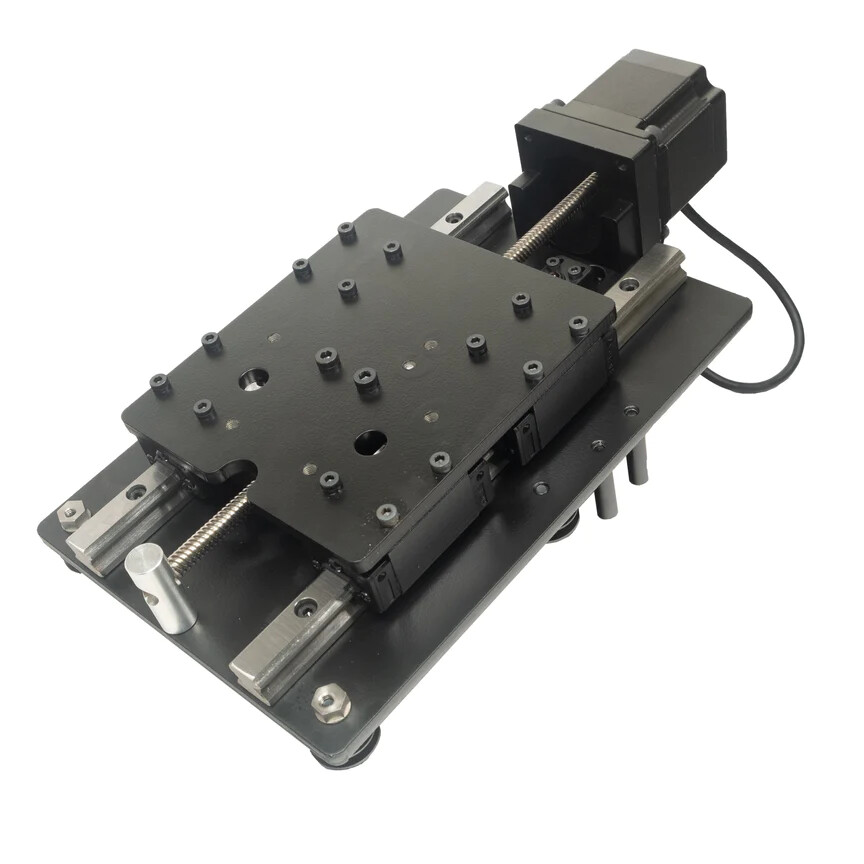
Here is a Z-Plus Z Axis

Notice that at the top the Z motor has no coupler and at the bottom there is a silver stud with a hole in it.

Here is an SO4 and SO4 Pro HDZ

Notice the cage under the Z motor and the coupler inside the cage. There is a bearing block at the bottom of the HDZ.

The SO3 HDZ is similar to the SO4 and SO4 Pro.

4 Likes

This topic was automatically closed after 30 days. New replies are no longer allowed.