Please add the Raster toolpath option already. We’ve been asking for years. Is it the cost to add or something else? It would save a lot of time if we had it…
1 Like
It was added — as a Pro feature:
Build 858
Pro
Added parallel option for pocket toolpaths.
1 Like
Ok so it’s called parallel and not raster?
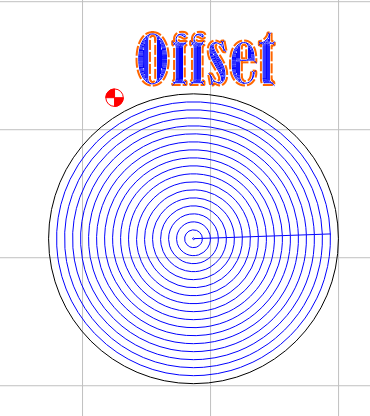
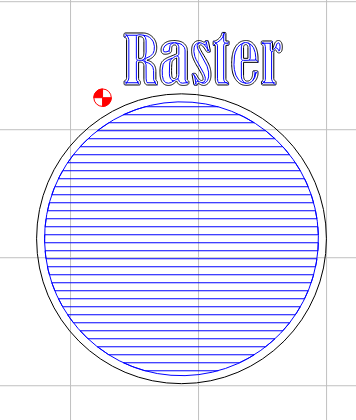
It is “Raster”. I was creating some bottle openers and editing a pocket and somehow I was hitting raster instead of offset (conventional round and round).
I have Pro so also using 870 CM.
Here is example of pocket with raster and one with offset.
I would like to ask a clarifying question about raster cutting → specifically for pockets.
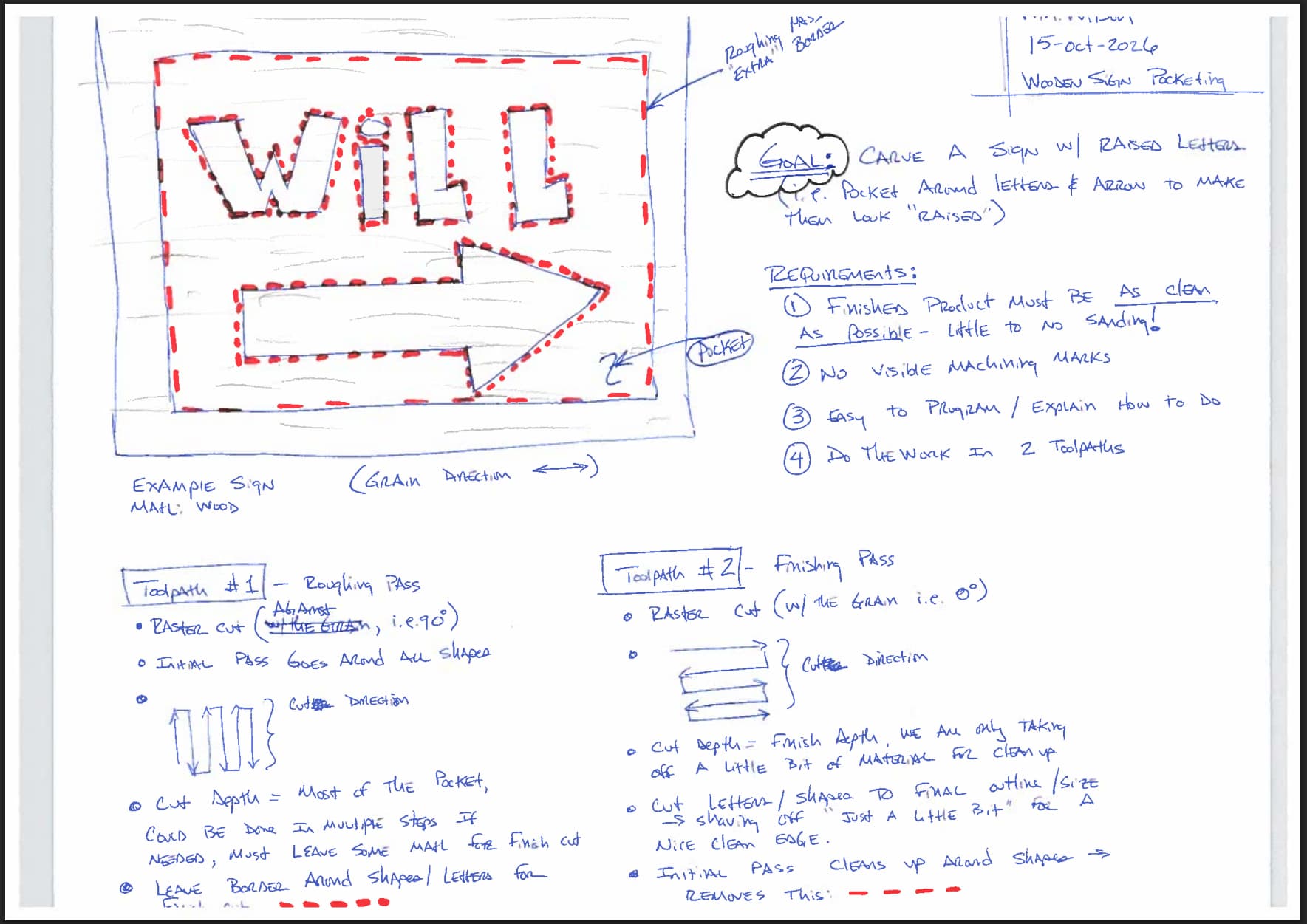
I recently watched a video by IDC Woodcraft where Garrett talked about how to get a really good finish on signs where you pocket out material around letters to end up with a “raised letter” looking sign. He proposes a 2-step (toolpath) workflow.
The first toolpath is a roughing pass where you hog out material fast and the 2nd toolpath is the finishing pass. The key to success seem to be:
(a) the ability to specify a raster cut
(b) define the direction of the raster (i.e., parallel or perpendicular to the grain (assuming wood))
(c) define some kind of “offset” or boundary around your letters or shapes so you can tune the roughing and finish toolpaths
(d) be able to specify the boundary cut to be first or last (order of cuts).
I created a little sketch to (hopefully) communicate the idea. All this being said, can we do this today in Carbide Create Pro? If no, would you please consider this specific configuration / workflow as as feature request? I have not used Carbide Create Pro yet but if this feature is available now I will probably purchase it sooner than later.
Thank you for considering my question!
-Will
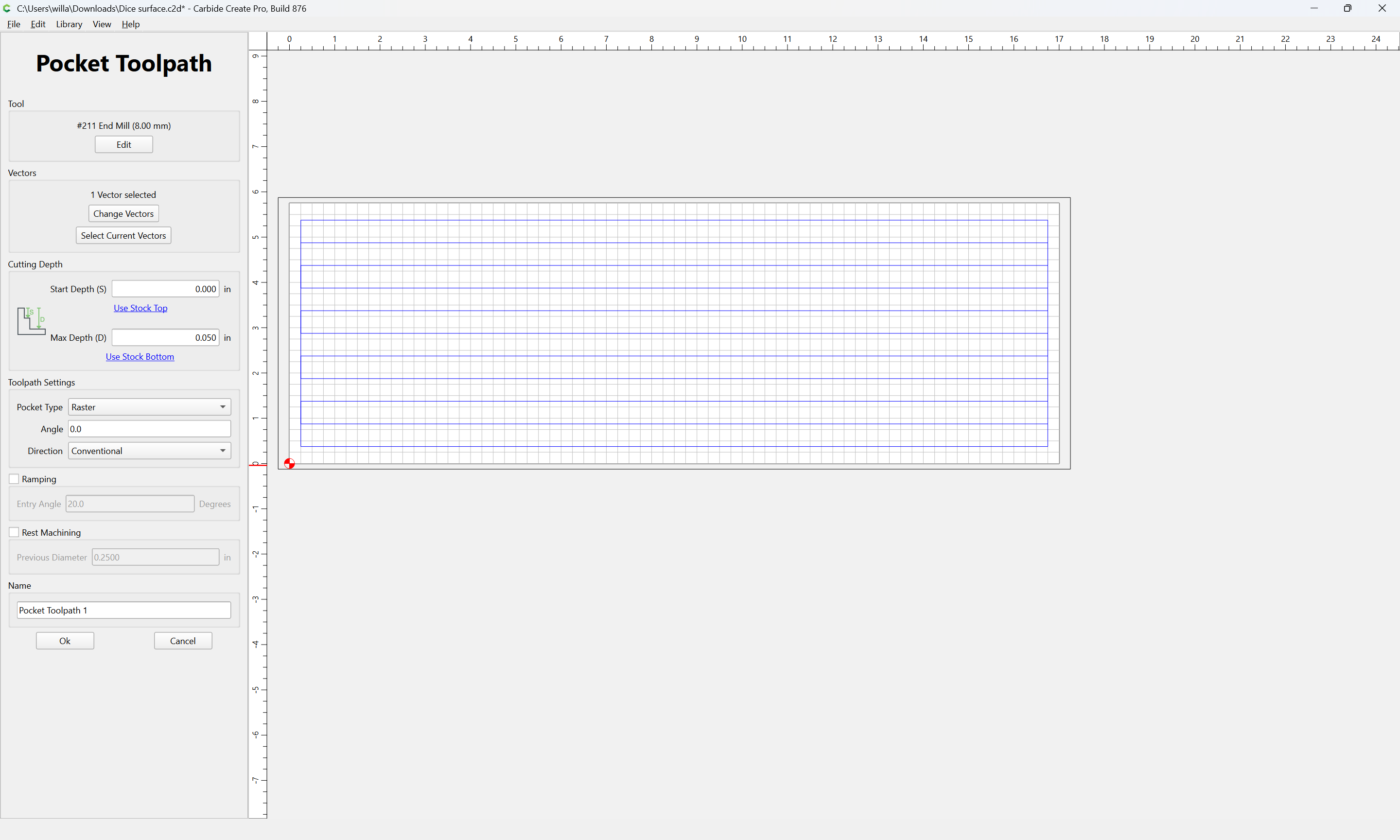
Thank you @WillAdams!
This does indeed look like what I was wondering about!
Based on the UI above, I am thinking to do what I want to do I will need to create 4 toolpaths:
(1) Roughing contour toolpath with a + offset around letters, shapes, and overall boundary.
(2) Roughing pocket toolpath, raster (against the grain), hog out the majority of the pocket
(3) Finish pocket toolpath, raster (with the grain), take off a little bit, get the pocket to full depth
(4) Finish countour toolpath, no offset, cut letters, shapes, and outline to final boundary
I noticed there is a rest machining option in the UI, does that collapse some of the steps I outlined?
Yes it might just be time to jump into pro. Thank you!!
-Will
I’m not sure why you need a roughing and finishing pass to do the pockets. With a conservative stepover you should be able to get to full depth in one toolpath.
I finished a sign this week with raised letters using 3 toolpaths and got the results I think you are looking for. I did one raster pocket with a #251 endmill and 2 rest toolpaths with a 1/8 and a 1/16th endmill. The second rest toolpath was needed to get into the smaller areas of the letters. No finish sanding required and it turned out pretty good. Oh and I did add a chamfer on both sides of the outside rectangle using 2 different DOC’s so I guess its 5 toolpaths 
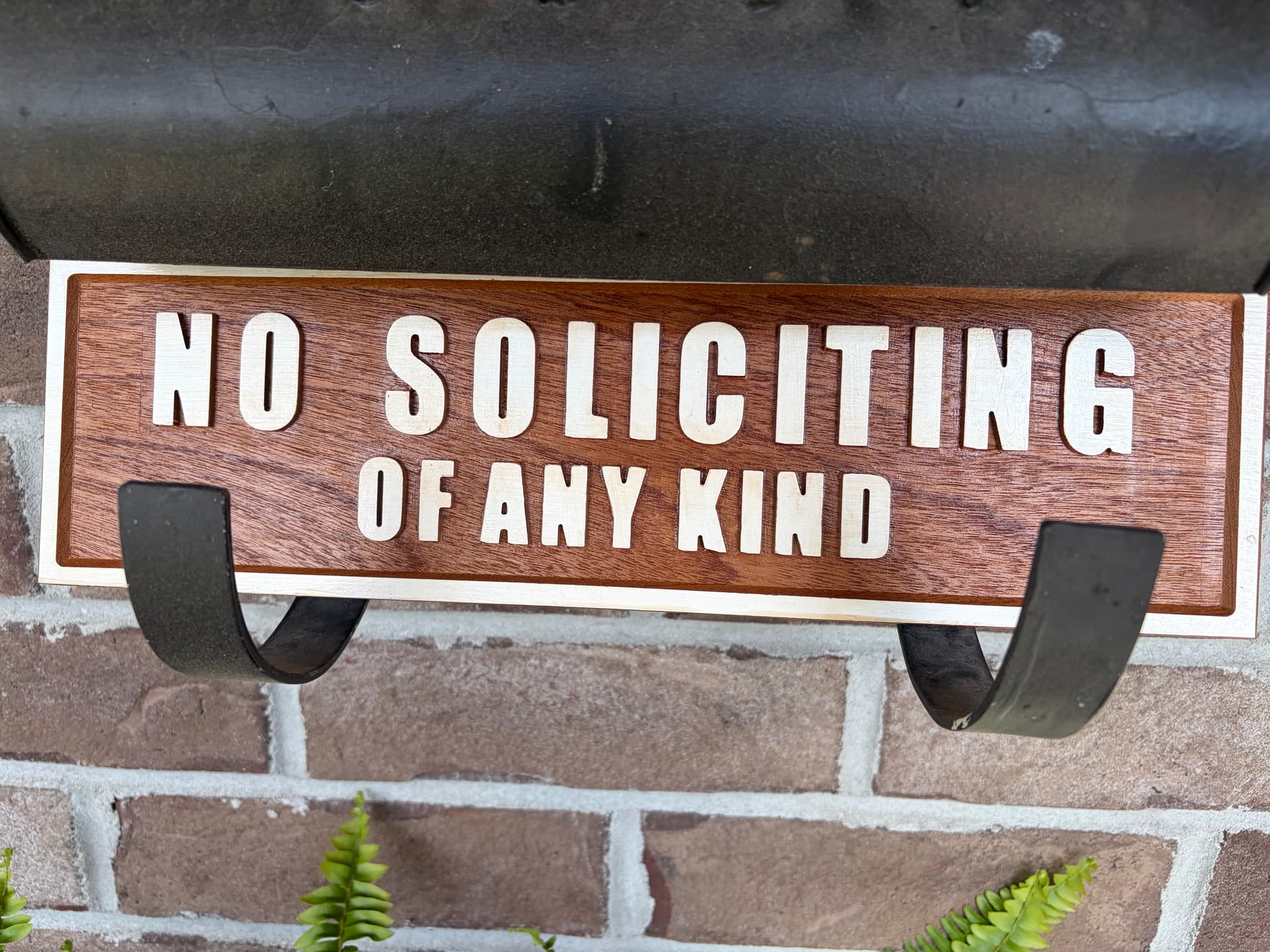
4 Likes
Why you got to be so mean Poor old door to door salesman got to eat. Now you just get scam calls. 
1 Like
… Iphone 17 sends the spam calls right to voicemail… If the sign works as good as the phone hopefully I can work/play/relax/have a beer in peace
1 Like