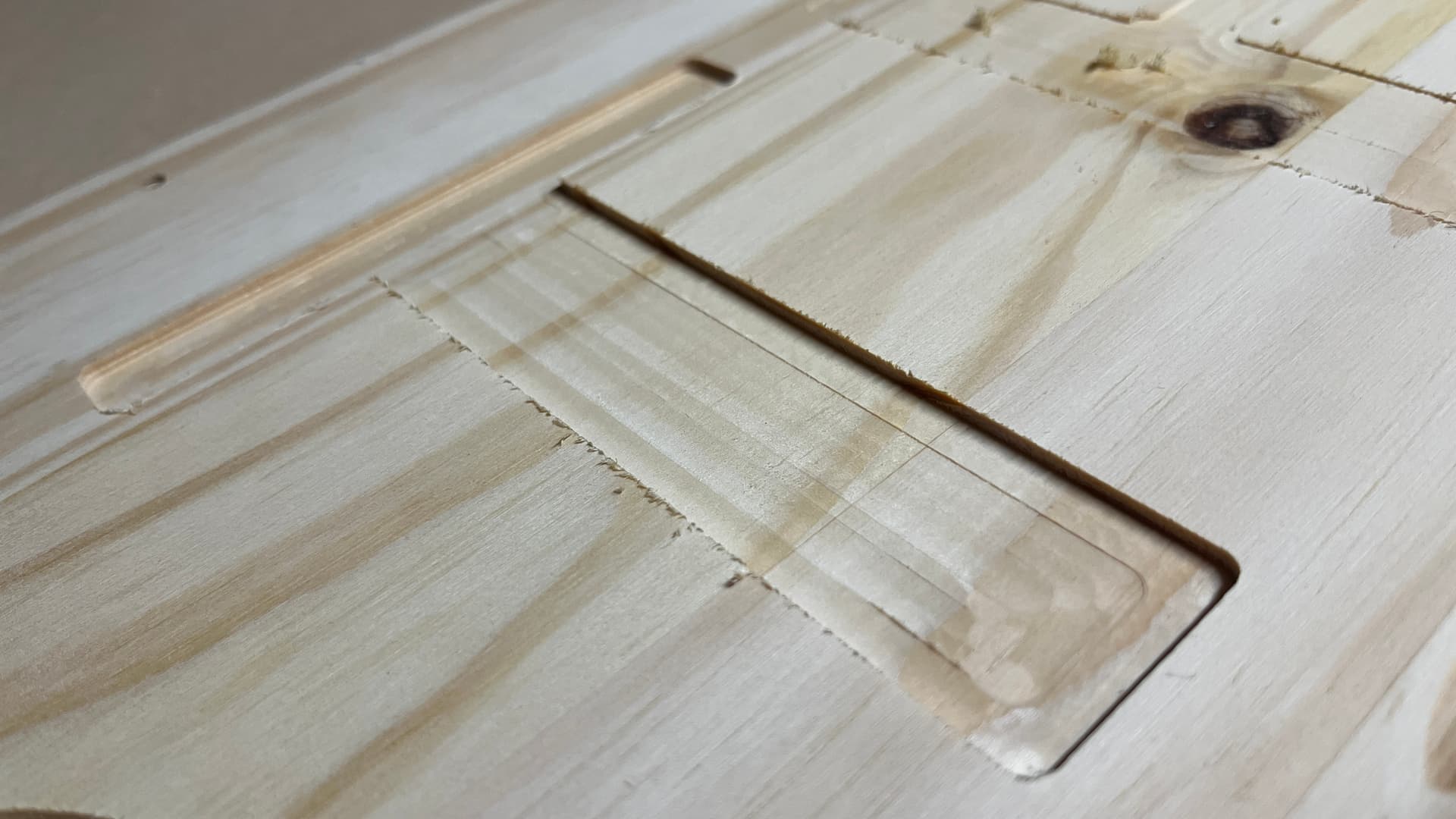
I have a shapeoko 3 xxl and it is leaving ridges on the bottom of the cuts. I am using a 1/4 endmil and the step over is .125. I did also decrease this to .090 and the same ridges were left and have run the file 3 times. Not exactly sure where to start?
I am using #201 stepover .125 depth per pass .040 Feed rate 120 Speed 18000.
I believe my machine is sound and has the HD Z axis. I typically grab the bit before starting a project and try to move it in all directions. I did not check if it moves up and down.
Also, configuring for an HDZ when one actually has a Z-Plus is a frequent issue and will cause the machine to move more in Z than it ought, over-taxing the motion mechanics.
Post a photo of your machine? Detail photo of your Z-axis?
Looks like plywood. Is it possible that it is being lifted from the action of the #201 upcut bit. Could also be tram but the center is lower looking than the rest. As the plywood gets thinner and thinner the lifting could be your issue. If you remake it try putting some painters tape and super glue in the center to help if it the plywood lifting.