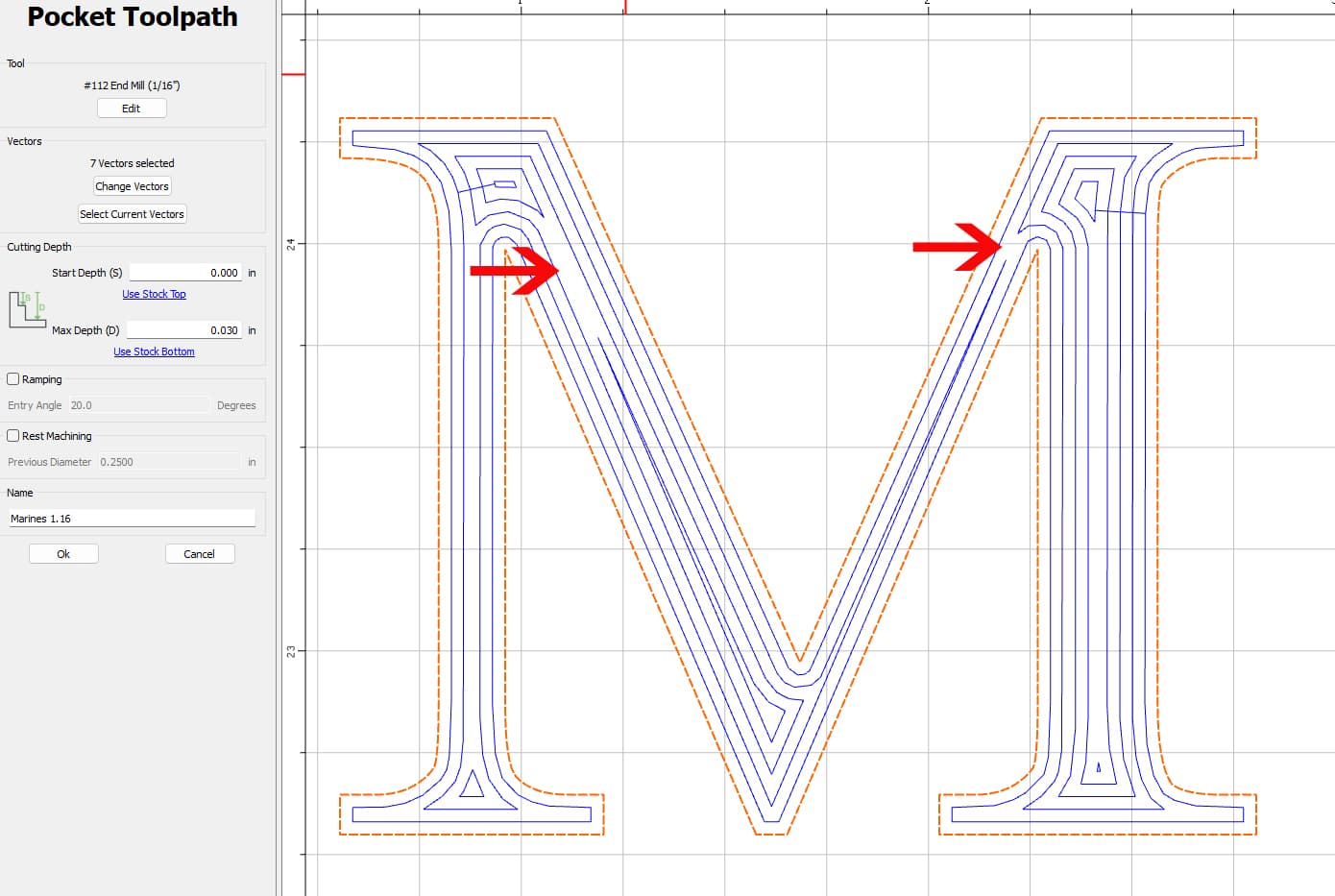
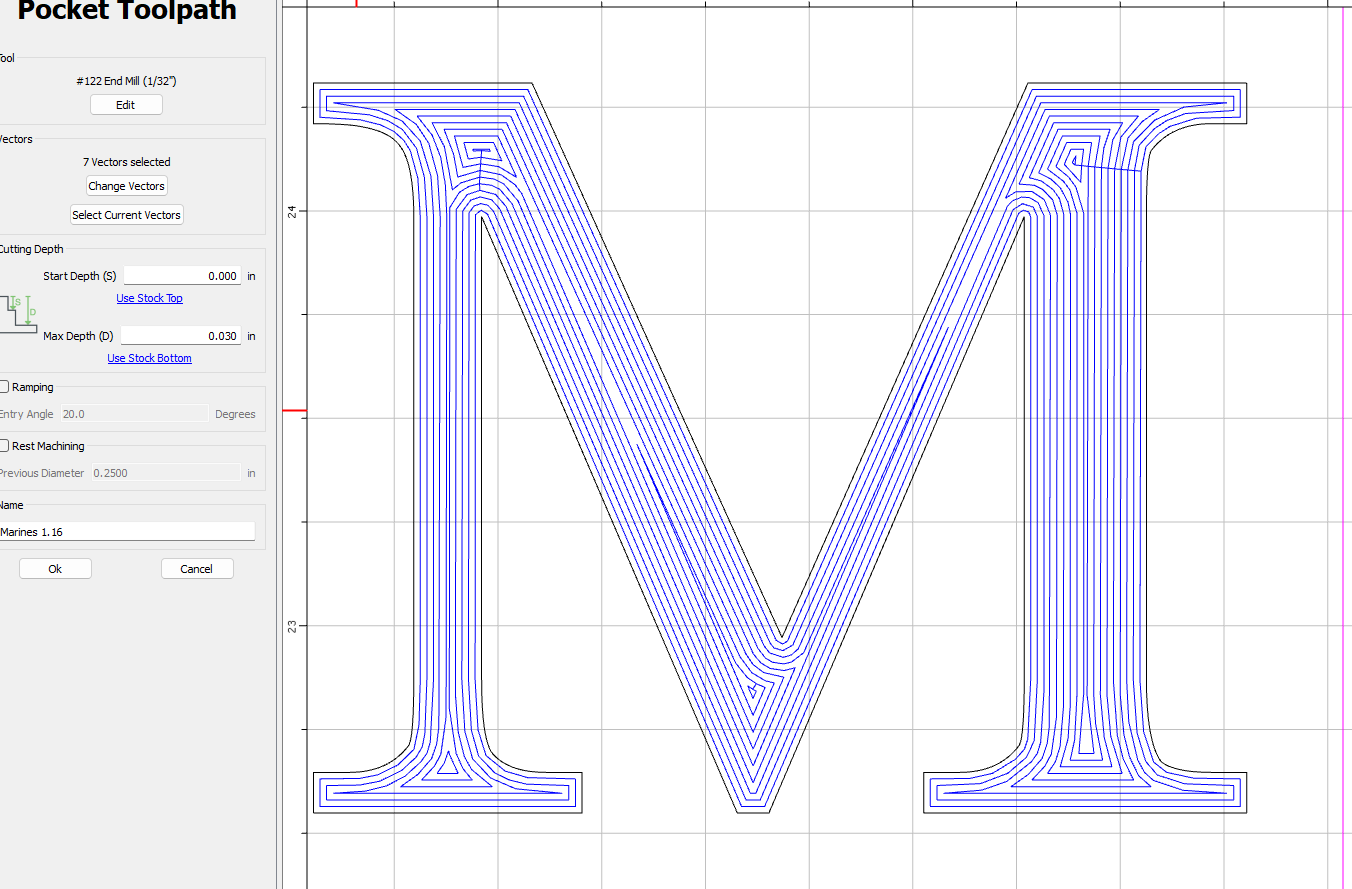
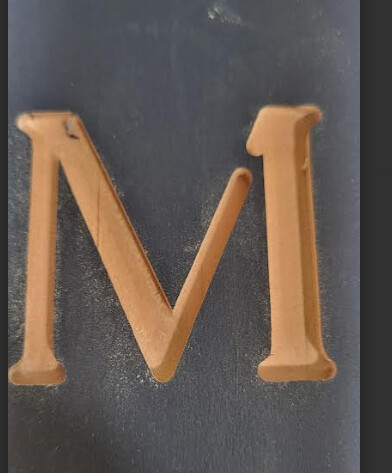
Never had this issue before…but the tool path does not complete the pocket area and now leaves parts of my letters uncut. I changed to a smaller bit, and it seems better. The issue is I have done this several times with other letters and never an issue…am I missing something.
If you look at the shape, it’s tapering toward the top. That means that the offset, or the number of offsets, might not be constant. (Which is another way to say, "this is the intended behavior based on the toolpath parameters you used’)
If you don’t have a huge stepover, then it probably doesn’t matter; the other passes will cover the area. The simulation can show you the results based on your toolpath parameters. (The photo you posted does not seem to represent the full toolpath, so it was likely stopped early)
Before running the job, run the simulation in Create to see what you’ll get. That’s something everyone should do at every skill or experience level.
I suspect the output would have been good (or at least much better) if you had let the toolpath complete, because the paths just outside the arrows would have cleared a lot of the area connecting the “top” and “bottom” areas.
In general, you want to make sure that stepover is less than 50% of the tool’s diameter. So for 1/16", make sure the stepover is no more than 1/32". Going above that threshold can lead to gaps in coverage.
Thank you @robgrz, @wmoy for your time and assistance.
The issue is resovled and looks amazing.
It was the stepover as well as for some reason…being me…somehow I had it doing a vee cut with a 1/16 bit…
Your assistance helped me see the error.
Thanks again.
Blessings to all.