is machining out some content. The city and date I selected to remain unmachined. Any advise?
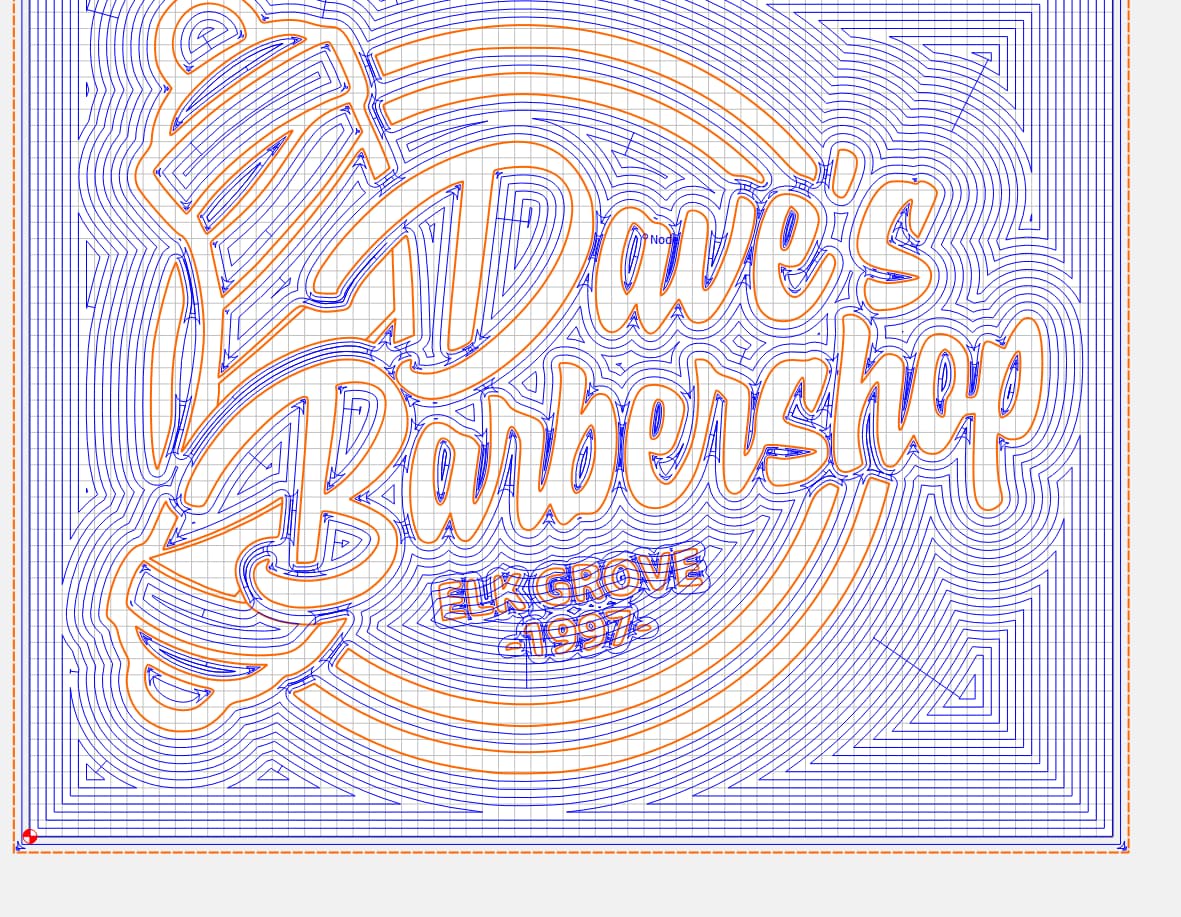
What’s your design program? Can you post the design file so we can see what’s going on?
1 Like
You could V carve the smaller name and date at the bottom of the pocket — that can look good.
DaveBarberPROBLEM.c2d (528 KB)
I started with a .png, traced it in Inkscape. The city and date didn’t translate so well so I deleted it and added it back with Carbide Create. Everything is grouped but the pocket feature mows down the city/date in the simulation.
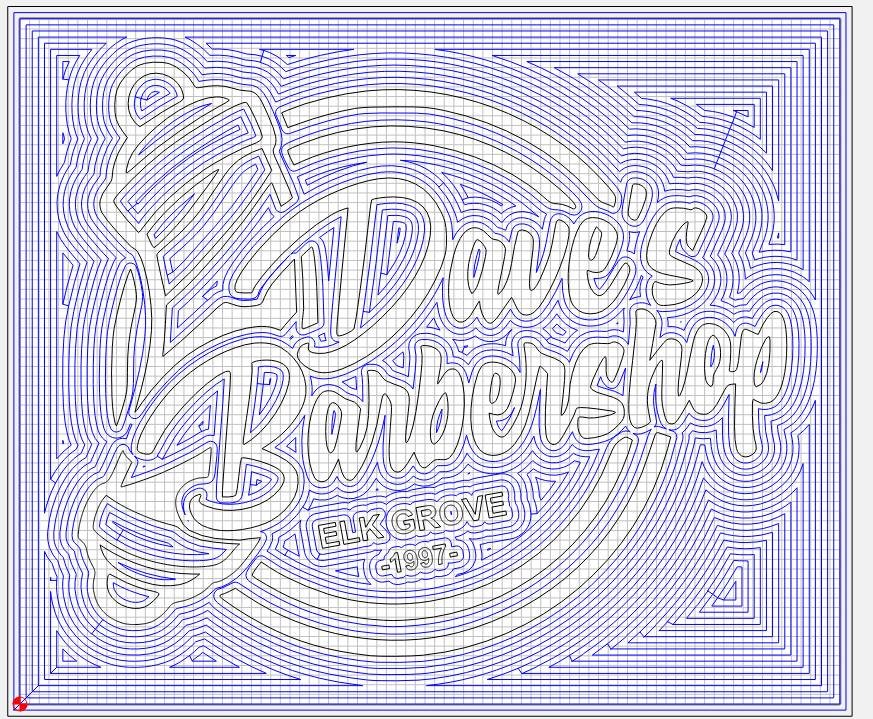
Wow, frustrating for me. I’ll post a screenshot of the city/date that I get where the pocketing lines show right over the content.
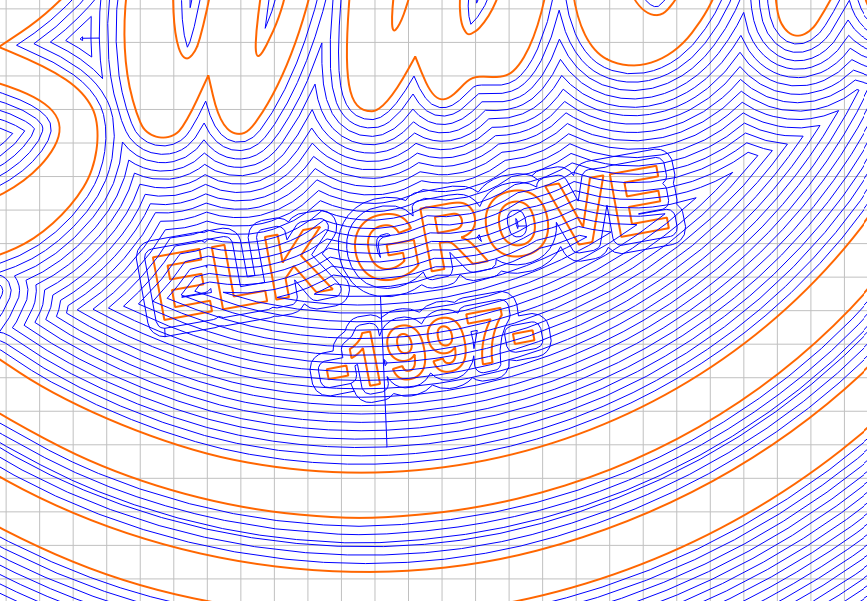
I was able to replicate this in build 743 on my Mac:
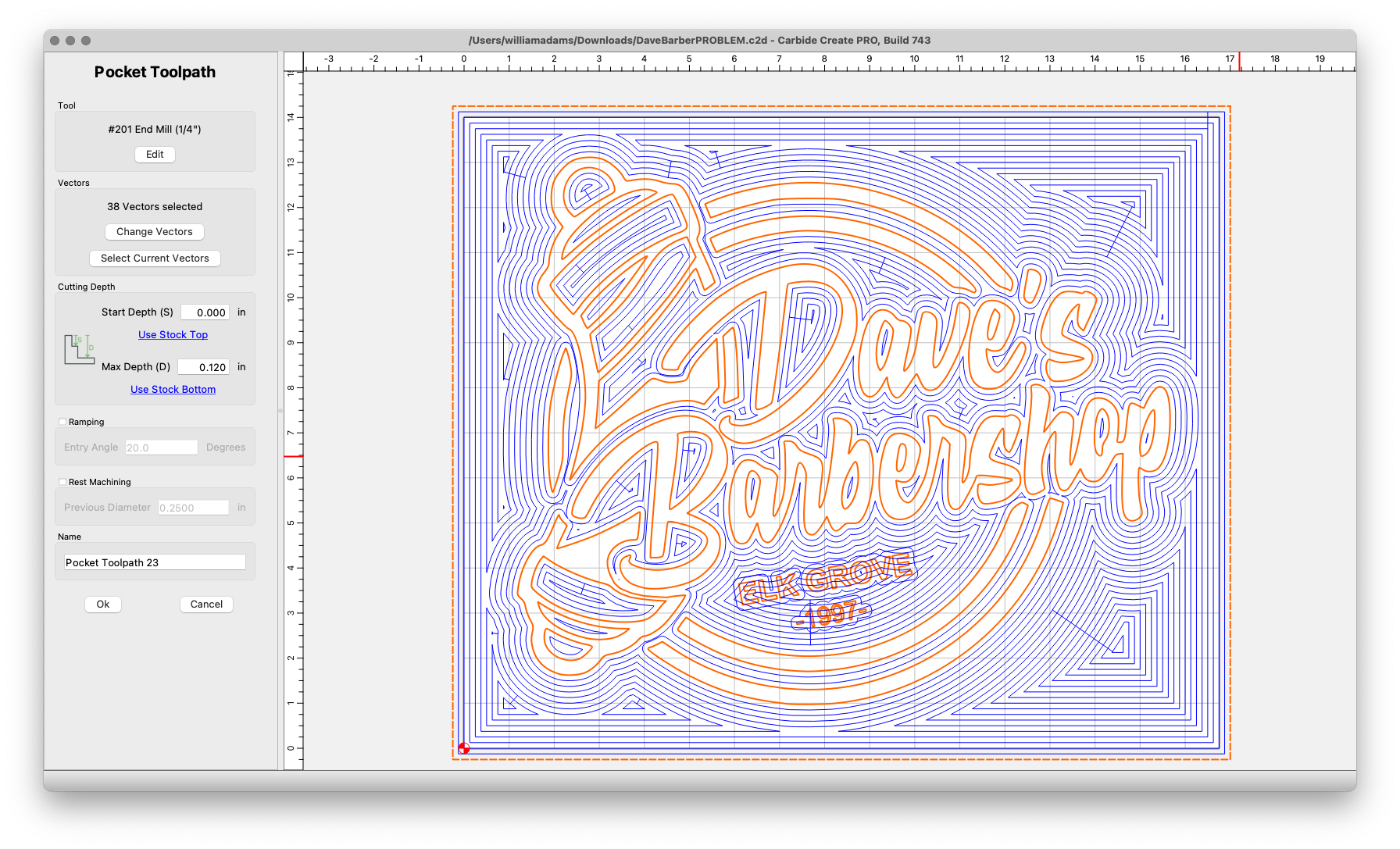
Even changing the text to paths doesn’t alter this, even w/ an Advanced V carving toolpath.
Hang on, exporting to another tool to investigate.
Even re-working the geometry did not solve this — a work-around would be to draw in additional geometry framing the text so it is not cut away:
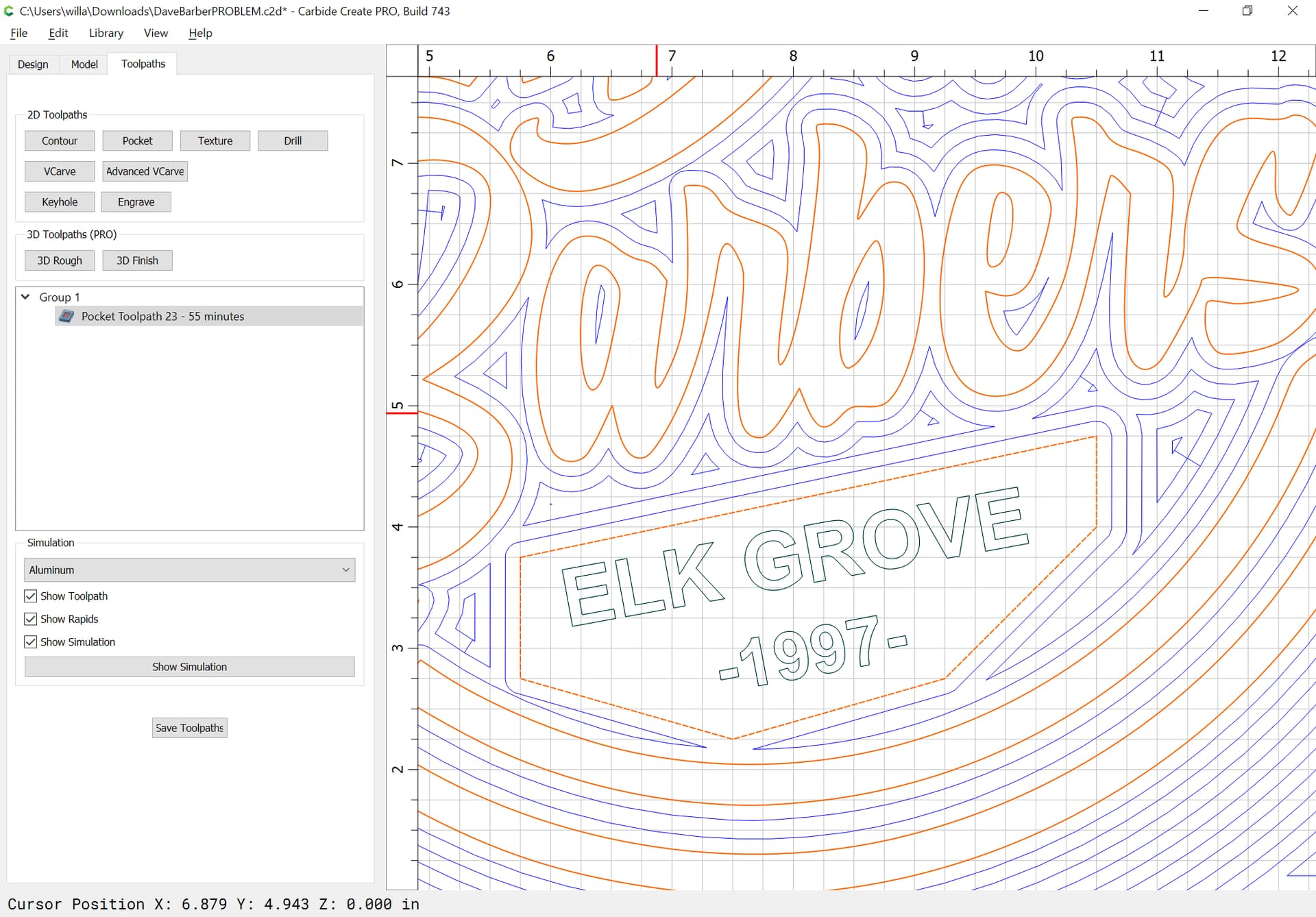
Then doing a separate toolpath to actually cut it out:
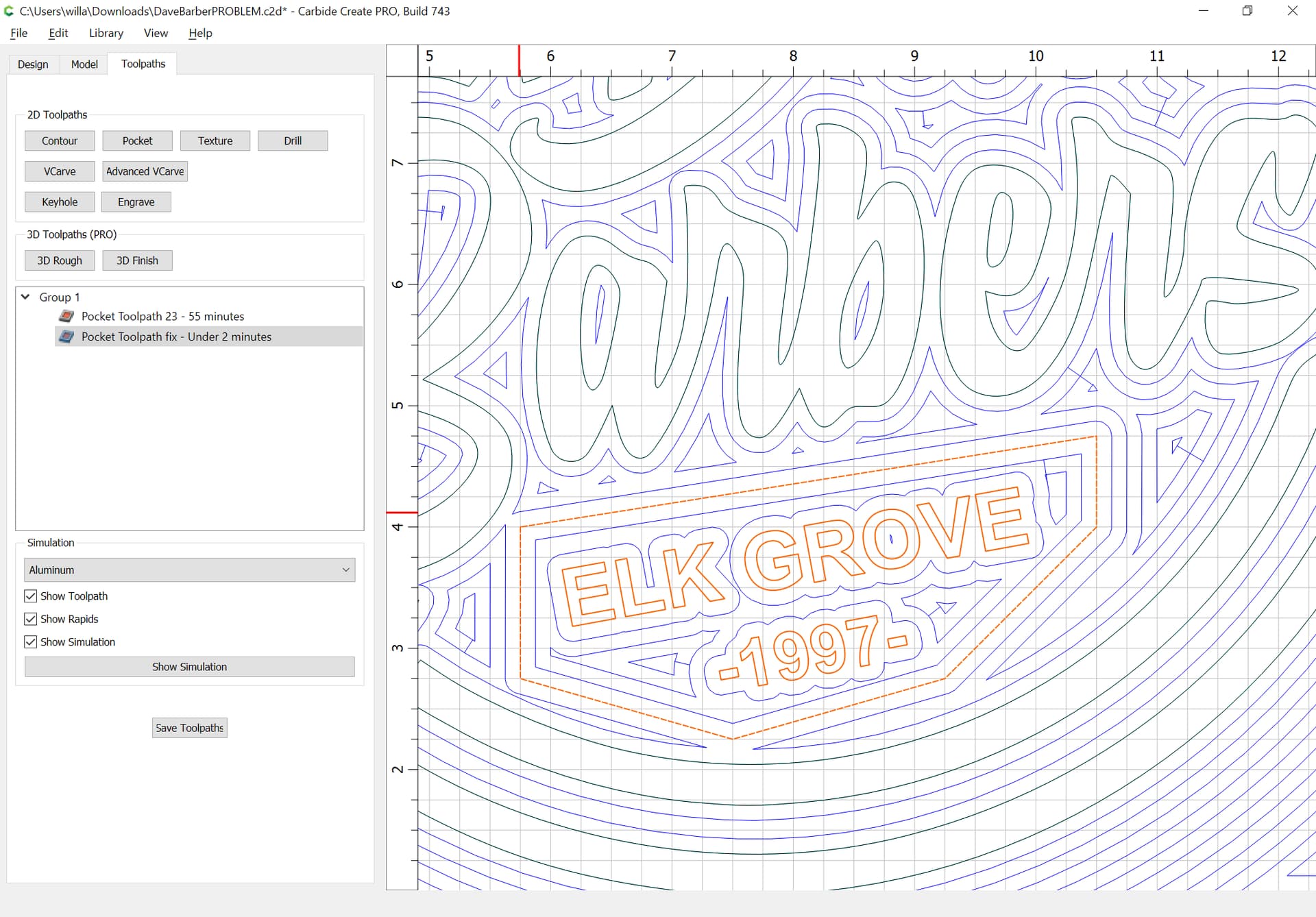
and a cleanup path:
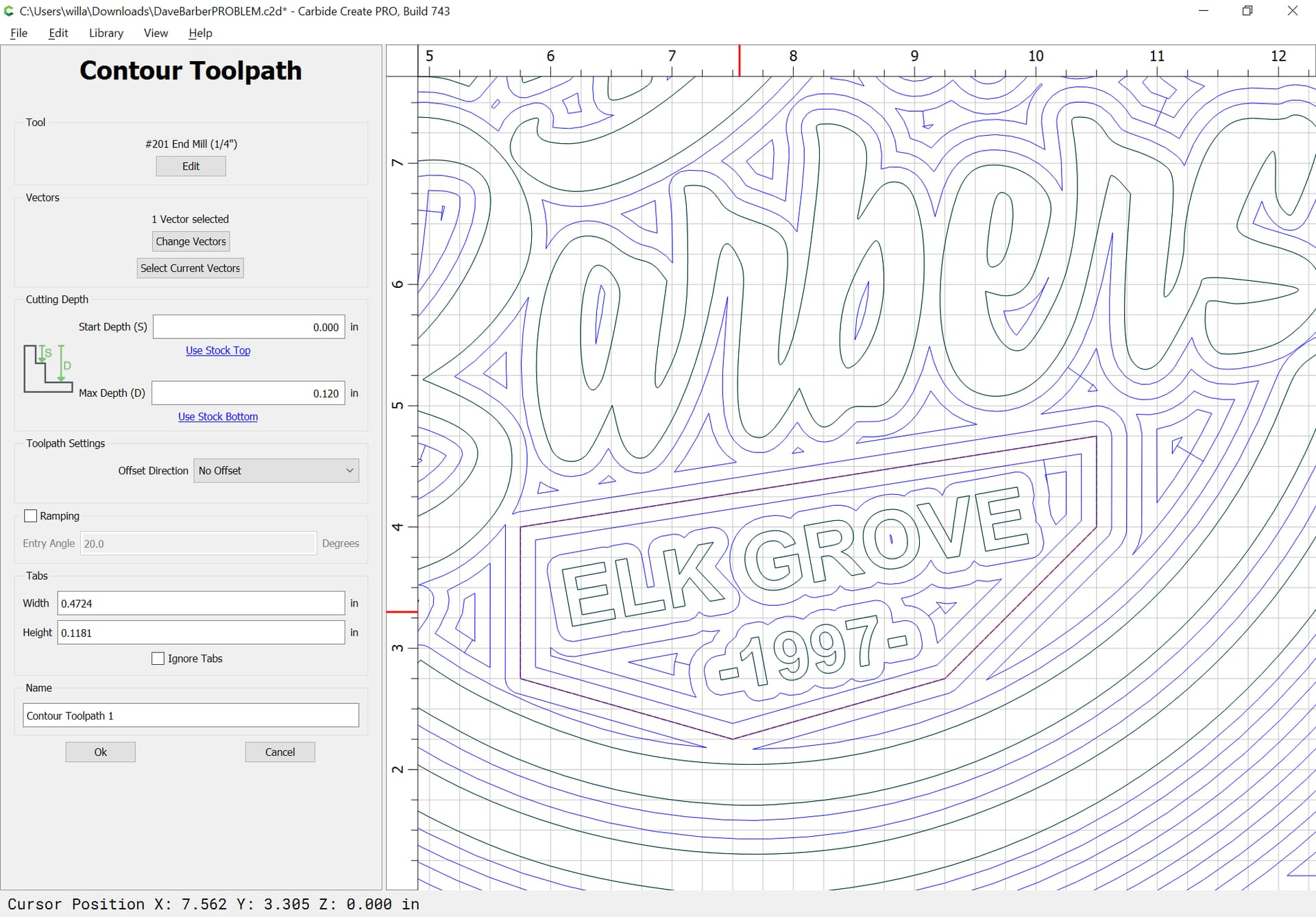
which previews as:
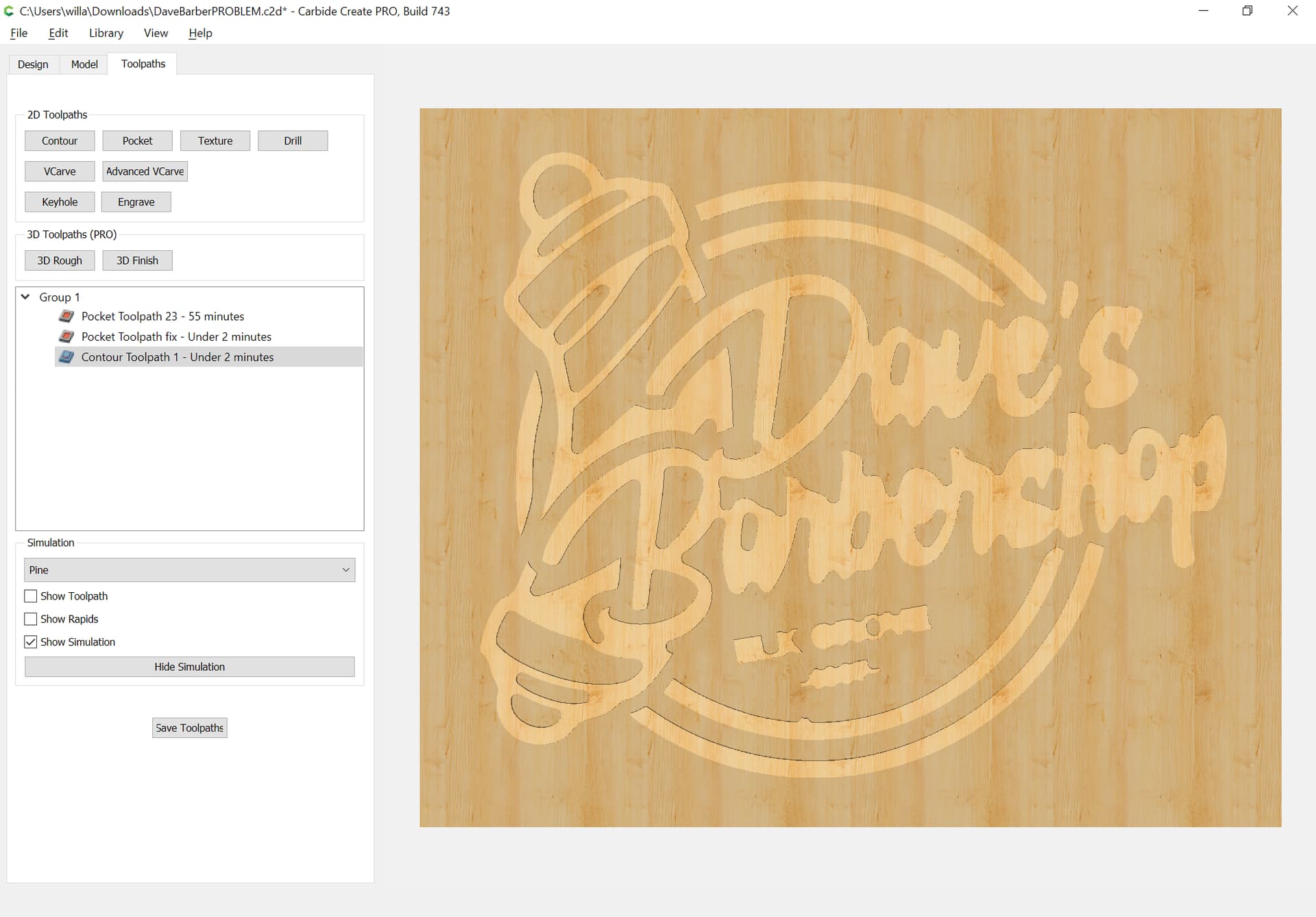
which argues for using an Advanced V carving toolpath instead:

w/ a bit of adjustment of the surrounding geometry we get:
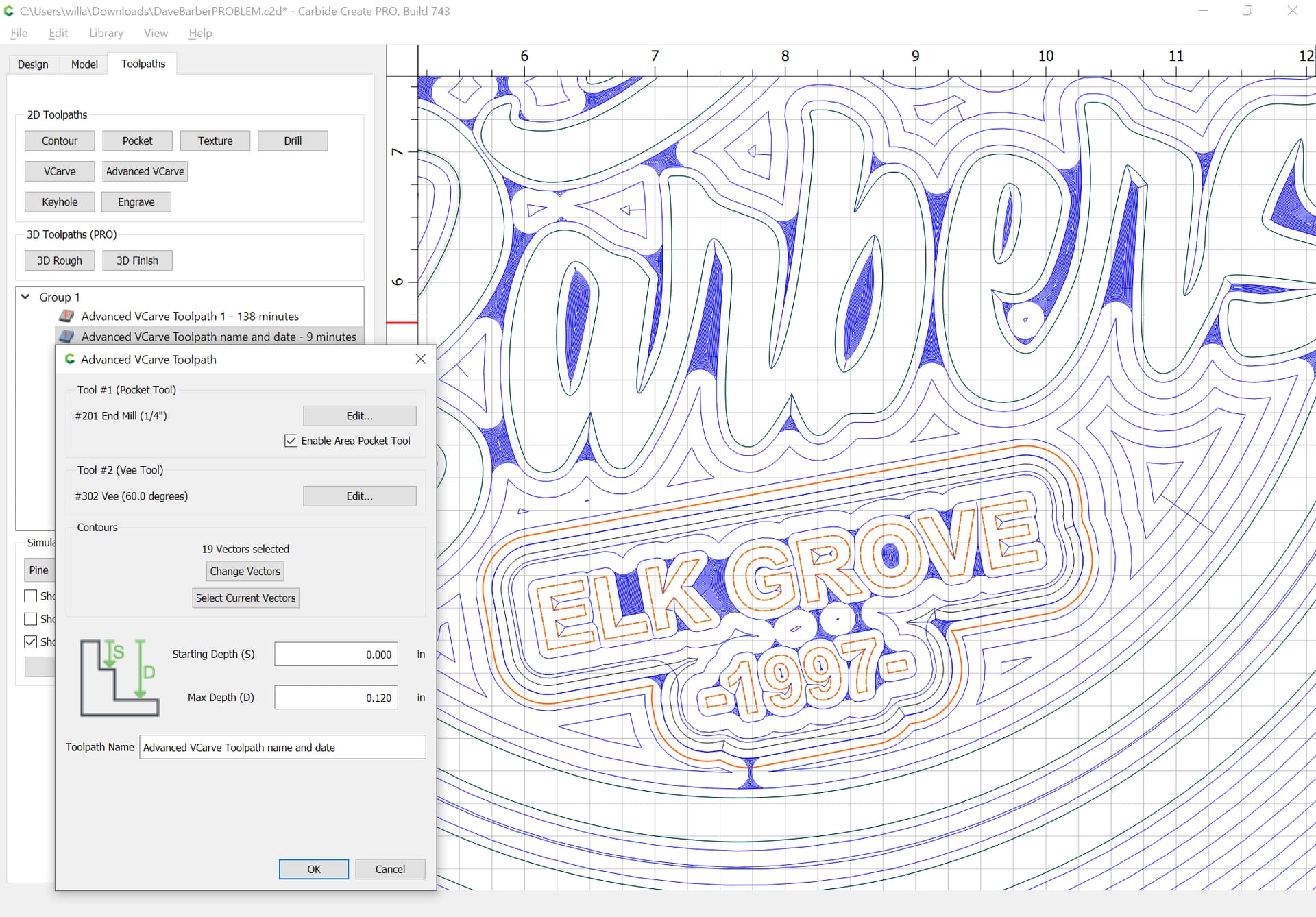
which previews as:
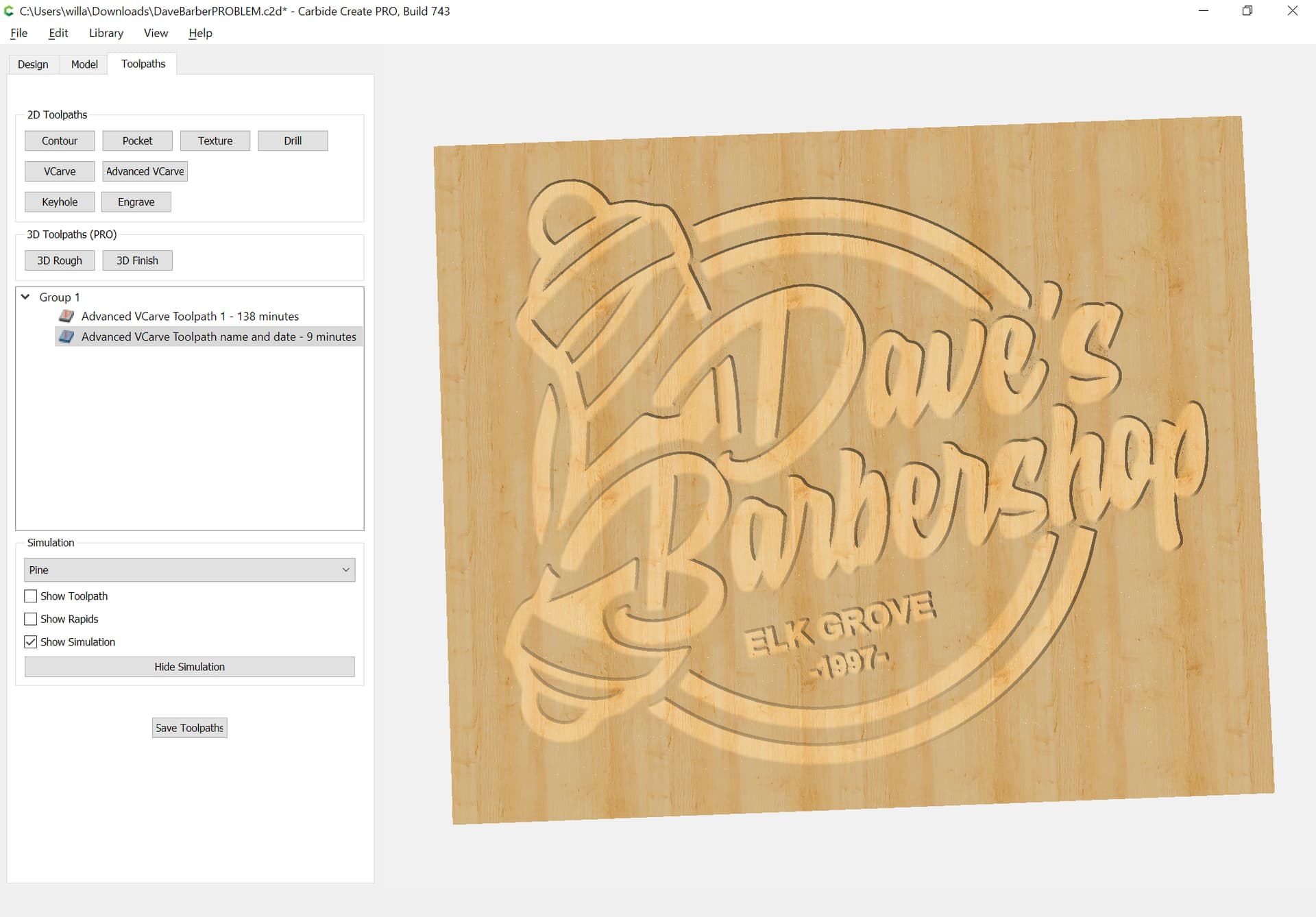
Attached as a v7 file.
DaveBarber_FIXED_v7.c2d (680 KB)
Yes! I achieved something similar but the additional geometry was a great idea. I will try that today. I also tried the AdvanVcarve with REST machining (i’ve got a 15 day Pro trial) and was pleased with that feature.
There are several features with the Pro version that compel me to purchase. Engraving (sort of, I will get to that sometime), the Ramping (for sure) feature allowed me to plunge/enter with a standard dado bit, the Model feature (for sure) allowed me to carve out several objects that look very nice and the REST machining (absolutely). Thank you for your help William.
This topic was automatically closed after 30 days. New replies are no longer allowed.