Hello,
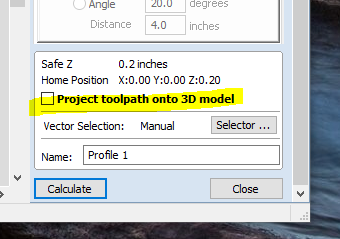
I am a beginner when it comes to CNC. I have the Carbide Create Pro 743 software and a Shapeoko 4 XL. I am wonder if this software has the feature of “Project Toolpath to 3D Model” like the Vectric VCarve Pro software does.
Thanks
Joe
Hello,
I am a beginner when it comes to CNC. I have the Carbide Create Pro 743 software and a Shapeoko 4 XL. I am wonder if this software has the feature of “Project Toolpath to 3D Model” like the Vectric VCarve Pro software does.
Thanks
Joe
Not quite.
The expectation would be that one would take this geometry and model it into the 3D shape.
If you had an accurate 3D model, and if you then did a 3D toolpath of only that geometry it would have much the same effect though, if my understanding is correct.
Let me see if i understand. I need to import the STL 3d, then import the SVG 2d. Select the SVG 2d and run it as 3d toolpath?
subtract the SVG 2D from the 3D STL model in some way, then assuming that the physical version of the 3D STL is clamped to the machine and you have zero set accurately, cut the file.
Post your 3D STL file and 2D SVG? Do you have a physical example of the 3D STL which you need to cut into? Photo of that?
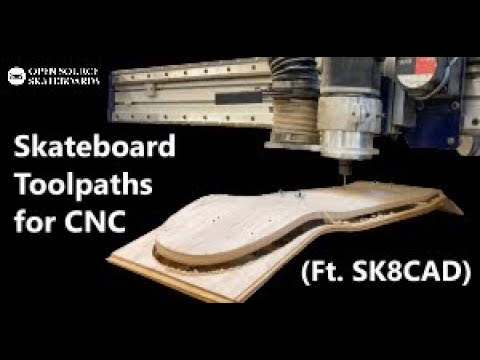
Here is the YT video of what I am trying to accomplish. You can jump to about the 15min mark. I would like to cut out the shape of skateboards. I have been able to cut them with 2d contour, but 95% of the job is just cutting through air.
You will need to map/probe the 3D surface to do this in Carbide Create. The alternative would be probing the surface and distorting the file to match. See auto-leveling in bCNC
ok, I’ll look into this.
Thanks!
This topic was automatically closed after 30 days. New replies are no longer allowed.