I am trying my first 3D print on my CNC and it looks to be about 8+ hours. I have included the file to see if the time can be shortened or is it because I have so much detail. Any thoughts or help would be great. I really want to hit start. LOL
Bomb New.c2d (3.9 MB)
don’t press go yet,
there is a lot that can be done to speed up the process
its to late for me to look much further but just putting a
circle around your graphics cut it in half
1 Like
Ok, thanks, on hold and hopeful.
Bunch of ways to reduce run time…
Feedrate +
Stepover +
Depth of cut +
Strategy:
Rough/Finish. Get rid of bulk material quickly, use the extra time for finishing.
3D - Only cut with 3D operations what is truly 3D. As Jim mentioned, you could pocket the outside between the badge & the wall, and cut the badge only with 3D.
Rule of Thumb for 3D: use the largest ball mill you can to get the detail you need. Larger ball means bigger stepover to get the same finish quality.
However, it looks to me like this is mostly a 2D job with tapered walls. Perfect for a V-carve.
The toolpaths will go much faster, and the quality will be greatly improved.
The downside is if you don’t have a good vector image to start with, it takes a long time to draw it all up. Here’s a partial example using 2D pocket & V-Carve…
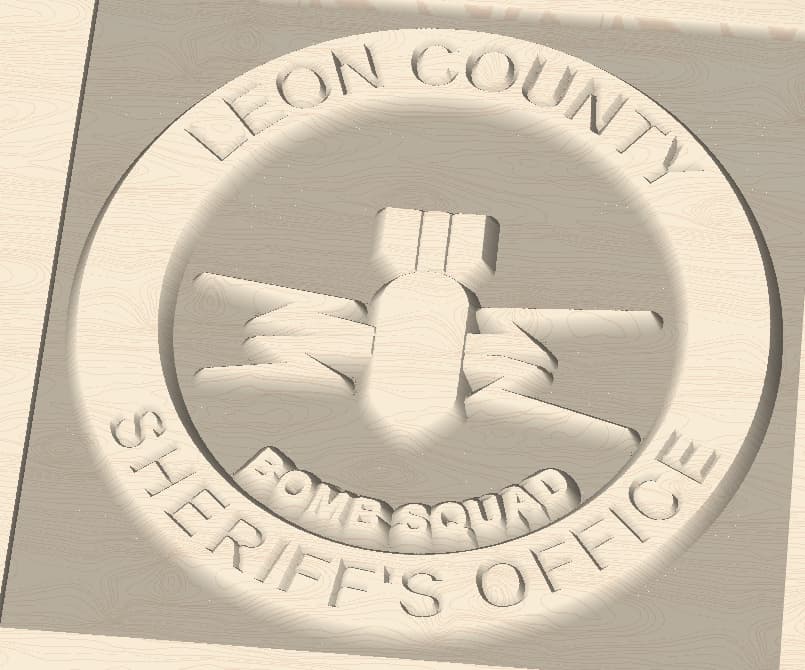
Bomb New 2D.c2d (1.7 MB)
4 Likes
Thank you, I will try your design this weekend.
Not sure what you mean by putting a circle around the graphics.
I think Tod (with 'd") had best approach to your project.
I was trying to reduce the size of the 3d carve. One
way to reduce run time. DOC is another.
1 Like
If your hold down method allows for it, reducing the retract height can also reduce cut time…
3 Likes
Also increase the Plunge rate if possible.
On some projects, with lots of bit lifts, increasing the plunge has speeded my projects up as much as increasing the feed.
1 Like
This topic was automatically closed 30 days after the last reply. New replies are no longer allowed.