Wondering if there is a way to reload a project after it has been removed from the bed and re rout a certain part of the job?
How was the part secured?
Was it up against a corner fixture?
Are there any elements or features in it which may be used to register against?
If I need to re-register a part I’ll put it up against a corner fixture and drill a hole to a depth which can be checked if I can’t use some uncut portion of the surface.
Photo of the part/stock?
1 Like
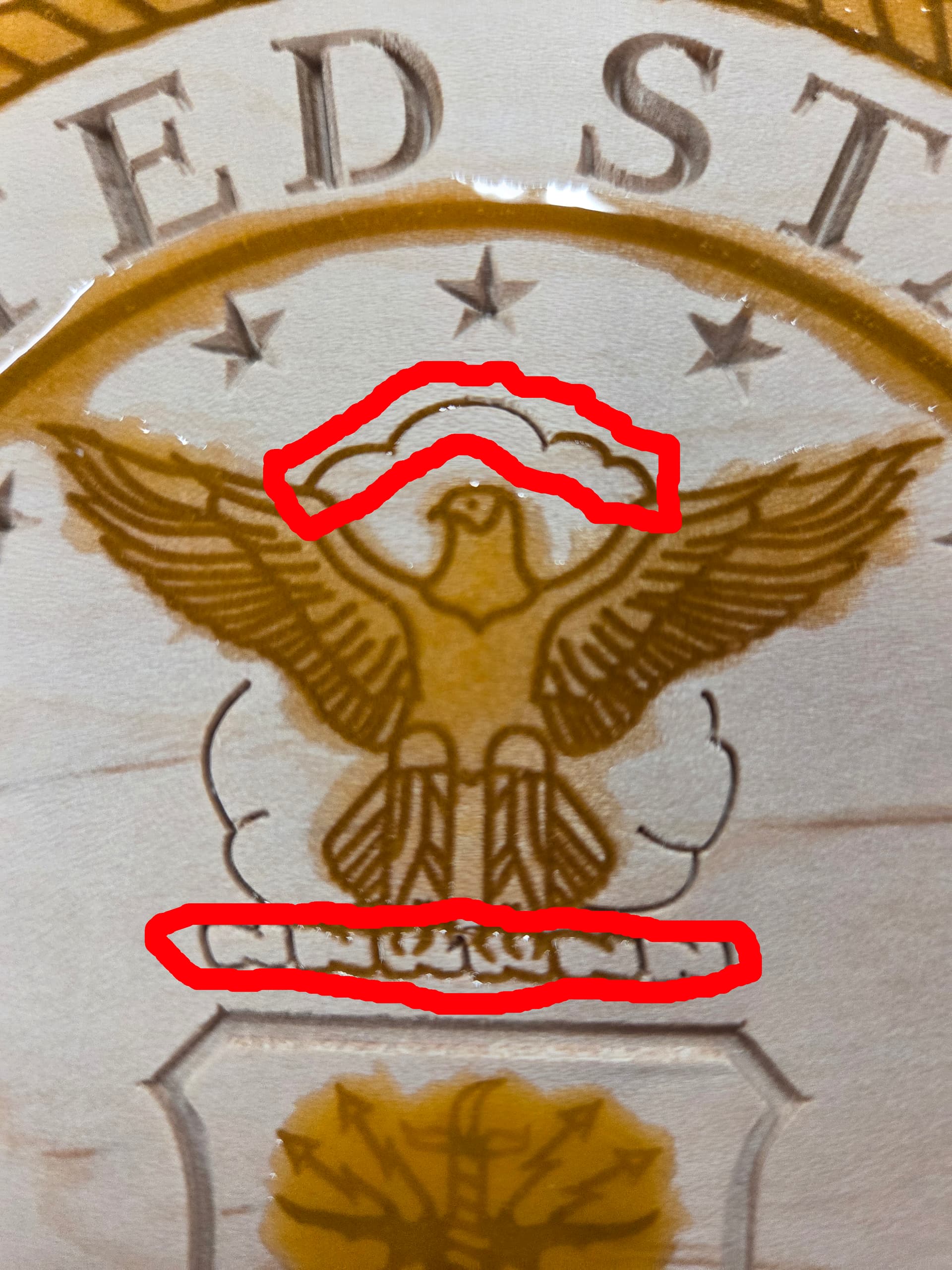
I am using the Shapeoko Essential Clamps, no corner fixture. Some of my epoxy sept into area that I didn’t want it, so I would like to remove it. The areas I want to recarve are attached in red.
Dean Final 4.c2d (1.2 MB)
Thanks
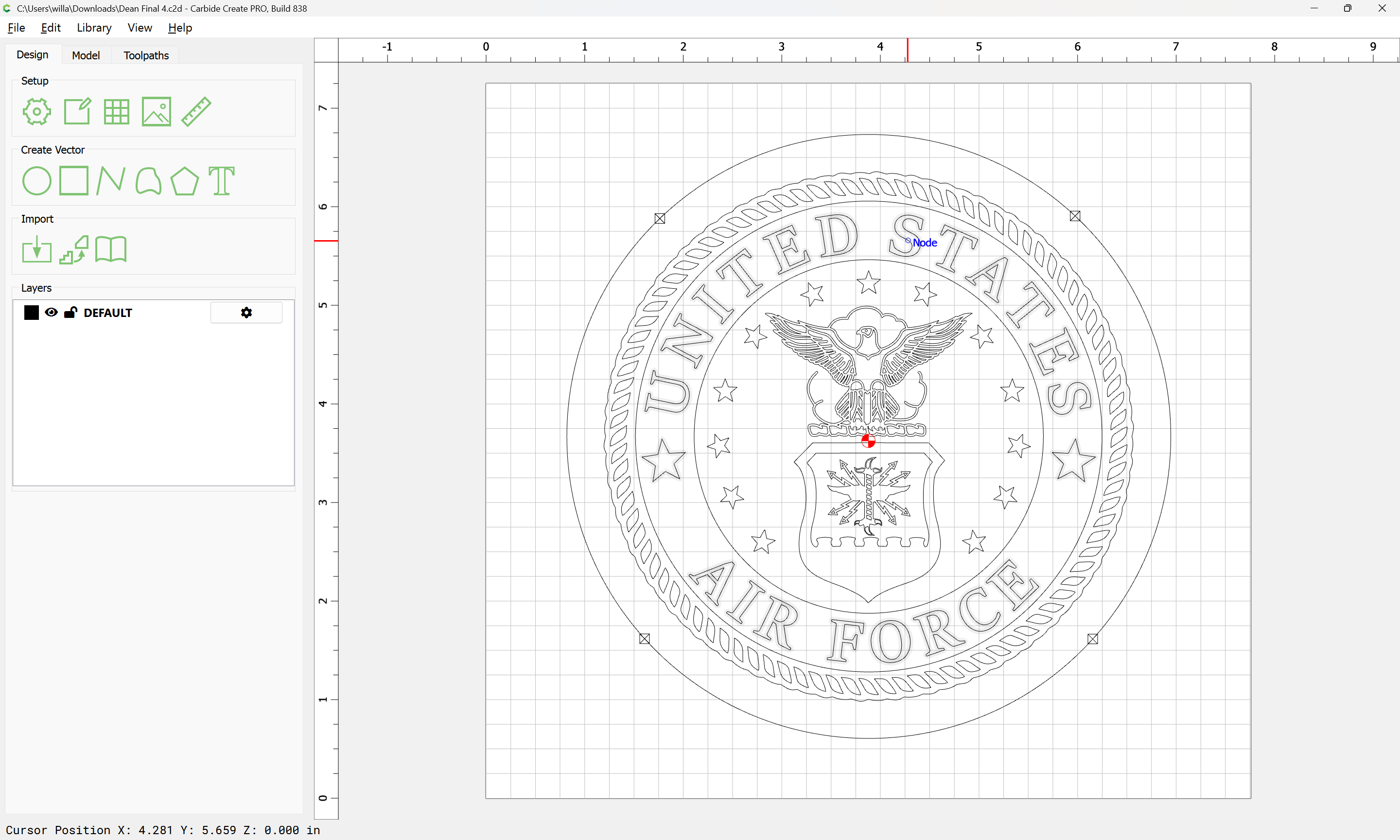
Without proper registration or reference fence, fixed point that have not moved since you removed the project you will struggle to get it on the same X/Y zero point to restart a carve. If it were me I would get out the carving chisels and clear the area. The risk is very high to ruin the project if you try without fixed reference points.
Another trick is to leave the project clamped in place and perform your epoxy pours. That way if needed you can rerun the tool path as needed to remove unwanted epoxy. As wall as using something like hot glue to make a boundary for the epoxy to prevent it going where you don’t want it. I have used regular caulk to outline areas to stop epoxy creep.
Did you use a V-carve for the pocket you were asking about previously just below the lower red outline?
1 Like
Yes, thanks for your input.
Did you intend to have the small lines cut at the top corners fo the shield pocket? I thought you were just going to use a normal pocket tool path?
Just curious?
This topic was automatically closed 30 days after the last reply. New replies are no longer allowed.