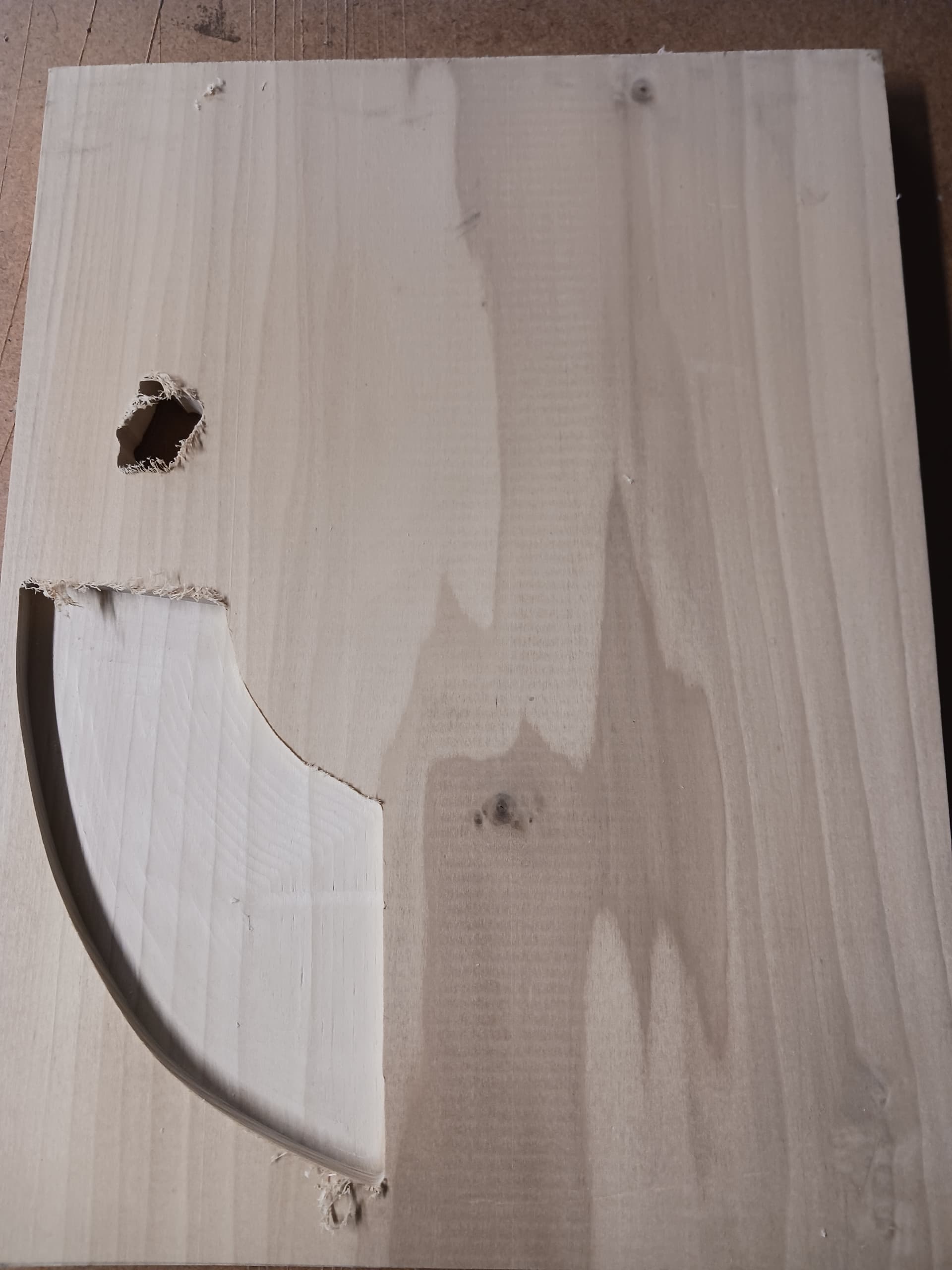
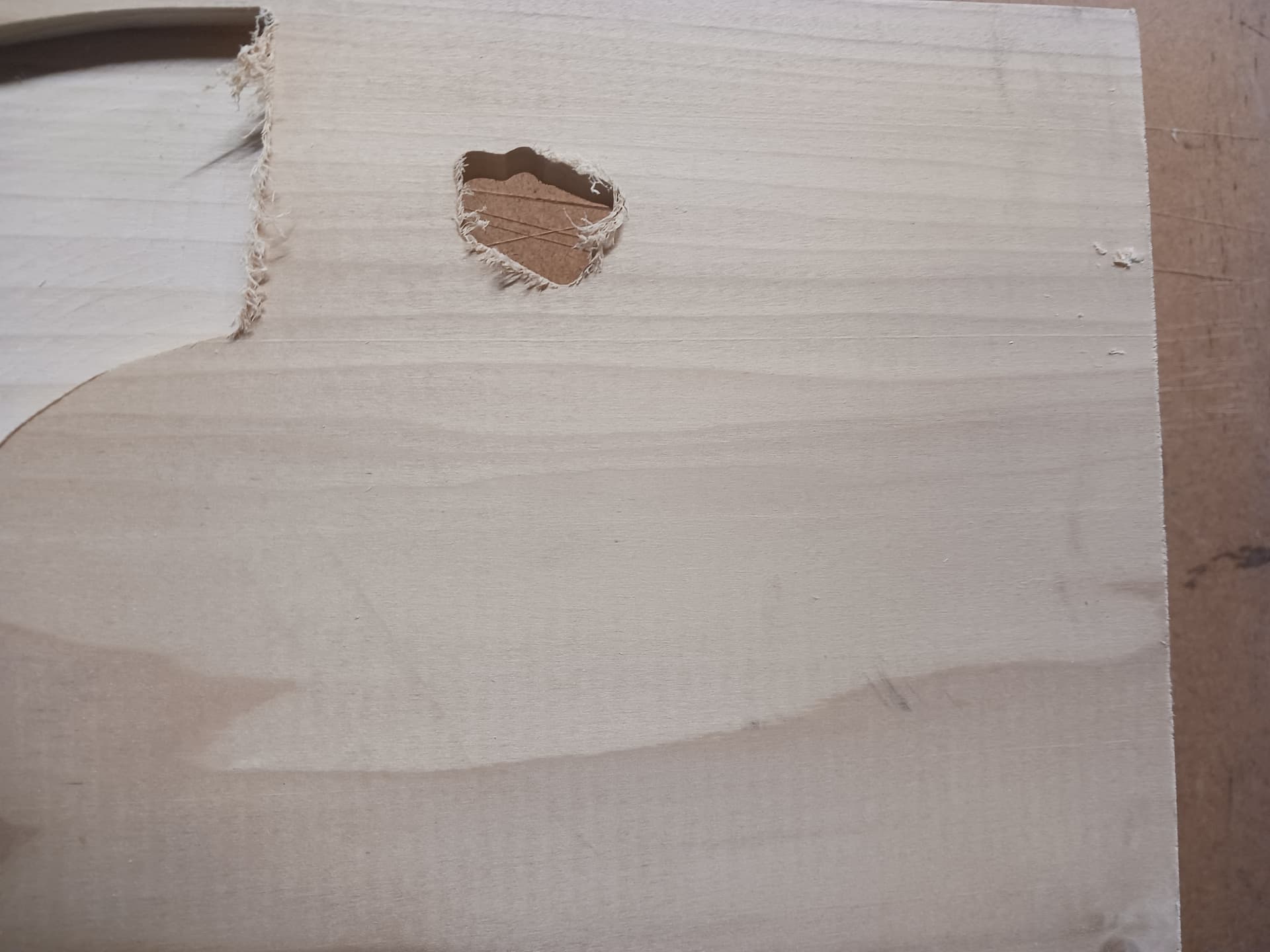
Looking for reason my Shapeoko did something I didn’t expect. I had made a couple of vegetable trays and all went well. Then the other day I was making another and the first partition was cut out as it should, then when I started the next partition the router took a dive into and through the 3/4 inch board in about 10 seconds, leaving an approximate 1 inch hole.
The SO3 is a very good machine but it is all belt driven. So depending on your F&S you can come off the rails and you get your problem.
Check all your v-wheels for cleanliness and the rails. Check their adjustment by lifting each end of the gantry and you should have no slack. Lift the Z and there should be no slack. If either lift then adjust your v-wheels. Look at your belts closely and depending on what model you have basically your finger should fit tightly under the belt at the half way point.
Power off your SO3 and manually and slowly move your gantry forward and back a few times. If you find any tight spots address that. Then move the Z carriage back left and right a few times and same check for any tight spots.
Vacuum hoses that get tangled up can cause you to loose steps. Also your router cord can get tangled up on the top of the gantry and cause you to loose steps.
When moving the gantry around manually go slow. If you move it too fast you will get a grinding noise caused by EMF generated by the stepper motors. It will not hurt anything but go slow to avoid the EMF.
@WillAdams asked what Z you have. There are 3 possible for an SO3. The belt Z was the original an was on early machines. Then they came out with the Z-Plus and later the HDZ. The Z-Plus and HDZ are ball screw driven and have linear bearings that need periodic maintenance of cleaning the rails and oiling the bearings. A Z-Plus or the HDZ can cause loss of steps when they dry out. You use Mobil Vactra #2 oil for the lubrication. It is sometimes called way oil and is used on heavy duty mills and lathes to oil the moving parts. C3D sells small bottles or you can buy it on etsy.com. People in Canada seem to have a hard time getting the oil because of import/taxes and shipping but it is available.
Come back after your diagnose your problem and get more help or let us know what fixed your machine.
If anyone in Canada is looking for Vactra2 oil the best way I’ve found is to order this maintenance kit from robotshop.com. They are a Canadian reseller of C3D products.
I checked the items suggested, the x and y axis moved smoothly manually, and belts are clean and proper tension. Use PETE lubricant and keep lubricated.
Bit did not come out.
Shapeoko 3 z plus XL
Gcode associated with the malfunction. Vega tray1.nc (83.5 KB)
I ran a dry run without a bit, downloaded the file again and did not have the issue.
The cutter move to the correct spot and started the correct movements.
Noticed that if the machine is not cutting after a few seconds the cutter shuts off. Is this normal?
I’m thinking this was just one time glitch in the software.
Thanks Burl
If your router was not running while it was supposed to be cutting then that likely caused your problem. The Z keeps pushing the router bit down into the material but if the sharp cutter is not rotating and cutting away material it will stall your movement.
If your router is not running during cutting it is likely the brushes in your router. If you have a C3D/Makita router the brushes wear out fast and after about half their original length they get hungup by the little wire inside because it is not long enough to allow the brush to make good contact with the armature of the router motor. The brushes are very cheap and are available from C3D, Amazon and other retailers.
There are 3 accessories for an SO3. BitZero, used to set X, Y and/or Z zeros. BitSetter, used to measure bits while cutting jobs with multiple bits. BitRunner, used to control the router on/off from the gcode file. The proper post processor must be used in your CAD software for these accessories to work properly.
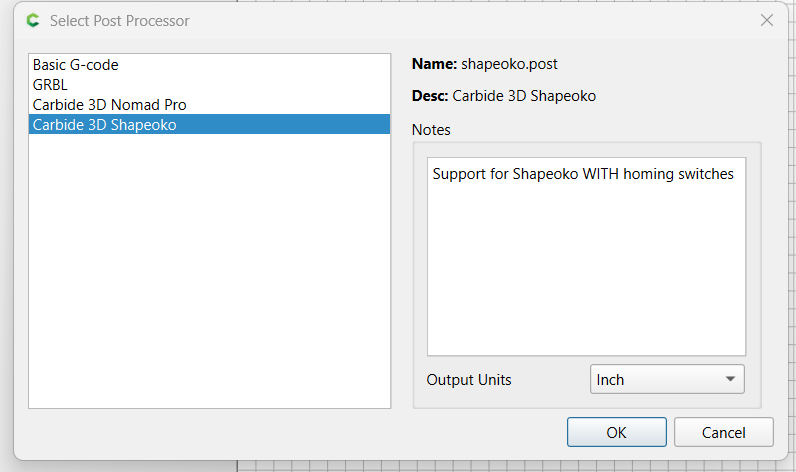
In Carbide Create your have 4 choices of post processor. The post processor can add the gcode needed for a Shapeoko to use any of the accessories listed above in concert with Carbide Motion.
Basic Gcode is used by 3rd party machines but you use Carbide Create to create your project to cut a single tool path.
GBRL is similar to the Basic Gcode that is just the gcode needed to cut a single tool path.
Carbide 3D Nomad Pro is used for the Nomad Pro C3D makes. Allows all the functions of the Nomad to be used in the .c2d file that Carbide Create makes in later versions.
Carbide 3D Shapeoko is used on all models of Shapeoko 3/4/4Pro/5 to utilize all the accessories available on these models.
The Carbide Create files are saved in the .c2d format which is propriety to C3D. You must have a pro license to save your .c2d file as individual tool paths as gcode. Gcode is the language that CNC machines understand to make it move and cut your projects. The .c2d files have gcode inside their file format and Carbide Motion can strip the gcode out from inside the .c2d file to run a C3D machine. 3rd party machines would need the Basic Gcode or GBRL post processor to use Carbide Create as the CAD program and a CAM program to execute the gcode generated.