I bought a shapeoko 5 pro over the summer to add to our schools makerspace. I finally got it up and running and am ready to make my first design.
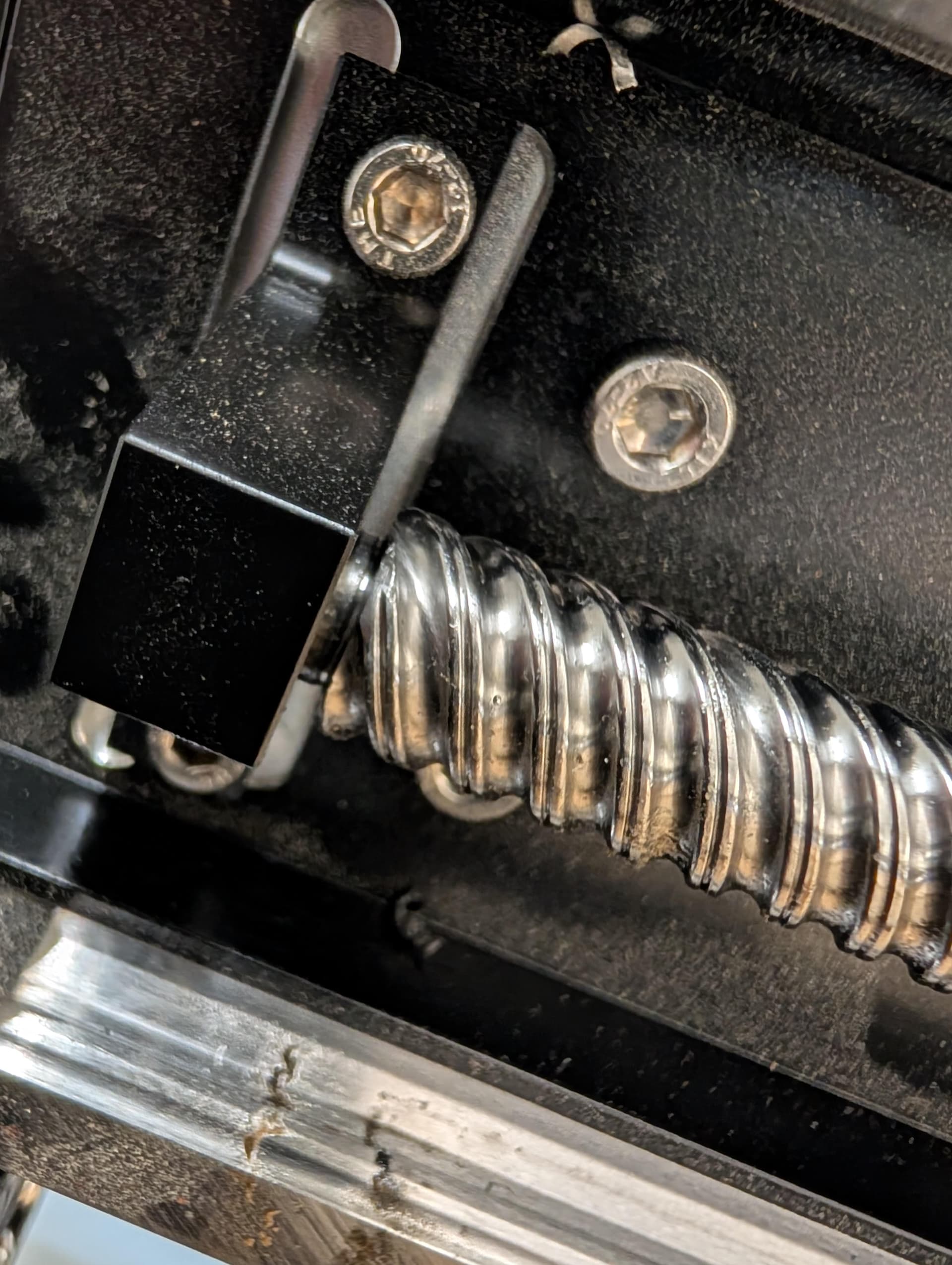
I initialized it a couple of weeks ago, but decided to redo the process yesterday in preparation fro my first cut. I do not know if it originally sounded like this, but during the initialization process yesterday, I noticed a lot of rattling from the left y-axis track. Is something wrong/ terribly misaligned or am I ok to run my cut file. I would hate to have the thing break after the first couple of cuts.
I have tried posting a video every way that I can think of, but have not had any luck. Any suggestions? I have tried using google drive, youtube links, and simply attaching the video. Nothing seems to be working.
New users cannot post files until they have made a minimum amount of posts. I think it is so that bots cannot sign up and then post unwanted content.
The best bet is to contact support directly. The community may have some insight but send an email to support at support@carbide3d.com to get started with a fix. You can call them at 424-402-5203. Carbide3d is in California but not sure what times they answer the phones.
Thanks, I checked with the left side x axis retainer while the cnc was off and noticed there is a slight gap between the threads and the housing. Is it supposed to be like this or should it be flushed?
There is also a bit of a wiggle when I try jiggling the screw rod at the left retainer when the gantry is on the far right side. Is this normal?
I did not lube the screws, it must have been from the factory shipping. Should I wipe them down?
And when you say light pressure, does that typically fix the issue or how will I notice that the retainer and ball screw is the cause of the sound?
I notice my Sp5 will get noisy after a while.
Bearings get lubed, rails get wiped down, ball screws get wiped down. I do lube that end location once in awhile.
I run the spindle around the table to make sure all is well.
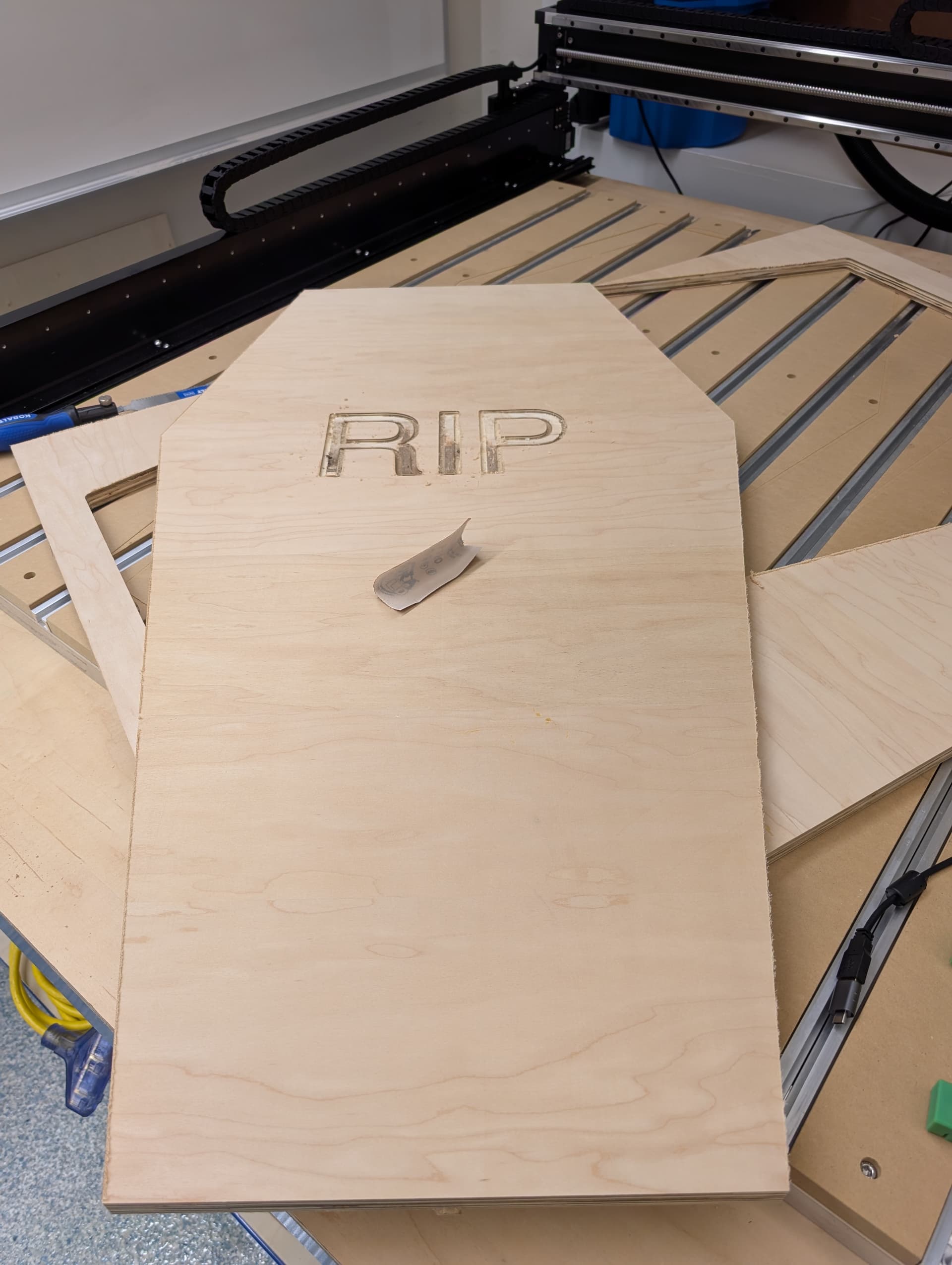
I have run two simple contours that took up most of the cutting surface. I am not exactly sure what it is for but a student wants to create a coffin for halloween.
The cuts seemed to come out great, just need a little sanding touch up for the pocket letters (used #201 bit for everything), but the noise persisted through the cuts. I have contacted carbide’s support and am starting an email chain/ diagnostics. Hopefully we can figure it out.