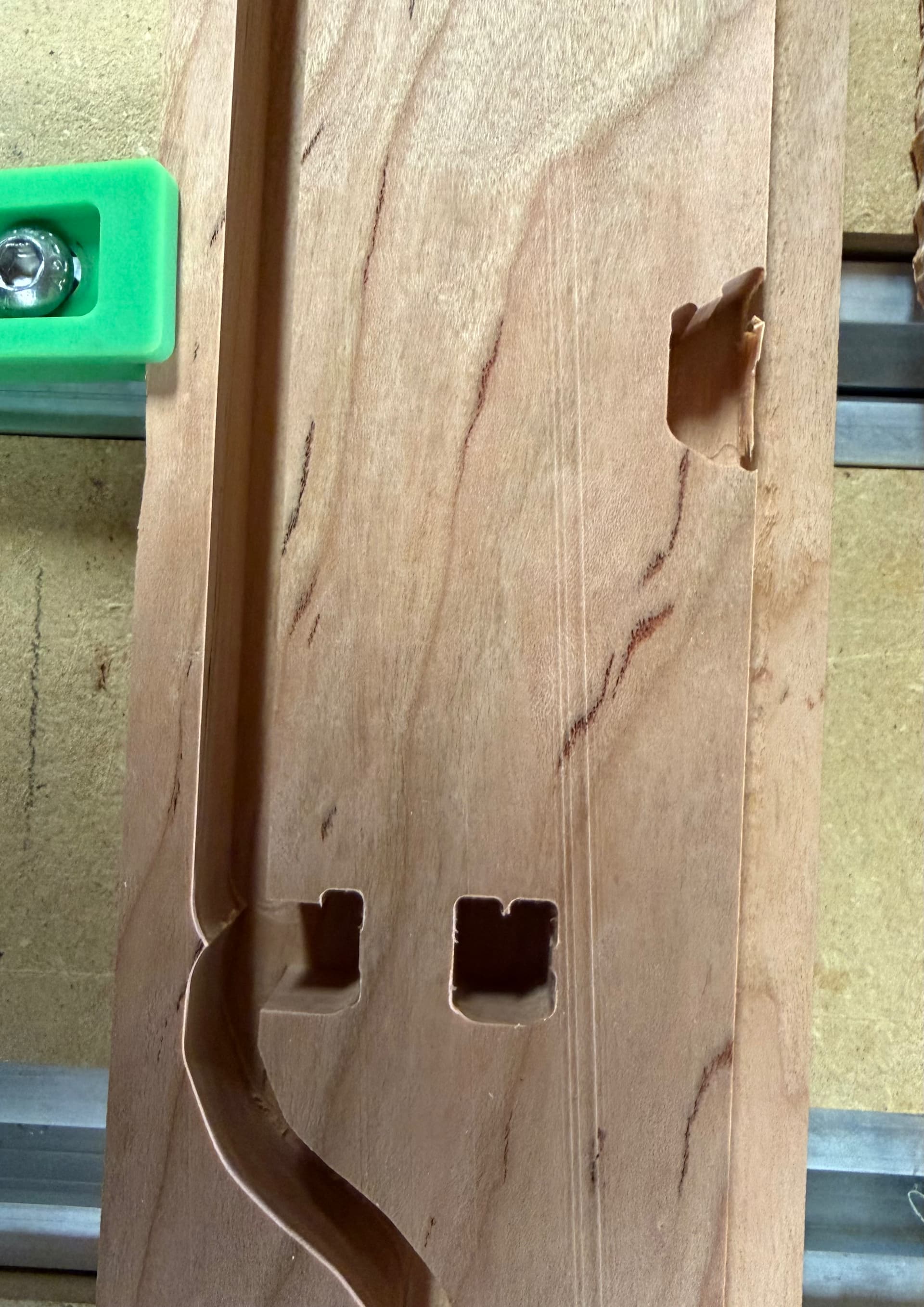
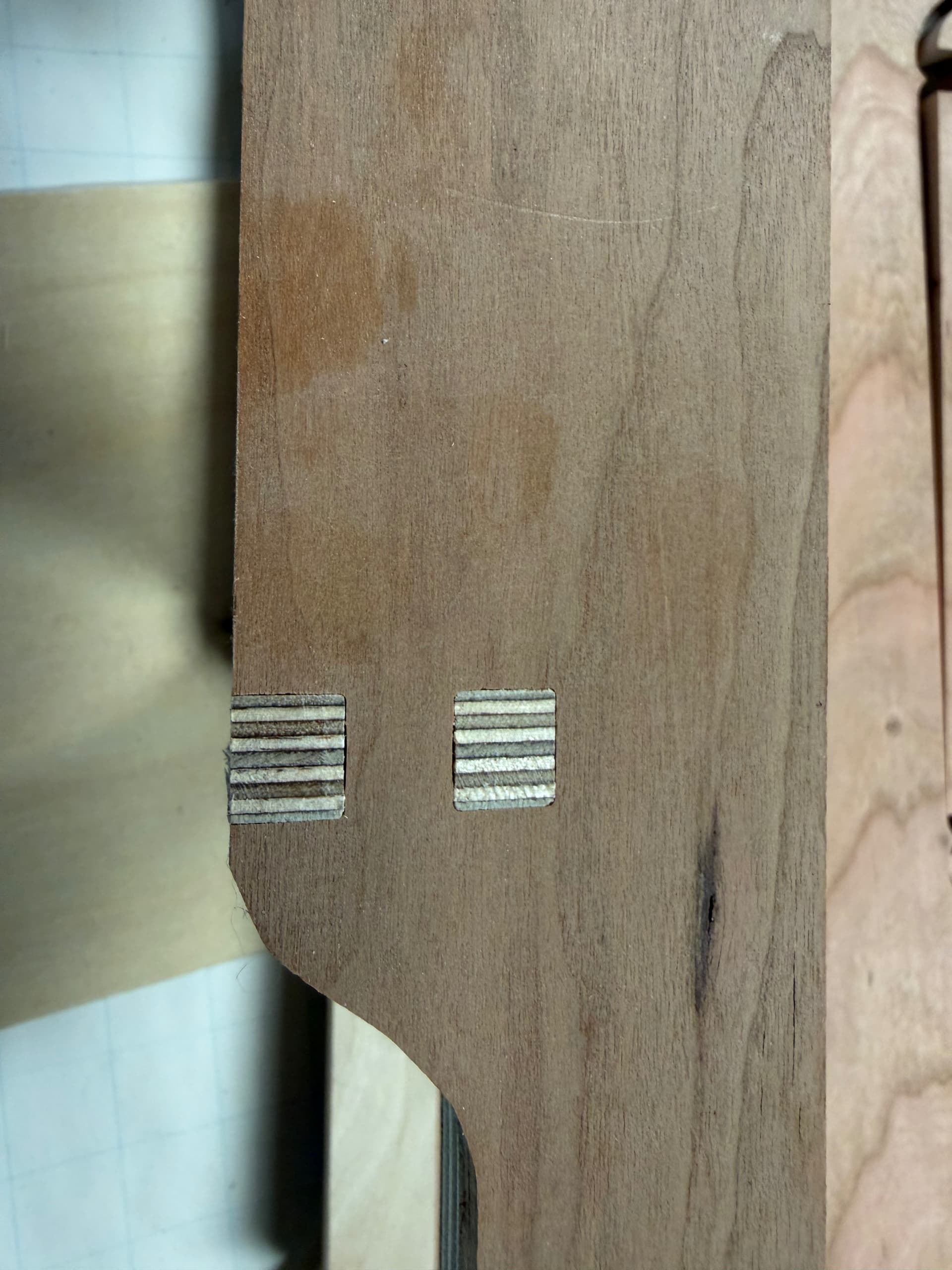
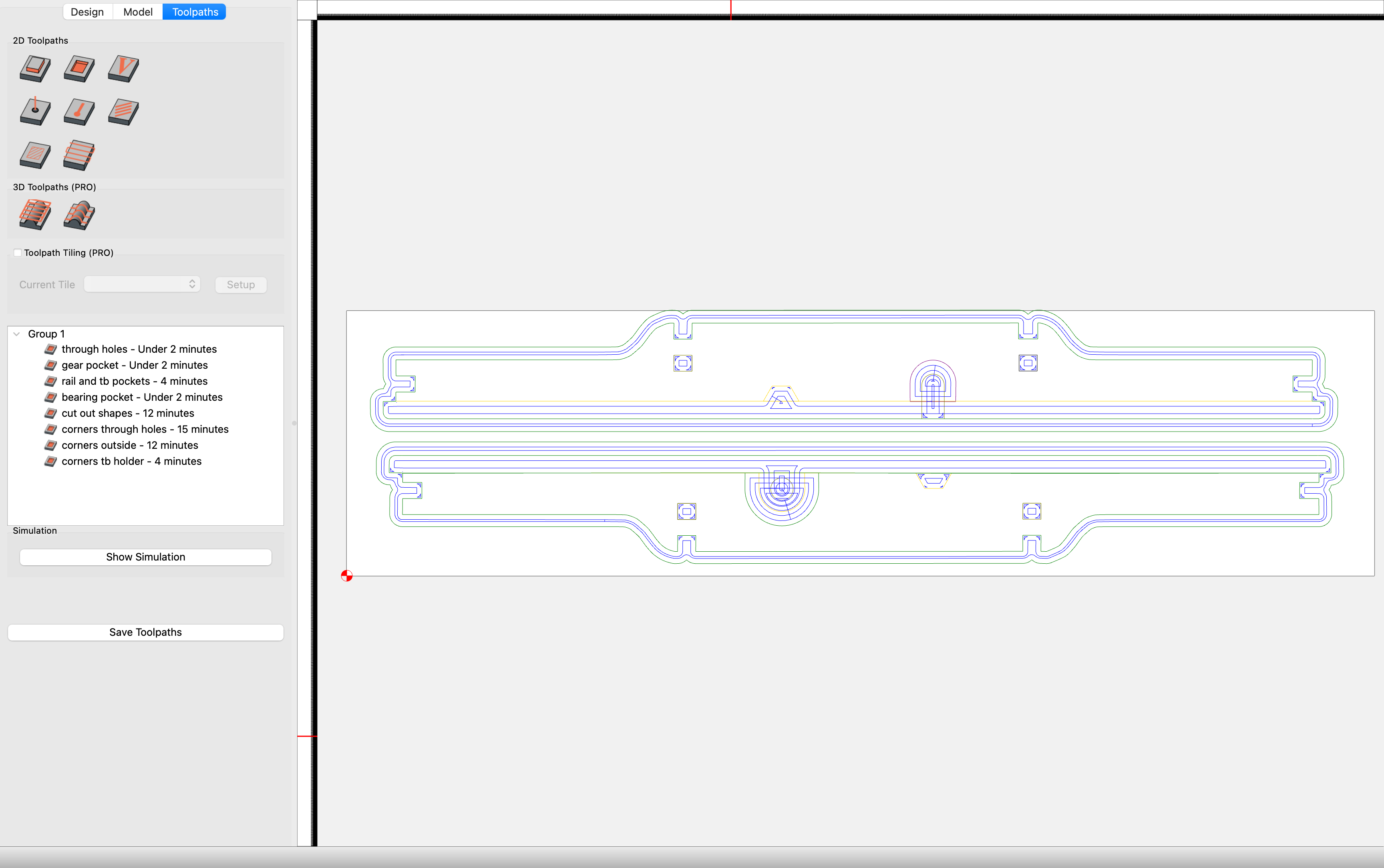
I’ve been refining this part through several iterations and thought I had the final version when at the last operation, using rest machining to square out the corners of the finger joints with a 1/16" bit, the cut seems to have offset from the target by ~2-3 mm in the X axis. This didn’t happen in previous iterations, but then I did change the drawing by quite a bit. The offset cuts are not shown in the simulation.
While I’m asking, I’m using a pocket cut to create the outer outline of the piece because I believe I cannot do the rest machining to clean up the corners of the finger joints with a contour cut (I’d love for that not to be true). The corollary is that tabs to hold the piece in place don’t work with a pocket cut. The workpiece has not moved in this case, but before I implemented using way too much double sided tape I did have pieces move, so having tabs would be fabulous. What’s the best way to get an interior corner on the perimeter as square as possible? Cutting the whole perimeter with a 1/16" bit would take forever. The “previous version” photo shows that what I did can (sometimes) produce a quite acceptable result.
Sudden shifts are almost always mechanical in nature. Either you have wear in your machine or something hung up your machine like a vacuum hose. Sometimes it is F&S but since previous versions did not have that I would discount F&S unless you dramatically changed them on the last version.
Have you done maintenance on your ball screws with the oil? If the bearings the ball screws get dry that can cause a mechanical problem. Some people have had the ends of the ball screws come loose so check that.
If these problems dont show up in the simulation it is not a software problem. You likely have some kind of a mechanical problem. Your machine hitting something like a clamp or a vacuum hose getting hung up or maintenance on your linear bearings/rails and ball screws.
Recut the part today without any difficulty so I guess it was a one off glitch.
Everything is lubricated and tight. ( except the lower z axis bearing, need to hunt for videos, no clue how to get the lubrication port screw out ) I gave it a good cleaning this morning just to be sure.
You have to remove your Z assembly to get access to the lower oiler ports. What you can do is oil the rails and over oil the top bearings that are accessible. The oil will drip down to the lower bearings. Not ideal but easier than removing the Z.
After you oil your bearings be sure to put a paper towel under the Z when parked to asorb any excess oil that drips out. Would also recommend that you wipe off the bottom of the rails of excess oil to keep the oil from dripping on your project and/or spoilboard for first and second project after oiling.
Loosen the bolts that hold the Z-axis to the lower bearings and the bearing can slide down and off the rail. Only loosen, remove, oil, and return one side at a time to be sure the rest of the Z-axis is undisturbed. I’ve had to do that twice already on a < 45-days-old machine to replace oil port screws that fell off while running a job.