Something other than Shapeoke or Nomad machines?

Hey Y’all,

Newbie here…

Old retired guy here, almost 40 years in industrial control, been there. done that, except…

I have a desire to build a CNC router table…

I have a friend who manages a cabinet shop, they have a full blown 5’ X 10’ table,
I can give him a CAD file containing three 4 X 8 sheets worth of cabinet parts, and he can cut them in about a half hour.

Another guy I know has a small benchtop CNC router, he did a small job for my son, and it took half a day…

So, I wanna build something in-between…

I got to looking at kits online, and they all seem to be based on extruded aluminum pieces,
connected in an Erector Set fashion, braces and brackets all tee-nutted to the extrusions.
And, for the size I wanna build, it was over $800 for the framework alone.

Heck, I have a pile of material here, and along with things like screw sets, bearings, V-rollers and such,
I figure I can build a much sturdier frame for about $200.
That’s a 40" X 60" steel/aluminum frame that will easily hold a 24" X 48" panel.

As I said, Retired, so project money comes with a controlled budget, I figure I’ll build my frame work, and when I’m happy that everything moves smooth and tight, then I’ll move on to my steppers/drives and controller, so many options.

But I’m always looking ahead, so I started researching DXF to g-gode software, and came across Carbide Create and so far it has a good feel, but…

It has pre-configured settings for either Shapeoke or Nomad machines, what about the rest of the world?
Will I able to define parameters of the machine I’m building?
Will selecting one of these pre-defined machines have any bearing on my output g-code?
That is, if the pre-defined machine has a work area smaller than mine, will it somehow inhibit the output file?

Inquiring minds and all…

JohnR
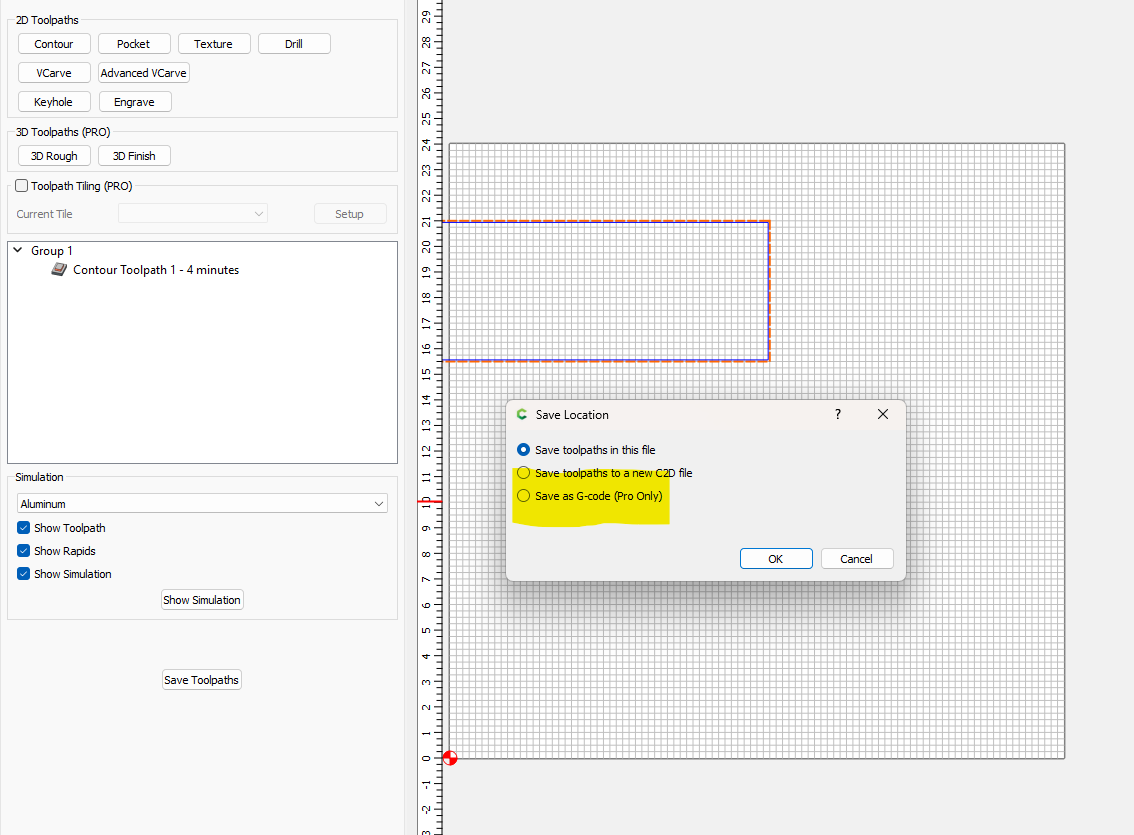
If you buy the “Pro” version of CC then you can export G-code.

I am sure there are other factors for you to consider, but alas, those options are above my pay grade.

Are you saying that the free version I have (build 623) does not actually export g-code?
I’ve not tried it, but it says the function is there?

The machine selection in Carbide Create is a relic of when the software would limit working area and calculate feeds and speeds — in current versions machine selection simply serves as a reminder of what sort of machine a file was set up for.

Carbide Create Pro

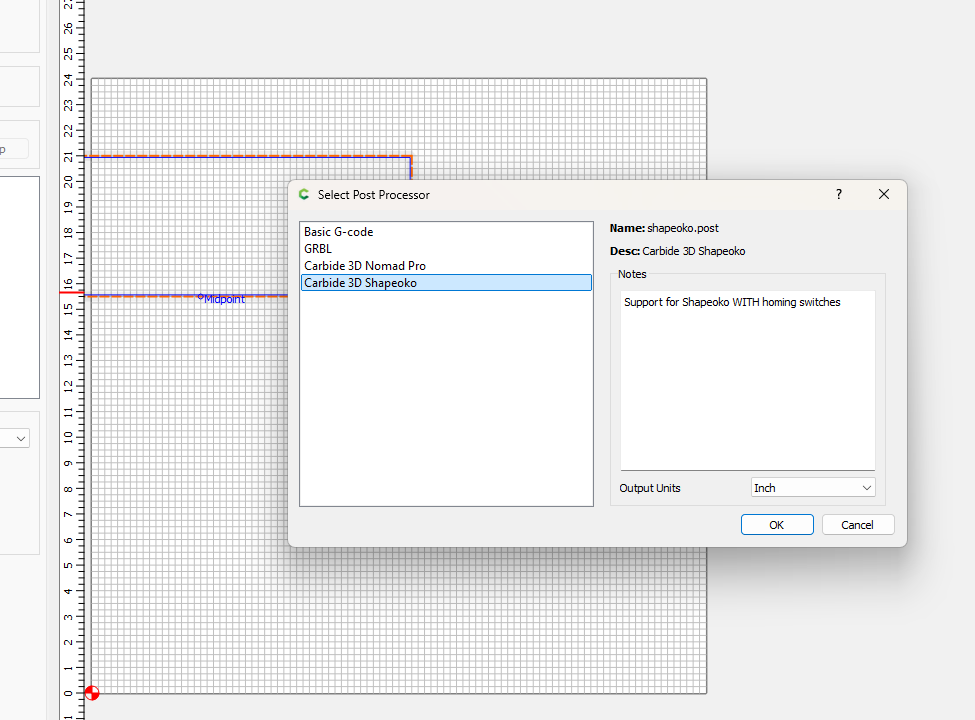
allows choosing post-processors which match a given machine — if the options (Basic G-code, Grbl, Carbide 3D Shapeoko) then a custom post-processor may be worked up:

https://carbide3d.com/hub/faq/create-pro-custom-post-processor/

IDK about that version. I am running 757. I do have pro.


Post Processor options:

Hi JohnR,

This is true. (NOT!) Sorry, I replied erroneously. I have the current CC Free version 8 and didn’t know (until reading Will’s post below mine) that gcode output had changed. The only way I can export gcode to examine is to save it out from Carbide Motion, the gcode sender that is bundled with the C3D machines. Otherwise, as has been pointed out, the gcode is embedded in the .c3d workfile on versions 7nn and up.

Carbide Create v6 would output G-code.

This was changed in v7:

https://carbide3d.com/blog/carbide-create-v7/

2 Likes

Today, from the Carbide 3D Newsletter:

If you’re running an older version of Carbide Create, the latest build is worth upgrading to.

Sadly, it isn’t worth upgrading to me. I like CarbideCreate but still want the flexibility that comes with being able to export gcode… so I will stay on CC v6. I purchased a Shapeoko 2 long ago (a Kickstarter purchase IIRC) but have built and used many different machines since and would love being able to use CarbideCreate with any machine I choose to use.

For that, you just need a Carbide Create Pro license:

For more on this see:

https://carbide3d.com/blog/carbide-create-v7/

I suppose that’s the point. I don’t want to pay $$$ for software I’ll use only occasionally.

1 Like

This topic was automatically closed after 30 days. New replies are no longer allowed.