I received my 5.1 pro last week. Everything seems to be working fine except the spindle. It just will not turn. I checked the box button is on and the red light is on. No numbers on the little screen. Idk, I tried turning everything off and letting it sit for a few hours. No luck. Anyone have any idea what the problem is?
I would check the spindle control cable. Make sure none of the pins in the wire are pushed back out of the cable, spindle control box and the Shapeoko controller.
Also when you initially setup the machine did you tell it that you are using a spindle not the router in the software?
2 Likes
I have checked the software when I was trying to troubleshoot the issue, and I did tell the software I was using a spindle.
1 Like
I have examined both plugs into the controller. They seem to be fine
If the cable is good and the software is setup correctly then your next step would be support.
support@carbide3d.com
Check the switch by the power cable.
If I recall correctly the light around the enable button gets power from the CNC and the the numbers in the window come when the switch by the power cable is turned on.
I vaguely recall getting this crossed up early on. (just waiting for a respite after the semester when I don’t have 80 quizzes to grade to get back to the CNC)
John
1 Like
Ran out to the shop to illustrate
Picture of my spindle controller in various states
Following is the CNC is turned off and the switch on side of Spindle controller is off (no lights visible)
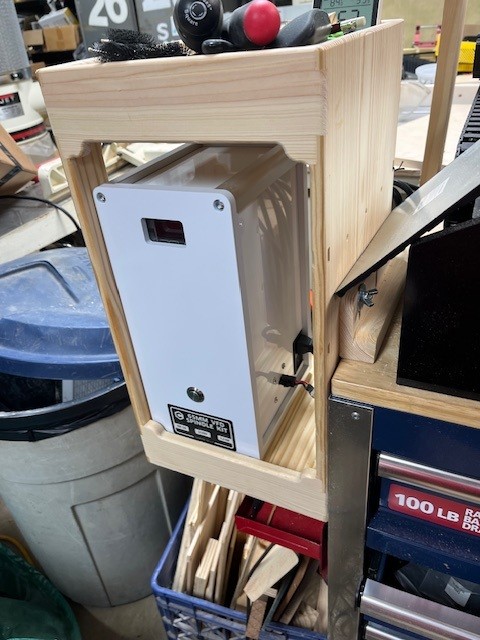
Next is CNC turned on and switch on side of spindle controller is off (enable switch illuminated, but no numbers in window of controller --sounds like your state)
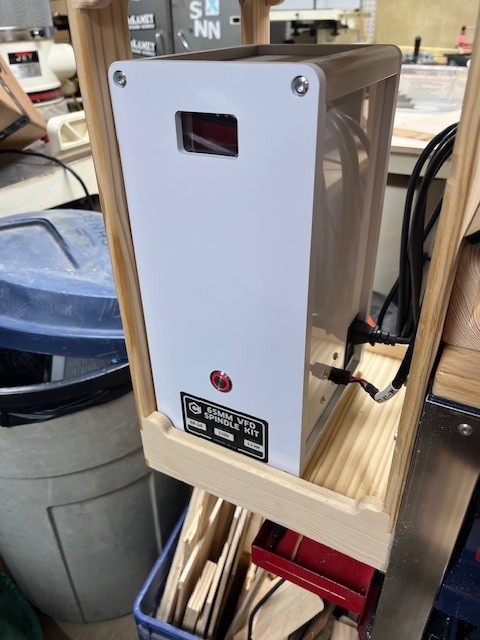
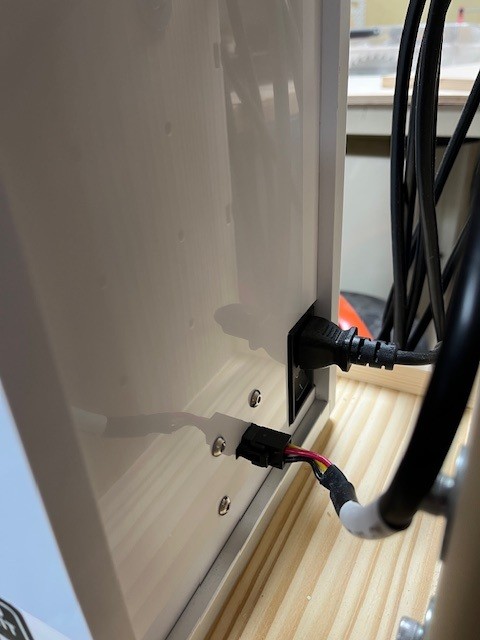
This is the power switch on the side where the power cable for the spindle controller comes in
After turning on both the CNC and the switch on the spindle controller (enable switch illuminated, and numbers in the controller window)
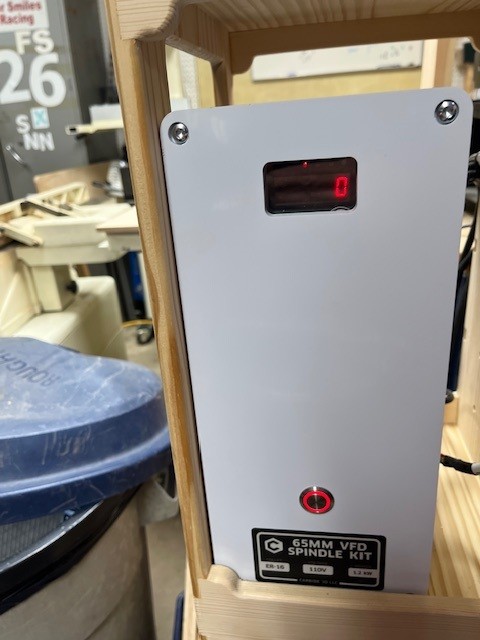
Hope this helps
John (avoiding entering 80 quiz grades in the gradebook)
1 Like
The problem is, when the cnc is powered on and the red light is on on the controller, there are still no numbers on the screen
Did you verify that the main power switch for the VFD, the one located under where the power cord plugs into the VFD from the wall socket, is turned on?
2 Likes
Look at the third picture in my prior post
The NEMA power cord comes into the right side of the spindle controller. (This is the thicker cord to the back.) this supplies the mains power to the vfd controller inside the spindle controller box. Since I have the 65 mm spindle it’s the 110V from the wall (I think the 80 mm is 220V, but I am not sure), This is the one that powers the box that has the number display.
The enable/disable switch is powered from the cnc. (It can light up Without power to the VFD)
BOTH switches must be on for the spindle to run.
DAMHIKT
John
(Translation. Don’t Ask Me How I Know This)
4 Likes
My spindle control box light up too, when i received mine. The board was dead on arrival. Carbide sent me a replacement. Took a week but working good now.
The spindle power supply can NOT be on a GFI circuit. The other clue on the older 65mm VFD was the brightness of the button light.
1 Like
That’s what happened to me.