I would like to create a tool in the library which has a different Stepover value. I usually reduce this value on all the tools for the work that I do.
In CC open your tool file and change the value in column “V”. The header is “3DStepover” so I’m not sure if it changes the default stepover value for the tool
Open CC, click on “Help”, “About”, “Open Data Directory”, open “Carbide Create”, open “Tools” then open your applicable tool file. MAke your changes then save and close. Restart CC and you should be good to go
1 Like
All the discussion I have seen indicates the Pocket Toolpath Stepover is hard coded to 50% of the tool diameter. I believe the 3D Stepover is for a different use case.
In the Edit Tool dialog, there is no 2D Stepover value, only for 3D.
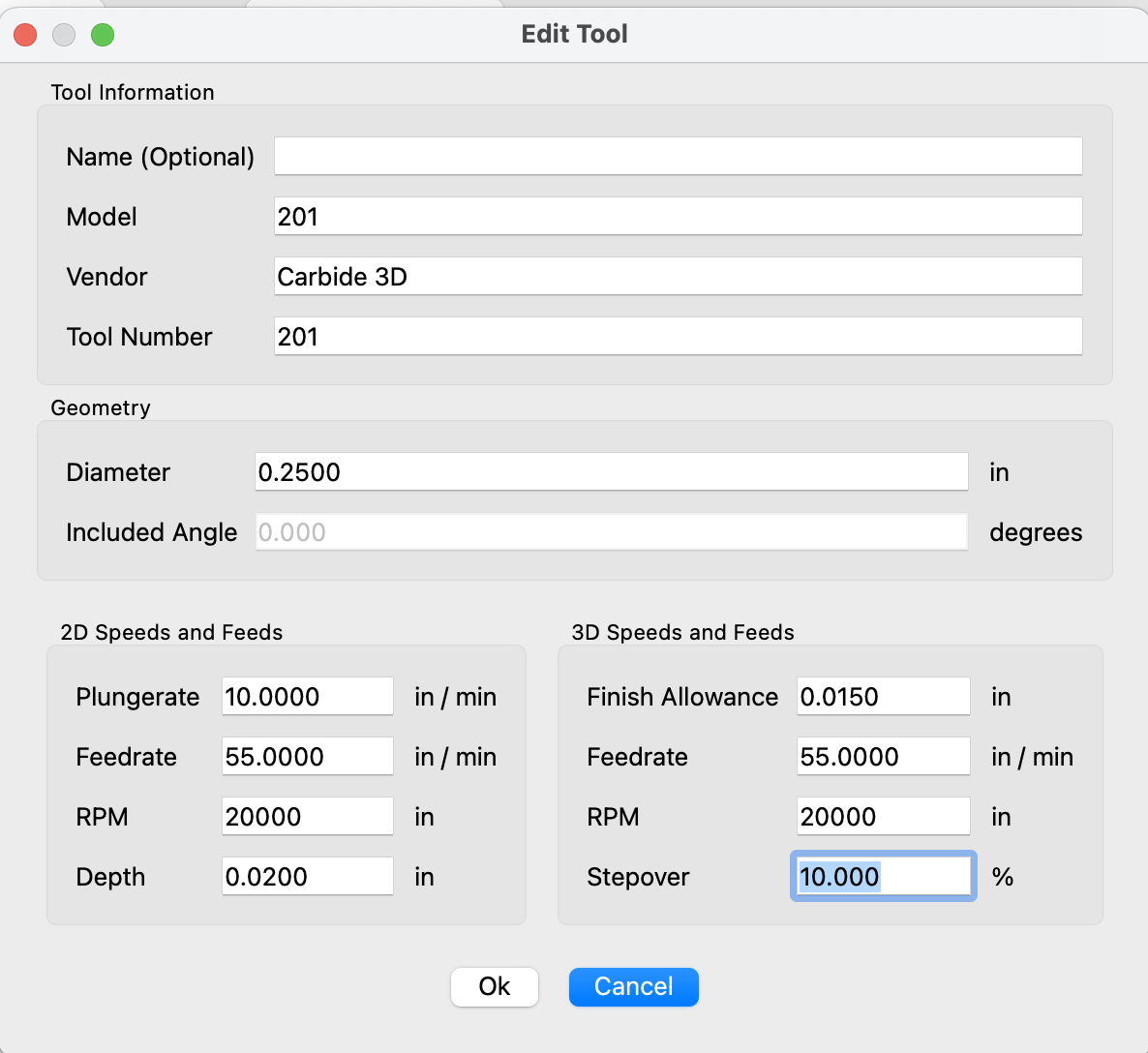
Everything seems to indicate you have to set the 2D Stepover manually each time you select the tool for a toolpath.
1 Like
I put in a feature request for this a year ago. Unfortunately, C3D doesn’t provide any feedback or a roadmap for feature requests.
If you want a stock tool with different parameters create a new library. Then go to CC and Edit “Show Library” . Then “New Library” and name your library. Then find the stock tool you want to duplicate and go to the library you want to duplicate a tool from and select the tool. Write down the parameters of the stock tool. Then go back to your new library and Right click the new library and “Add New Tool”. From the parameters you copied for the stock tool input the parameters you want. Be sure to give the new tool a unique number to not conflict with already assigned tool numbers. Then click ok. Not sure if you need to restart CC but it might be a good idea. Then you can select your new tool/tools and they will be setup like you want them permanently. I dont think C3D has any tools above 1000 so I would suggest like a #102 name it 1102 to make life simple. You could also just make a list of your tools and refer to the list.
2D Stepover is not in the tool data file. It’s calculated, and it’s hardcoded as 50% of the tool diameter.
1 Like
For custom tools you can set step over. That is why I recommended a custom tool that copies what the stock tools are with his required step over.
No you can’t. You can set the 3D stepover, but that doesn’t affect 2.5D operations like pockets. All you have to do is look at the CSV file, there’s no field for stepover!
This topic was automatically closed 30 days after the last reply. New replies are no longer allowed.