Im just wondering what other peoples suggestions are for switching bits mid project. Im using an 1/8" bit for one part and switching to a 90° bit for some letters. What are your suggestions for keeping the bit the same hight as the prevous bit.
What machine do you have? Do you have a bitsetter? If not it’s the best option you can put on your machine
1 Like
I believe i have the shapoko 3. I have bit setter but im not able to set it up correctly yet.
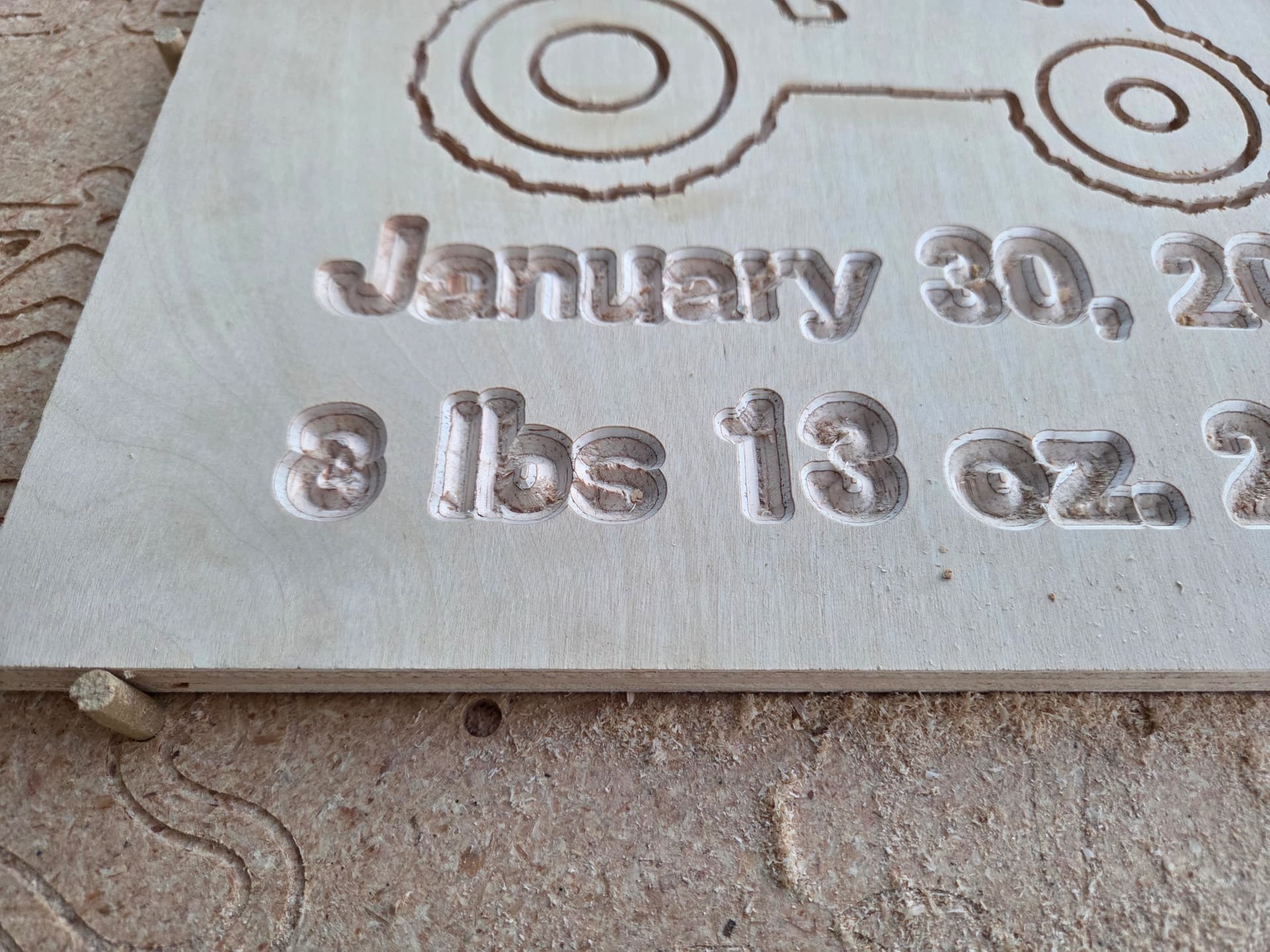

Ive included pictures of the project im working on.
Check out this handy video—it walks you through setting up your BitSetter step by step. Super useful if you’re getting started or just need a refresher.
https://carbide3d.com/hub/courses/running-shapeoko/configuring-bitsetter/
3 Likes
Also revisit your workholding methods to ensure the material doesn’t move around while cutting your design.
2 Likes
Seeing your 90 degree carving you might want to change to a steeper angle bit and do an advanced vcarve. Plus plywood is very susceptible to chipping. Like the center of an a the center section that is left is likely to chip off the plywood. Plywood is bonded layers that are at 90 degree offset for each layer. That is why plywood is usually relatively stable about changing sizes when weather/humidity changes unlike solid wood.
I often use 15 degree vee bit for making lettering because it is a steeper angle going down the sides of each letter. If the letters are big enough you could use a 1/16" (#122) and get flat bottoms on your letters which make it easier to read the text. At the very least change to a 60 degree vee bit over the 90 degree vee bit.
2 Likes
I use these setup blocks. They can be purchased in imperial or metric sizes. There are many varieties, ranging from ultra-cheap Shenzen varieties at $20 per set to formal gauge blocks priced at several thousand dollars a set. (Some sets comprise 122 pieces) The depicted Rutland set, which I use, has an accuracy quoted at 0.025mm (0.000984252") which is likely accurate enough for most projects.
Value Added Tax (VAT) on the bargain Mitutoyo Set depicted below is 20%
Therefore £5,917.50 becomes £7,101 ($9,585.39 in US Dollars)
The tolerances of the Mitutoyo Ceramic Gauge Blocks are shown here: BS4311 Part 1 1933
I measure the height of the top of my workpiece with the bit in the router and then use the setup blocks to equal that. A new bit just has to sit on top of the setup blocks equal to the measured distance at the start of the job. It helps to keep the bit loose in the chuck while setting the bit height of second or subsequent bits then tighten when the correct height (bit stickout) is achieved. Knowing the height of your workpiece from the baseboard, and with secure workholding, you will always know where the stickout of the new bit should fall.
2 Likes
Thank you for the advice.
In the olden days before the BitSetter you would have lets say two tool paths. You always run the least invasive tool path first. You would disable the second tool path and save the file. Set your X and y and then set the Z with the paper method. Then run the first tool path. Since X Y and Z are still set from the previous tool path install your new bit and set the Z with the paper method. Go back into CC and disable the first tool path and enable the second tool path. Save the CC file. Then run the file and cut the second, third… tool paths using the same method for the suceeding tool paths.
That is the way in the before time I ran my SO3 before the BitSetter. You should try to figure out what is wrong with your BitSetter. The BitSetter is one of the best features of CC and your Shapeoko. If your BitSetter is not working be sure to disable it in CM. When you get it working run a setup and enable the BitSetter and set its coordinates. You can get in touch with support and they will help figure out what is wrong with your BitSetter.
3 Likes
This topic was automatically closed after 30 days. New replies are no longer allowed.