I’m wondering if you guys can explain this to me. I’ve made the same thing using V6 and V8 of Create and the way they are cutting different could have consequences.
Because I’ve heard you shouldn’t “slot” (the right term?) by simply cutting a contour path deep, I am in the habit of using pocket cuts. I’m making a few logos and cutting the outside circles. Because of old files I’m doing the identical pocket in V6 and V8.
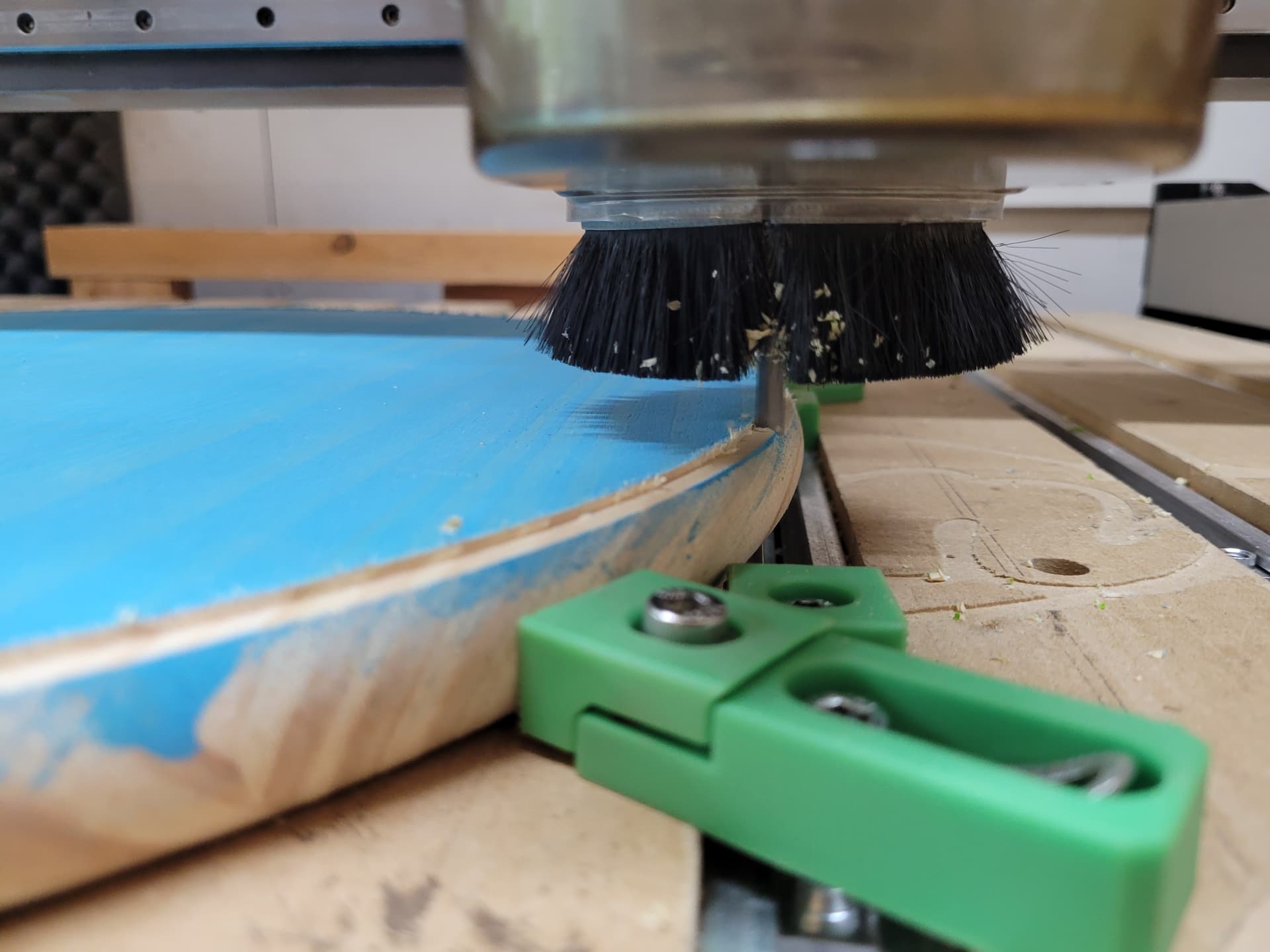
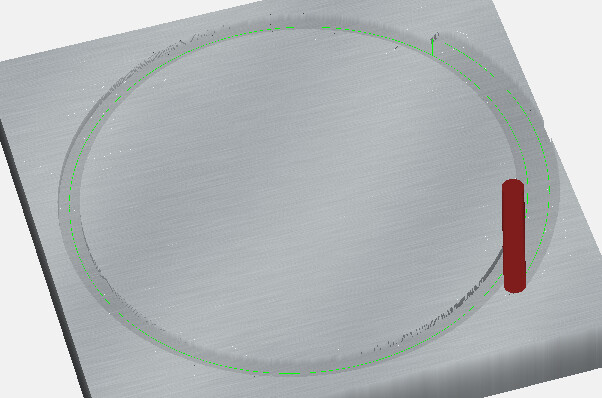
The pocket toolpath is between two circles with .495 gap between them, causing the cut to be two passes with the quarter inch bit. V8 runs along the outside of the pocket to it’s full depth and then the inside of the pocket to it’s full depth. This would result in slotting if my stock wasn’t rounded. V6 cuts the whole pocket at each step down to the final depth. The picture above shows the V8 running the same path all the way to max depth before it moves over.
Does this make any sense to you, or did my description get confusing?
Unfortunately, the pocketing behaviour of CC is implemented in such as way that slotting will inevitably occur in some project. It’s better than it used to be, but as you have found there are still cases where it occurs.
Sometimes you can get it to go away with a slightly wider pocket, or a different step over.
This is a 3"R outer circle and a 2.505"R inner circle. (0.495 gap) with a 1/4" tool.
This has been an issue in V6 & V7 as well, but only in certain conditions.
I haven’t narrowed down exactly what those conditions are. Some pockets work, some don’t.
My work around for this is to have multiple tool paths for one pocket. Say Im using a 1/4" endmill, first tool path cuts from 0.0" to 0.125", second path goes from 0.125" to 0.25", and so on until I get to the depth I want. Takes a few minutes more to program, but it works.
I just reviewed this part in V824, and it seems to be cutting “level first” within each region.
I’m not seeing the bug/issue where it cuts full depth on the first pass within a region, and then cuts the remaining passes “level first” **
** This may be a misnomer (mea culpa!). Typically “Level first” refers to cutting the entire level, even if there are separate regions, and “depth first” refers to cutting each region to full depth, while still cutting each level completely before proceeding to the next level.
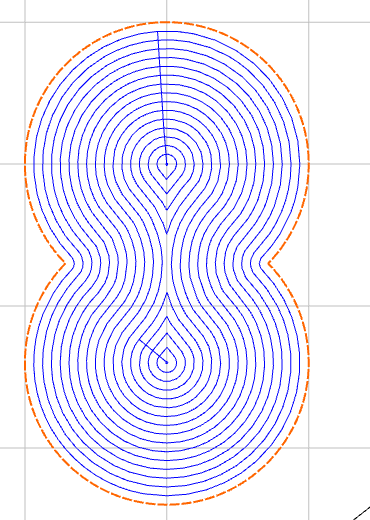
The “Depth First” bug/issue is referring more specifically to ‘within a single region’. For example in an “8” or hourglass shape, it would start at the center of one of the larger areas, then move to the center of the other large area, and then step outward to complete the entire shape. So even though this shape has ‘sub-regions’ where the tool has to lift, it’s still a single region.