So I have been having lots of inconsistencies as it relates to the carve times and how many times it wants to trace the design while it is cutting and I found a couple things that are helping which I thought I might share. (hopefully this isn’t just an obvious observation).
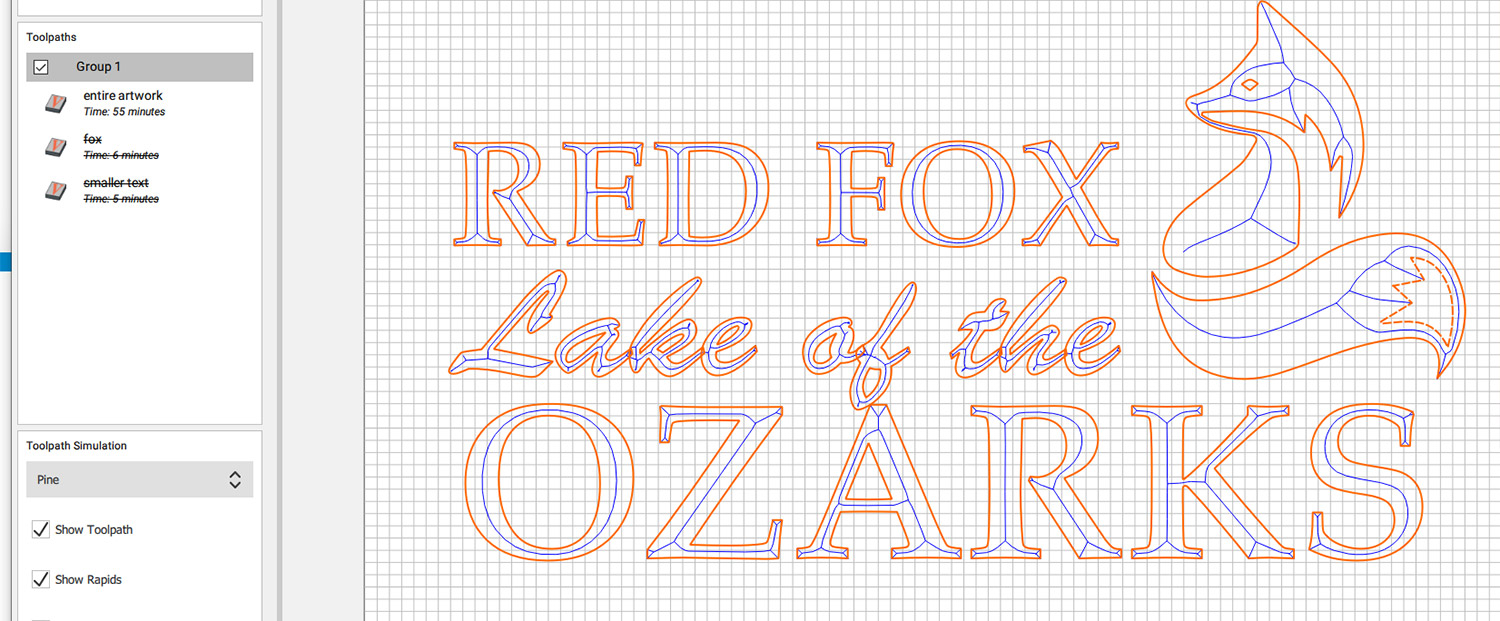
Example 1:
- One Group for all the artwork that I need. Total time is 55 minutes.
- Actual cutting:
It went over the entire piece 5 times. However on the smaller letters it didn’t actually cut any wood the last 3 times, it just seemed like it was tracing the same path over and over and on the artwork and bigger letters it would cut a little deeper on the final cuts. However most of the time cutting was an entire waste since it wasn’t doing much after the first two times.
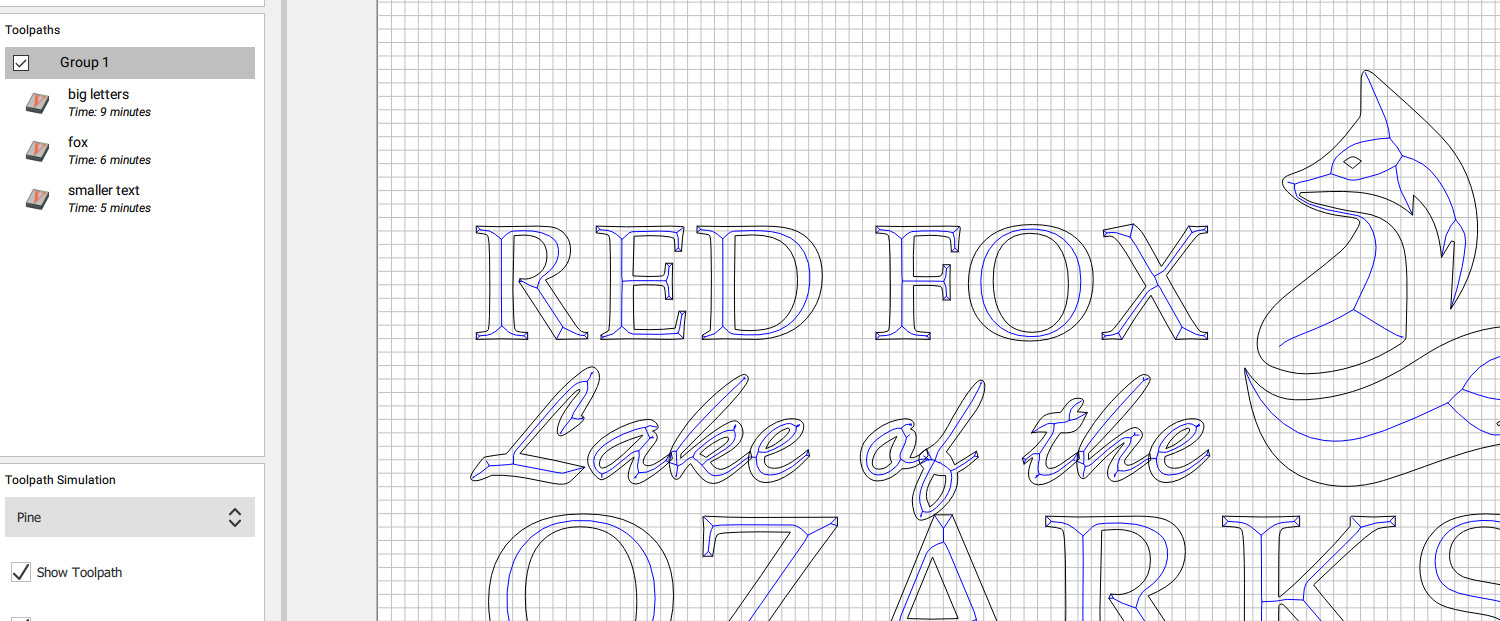
Example 2:
- three groups. Creating artwork, small text and large text separately. Total Time 20 minutes
- Actual Cutting:
It went over the artwork 5 times, small lettering twice and large lettering 3 times. In fact, this time the number of entire traces matched the paths in the simulation.
The results we identical but one saved a ton of time. It still doesn’t seem like it is cutting efficiently but better than before, maybe I need to do each letter separate to really speed it up. Like I said, maybe this is obvious, but does anyone else have any other tips? I have some designs that are not easily split up.