I’m losing my mind. Why does this keep happening. There is NO step over in the design. I’m using Aspire. For some reason this only happens on shapes with angles, and it’s constant. Any time I have repeated angle moves this stupid step shows up!
If I rezero the machine, it hasn’t moved. I have copper wiring for grounding everywhere. The circles are perfect. Why???
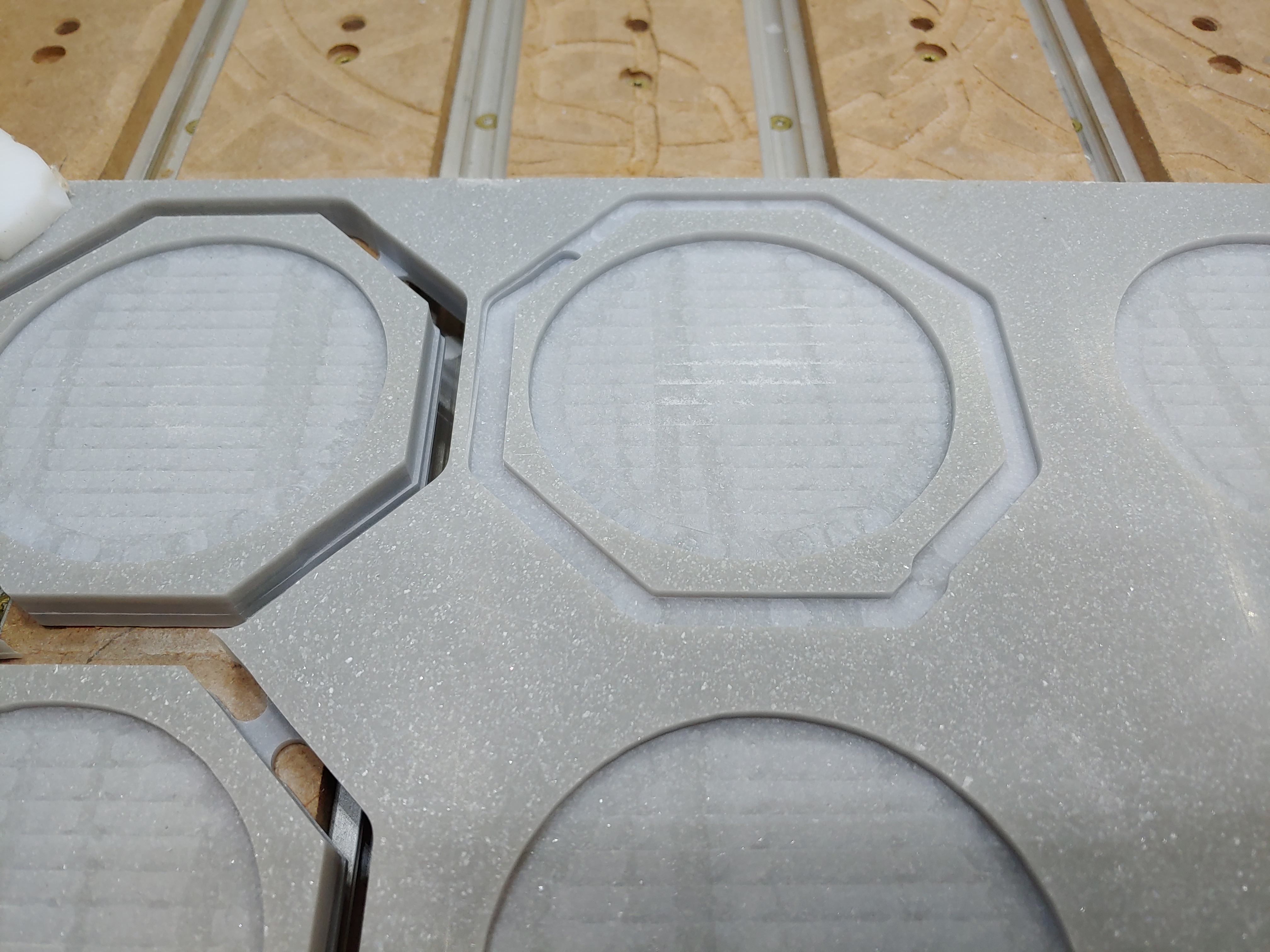
Hey Dan… can you upload a .crv of the design just to be very sure about the shapes?
It seems like it’s always in the same line in the hexagon - the one to the left has a smaller deviation too.
Is the material Corian?
It is. All I can come up with is static interference but I have everything grounded really well. I have cut these before without issue. I also redrew the hex shapes…same issue. It does always happen at the exact same place as well, thats why I’m so frustrated.
I would increase the roughing clearance to larger than the offset you are seeing, then take a full-depth finishing pass which trims the geometry to size.
So, you’ve cut them before without issue (many times) and now have cut them (many times) and this issue has appeared? All using the same gcode file?
I may try that as well. It’s just very strange because there is a distinct move to create that step…it’s not like a slip.
Gerry, yes. I have made many of these before, using the same program. I have switched since then to a water cooled spindle, so I am redoing all my grounding lines just in case, and I am going to try it with a different piece of Corian, different pattern. See if maybe there is some weird coincidence there.
are you sure you don’t have a “wiggle” (like lose v wheel or belt) somewhere?
1 Like
Checked all my wheels and belts.
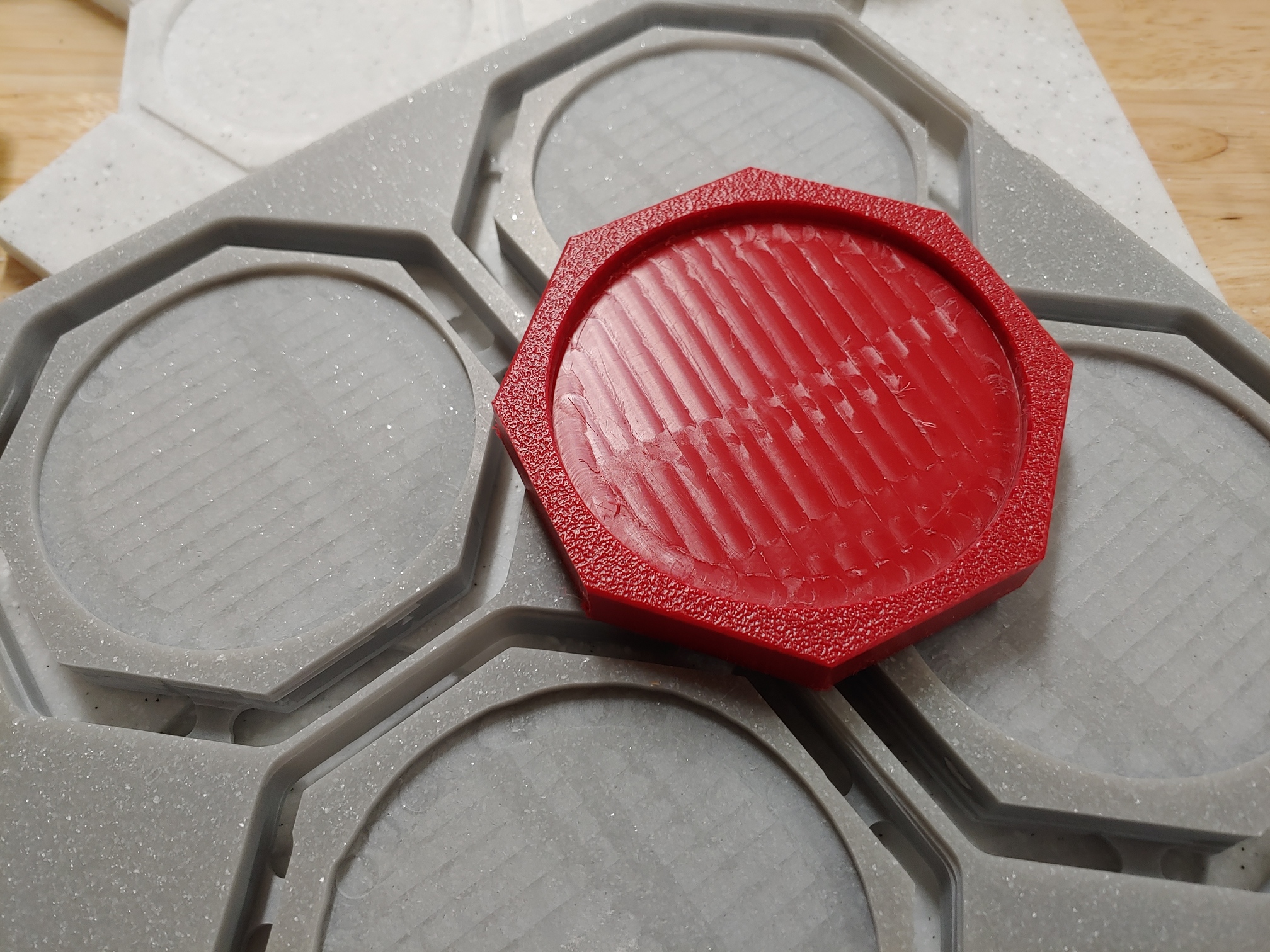
So I did a test with a scrap piece of ABS…and it’s perfect. So, new question.
HOW DO YOU CARVE CORIAN!?
I’ve made piles of coasters in the past, just this simple design, and no issues. Now they are offset, or have the step in them. Clearly the material is doing something to the machine.
And then immediately we swap back and same two spots!!! These are rediculously shallow passes (.04) at 60ipm. This should be like butter.
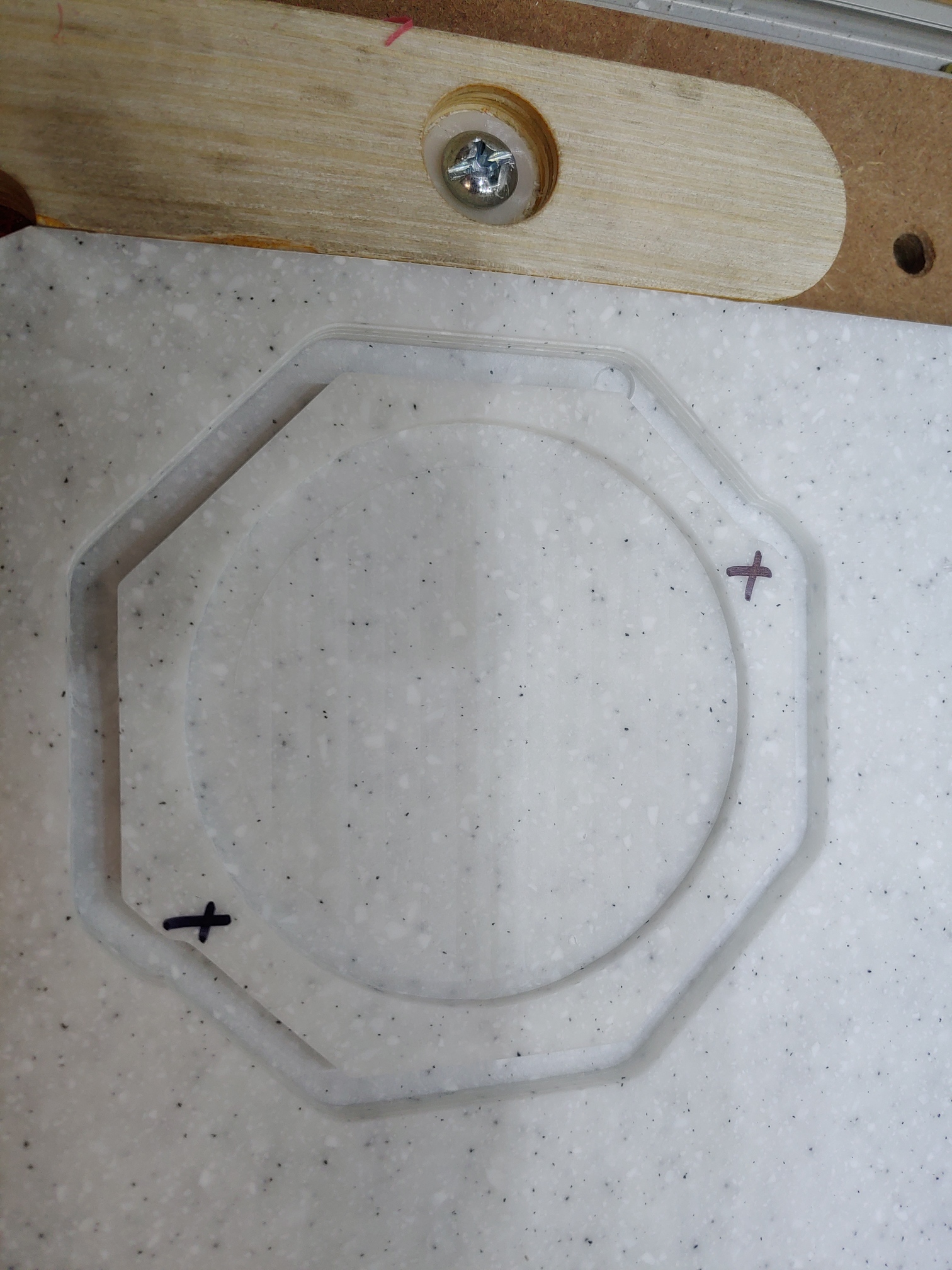
are you slotting this?
Since if you are, the nicer way (for the endmill/machine) is to make an outer contour of about 1.5x the tool diameter and then pocket it out
1 Like
I am taking a pass after the fact. I can not for the life of me figure out why this keeps happening. It’s almost too perfect to be random glitching or skipping. It’s ALWAYS a small shift to the right looking at the machine. It’s always on the X axis, and always about .06-.08 shift to the right. And it’s not immediate. It’s after maybe the 2nd to third piece.
I changed my plunge method to just be a constant spiral and the wierd step in missing. Now it’s just a universal shift in that direction that happens 2-3 parts in, and then stays that way for the rest of the run. When it returns to origin…it’s back at the zero point…no detected shift to the right!
I suspect it’s a flawed section of belt — if you have an SO3 or XXL swap the X-axis belt with one of the Y belts (or replace it if you have a spare length).
If you aren’t in contact w/ support@carbide3d.com bring this thread to their attention and note that a flawed belt seems likely.
Thanks! I did look it over and it seems in good shape but I actually have a replacement set. I may try swapping out the x. I’ve had the machine long enough, I wouldn’t have any reason to contact them about it.
This topic was automatically closed 30 days after the last reply. New replies are no longer allowed.