Looks good to me. I didn’t convert all the mm numbers to inch to confirm, but nothing looks bad.
If you have scrap Aluminum, or an area on the sheet, try a simple shape with those parameters.
Listen to the cutting ( you may want to turn off the vacuum for a bit ) to get used to the sounds.
Worst case, you get to do it again. I usually zero in around the third try.
Watching @wmoy 's video again, I note that for his 2D pocket/contour toolpaths he’s limiting himself to a 0.38mm depth of cut, but for the adaptive, he bumps that 1.5mm. That would save me 4X the machining time.
Can I cut out my part with Adaptive instead of the 2D pocket? And if so, how do I select the things in Fusion?
EDIT: If I let 2D Adaptive cut away the middle piece, the time to cut that reduces to about 12 minutes. I don’t need that middle piece, but it seems so wasteful and incurring more bit wear than if I could just cut it out.
That’s not the way I roll. I like to learn and figure out what I can beforehand.
I’ve decided to cut the aluminum blank to rough size on my tablesaw so I’m only trimming the outside, not cutting it out. About 2mm more on each side should suffice.
I am wondering how much of @wmoy 's speeds and feeds is restricted by his use of a Shapeoko 3 versus the Pro4 that I have. I also have a Standard size, which means the gantry is half as long so should be stiffer than a 4x2 or 4x4. I am probably mostly limited by the Carbide3D Router, though.
Right now I’m trying to figure out how much slower, if any, I need to make ramping feed given that the ramp is not only shallow (F360), but also only goes 0.38mm between levels.
Why don’t you get some testing done as others have suggested and cut this out on the cnc vs the table saw? At some point you have to send it, seems prudent to get some mill time and learn something you can apply to the Final Cut.
You could answer this question by simply doing some testing yourself.
“I am wondering how much of @wmoy 's speeds and feeds is restricted by his use of a Shapeoko 3 versus the Pro4 that I have. I also have a Standard size, which means the gantry is half as long so should be stiffer than a 4x2 or 4x4. I am probably mostly limited by the Carbide3D Router, though.”
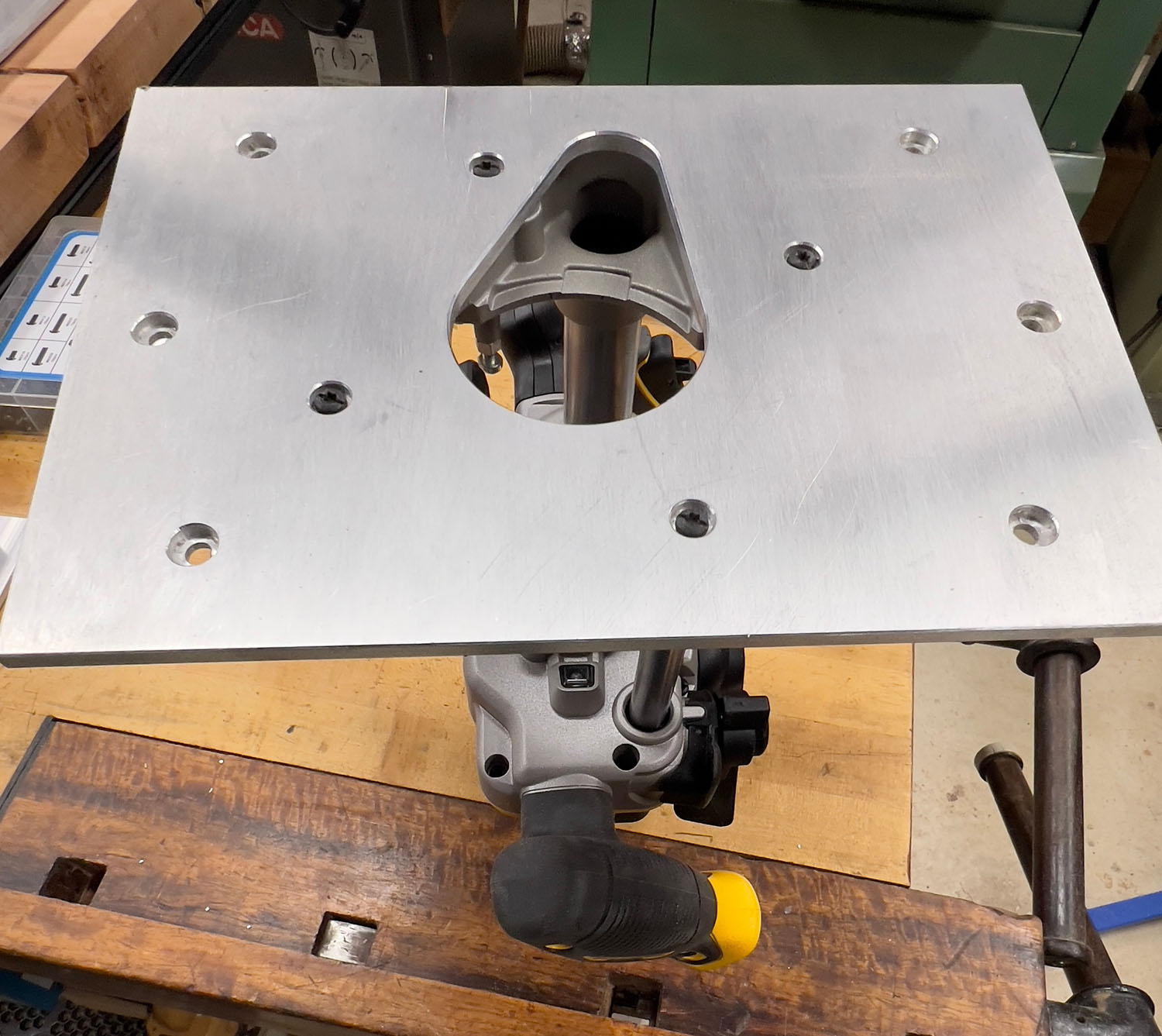
This router has built-in dust collection up through one of the plunge posts, which is why it has that tear-drop opening.
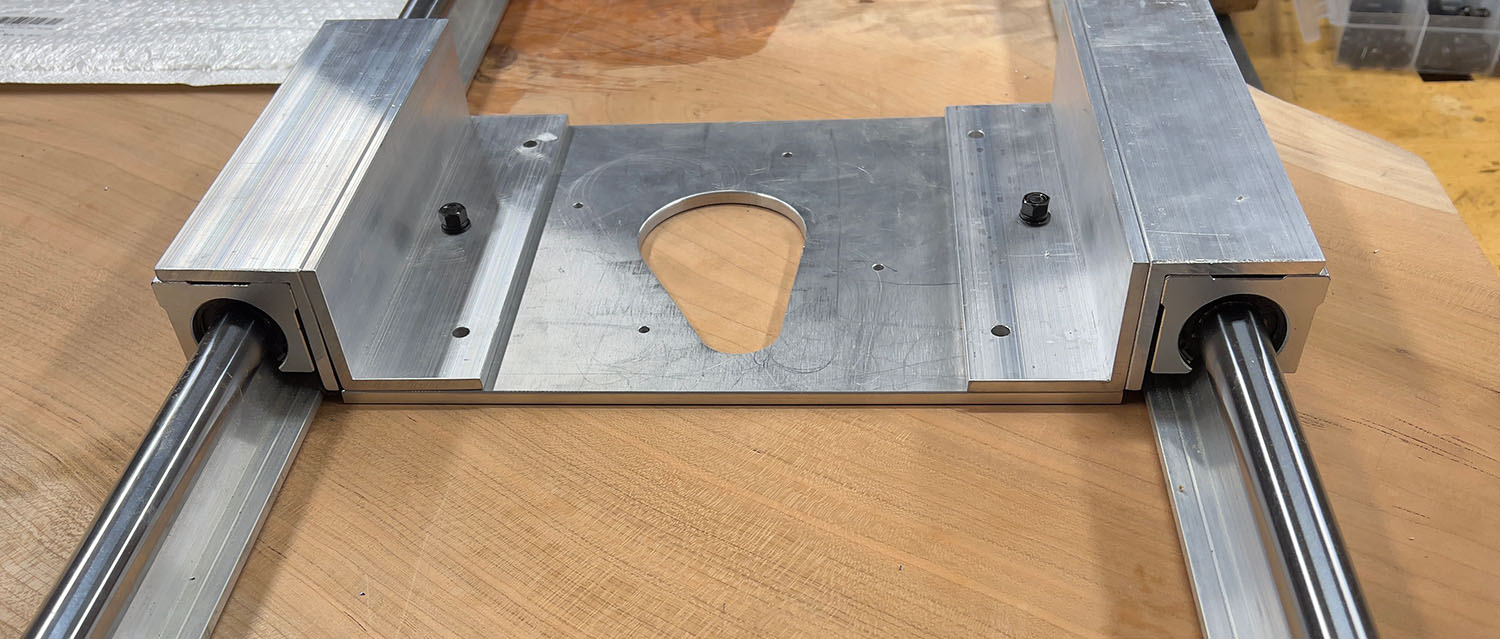
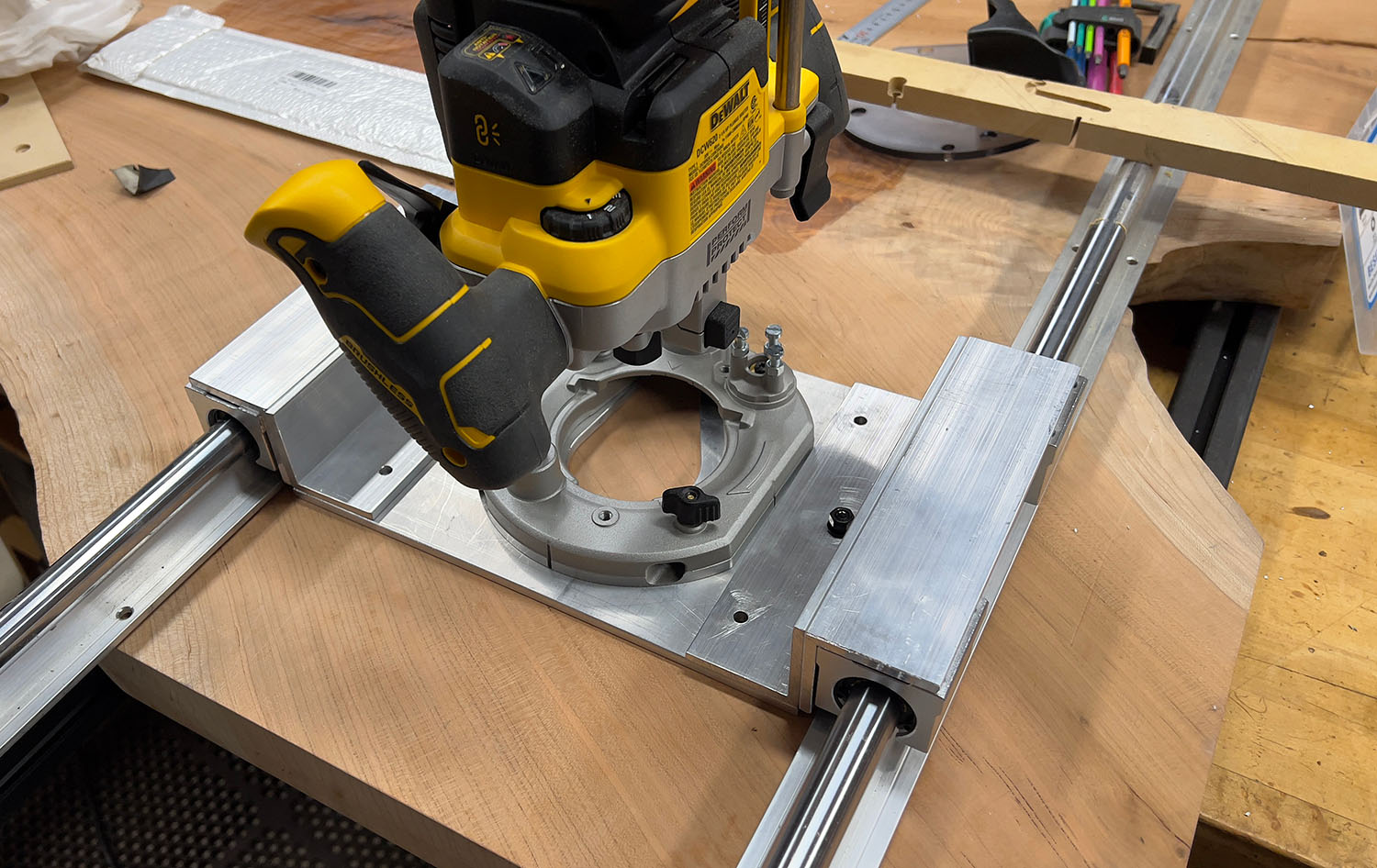
Anyway, it took a little over an hour. To keep myself busy I applied Lubri-Cut Cutting Paste after the router swung by. So, not a misting lubricant that gets everywhere, but easy enough to keep applying as the cutting is pretty slow (36in/min). I did re-run the boring toolpath a second time with a lower Z-zero to have the holes milled all the way through - the rest had what is similar to an aluminum foil left that was easy to trim off. I did use Sweepy and my Makita vac and hardly had any chips on the spoilboard - very clean operation, although cleaning Sweepy afterwards wasn’t fun.
The router never sounded like it was in trouble. Some of the lead-ins were a bit louder, but at this small DOC there wasn’t anything to worry about. Now my questions still are how much harder I could have pushed things, and whether the lubricant was needed, etc…
As a side note, I couldn’t find any aftermarket or Etsy baseplates for this DeWalt DCW620 cordless router that had the teardrop opening for dust collection. Now that I’ve got the design (and I nailed the dimensions, the M4 screws line up perfectly), I could maybe create some baseplates for things like a third handle (helps balance when milling edges), or connecting to a saw track, etc., but at an hour of milling for aluminum, I’d have to charge more than anyone would pay. Maybe phenolic…
BTW, what’s a good bit for the small chamfers I put on the aluminum plate? I ended up getting this cheap bit on Amazon: https://www.amazon.com/dp/B0CD77P1VD
because it had next day shipping and said it was good for steel. But, it’s 4 flutes so probably not ideal. It worked fine, not the smoothest finish but good for my purposes (easing the edges for handling). I used a small bearing-guided round-over bit for the other side with my router table.
I noticed that F360 did a nice thing and pre-populated a vertical offset for the bit so that I wouldn’t be using the very tip. The default was 1mm up - this is only a 3.125mm cutting length bit, btw.
EDIT: and while I’m asking about bits for aluminum, what are people using for facing? The O-Flutes typically don’t leave a good bottom finish. I’ve heard Datron’s 4-in-1 bit has a “wiper” to get a better bottom finish - anything else? I assume fly cutters are out.
Your hard work paid off, the adapter plate turned out very nice. Good job. As for how much more you can increase your feeds and speeds you will have to just do some testing and find out.
Regarding the speeds and feeds, there’s a practical constraint I don’t often share, which is that the Makita router I had back in the Shapeoko 3 days tended to really scream and vibrate when it hit certain harmonics. So I almost never wanted to peg the RPM at 24k, and fell into certain sweet spots around 16k, 18k, and 21k. With a VFD, if the tool is happy at 24k RPM, I let 'er rip.
A lot of theses speeds and feeds are extra conservative as well because we do not distinguish between pocketing and contour toolpaths. The contour will always be more stressing to the machine because you’re engaging the full width of the cutter all the time, with no relief as you go deeper. A pocket might cut a full-width slot for the very first pass inside a pocket, and then ease up to stepover-width. And as you go deeper, that first slotting cut only ever touches as much sidewall as your stepdown. So if you want to optimize further, you can make that differentiation.
Oh right, forgot about the context. I was talking about the speeds and feeds in Carbide Create. The videos have a little more distinction. Anyhow, with more spindle power or rigidity, things will always be better. More than likely, your first sign of things overwhelming the machine will be either chatter or the spindle bogging down.
From my experience so far, I suspect the router is going to give out before my Pro 4 - Standard - chatters. I think the smaller size of my Pro helps in that regard, too.
I just tried CC, and despite whether I choose HDM or Shapeoko 3 as my machine, the feeds and speeds for a given tool (eg 278-Z) in aluminum are the same. I’m not a regular CC user, so perhaps I’m not using the program right? There also didn’t seem to be an option to choose router or VFD (not to mention type of VFD). And again, I suspect size of machine matters, as gantries spanning 4’ aren’t as still as those spanning only 2’. Seem to me there’s now a wide enough range of Carbide 3D machines that some effort in characterizing them should be a standard available thing. Even as a selling point - what’s the upgrade from SO4 to Pro5.1 going to provide you, or from Pro with router to Pro5.1 with VFD, etc?
Is there some standard way of determining the limits of one’s machine? For instance:
• Enter material, cutter, and desired chipload
• Choose toolpath type (Pocket, Contour, Adaptive)
• Get a list of coupled values for RPM, Feed, Stepover, DOC
• Move down that list until thing chatter or bog (hopefully not worse)
Let me first say I really like my Pro and I love this community.
However…
When Carbide3D writes about the Shapeoko 4:
“In our testing, the Shapeoko 4 gets you most of the performance of Shapeoko Pro, at a big savings.”
If I were to call Carbide3D sales and ask them for quantitative data on the differences, would they give me the results of this testing?
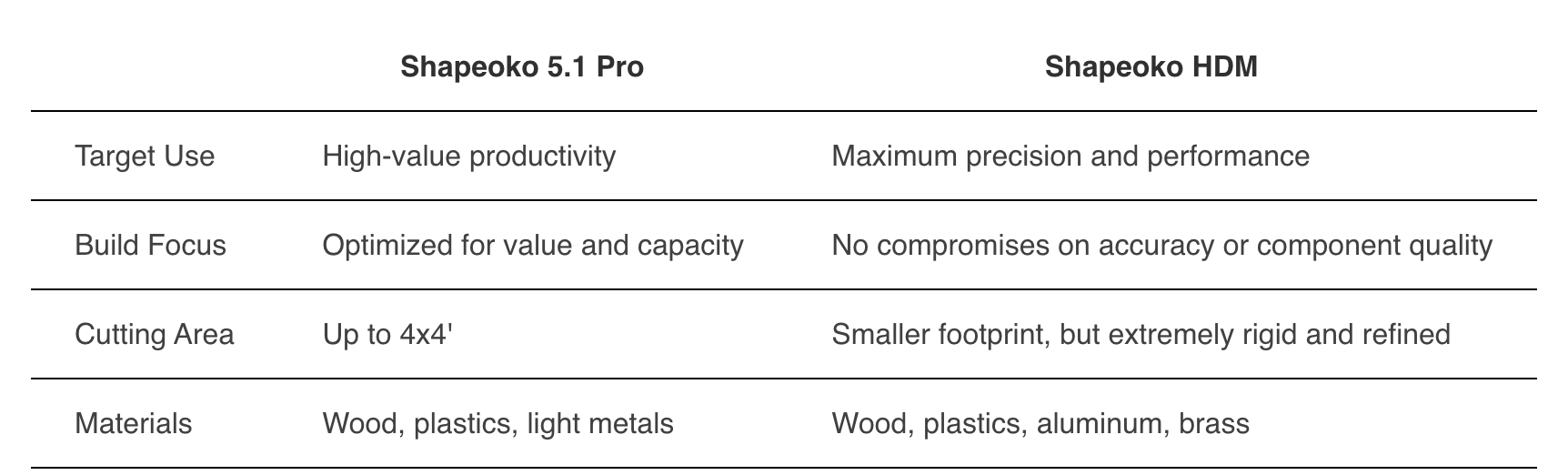
And while the 5.1 is listed as being able to cut aluminum (actually, so is the Pro4), the chart on the HDM doesn’t list aluminum on the comparison for the 5.1:
So, there’s a lot of wiggle words in the C3D room. Am while I’m a satisfied customer, I remain confused as to what my upgrade path should be:
Buy the VFD for my Pro4 (unfortunately just after upgrading to the Carbide3D ER collet router, which was definitely worth the $60 to me for bit holding and overall bit changing handling).
Upgrade to the 5.1 - and then maybe up my size from Standard to 4x2?
Upgrade to the HDM and take just a slightly larger size than I have today?
Stick with what I’ve got, take it slow on aluminum, and piece if I go to bigger projects?
These are serious money outlays, but I can’t make the right decision without the data. And telling me that I need to run tests to understand the limits of my machine doesn’t answer the question about upgrades and how much more they bring to the table.
Stuff like that is why the folks in Sales get the big bucks — please contact sales@carbide3d.com and they’ll work out with you what is the right answer for your situation/budget.