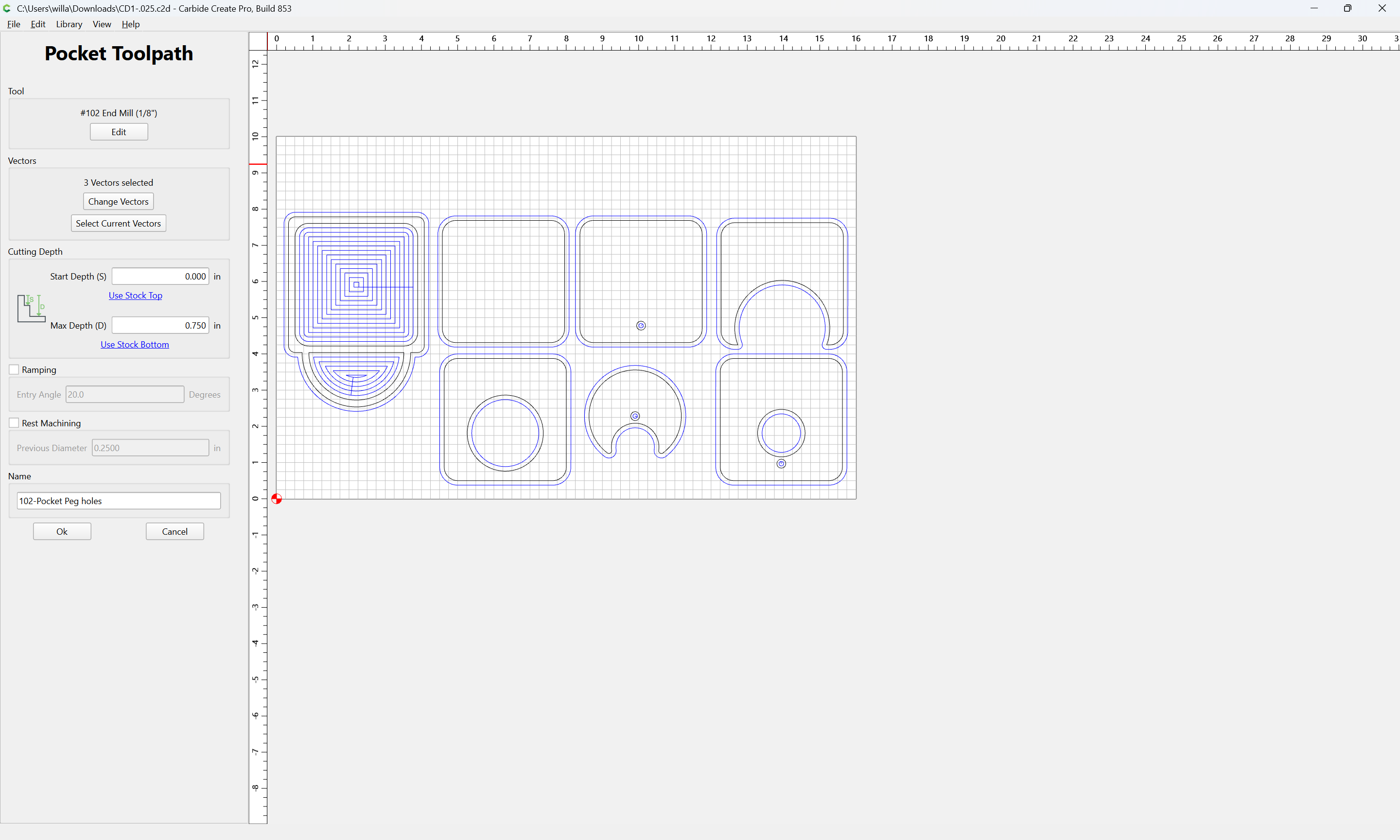
Z is correct. Still going to deep

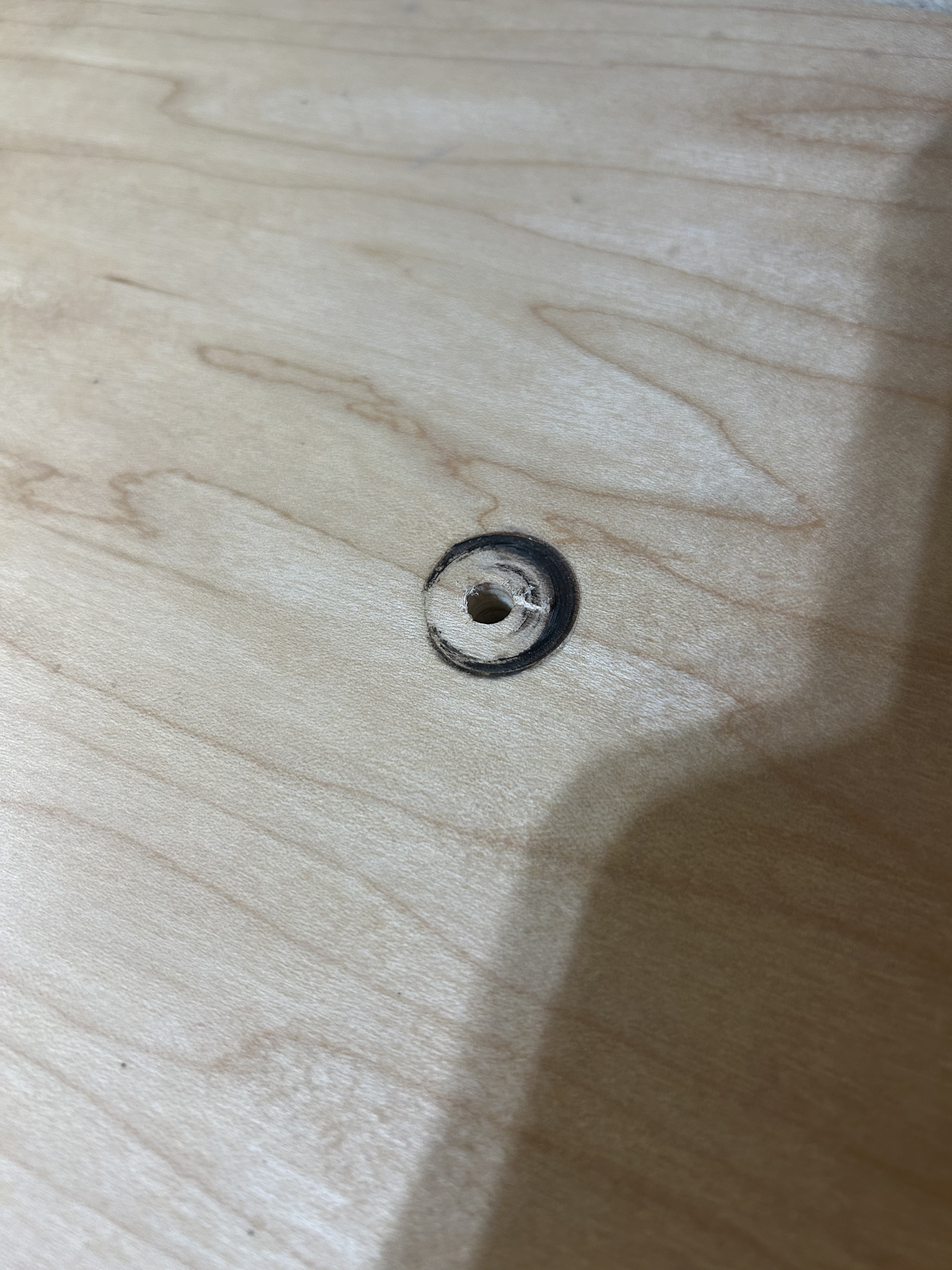
I cannot figure this out. My job setup is set to “TOP”. The first cut is a small hole and as you can see, it is going way to deep. Glad I was watching closely.

I have reset Z many times.
I have looked at the C2d file and don’t see anything wrong. The pocket is set to start at 0.

Any ideas?

CM version 659.
CC version 842.

1 Like

Can you post your file?

How are you setting Z?

Relative to what?

Which Z-axis does your machine have? How is it configured?

Here is the file. Sorry, I thought I uploaded it.
CD1-.025.c2d (96 KB)

Will, I have set Z with both the paper method as well as the BitZero.

If the small hole is the peg hole, you have the your max depth for the hole set to the stock thickness - .750"

Yes, the peg holes are simply holes that go all the way through .75".

The #102 tool only has a cutting flute length of 0.5", yet you are trying to cut 0.75" deep with it:

Get a “Long Reach” 1/8" diameter tool which has at least 3/4" of cutting flute length?

Is the small center hole the hole left by the bit plunging down just before it runs the pocket routine?

do you have at least 0.750" of the tool extending from the collet?

Do you have the correct Z axis setup in the controller (CM)?
If you set your Z zero on the top of the part, and then jog up 1". Does it measure exactly 1"?

1 Like

do you have at least 0.750" of the tool extending from the collet?
My answer = YES, I always forgot about the max depth as Will mentioned. It is 1" past collet. This is a bad habit of mine and I will get a long reach endmill.

Do you have the correct Z axis setup in the controller (CM)?
My answer = YES, I set it using the paper method and also using thew BitZero

If you set your Z zero on the top of the part, and then jog up 1". Does it measure exactly 1"?
My answer = If I jog “rapid to current Z+6mm” and then jog down 6mm, it is at the top of the part as expected.
But this is very initeresting, I went to current Z and jogged up .1 (10 times) and I am 1 1/2" above the top of part. This does not make any sense at all. I expected 1" above.

Can you post a photo of your Z axis and copy of your debug info from CM? I wonder if you’re configured for an HDZ, which would be doubling your Z steps

For debugging - connect to carbide motion, click on settings > debug > copy to clipboard. Then paste your settings to a text file or to your reply.

By “Correct Z axis setup” I meant do you have the Z-plus or HDZ axis selected when it should be the other one? They have different pitch ball/lead screws.

As for the “Rapid to current Z + 6mm”, you need to measure that it’s actually 6mm. If you measure with the machine and the machine is not calibrated correctly, it will look like it’s moving the 6mm, but it could be something completely different.
It sounds like it is, if jogged up 1", and the Z readout is showing 1.000", but it measures 1.5", there’s your issue. The Steps per mm setting for the Z axis is incorrect.

1 Like

Here is the debug:
Machine: Shapeoko
GRBL Version: 1.1f

Carbide Motion 659
Machine Controller State: INIT
Grbl Cycle: Idle

{
“bitRunnerEnabled”: false,
“bitSetterEnabled”: true,
“bitSetterX”: -1.5,
“bitSetterY”: -869.0,
“bitZeroType”: 2,
“connection”: 1,
“hasLaser”: false,
“lastConfigSent”: 4,
“lastProbeIndex”: 0,
“lastSizeOption”: 0,
“odometer”: [
{
“cleared”: true,
“minutes”: 627.1235833333335,
“startDate”: “2025-12-03”,
“travelX”: 809402.0435904562,
“travelY”: 630553.078267308,
“travelZ”: 101159.52166235447
},
{
“cleared”: true,
“minutes”: 0.14254999999999995,
“startDate”: “2026-03-09”,
“travelX”: 114.0,
“travelY”: 742.6499862670898,
“travelZ”: 35.0
},
{
“cleared”: false,
“minutes”: 173.53206666666694,
“startDate”: “2026-03-09”,
“travelX”: 233706.62944938242,
“travelY”: 190451.18141128123,
“travelZ”: 34584.454968214035
}
],
“showCarbideRouterRpm”: true,
“spindleType”: 0,
“travelX”: -865.0,
“travelY”: -869.0,
“travelZ”: -140.0,
“version”: 0,
“webhooks”: ,
“workOffsetX”: 721.775,
“workOffsetY”: 752.4125,
“workOffsetZ”: -20.912000396728516
}

0 = 10, Step pulse, microseconds
1 = 255, Step idle delay, milliseconds
2 = 0, Step port invert, mask
3 = 5, Direction port invert, mask
4 = 0, Step enable invert, boolean
5 = 0, Limit pins invert, boolean
6 = 0, Probe pin invert, boolean
10 = 255, Status report, mask
11 = 0.02, Junction deviation, millimeters
12 = 0.01, Arc tolerance, millimeters
13 = 0, Report inches, boolean
20 = 0, Soft limits, boolean
21 = 0, Hard limits, boolean
22 = 1, Homing cycle, boolean
23 = 0, Homing dir invert, mask
24 = 100, Homing feed, mm/min
25 = 2000, Homing seek, mm/min
26 = 25, Homing debounce, milliseconds
27 = 3, Homing pull-off, millimeters
30 = 24000, Max spindle speed, RPM
31 = 0, Min spindle speed, RPM
32 = 0, Laser mode, boolean
100 = 40, X steps/mm
101 = 40, Y steps/mm
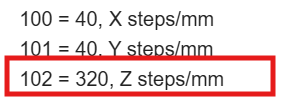
102 = 320, Z steps/mm
110 = 10000, X Max rate, mm/min
111 = 10000, Y Max rate, mm/min
112 = 1300, Z Max rate, mm/min
120 = 500, X Acceleration, mm/sec^2
121 = 500, Y Acceleration, mm/sec^2
122 = 100, Z Acceleration, mm/sec^2
130 = 845, X Max travel, millimeters
131 = 850, Y Max travel, millimeters
132 = 150, Z Max travel, millimeters

Maintenance:

Travel (km) 0.23, 0.19, 0.03, 2.89 Hours since 2026-03-09
Travel (km) 0.00, 0.00, 0.00, 0.00 Hours since 2026-03-09
Travel (km) 0.81, 0.63, 0.10, 10.45 Hours since 2025-12-03

Queue Empty
image
I don’t know what kind of Z your machine is outfitted with, but it sounds like you have a Z plus and the settings are configured for an HDZ. The 102 setting should be reading 200 but it’s set as 320. This would absolutely explain the depth differences you’re seeing

Quick fix! Just go back through New Machine Setup in carbide motion and make sure to select Z plus when sending the configuration settings.

2 Likes

Fleming, that fixed me up. I setup a newmachine and used select Z plus. That explains why one of the last job I did a while ago plunged into the T-Track. I have not done any projects for a long time. Guess I need to play more.
Thanks all for the help.

1 Like

This topic was automatically closed after 30 days. New replies are no longer allowed.