I want to dive into doing a 3D carve of my dog for my wife. I have the photo in svg format. It has over 7600 vectors and it is just a head shot. Is there an AI program that can clean it up?
I guess the obvious response is why don’t you ask AI if there is a program that can clean it up?
What did you use to make the photo into an SVG in the first place?
lol well duh, I am doing that as we speak and am almost there. AI with CNC is FUN!
sorry for the brainf**t
SVG is a 2D format and usually has light/dark (or colours) mapped to visual appearance as opposed to height/depth.
Probably, the original photo would be a better beginning point — see:
1 Like
LOL! Sorry, I just typed out my thoughts… I have not used AI myself, yet. I do plan on getting on board with the format and at least understand how to better query its use.
So Will,
I got all the way through with AI (ChatG**) cleaning up my file and updated to CCP838, restarted computer, went to new file in inches, went to model tab, clicked on the basketball (LOL Import STL file), found my file with ext. stl and it does not load. Any suggestions?
Is the STL ASCII?
Does it load into Microsoft 3D Builder?
above my brain capacity Will. LOL I am deep in a rabbit hole and lost. I think I gonna take the blue pill. LOL. Now AI stated to try doing svg files by layer? and recommended inkscape? I put my photo in 4 layers but having difficulty aligning. gonna take a break and wait for the blue pill to kick in.
Upload your source file or send it in to support@carbide3d.com
sent via email. too big for here
As discussed on the forums, the STL wasn’t workable in any tool I could find to load it into.
The pixel image was loaded into Copilot, and prompt written:
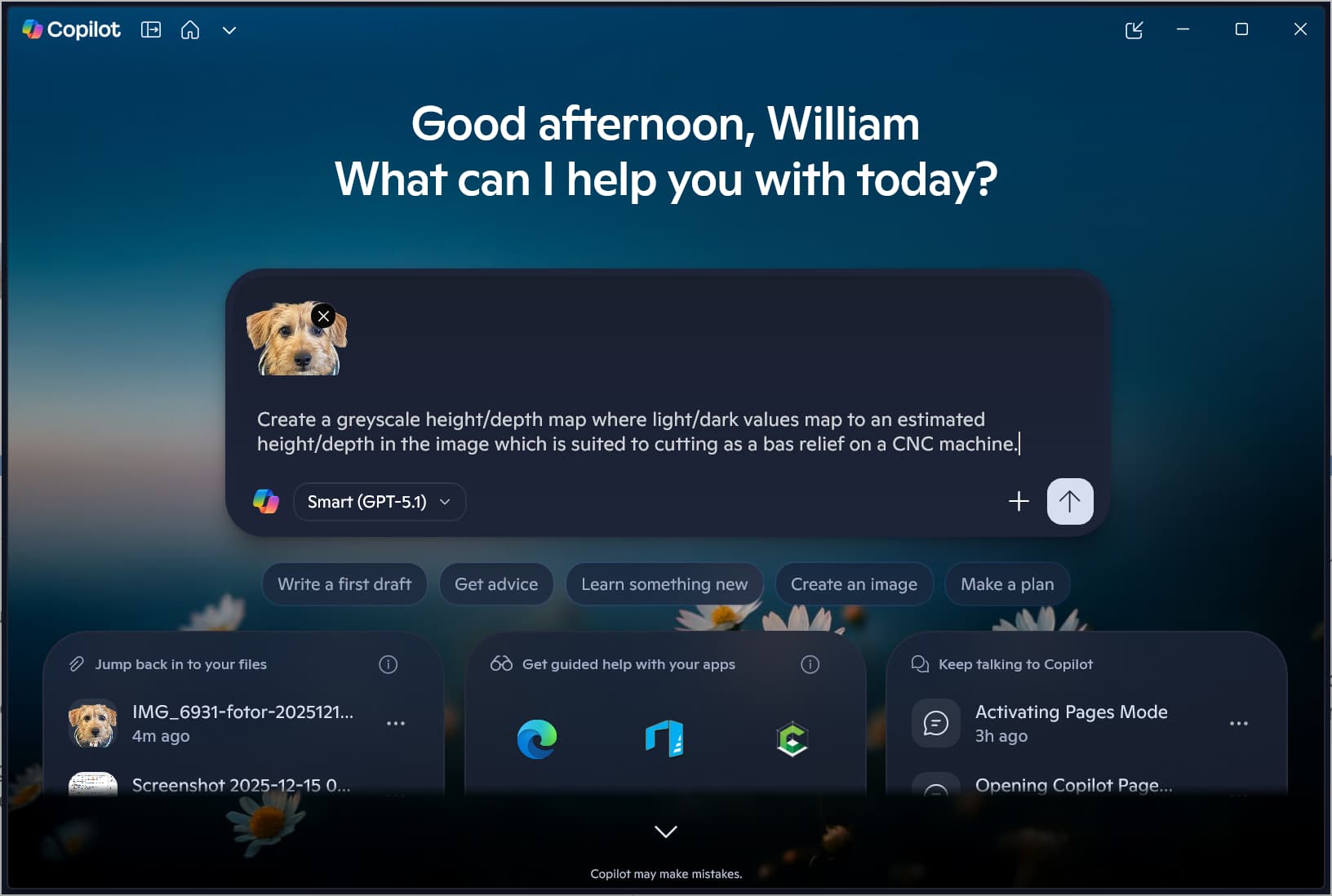
Create a greyscale height/depth map where light/dark values map to an estimated height/depth in the image which is suited to cutting as a bas relief on a CNC machine.
which eventually resulted in:
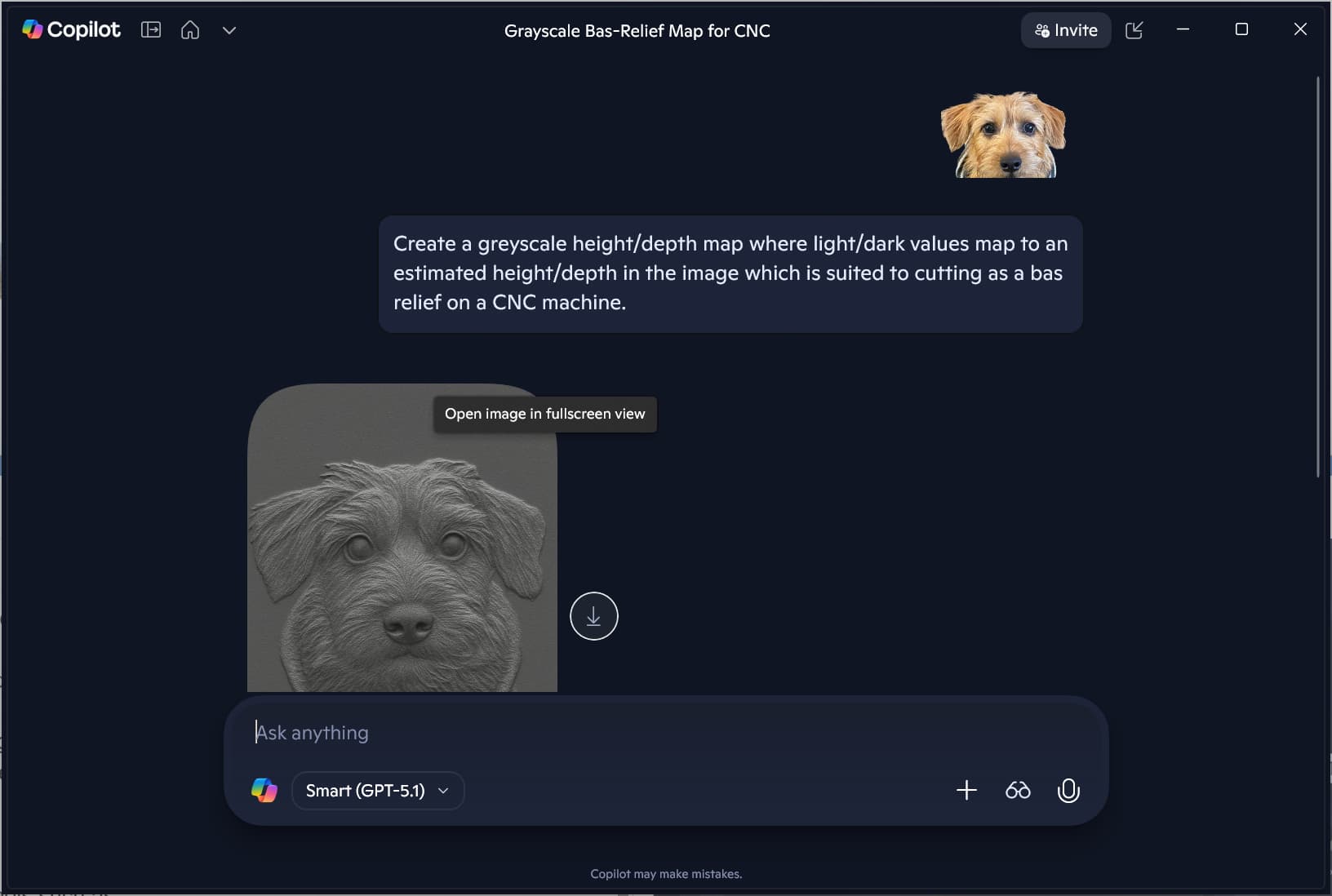
which doesn’t really work:
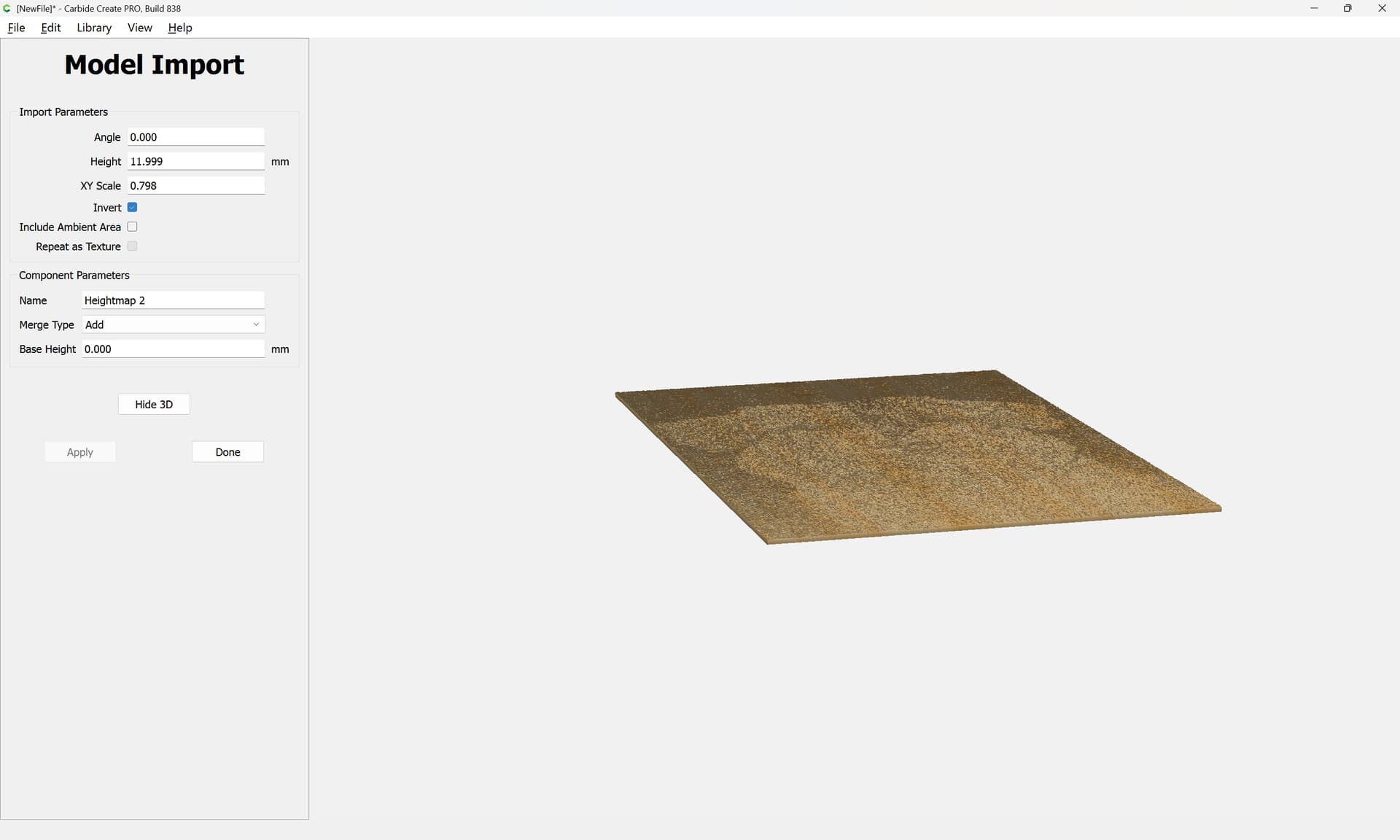
adjusting a bit with:
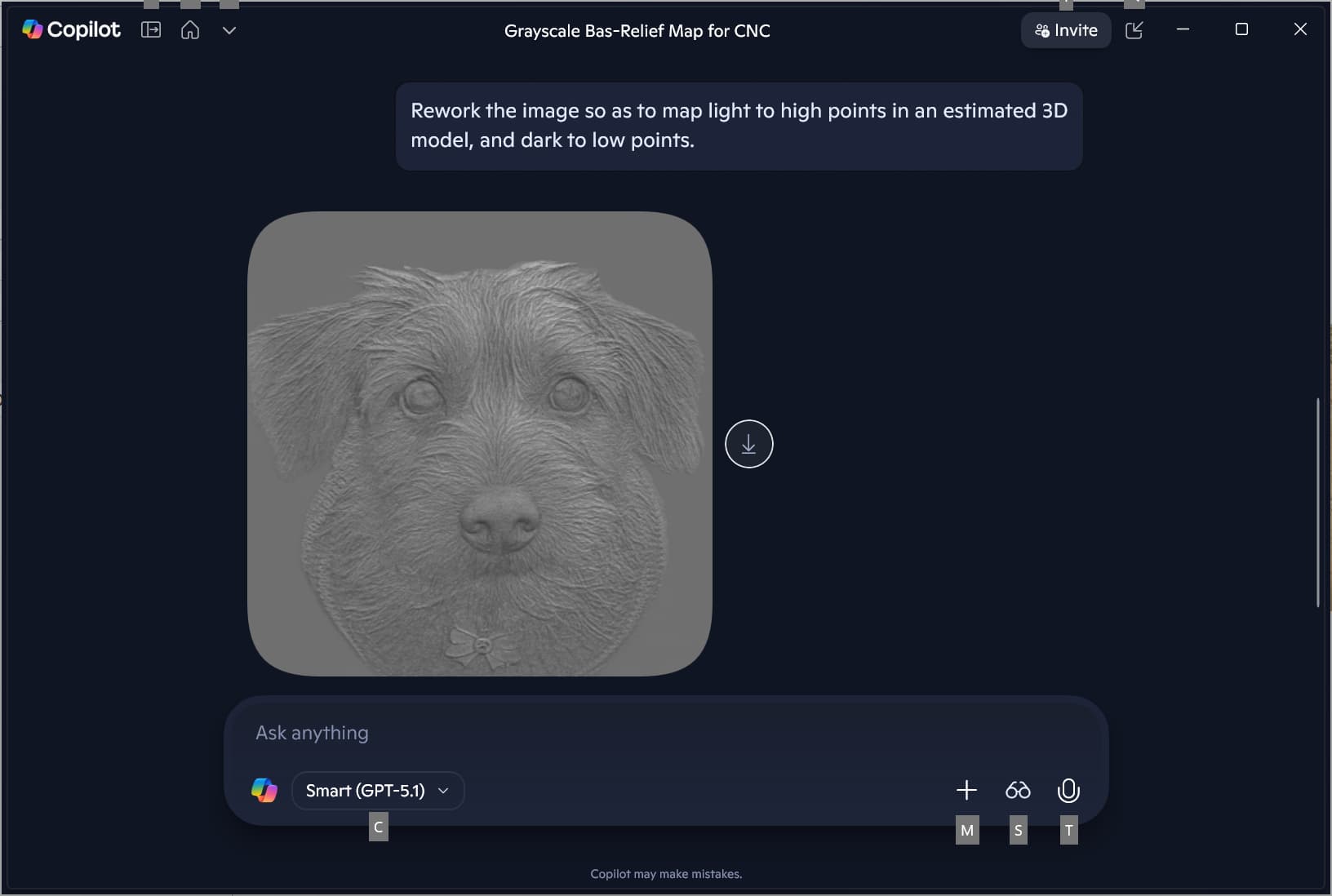
Rework the image so as to map light to high points in an estimated 3D model, and dark to low points.
gets closer, so we request:
smooth out the light–dark transitions so as to make clearer what is left in relief and which areas should be cut away.
which probably went a bit too far:

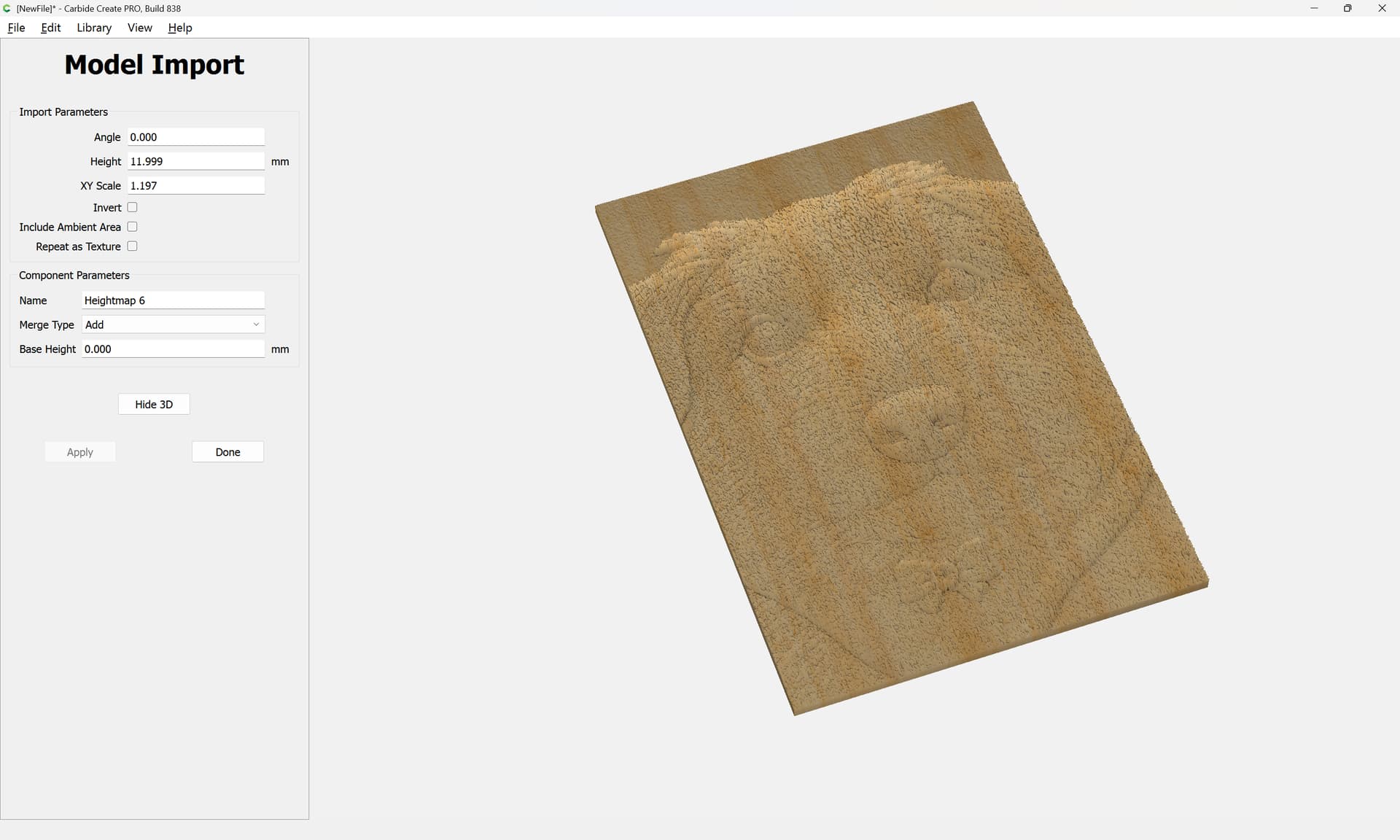
Maybe take the first image:
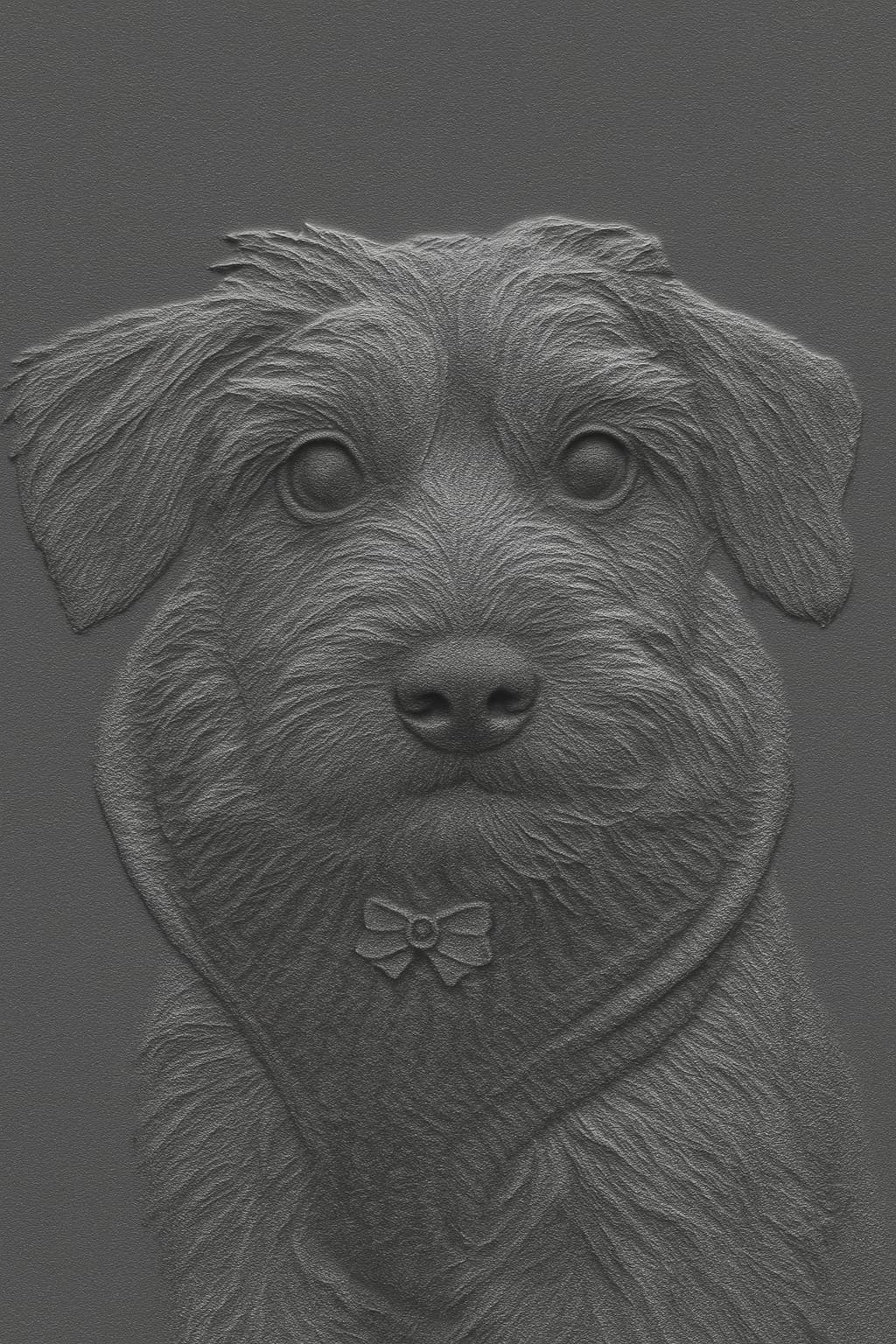
and try a halftone?
FWIW, it might be that tools such as:
https://microsoft.github.io/TRELLIS.2/
will make a difference in the future (though I don’t know if I’d trust Microsoft w/o purchasing a real product given that my upload limit in Copilot is now so low as to make it impossible for me to to process things at work).
This topic was automatically closed 30 days after the last reply. New replies are no longer allowed.