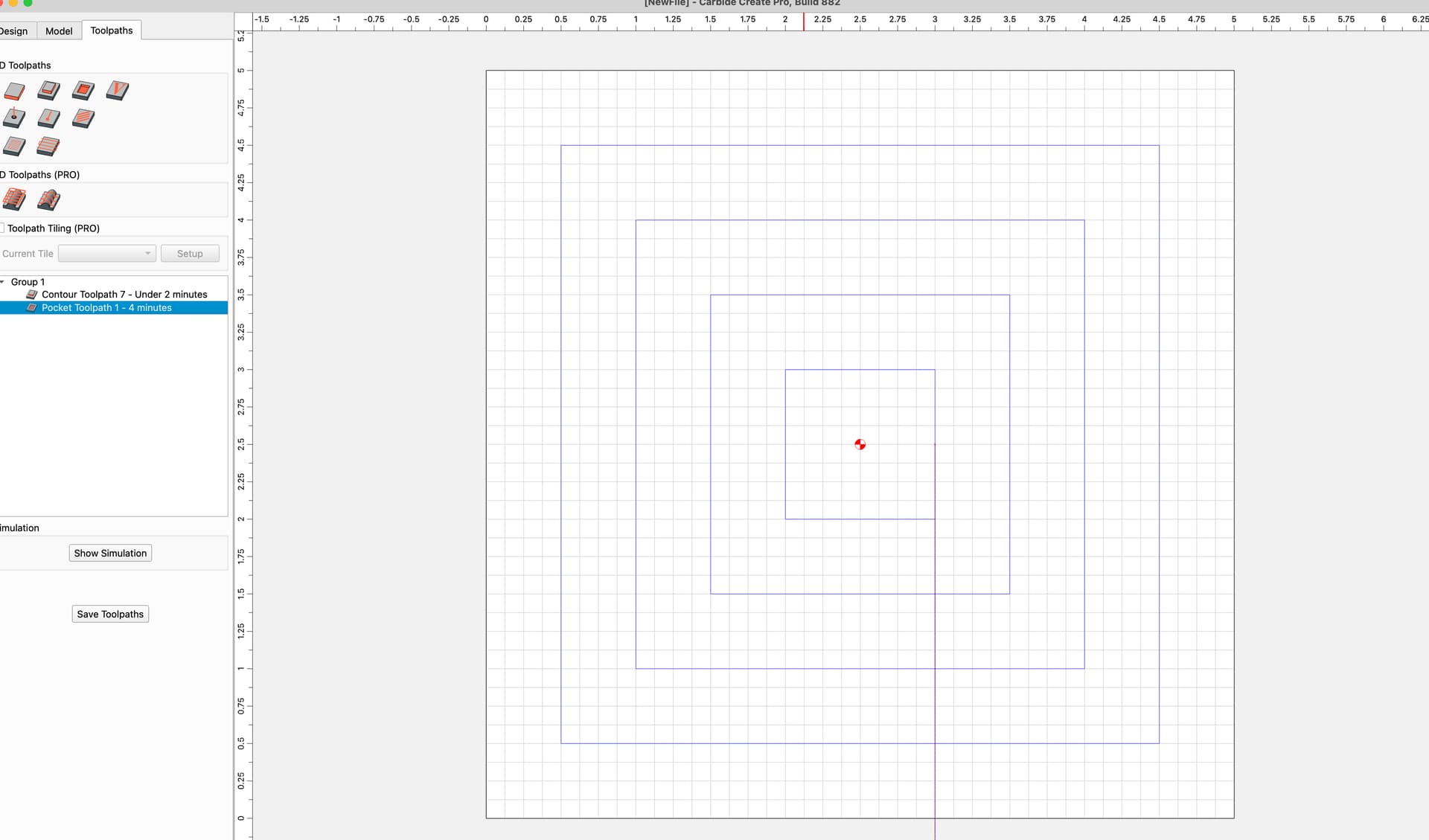
Hello all and Happy Thanksgiving… I was more than curious about how, watching CC videos, do you get your surfacing bits to start off the project? I have tried many times by making my pocket tool path larger than my project but it always starts in the center. I’m using the 4XL. I’m good with the speeds and feed, I would like to start off the project. Thanks
If one uses the Facing toolpath (which is available in Pro), then it should start at the perimeter, so long as that is beyond the stock, then it should enter the cut from the side:
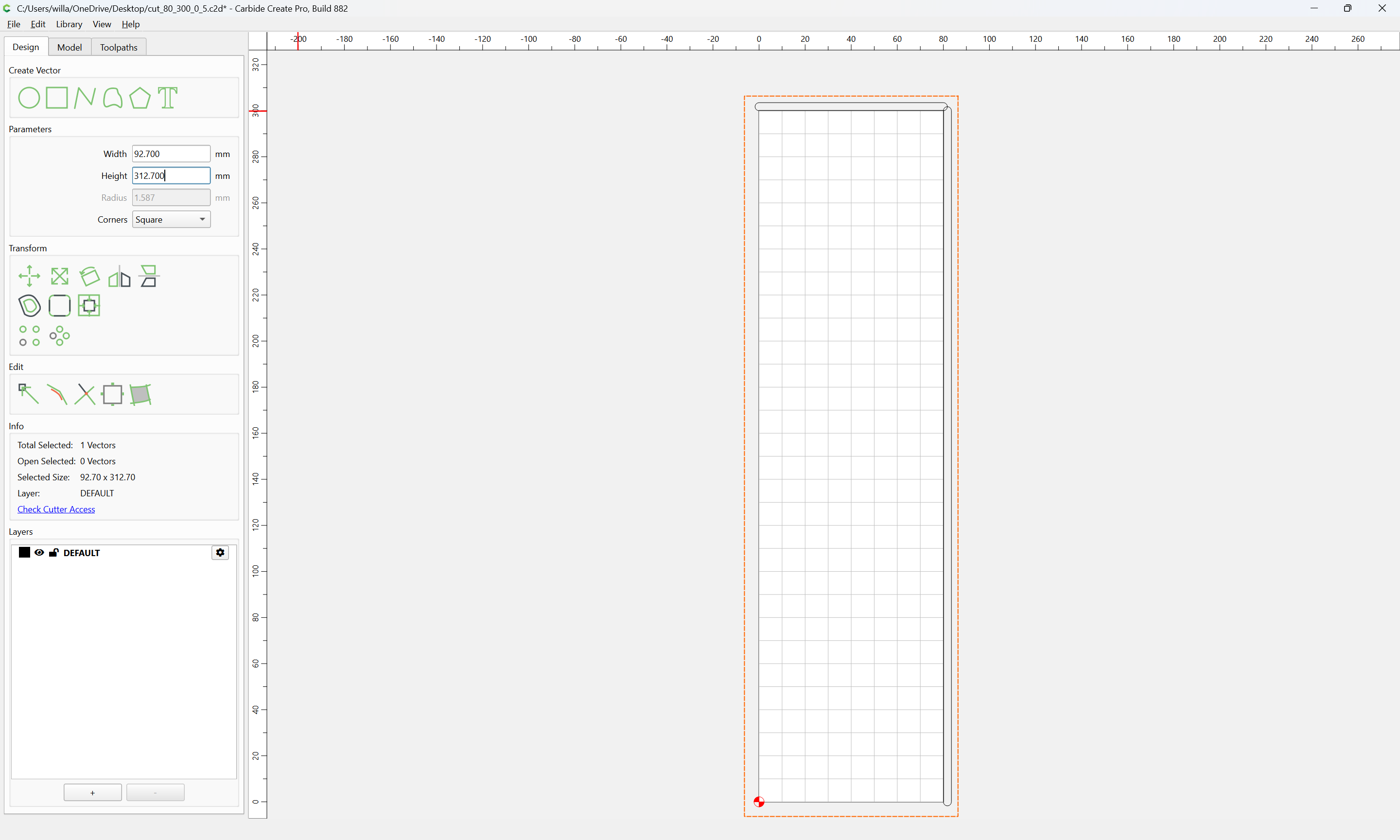
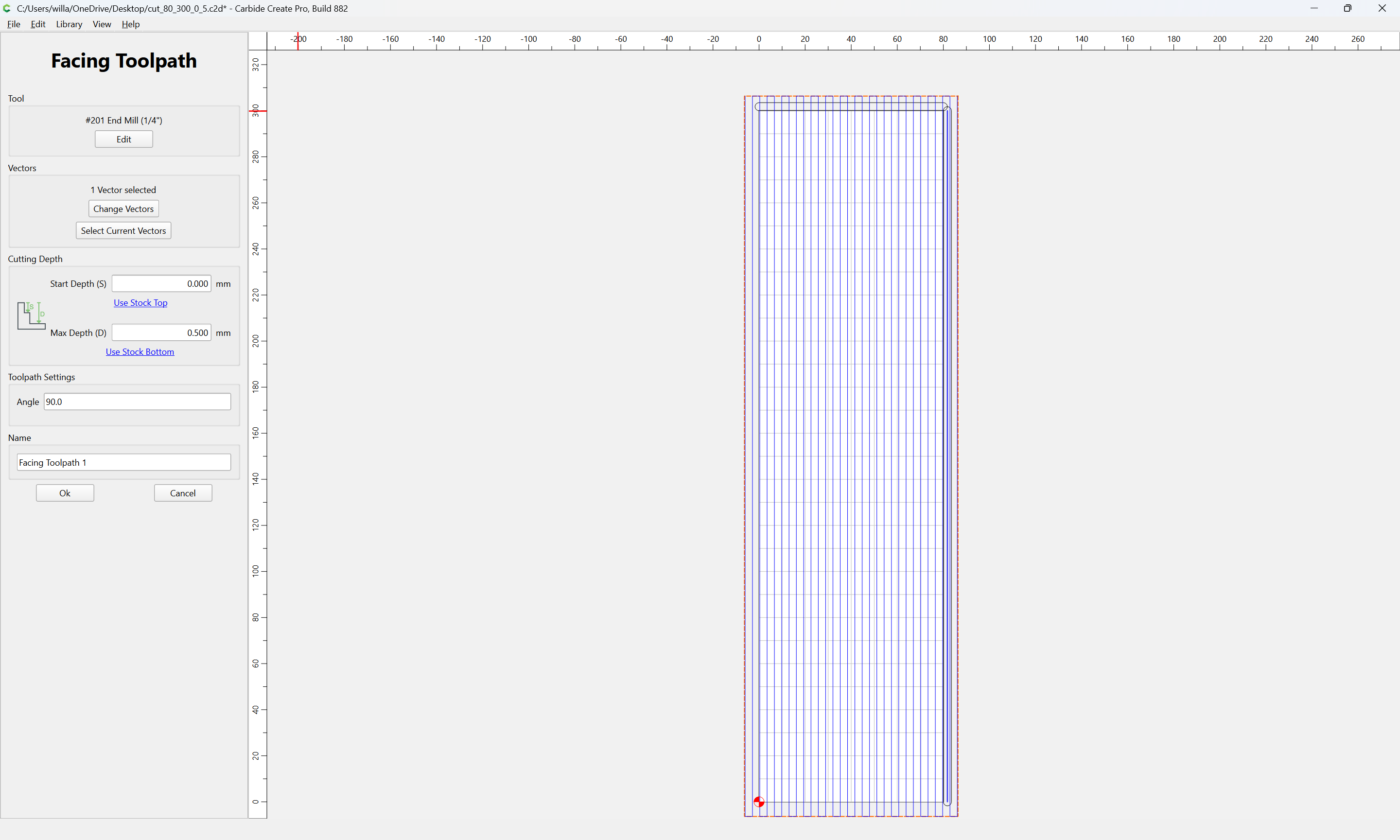
I worked up a manual technique for this at:
Thank you Will, I should have mentioned that I am using CC and not CC Pro…
Sounds like you have you start point set a “Center”, Set it to start on one of the corners and ensure you tool path is larger than your stock is so the tool path physically starts off the stock and then moves onto the stock. You need to make sure your Z zero is set correct, if too low you could exceed the recommended DOC (Depth of Cut) and stall the motor or break a bit.
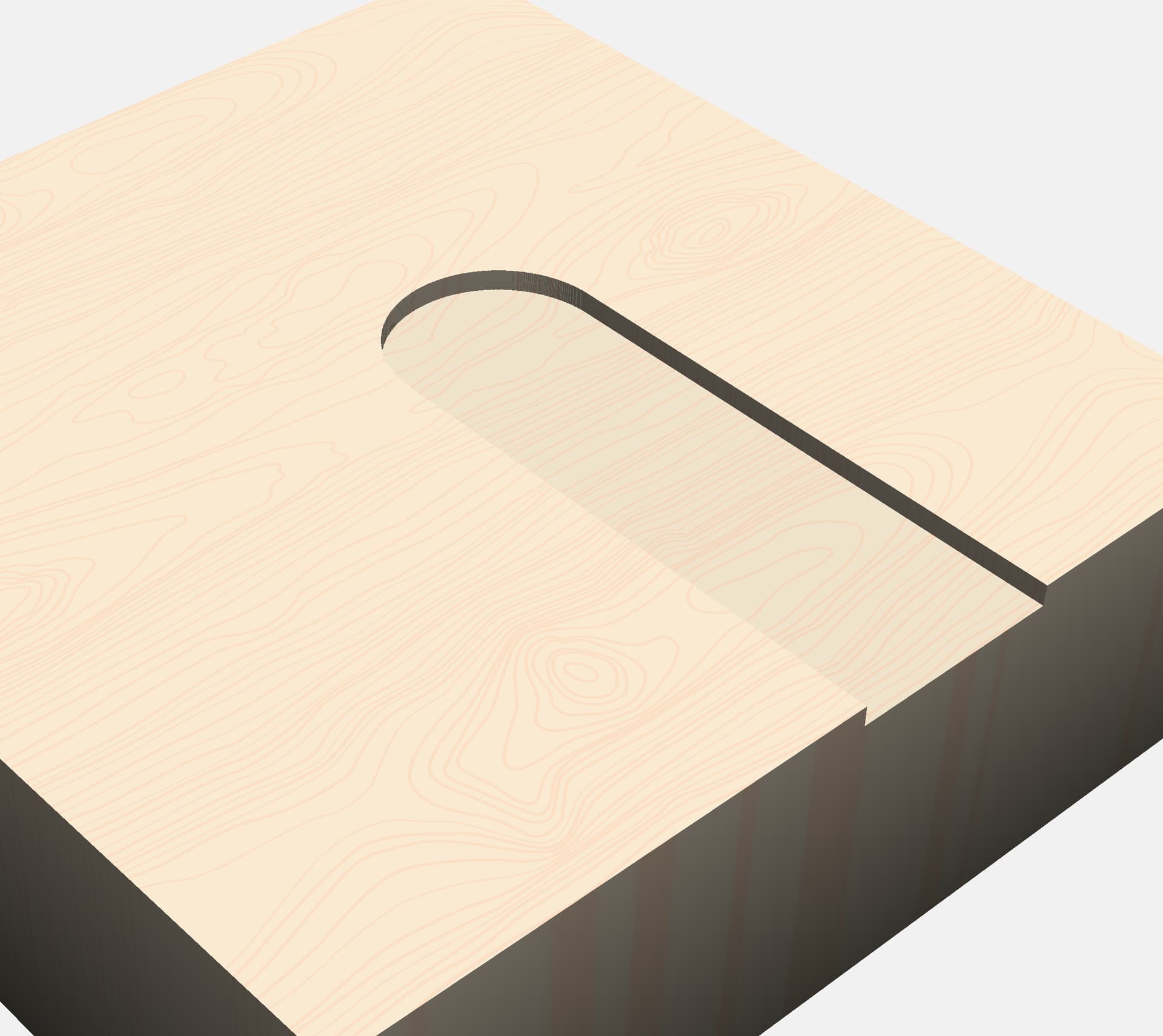
I currently use CC Pro but before I upgraded the solution I had was to add a straight line that goes through the center of where the surfacing will start from to create a notch for the surfacing bit to land in. This way the cutter isn’t trying to start off by diving straight into the material
2 Likes