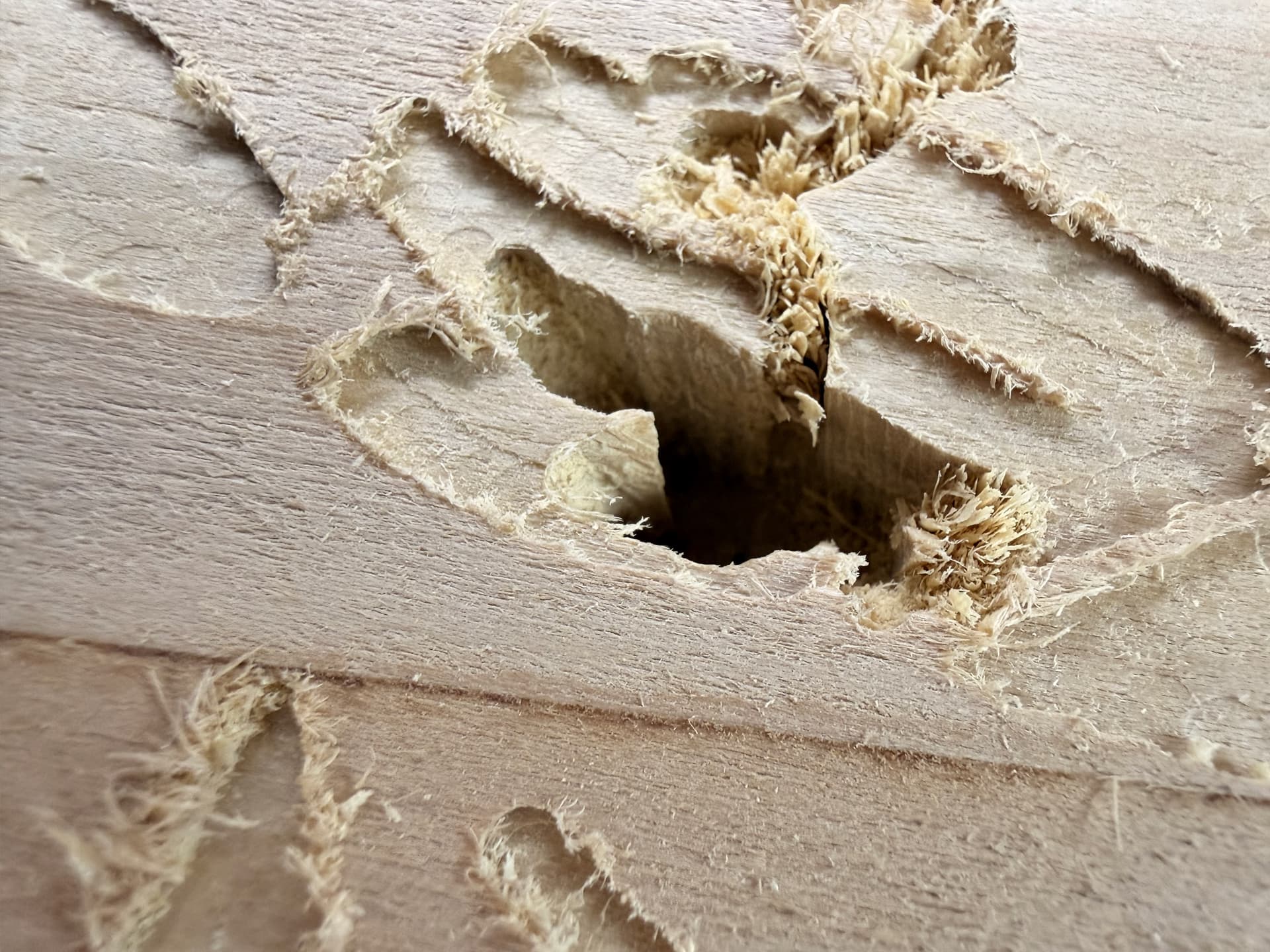
I was about an hour into a long 3d carve (roughing stage) when the machine suddenly plunged deep into the piece and broke the bit. I did some analysis of the gcode Create outputs and it didn’t look like there was an instruction to make it do that. What could cause that? A glitch in the USB cable from the host computer?
Here’s a link to the c2d file: https://www.dropbox.com/scl/fi/v5wgtibi8wfytgzn9gdw9/firetable.c2d?rlkey=orsweq3elkr1is7dhpxf35s4f&st=tlk984e4&dl=0
I have had that happen when the Tape and glue didn’t hold, sucked up the wood and it was downhill from there.
1 Like
Often, this is caused by the tool coming loose in the collet.
The other notable possibilities are high tooling engagement pulling the machine into the cut, or lost steps on retract due to mechanical interference.
A further concern is that you are cutting out greater than 1.5" thick stock w/ a tool which only has 0.75" of cutting flute length:
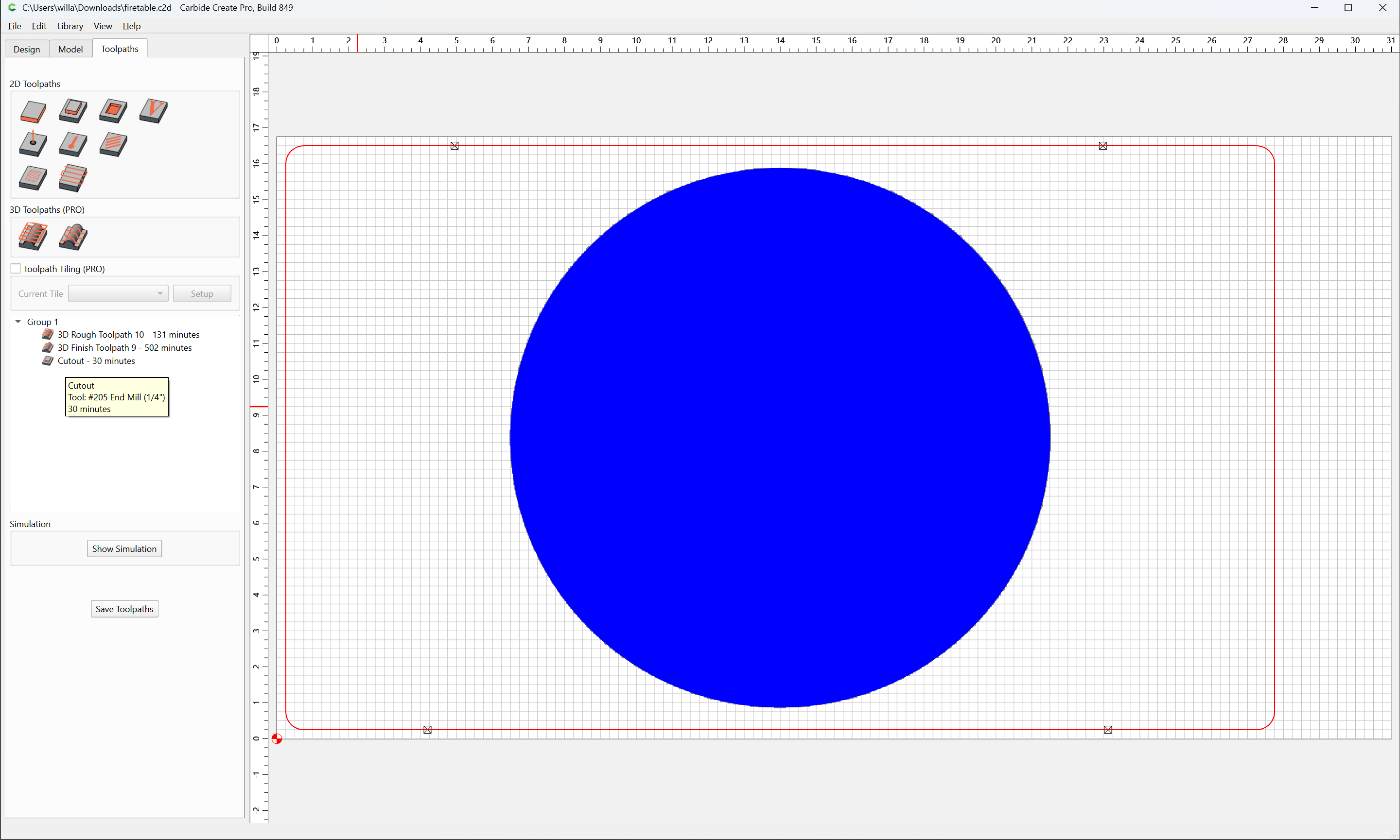
I would recommend using a “long reach” tool for that last cut, as well as the new “Cutout” toolpath:

2 Likes
For me this has happened a couple times when the bit came loose and dropped. I now clean the collet not and the router opening with a ear bud each time i change bits. A little extra work but worth it for long 3d relief carves.
2 Likes
The dust extractor got clogged at one point before this happened; could unremoved fragments have caused this issue?
Once I got to the last tool, I was going to use a 1/4" bit that does have lots of flute.
You’re totally right; I do need a longer reach 1/4" bit. It’s not what caused this, but it probably would be a problem once I got to that stage.
Yes.
Even if you have more cutting flute length than stock thickness, you should still avoid cutting a slot deeper than the diameter of the tool.
Interesting; thank you!
This is happening to me in the last few mths and my issue is the bit slipping on the collets even cleaning etc every time, having said that My Makita has done a lot of work and retirement is close for it.
1 Like
For me, when it happen, it was the Z homing switch that was in problem. The Z axis was going in reverse directio . Had to shut off everything and restart.
It unfortunately happened again. This time I’m certain it wasn’t excess dust/scraps on the surface (this time it was the 1/16" pass and there was very minimal dust), and I’m pretty certain it wasn’t the bit slipping (the bit appeared to be in the same depth as I had put it). It sank about an extra 1/8" into the work surface, leaving this groove before I stopped it. I’m really not sure what’s going on here.
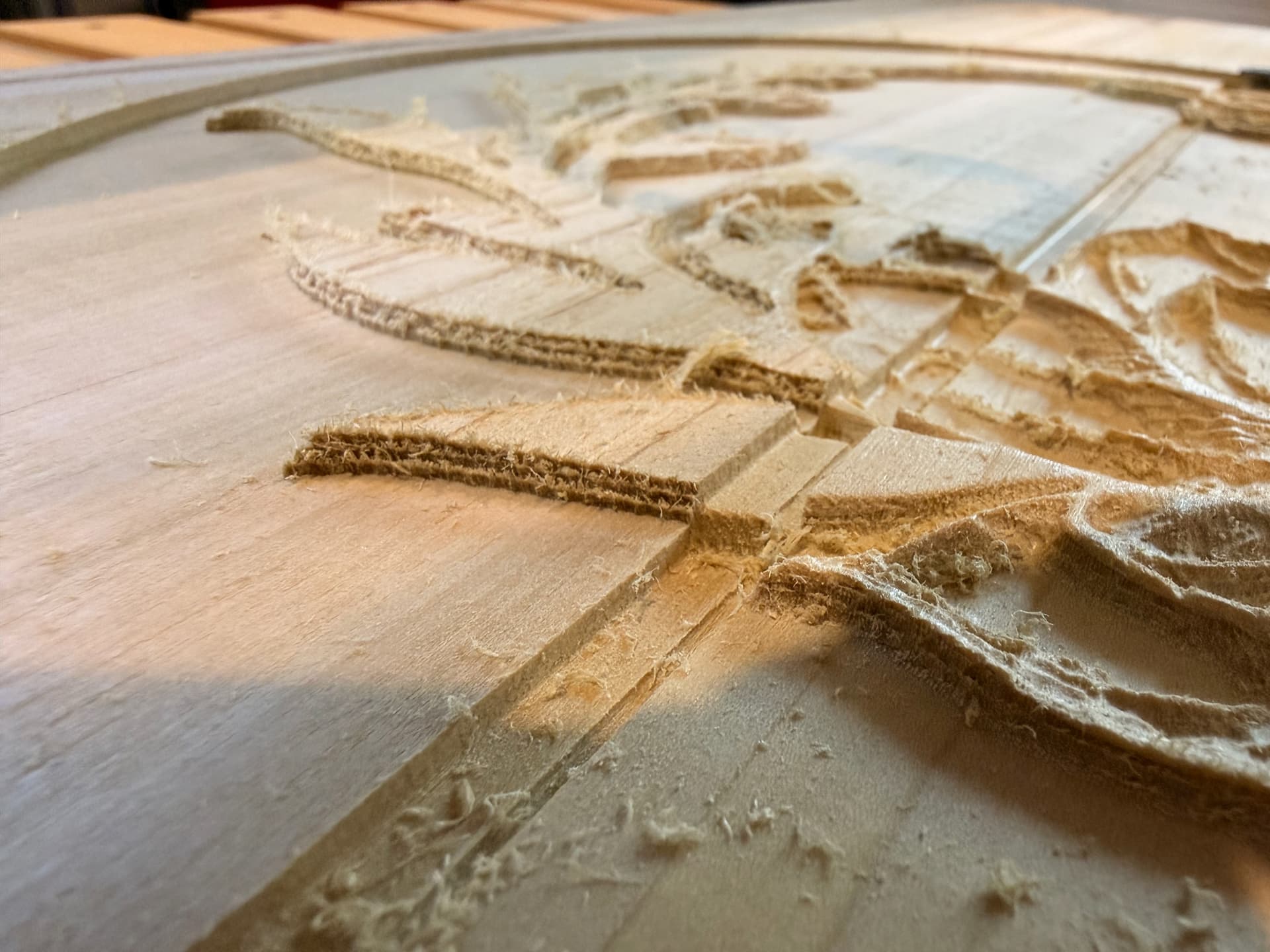
As I look at the workpiece more closely - and you can sort of see this in the photo - when the bit started cutting too deep, it did so for several passes, and then raised up a little bit. So this can’t be an issue of the bit slipping in the collet, since it went down and then back up (but not to the level it was originally at).
Just to be sure, once you tighten the collet draw a line on the bit with a sharpie where it meets the collet. Then you can see if it is shifting.
1 Like
I had something similar to this happen to me one time and I’ll not be repeating it. It was the settings in Carbide Create where I accidentally checked the Z height to top rather than bottom. I say similar because it did the same thing albeit for different reasons. I wonder if the Z height lost it’s way in the middle of the carve? I’m a knuckle-dragger so I asked my Local Grok and here is the response:"Hi everyone,
I examined the firetable.c2d file in detail — the full SQLite structure, all the params, the decompressed toolpath JSONs, the geometry, the large heightmap model, and even the binary contents of the proprietary gcode.egc container.
Quick summary of what’s in the file:
• Params show a Shapeoko 5 Pro, stock roughly 787 × 425 × 38.5 mm thick, retract height set to 12.7 mm, and exactly three toolpaths.
• Geometry consists of a large rounded rectangle (the one with tabs for the contour) and a circle 190.5 mm in radius (about 15" diameter) that both the 3D rough and 3D finish are constrained to.
• The roughing toolpath that was running (“3D Rough Toolpath 10”) uses a 1/8" flat end mill (#102), 18,000 RPM, 1829 mm/min feed, ~737 mm/min plunge rate, 1.143 mm stepdown, 1.27 mm stepover, 0.254 mm stock to leave, start depth 0, and end depth 5.08 mm (0.2"). Ramping is disabled. It’s explicitly tied to that circle region.
• There’s also a 3D finish pass (ball nose) on the same circle and a separate contour cutout on the rectangle.
• The 3D model stored in the file is a “Heightmap 35” (a sizable binary heightfield after decompression). The intended carve depth for the 3D operations is shallow — only about 5 mm max.
On the actual G-code:
The gcode.egc file inside the project is in Carbide’s CCV1/CCV1x proprietary packaged format (it’s not plain text G-code — it’s the encrypted/obfuscated version Carbide Motion uses). I scanned the ~4 MB blob for motion commands and Z values anyway. The only negative Z values that turned up were in the -0 to -5 mm range, which lines up exactly with the 5.08 mm end depth defined in the toolpath. No deep plunge commands (Z-10, Z-20, Z-38, or anything like that) were present in the data I could extract.
Regarding your hypothesis:
I looked specifically at the saved toolpath settings for the 3D rough. It was deliberately configured with an end depth of 5.08 mm — a shallow relief on top of the thick stock — not a full-depth carve to the bottom of the material. So a “Z height to top rather than bottom” mix-up in the project settings for this operation does not appear to be the cause here. That said, a mid-carve loss of Z reference (the controller or the stream suddenly thinking Z is somewhere else) is still very much on the table, and that kind of thing is classic for a serial/USB communication hiccup during a long job.
Bottom line from the file analysis:
The project definition and the toolpaths packaged inside it look clean. There is no evidence that the CAM generated (or stored) an instruction to plunge deep. The characteristics of the job — dense 3D roughing with small stepover over a large circular area, ramping off, running for over an hour — make a transient USB/serial error (bit flip in a coordinate, dropped retract line, noise from the spindle, marginal cable, etc.) the most likely culprit. Long streaming jobs are exactly when these things tend to surface.
Practical thoughts:
• A high-quality, short, shielded USB cable (plus ferrites if you have them) is worth trying. Avoid long cables and USB hubs on jobs like this.
• Re-export fresh G-code from this same .c2d (just the rough toolpath) and inspect the plain .nc file around the time it happened. You already did this once, but a second look with fresh eyes after knowing the project is clean might be useful.
• If the exact .nc file that was running at the time is still available, that would be the best thing to examine next — I can go through it line by line if you want to share it (or a chunk of it).
The file itself doesn’t contain the smoking gun you were hoping to find, but the absence of any bad command in both the high-level toolpath data and the packaged G-code is useful information — it narrows the problem to the wire or the controller side during execution.
Happy to keep digging if more data turns up (exported G-code, photos of the failure area, exact cable/setup details, Carbide Motion version, etc.). Just let me know."
You can export the gcode in Carbide motion and look at it in ncviewer to confirm if the gcode is good.
Change the z homing switch, for me it was the problem. As soon as the problem happen, when i was trying to move, there was strange result. I had to shut the machine off
Would it be using the Z Homing switch in the middle of a carve?
No.
The homing switches are only used during the machine Homing process.
I wonder if the z-axis may have hit something physically during a retract and lost a few steps?
1 Like
Does the carve fail in the same place all the time ?
Can you break the tool path into multiple segments ?