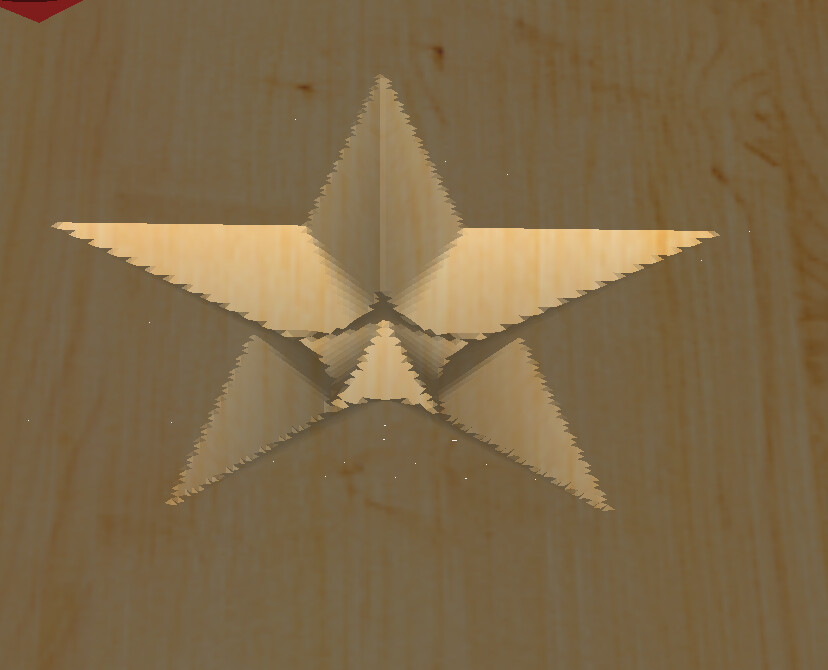
The tool path for making basic stars is NOT the same which is understandable as the new V8 seems to be more precise with what you may choose. The issue is I used a Vee 90 or 60 in the past and VCarved the stars to depth. It was a very simple process and looked good. Now the new version always leaves a CENTER area as the Vee cut not does not make a GRADUAL Cut to the center but just goes to depth and cuts.
I need help as I have been trying different options in the V8 Beta with no luck.
Just looking to make basic stars for a product that is steady in my area.
Any recommendation are appreciated.
Thank you.
To cut to full depth, set the Max Depth deeper than it needs to go. You can disable the clearing tool as you won’t need it. If you don’t disable it, it will just be empty.
3 Likes
For a bit more on this, see:
Note that Advanced V carve would have worked if a sufficiently deep depth had been specified.
Post your file?
Will gladly look into this with you.
Flag Post Stars.c2d (72 KB)
@WillAdams: here is the file.
I am trying to remove the center POINT like the past version worked. I know its something simple I am missing.
the item is for a 4x4 x 32 in Cedar post. I used to use a dremel and hand carve but due to a large continued request, I started using the Shapaoko 4 Pro and am stuck on this for now.
Thank you for your help.
All the paths were my Test.
USMC-retired.
@WillAdams
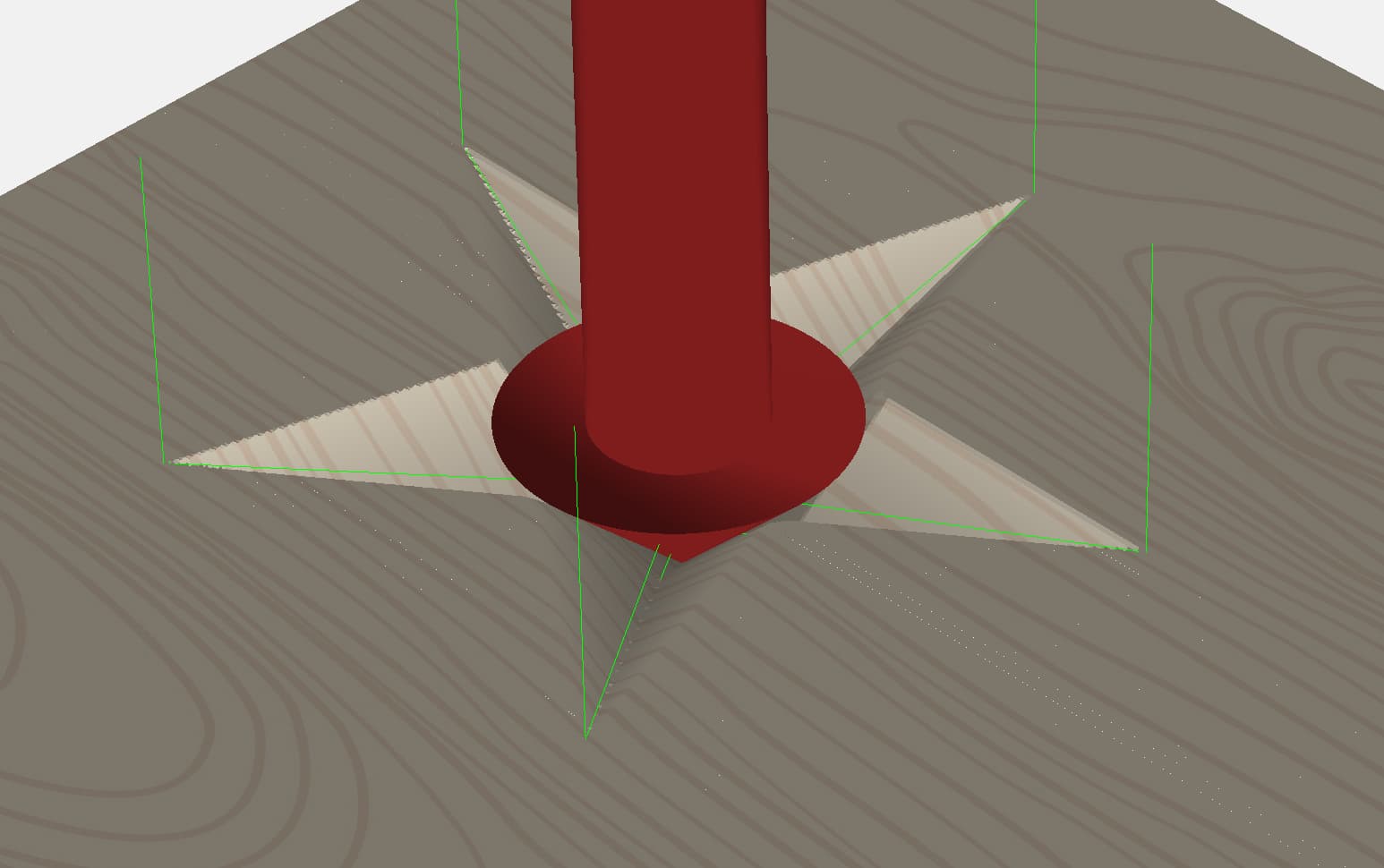
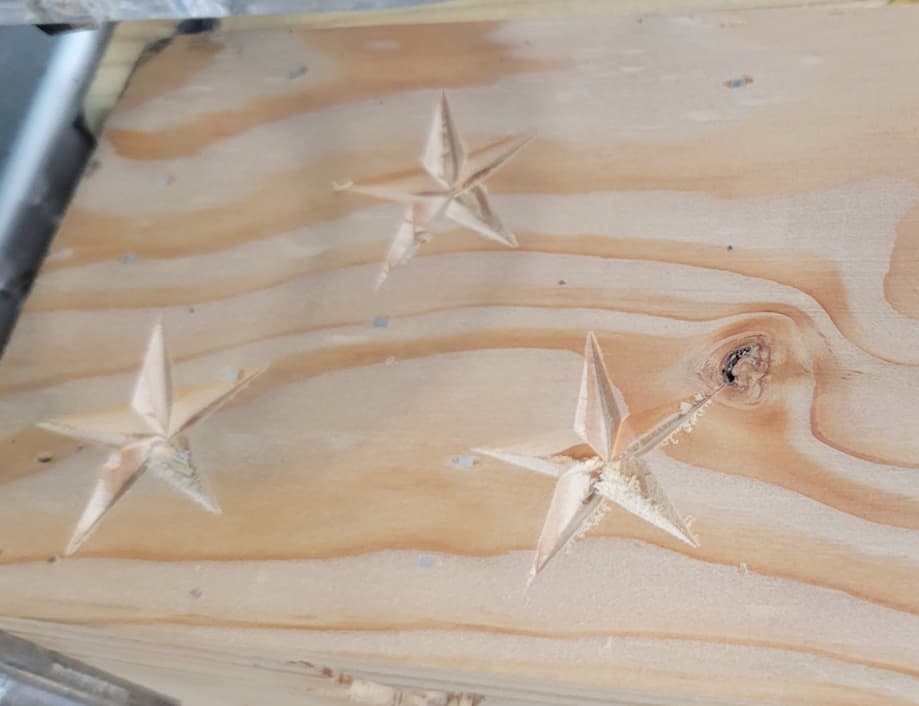
Here is the end result I am requesting help with.
I appreciate your time.
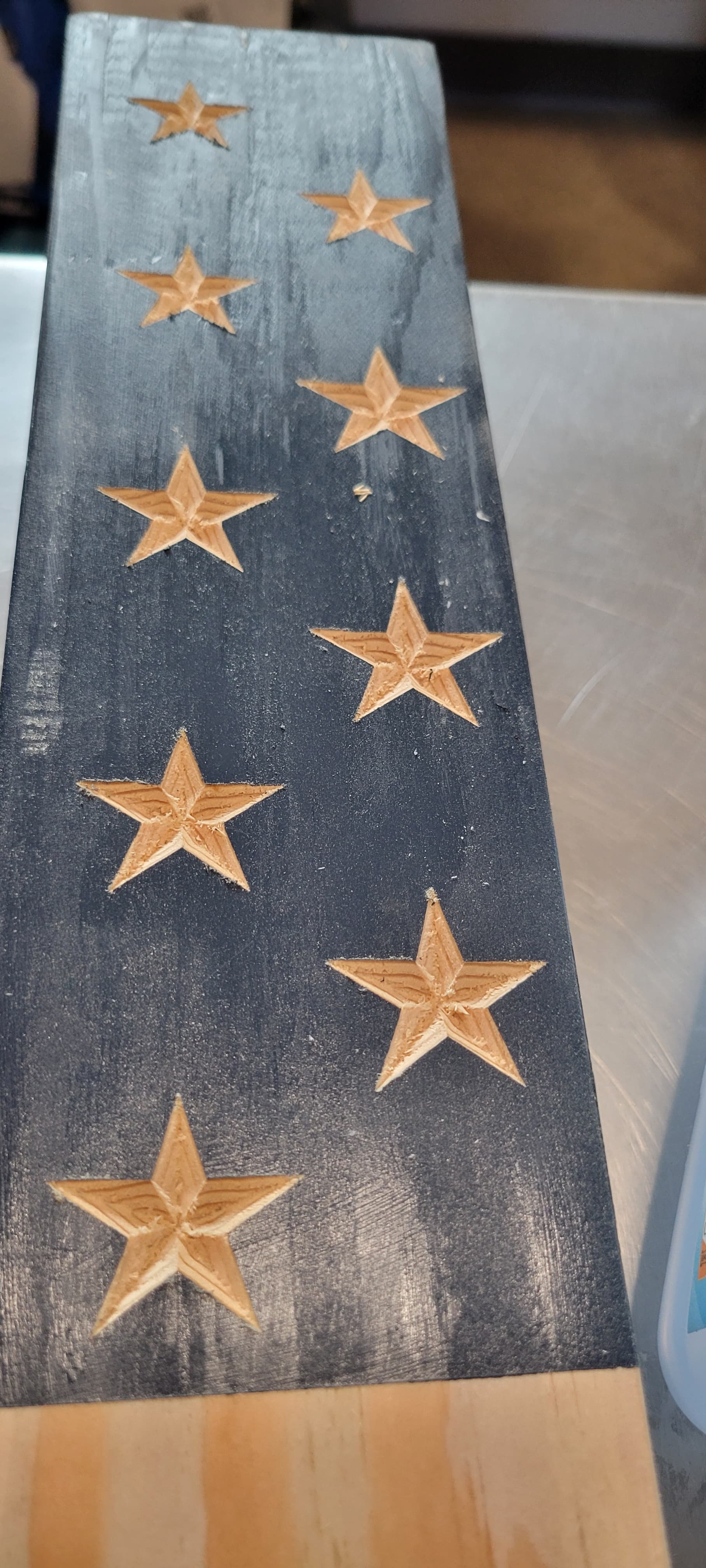
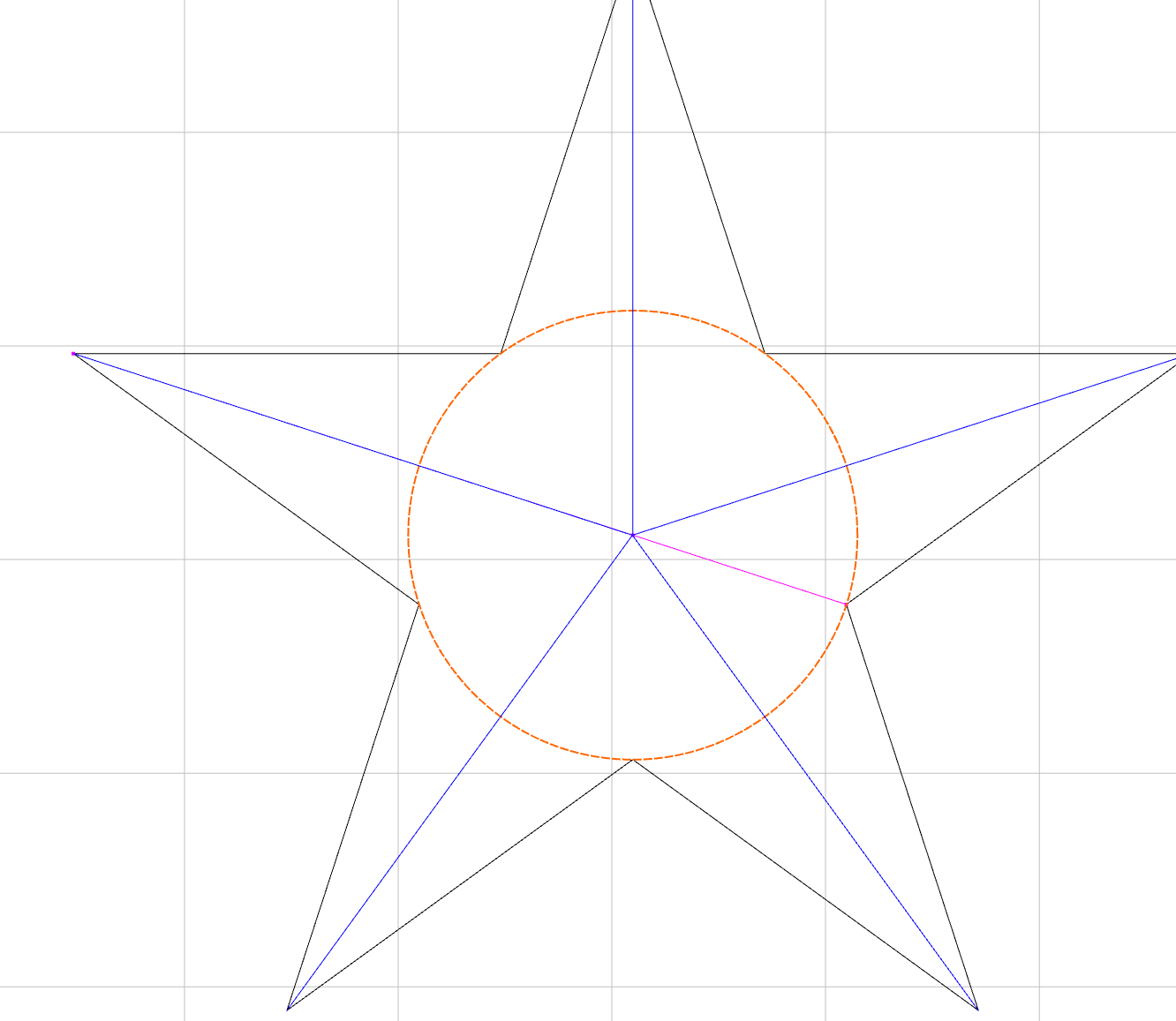
The tool needs to reach max depth in the center with the tool tangent to the inner points.
The radius of this circle 0.262", so you need to set the Max depth at least 0.262" or greater.
1 Like
@Tod1d:
This is exactly what I need, but as a newbie…I’ll try and figure out what you mean by the tool tangent and adding the circle part as you make it seem simple enough…If only I was a caveman…lol
blessings…
The tool at it’s deepest point is in the center of the star, and the cutting edge of the tool is touching all the inside points on the star. At this point, it needs to be 0.262" deep. The vector will prevent it from going any deeper, so you can set the max depth to anything larger than 0.262"
3 Likes
@Tod1d
I used the polyline tool to draw the same center star lines but not sure how to create a starting depth and go to a max for a single line.
You don’t have to. The V-Carve toolpath will figure that out. I just drew in the circle to illustrate the tool at that point. You just have to set the Max Depth deeper. Start depth should be 0.0 or the star won’t look right. It will try to trace the vector at the Start Depth.
1 Like
@Tod1d:
Thank you.
I also realized the 4x4 cedar post is not leveled. I measured it a 3.49 but I should run it through a planner to ensure the stars come out the same too.
The V8 Beta does not do this the same either.
See Screen shot. Left is NEW BETA update. Right is one version older.
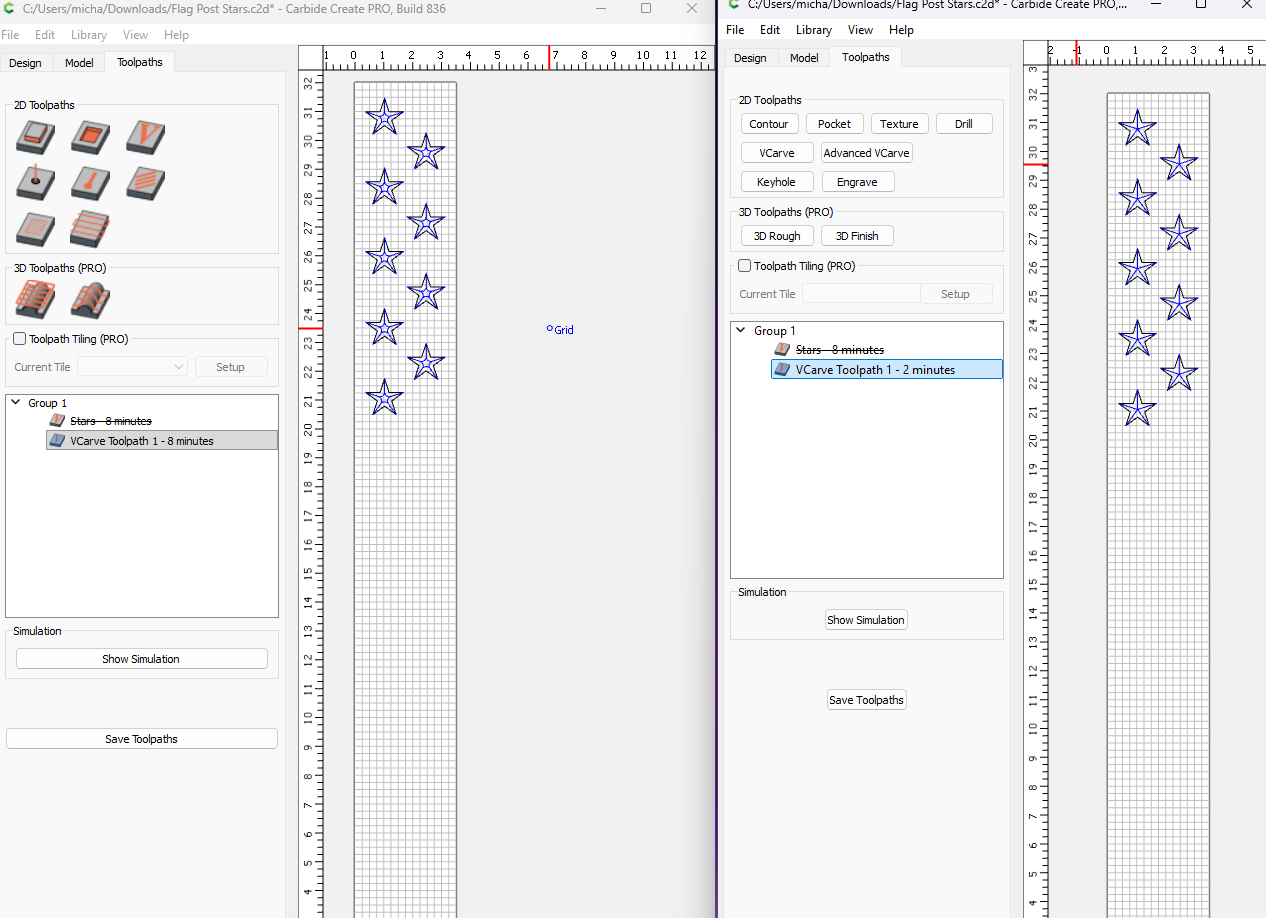
@WillAdams @Tod1d
Thank you both.
I am stuck…here is the screen shot of the New Beta Version and the older one to show the issue with a Basic Star. I have let my customers know there is a technical issue on my end, and I wll be HAND CARVING with a Dremel again which will take longer. I used the Shapoko becuse my hand and wrist are fatigued (from serving) as all four sides need these stars…
@Tod1d Could you not just set your DOC to “t” and do a V Carve with a 60° or 90° Vbit? I did a quick test and the star looks good to me…
If one selects the stars:

and applies a V carving (previously known as Advanced V carving)
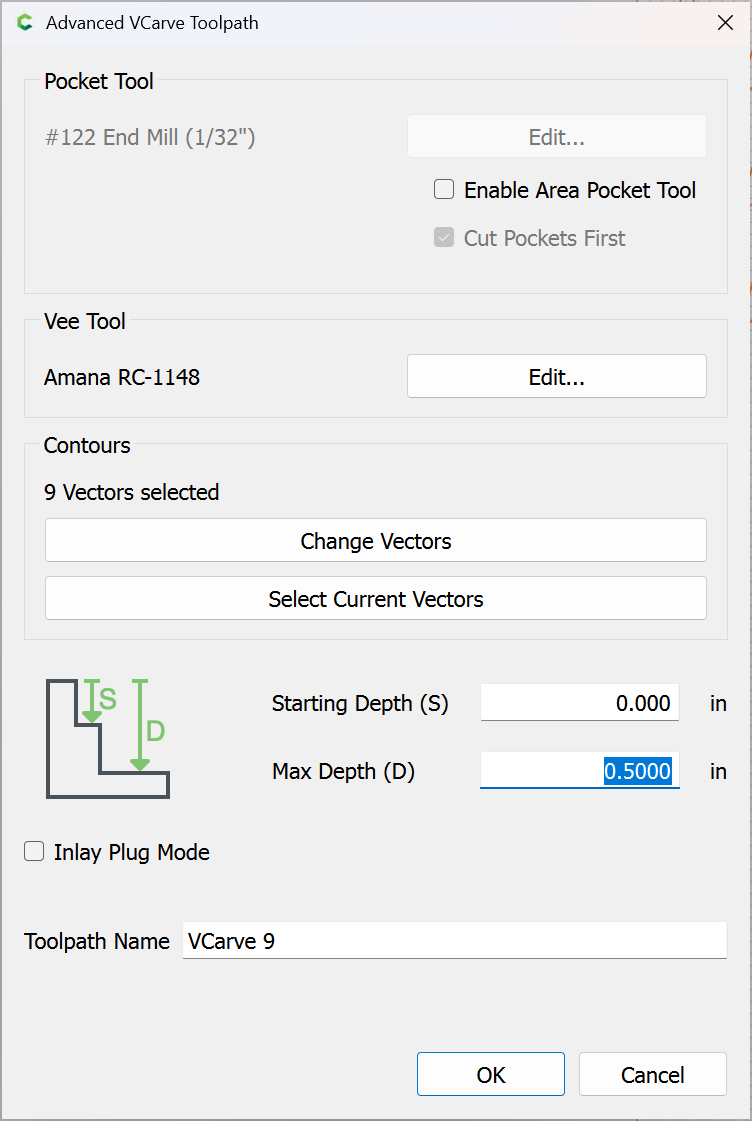
setting the depth sufficiently deep that the toolpath cuts as desired:
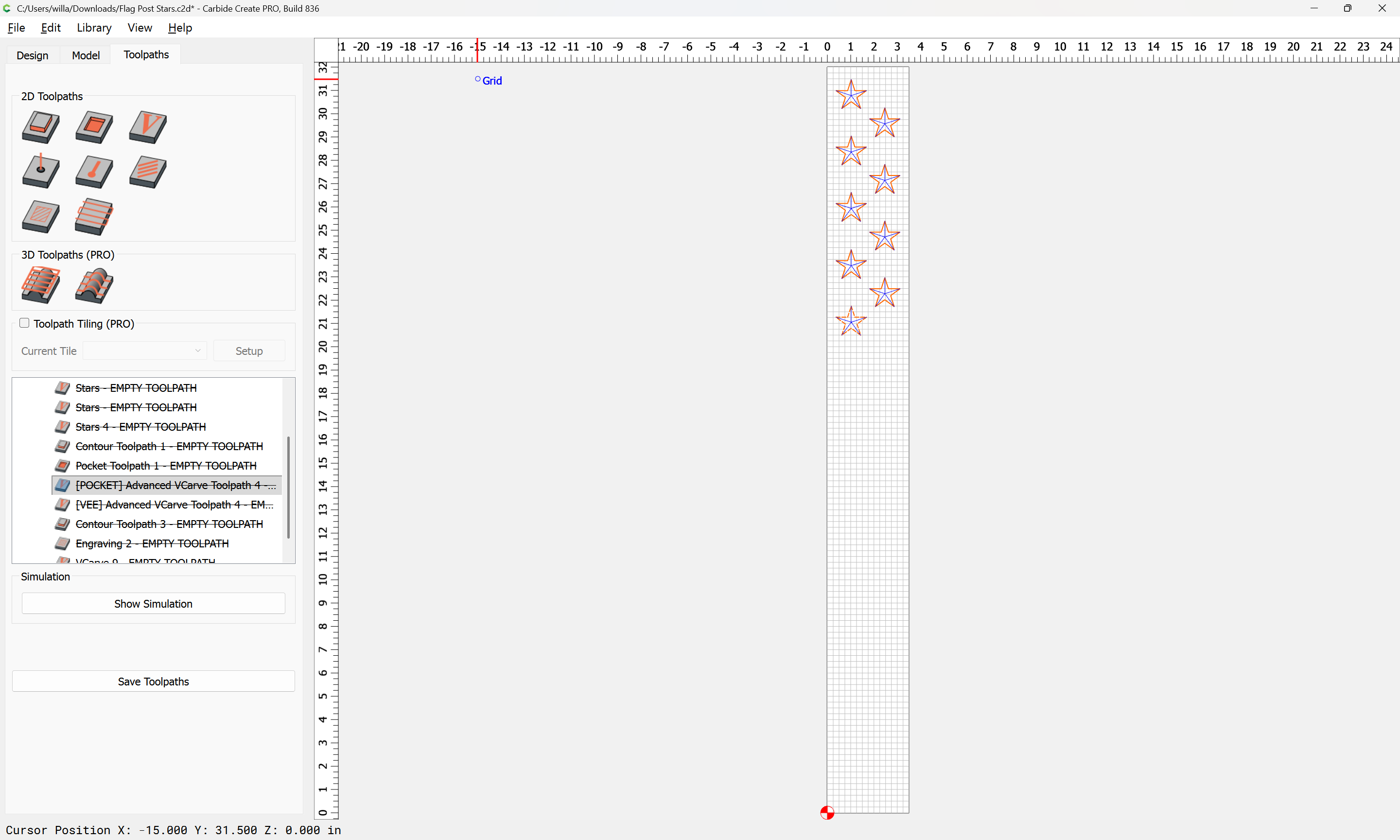
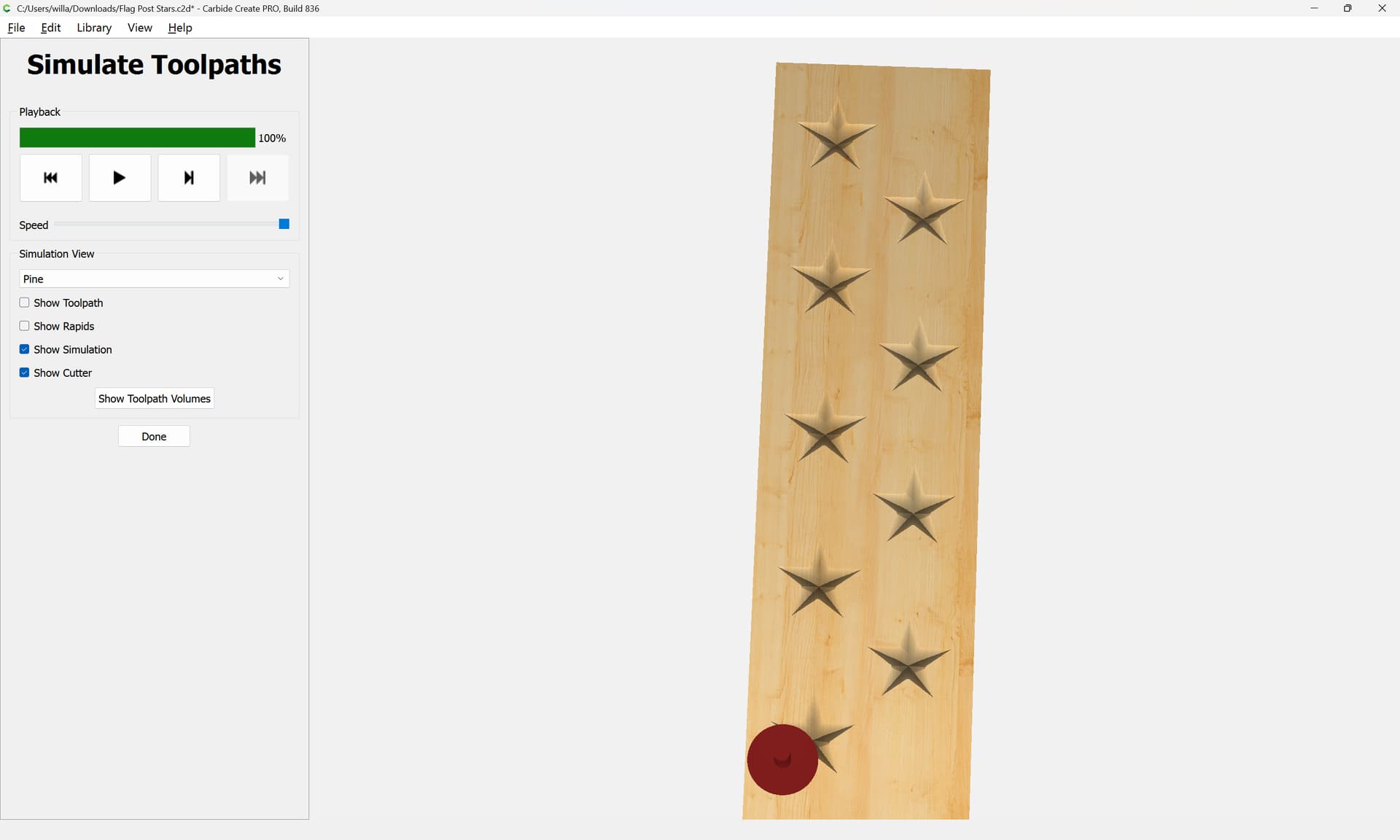
1 Like
Yes, as long as ‘t’ is greater than the depth needed to get full contact in the center of the star.
If the stock is thinner, using ‘t’ rather than a static value prevents cutting into the spoilboard.
@Lowki1, when you do the side be side comparison you need to look at the toolpath parameters. Are the Start Depth & Max Depth set the same in both examples?
2 Likes
@Tod1d @WillAdams : I want to take this time to say THANK YOU to you both in your time, and Expertise in helping me. You both are a blessing and I appreciate your patience with me in resolving my issue.
I cant praise this forum enough for the help you and others have guided me in resolving any USER ERROR on my end.
Blessings to you both.
USMC-retired.
2 Likes
It’s a pleasure.  Glad you got it!
Semper Fi, Brutha!!
2 Likes
This topic was automatically closed 30 days after the last reply. New replies are no longer allowed.