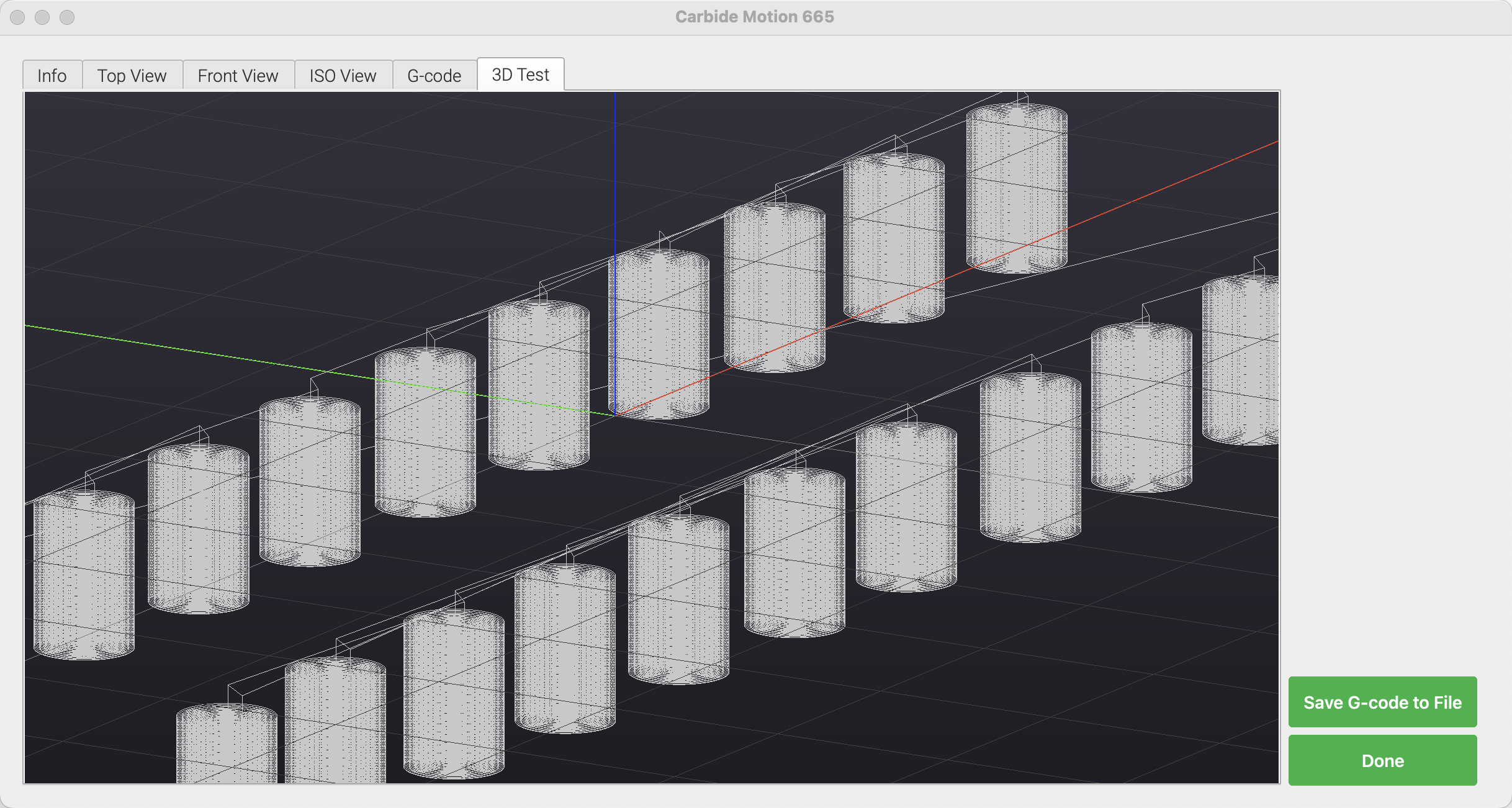
For the past couple of years, the only real crashes we saw were related to the 3D rendering test we had in there for the toolpaths. No matter what we tried, some computers crashed. Sometimes a driver update would cause crashes in a computer that had been working fine. Part of the problem was the older version of the Qt framework we depended on, and part was the fact that we were using OpenGL.
So, we’ve updated Qt and have a new renderer that uses the preferred 3D system for each platform (Metal, DirectX, OpenGL, or Vulkan). It performs very well on every platform/computer we’ve tried.
We need people to try it out to see if it works as well in the field as it has for us. Please try this beta and let us know if you have any problems or if it’s all good.
Assuming the renderer is good, we’ll probably move to Carbide Motion 7 development in the near future. There will be some big changes that we don’t want to do incrementally, and once this new code is in there, it’s not coming out. So, the best way to make sure your computer will run newer builds is to try this beta and let us know how it goes, either way.
I use a small Dell Latitude 3190 2-in-1 laptop, WIN11, with a RII model RT-MWK08+ mini wireless keyboard to do jogging.
CM 653 is the last version to reliably allow immediate jogging control with my Shapeoko Pro XXL. All subsequant versions (654 thru 664) requires that I do the first jogging command via the laptop screen before the mini keyboard will respond.
Sounds a bit strange I know but that is the consistent performance with repeated testing of the various newer versions of CM.
I only do limited rendering on the small laptop with CM so I don’t have any feedback for that, no problems.
I’ll second Allen44’s issue regarding the jog control also on my Pro XXL, I just updated from 640 to 659 and am now having the same issue. Kinda frustrating to always start the jog from the controller screen/mouse click before I can use my external keyboard like normal.
Thanks,
Chris
Running fine on my Nucbox - 2GHz Intel N97 with 12GB RAM, running 24H2 Build 26100-3194.
My jog pendant is still in the shop so I can only use keyboard jogging, which works well given I need to hit [tab] to give the screen focus each time I go into Jog.
Running Carbide Motion 664 on Debian Linux. Able to connect to machine and load a file. 3D preview looks nice.
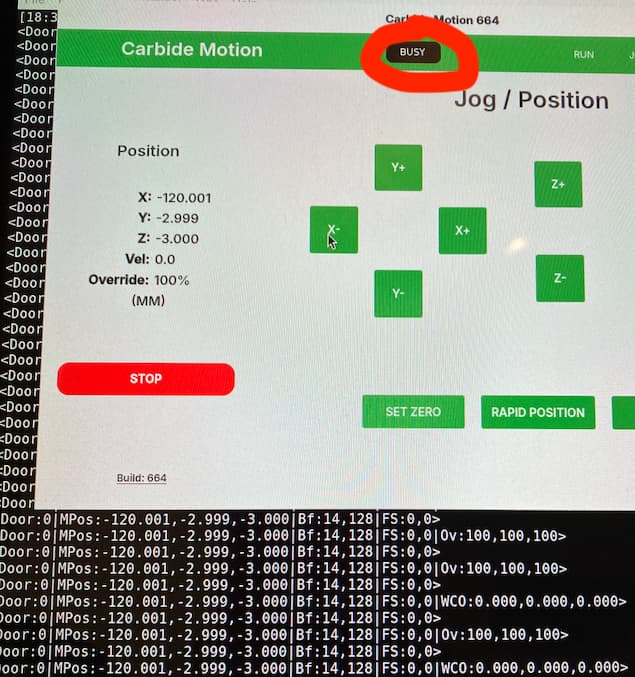
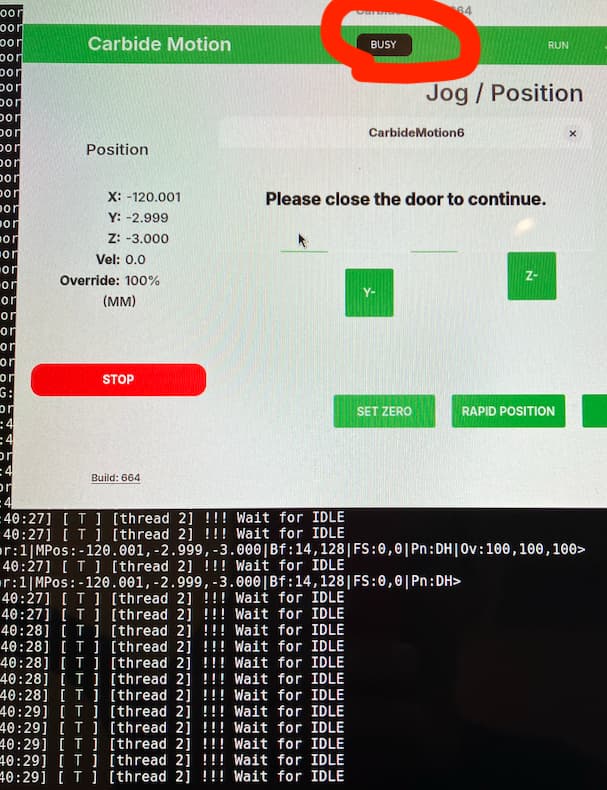
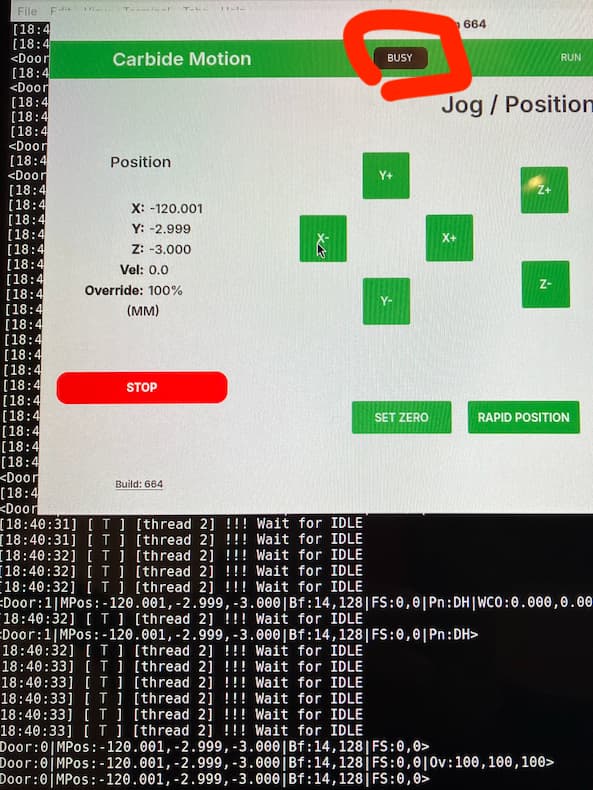
I encountered a familiar issue when trying to zero the job: Unable to use the machine after closing the door (applying the magnet override). This does not happen every time, but does happen every day I use the machine.
Carbide Motion gets into a funny state and reports “busy”. The only way to move forward, is to hit STOP, re-connect, re-initialize and re-try.
Usually I see this on Mac, but observe it today with the new Linux build. I appreciate seeing the log printing in the background.
Edit 2: An additional 5 minutes of runtime with high value (new) threadmill. I ran into the issue described above, so when zeroing the machine I left the magnet override installed across the zero, drill, and threading jobs
I used to get that a lot. It turns out I was shooting myself in the foot. The cut would end, the head retract, the spindle stop and the head start moving over to the park position. I’d open the door thinking table is forward and stopped, I can start retrieving my workpiece and the machine would freeze at “Busy”. Winston pointed out that toggling the door switch, and not its actual state, was triggering the “Busy”. So now I wait until the ride is at a full standstill before doing anything. Just like on a rollercoaster…
what kind of mac do you have? if it’s an intel mac it won’t be supported, i think. I just tried it on my M1 running Mac OS 15.3.2 and it loaded fine. haven’t connected to my machine yet, though
@Randy thanks for offering feedback. Reading your comment and link, it’s unclear how to adjust my process.
Winston’s comment that specifies “in the middle of a cut” seems to not apply, as I have not begun cutting. Your comment suggests that I may open/close the door only when the cutter is at the parked home position.?
Meanwhile the GUI reporting “busy” when the system is more correctly in a “terminal fault state” only adds confusion.
During setup, I think I can open/close the door at will (obviously the door needs to be open for access, but shutting and re-opening doesn’t seem to mess things up). But during a cut I do not touch the door until the BUSY at the top of the screen disappears and all movement has stopped. I will do some specific experimenting during setup probably tonight. I have a small job to run that I might be able to get to after work.
I’m thinking that toggling the door sensor puts Motion into some kind of infinite loop that freezes at BUSY, rather than actually triggering it.