We made so many updates that this version would not build on our old 32-bit build Pi, so this is the first release for the latest(ish) 64-bit version of the Pi OS.
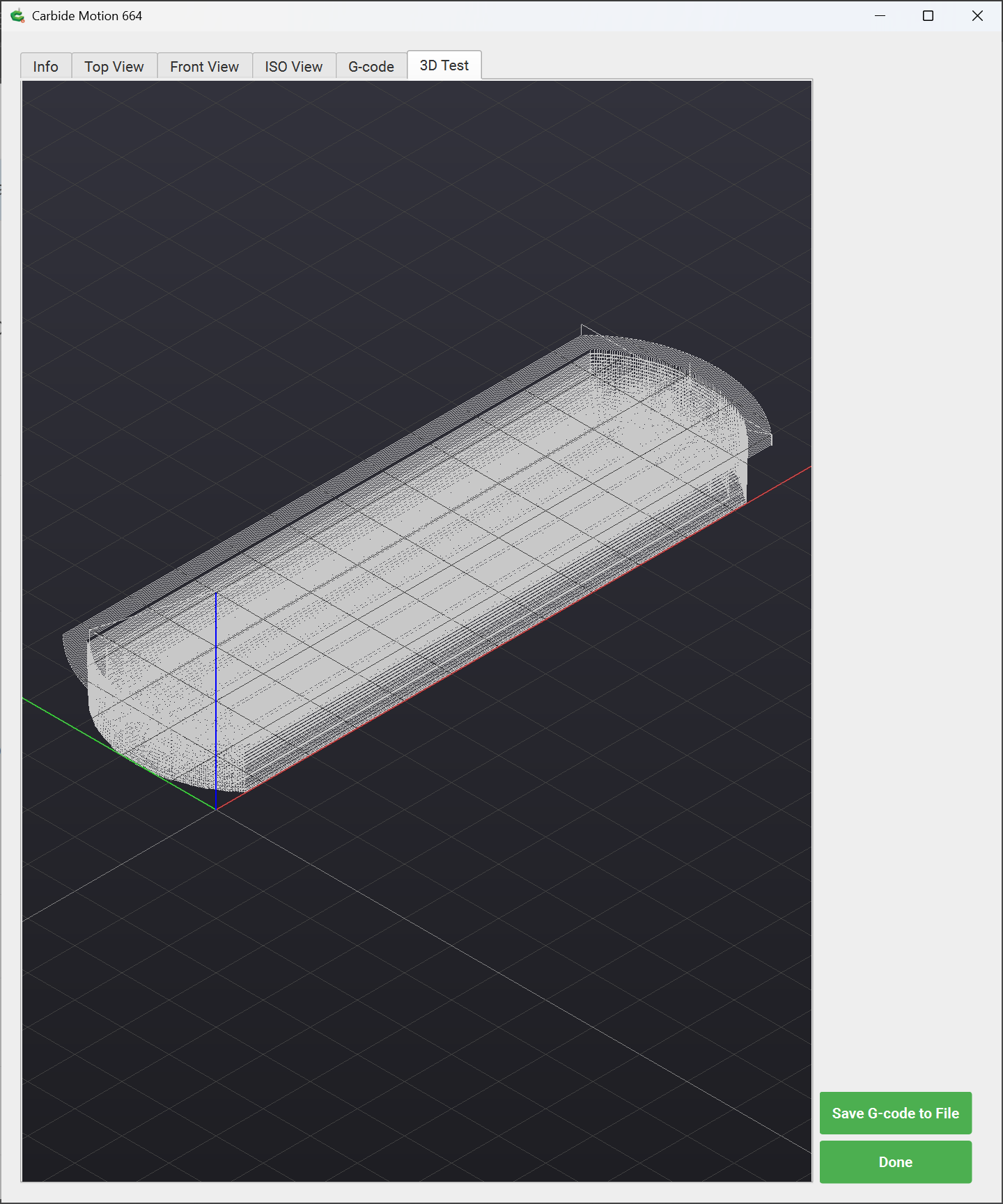
I see a rotatable, movable rendition of the toolpath. It’s a wireframe, but not a “render” (i.e. solid visualization of the machining results) so for me it’s not qualitatively different than the iso toolpath view. Is it supposed to be a true simulation of the workpiece or am I reading too much into the word “render”? I may be spoiled by the MeshCam workpiece render… For what is there, it displays and manipulates very cleanly and glitchless.
[EDIT] Never mind, for some reason I had not seen Rob’s screenshot in the first post. Given that, the render looks and performs perfectly. Doh on my part…
I just downloaded the Carbide Motion 3D Beta 665. It seems to be rendering 3d just fine. I really don’t have many 3d models in my projects, but the ones I have seem to display as I would expect
I downloaded 665 OK on my older HP laptop running Windows. I had no problem to 3D renders of several files. Thanks for moving forward with this software,
Tried the new beta - the 3D test tab now works fine on my machine, never did before. In the past, mine never crashed, but did not display anything on that tab. Now I see the 3D outlines fine, can move them around too.
3D tray 10 in inside.c2d (100 KB)
This is the file, doesn’t look like full render like I see above. PC running windows 10 home. I’m a neophyte so not sure what I’m doing
A solid render would require that Carbide Motion know everything about all the tools used in a file and then take the time to not only plot the tool movement but the interaction of the tool shape with the stock which adds quite a bit of complexity in addition to the added processing time.
 For what is there, it displays and manipulates very cleanly and glitchless.