Did you run
sudo apt update
sudo apt full-upgrade
for the version linked above?
Did you run
sudo apt update
sudo apt full-upgrade
for the version linked above?
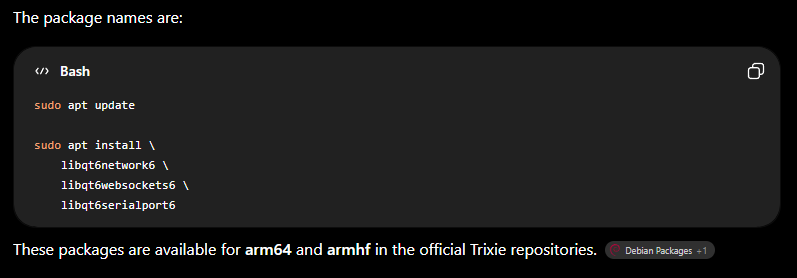
Thought I had…but basically whatever I was doing with Apt caused the loss of the desktop GUI. So I re-imaged the microSD again. Performed an update. Checked with ChatGPT again & followed the instructions it gave. Got & installed the qt6 dependencies & now just managed to get CarbideMotionPi665 package installed - so now I’ll see if it works!
From ChatGPT:
I just finished a first try at making a 64-bit image and updating, and things worked as expected — hopefully that will still apply on take 2…
So even though CarbideMotionPi installed, it does not seem to want to run.
Trying to load it up via command line shows a library error - libQt6PrintSupport.so.6 - cannot open…no such file/directory.
sudo apt update
sudo apt install libqt6printsupport6
And tried running CM again - it runs!
Got as far as getting my backup machine settings loaded into CM & then tested that it makes connection with my SPROXXL & can initialize.
Could this be related to not being added to the dialout group? (grasping at straws)