CC Pro - Max image import

Is there a maximum size image the CC pro will import and process ?

I am struggling with an image that exceeds the Fusion plugin capabilities.

The image is 3200 x 2149. I have to reduce by %50 in order for Fusion to run.

This is a link to the image.

Thanks !

In what way do you wish to cut this?

The big problem with that image is that it is a representational one — light/dark are mapped so as to create a perception of the image as one would view it, not to height/depth so that it would create a physical representation which one could cut out and then feel.

If the image were an engraving it might be workable to trace that b/w image and then render as a V carving w/ a suitably acute tool.

Some folks have had success using large language models to re-work images from representational to height/depth maps:

Or, you could cut as a halftone:

The target is a 3d carve.

I know the image requires a lot of manipulation in order to get good height differences. I have been down this road too many times.

The fine detail is a challenge to maintain.

The question is really will CC pro import this size image without size changes.

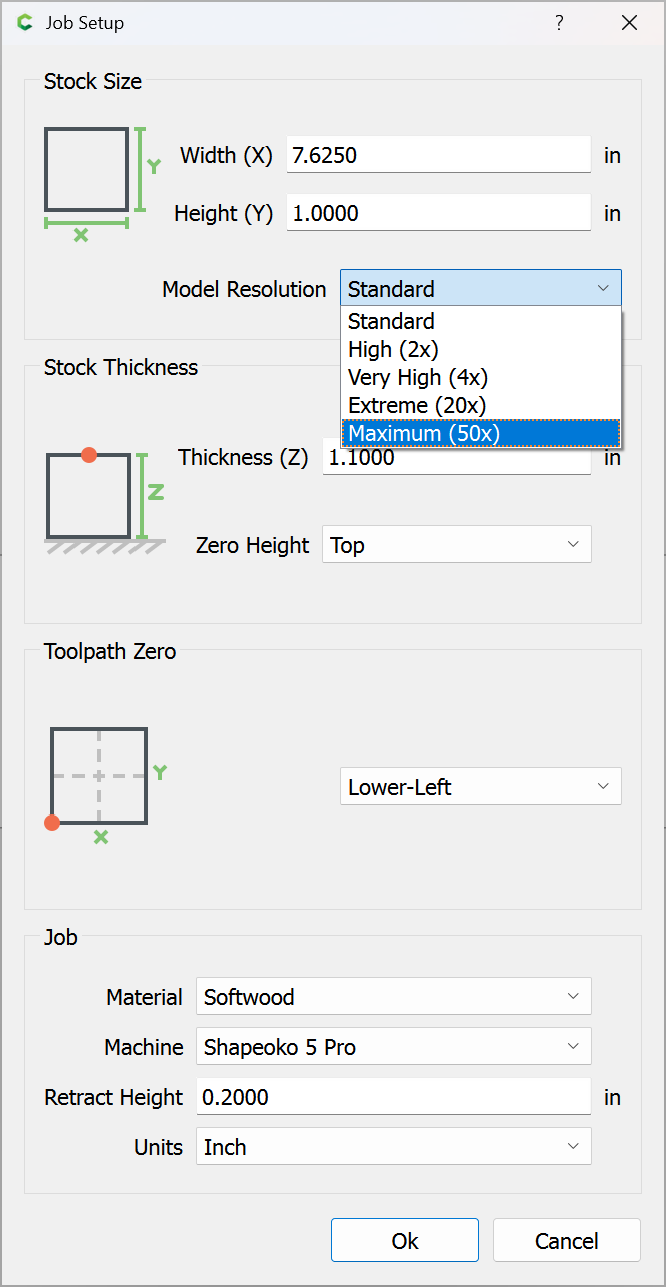
Once you have a height/depth map, then Carbide Create Pro will import it — note that the current file settings:

allow for quite a lot of pixels in a file — you should be good up to that representation (researching this is left as an exercise for the reader — to determine what it is, make a file and export a PNG) and probably quite a bit higher (though to no good gain).
This topic was automatically closed after 30 days. New replies are no longer allowed.