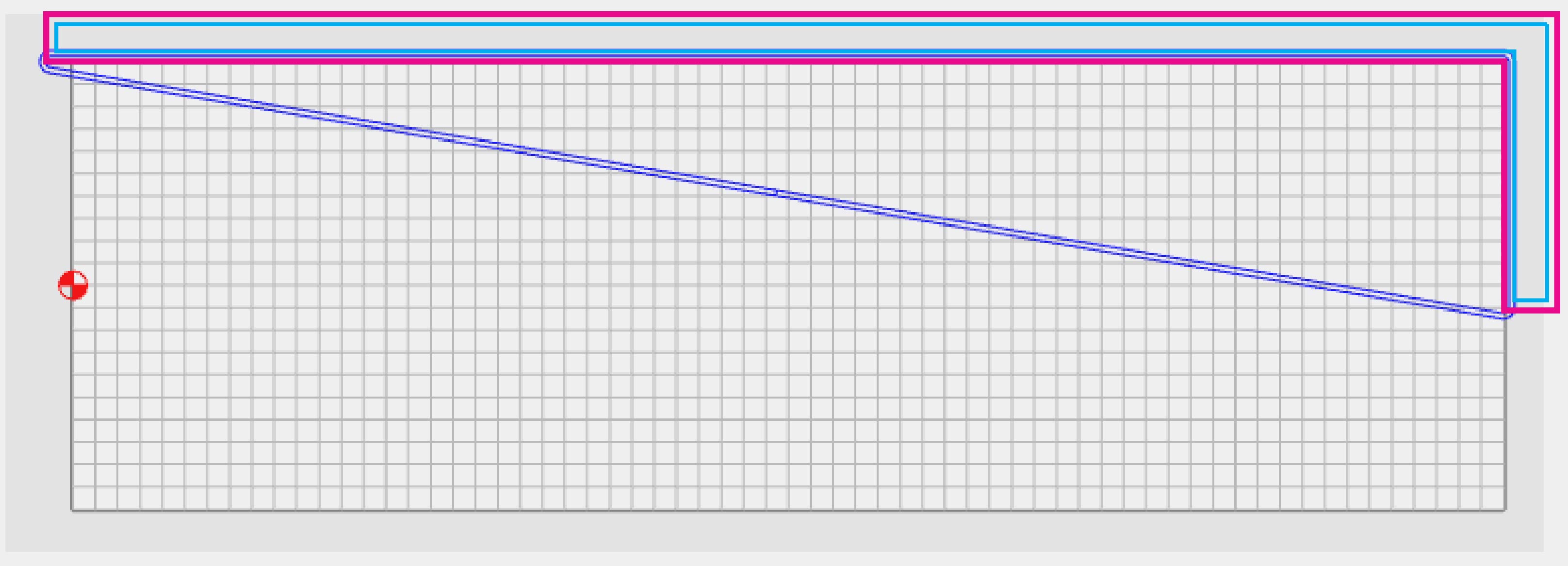
Why?

If I’d wanted it to connect the vectors, I’d have drawn it like…

So now to do a multi-pass contour, I have to create a closed boundary & use pocket or contour, or do each pass as a separate toolpath???
Why?
If I’d wanted it to connect the vectors, I’d have drawn it like…
So now to do a multi-pass contour, I have to create a closed boundary & use pocket or contour, or do each pass as a separate toolpath???
What exactly are you trying to accomplish? Are you only trying to cut along those two sides? What if you extend the vectors to the outside of the workpiece and have the cut out “inside” that?
That’s what I had to do. No control over start point, but better than only cutting one direction and retract/rapid back to start.
I am certain that I failed to consider the possibility of someone trying to cut out an open geometry.
I would argue that that should be an error state for this toolpath, esp. since it has checkboxes which reference inside/outside.
For the work-around (as I’m sure you know) see:
Yeh, I did pretty much what Rob suggested.
Was just annoyed it wouldn’t do an open boundary. Side/direction could be controlled the same as contour path. There is no real inside/outside with an open boundary, but as long as they cut different sides, it’s a toggle. (i.e. inside/outside becomes right/left)
This topic was automatically closed after 30 days. New replies are no longer allowed.