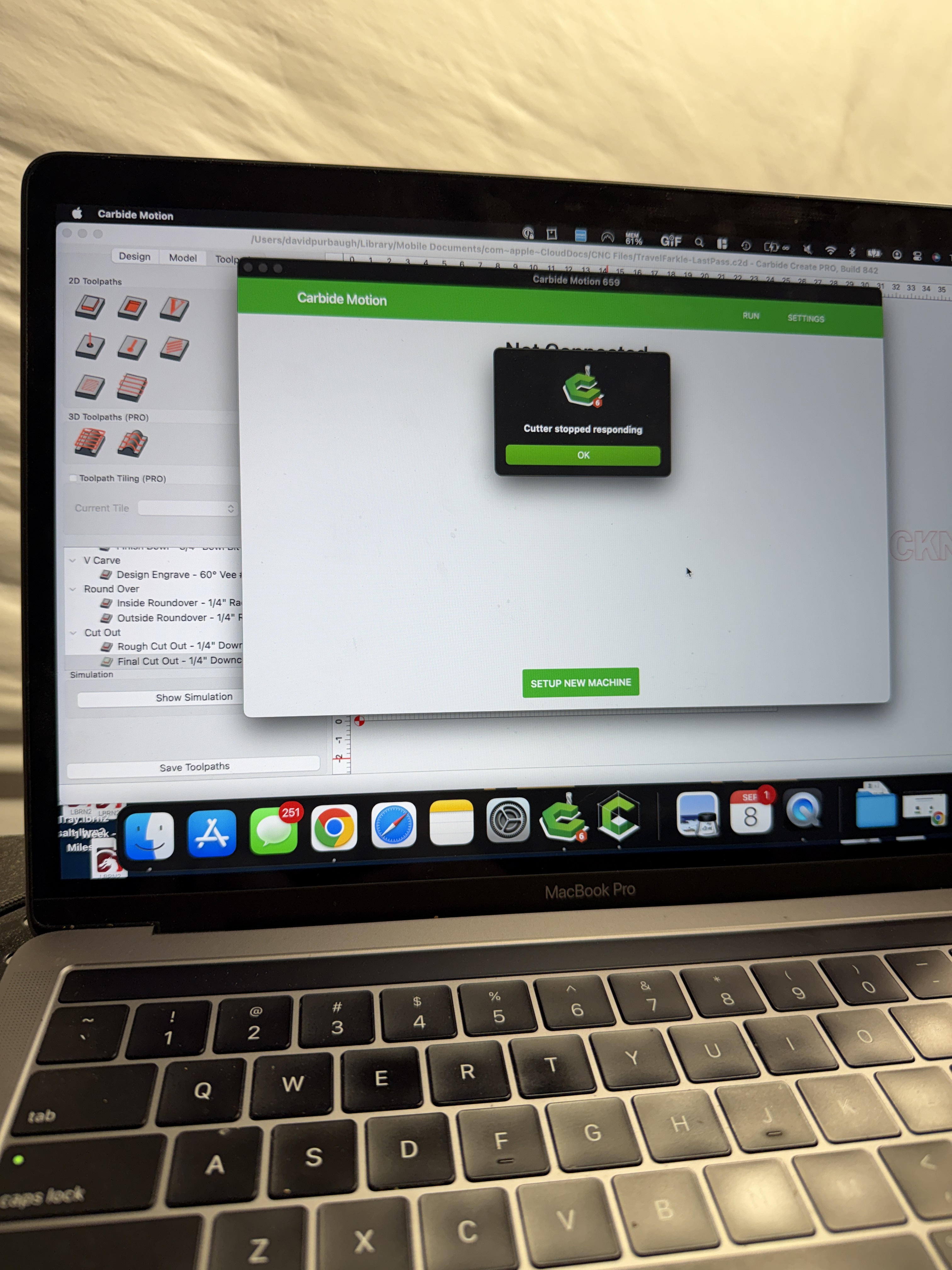
I’ve run into an issue yesterday and today for the first time ever and need help. I have a 4 XXL with a BitRunner Deluxe (Makita router) that I’ve been using for 1.5 years now. During a project yesterday my machine just stopped working all of a sudden during a toolpath. The router also stopped (which was a good thing) and Carbide Motion showed an error Cutter Stopped Responding. I attempted to reconnect but kept getting the same error so i had to restart the machine. I was able to change the toolpaths in CC and finish the project luckily. Jump to today and i am running another project and had the same problem happen again! This time in a completely different toolpath. I can’t figure out what happened or what changed to have this happen twice now. The only thing i did recently was take off the carriage plate to tighten the v wheels and everything is plugged in as it was.
I’d really appreciate any help or insight for anyone here! Thanks!!!
I had this same message a few weeks ago and it was the USB conection to my laptop. While it visually looked ok all it took to fix it was to disconnect and reconnect it and it’s been running fine ever since. It also helps to route the cable so there’s a bit of tension pushing on the connection so the slight movement of the USB connection is eliminated.
So I’ve been using an anti static hose from Rockler. I read through the article and watched the video and the main take away is that I still need to wrap a bare wire around the hose and connect it to my machine, is that right?