i have had my 5 pro for months now and im getting annoyed with the usb cable.
I do have a spare pi 4 floating around i would like to figure out how, but they are not my strong suite when it comes to programing pi’s and getting everything to work, i used it as octoprint but that machine has since been retired.
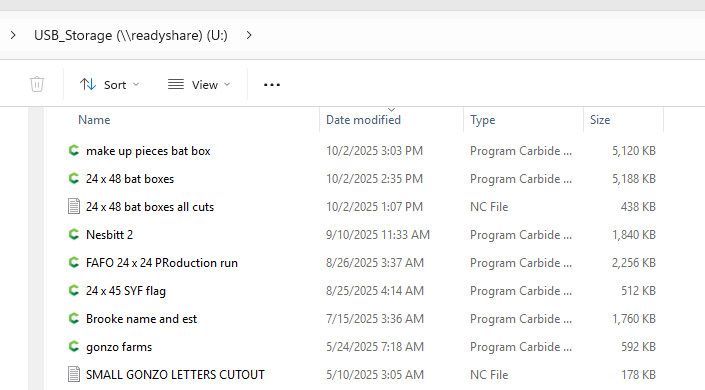
can i use a PI to connect to my machine and send files from my desktop pc and share files to the pi?
i went searching for this topic and i can only find bits and pieces of this information but i cannot find one that shows a full tutorial on installing and getting things to communciate between a desktop pc and a pi running i think Carbide Motion for Raspberry Pi .
any input or help would be great, im a IT minded DIY’er but have networking background, i just have extremely minimal experience using pi’s
thanks in advance for the support and help with a newbie.
The Pi4 has Wifi on it so it can easily be setup to connect to your local network.
Getting it setup to be visible to other computers on the network & accessible to save files directly to it can be a bit of a challenge in my experience. I don’t recall how exactly I got mine setup, I believe it took some editing of the boot up system config file to make a user account folder accessible via network. But maybe it’s easier now with the latest OS updates…I haven’t looked into it in a long time.
I use a program called Syncthing to sync files between my design computer and computer in the basement where my CNC is. The design computer is always on, and the computer in the basement automatically starts syncthing on boot, so it transfers the files on boot. A Raspberry PI can run Syncthing and after the initial setup you don’t have to worry about it.
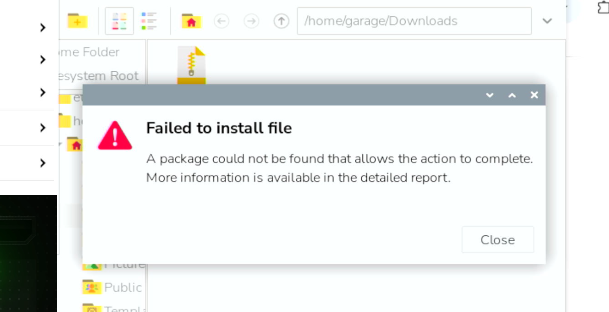
Or maybe it’s a permissions issue… Linux is crazy frustrating at times with the way file permissions work & user access works. Did you input your user account password to give it privileges to install?
best use command line window instead of GUI to install software. It looks like the software is still compressed. unzip it to the desired folder, cd there, and start install, always as su.
GL!
Why not use any NAS, is probably not size or speed critical, so can be bought from Ebay or even Craigslist. NAS also can be set up with a Raspi. I believe there are microSD-cards or complete images available that can let the raspi run as a NAS.
that is what im currently trying to do is get bookworm 32 but im struggling to get this on my pi.
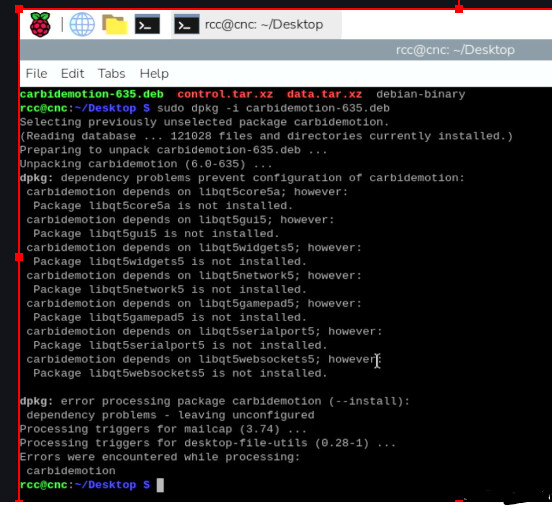
from what i have noticed, the libqt5widgets5 is no longer a suported file and has been deemed obsolite and has been replaced which is why it wont load on the newer os’s