Inside Contour Not working?

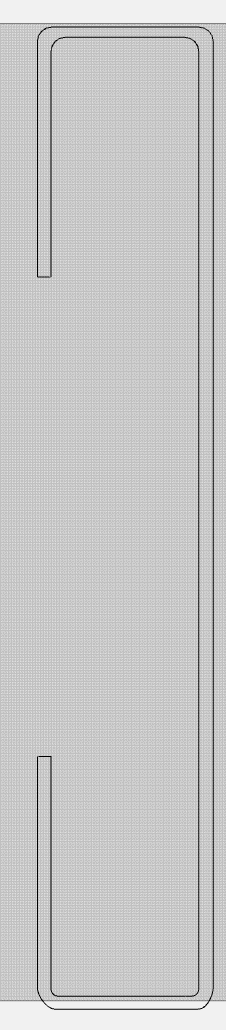
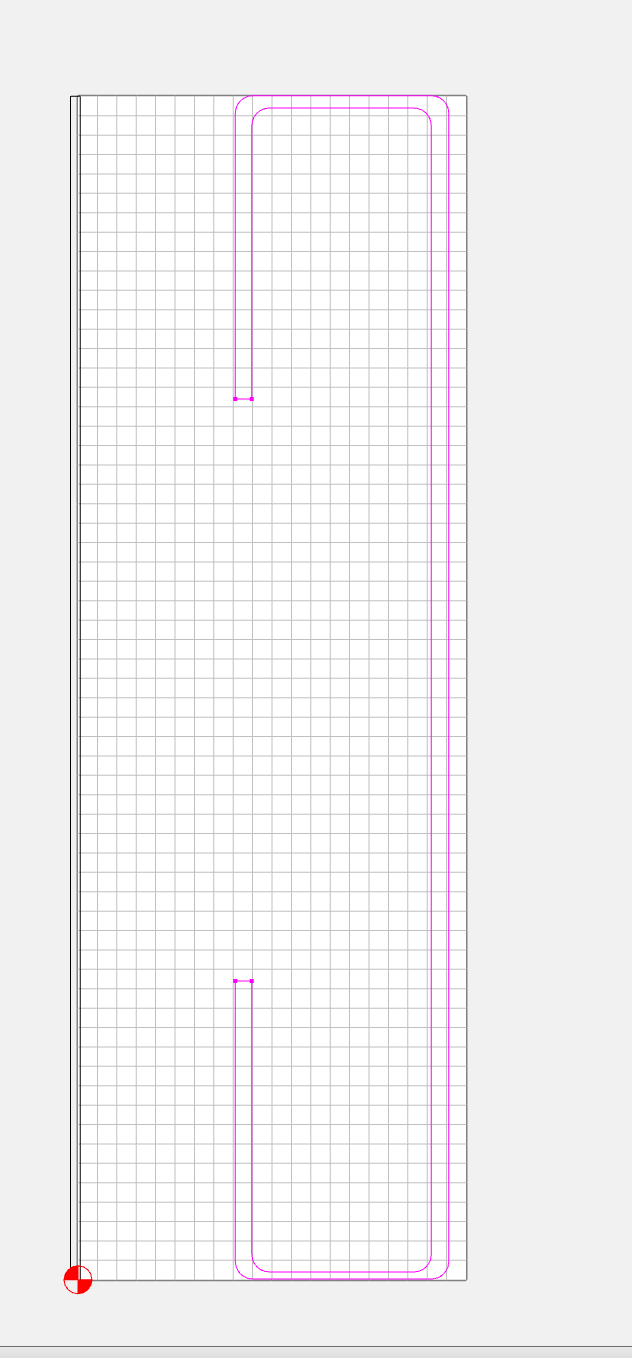
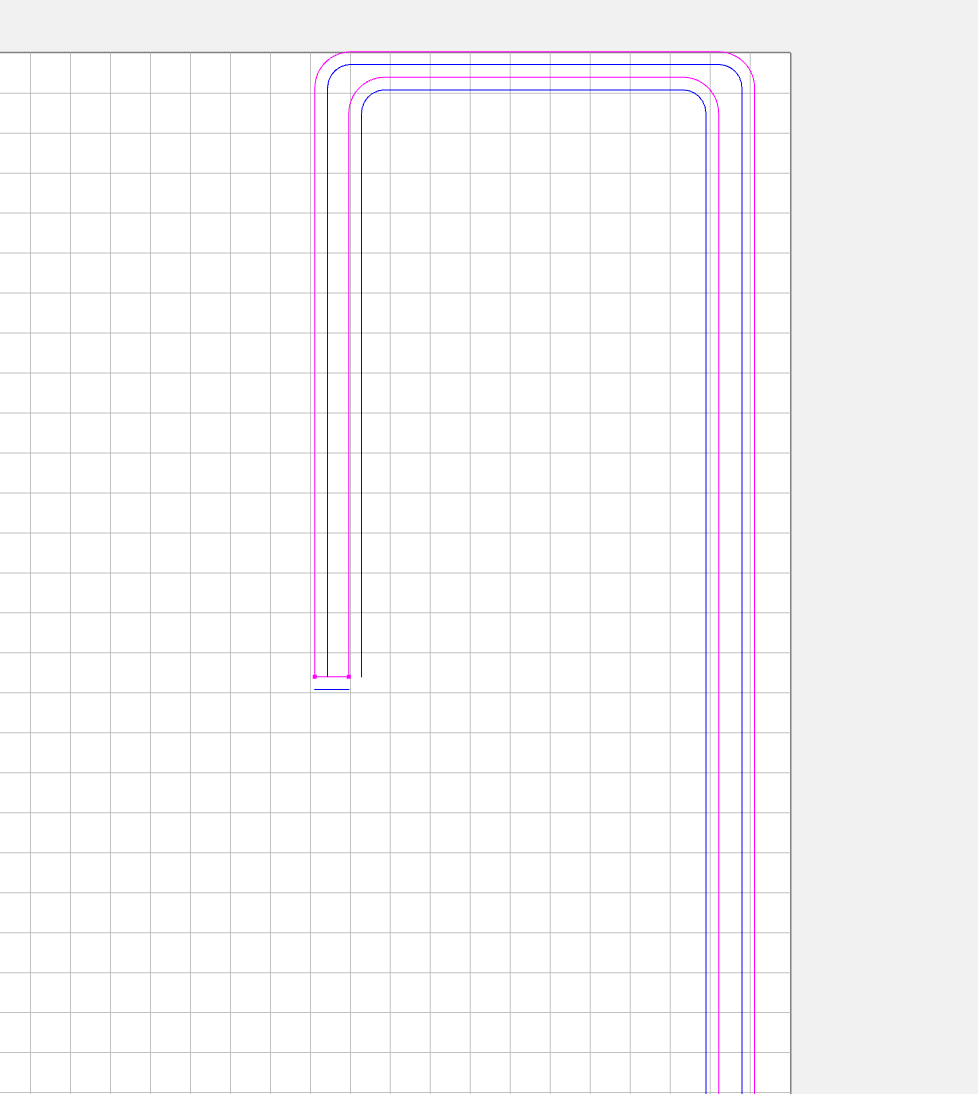
I have a shape that you can see from the pink line in the image attached. I would like to cut a contour inside (and all the way through the stock).

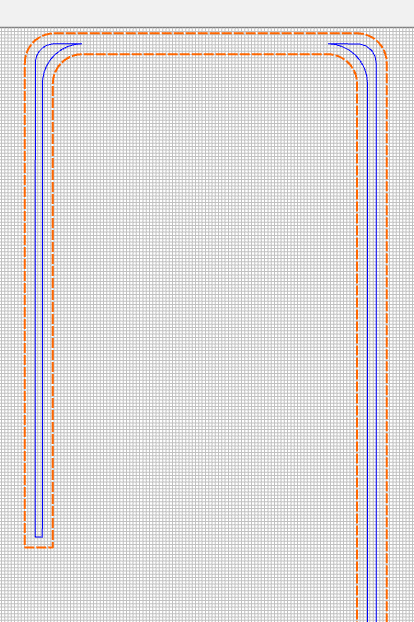
However, when I choose inside contour in the tool path, the blue line is broken up as if it’s confused…as am I!

Alternatively, if I try to create a pocket, that gives me an empty toolpath.

What am I doing wrong?


Please upload your file.

Anthony

1 Like

Inside/outside depends on closed geometry (represented by being black on a DEFAULT/black layer) — the geometry which you are working with is open/unjoined (indicated by being magenta), so rather than inside/outside it has a left/right based on the path direction (which are the beginning/end points).

Carbide Create does not have a feature to reverse path direction, so the best option is to join the vectors together, see:

1 Like

Saki, as Will points out the vector is magenta which is “open” and will not work as you want it to. Close/join the vector and you should be ok.

Thanks for offering to take a look. Your efforts inspired me to think of a fix, and it turns out, I just needed to hit the join vectors button!

Apparently they were super close.

1 Like

Since “Inside” and “outside” don’t make sense when applied to open vectors, CC should be issuing a warning when applying Inside or Outside contours to open vectors.

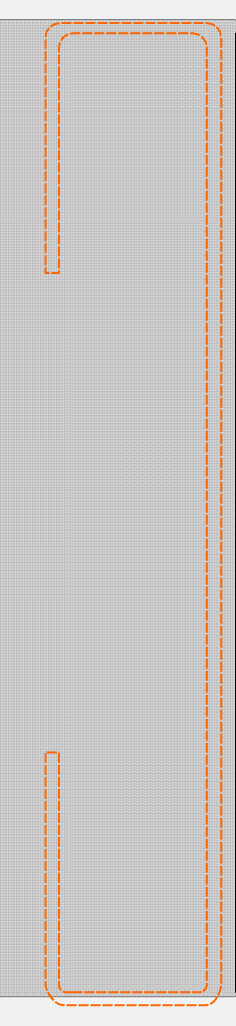
I beleive I’ve close them - it’s all black or all red, but when I do the inside contour, it breaks up the tool path on the top section.


If you don’t want the toopath broken up in the middle section select a smaller diameter tool.

3 Likes

As Ed.E points out above, you need a smaller bit in order to “pocket” or cut “inside” the design itself. You should know what size bit is required before you even assign the tool path by the width of your design. The bit size is always considered in design, if you don’t have a small enough bit diameter then your design may not be completed as intended.

Yes, that was it.

My problem is that I’m actually trying to cut to the right of the inner line, but it seems I’m required to have a close shape. I’ll post that in a new thread here.
This topic was automatically closed 30 days after the last reply. New replies are no longer allowed.