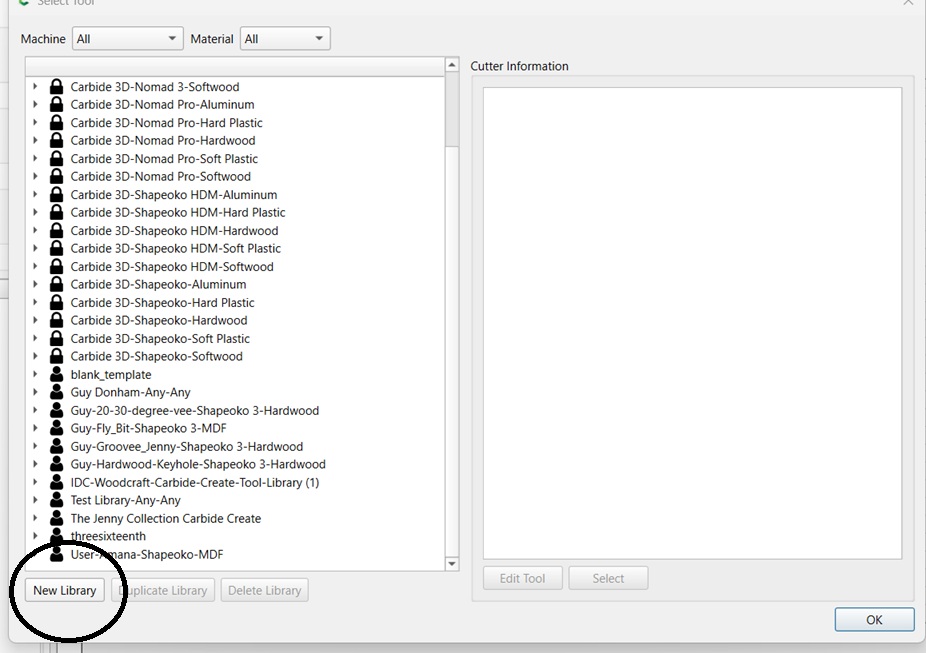
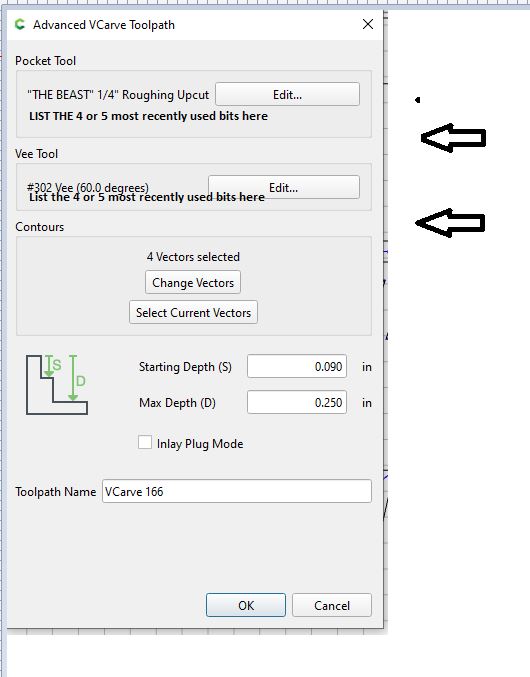
To me this is an easy thing to add but I often find myself using the same few bits over and over and over. In Carbide Create it would be nice in the toolpath creation there is a window that has the most frequently used bits or the last 4 or 5 bits you have used so you can just easily click and go. Think of it like the “Recent Files” feature in Carbide Create. It could be implemented in a similar fashion but it would definitely be a time saver and easy to implement. A Listview with the last 4 or 5 bits used…click and go. I hope you consider this feature.
4 Likes
1 Like
I agree we could do that but I think it’s more simple than that. They already track the last bit or two bits you use because they are auto filled for you. So on the screen with the toolpath creation where you are selecting your bits, if you just click from a list there that is so much easier and quicker than clicking to open a library, scrolling to find the library, finding the tool within the library and then clicking ok.
We’re thinking through some big changes to the tool library, but it’s such a core part of the program that we’re taking a lot of time before committing anything to code (then we’d be more reluctant to throw away work that’s already done if it was the wrong path).
6 Likes
One thing I’d like to see is doing away with the inconsistency of Stepover values. In the tool library they’re shown as percentage but in the toolpath edit tool function they’re shown as measurements (inches or mm).
Yeah I would agree that’s an improvement and pretty straight forward to implement.
@gdon_2003 That’s a really good idea! I’m going to do that with all of the bits I own.
I’d love it if adding tools was a more intuitive procedure.
I do all of my Carbide Create work including the creation of the NC files on my desktop PC. My shop has a dedicated laptop tied to my Shapeoko. When I’ve used a “new” cutter, the Motion prompts only give me a number. I wish there was a way for it to include the description.
1 Like
First time posting in the community so I hope I get this at the right spot. There may be a way and I am just missing it, but being able to add radius v-groove bits would be great. If this already exists and I am just missing it could you point me in the right direction?
1 Like
At this time that that tool geometry is not supported, see:
for a bit of a work-around.
1 Like
This topic was automatically closed after 30 days. New replies are no longer allowed.