I need to cut out square geometries without chatter or stalls on aluminum (5052). I’ve tried to use contour and adaptive, but even while adjusting the settings, I still get the same issue because I’m not starting off the entry with clearance but with fresh material engagement. What’s the best strategy when it comes to cutting aluminum including any factor to help remove chatter or stall? (I’m using 2 6mm 3 flute squared end mill)
5052 is gummy and notoriously hard to cut — possible to use 6061 instead?
1 Like
Thank you will, very supportive of you in a timely manner.
Now quick question brother, single flute or 2 flute? Especially specifically for cutting into fresh material alone.
We have a couple of videos on various materials and tooling at:
2 Likes
Single flute cutters cost a little more, but they work really well for us.
5 Likes
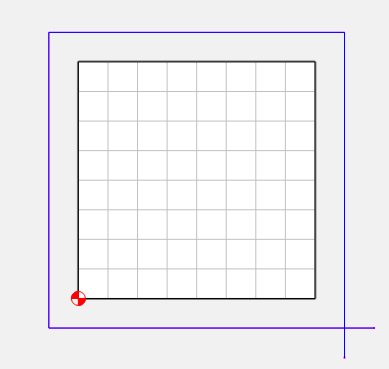
If you want the tool to lead-in, lead-out, create some offset geometry using the cutter radius + the stock to leave. Cut the vector in one corner, and drag the 2 end away from the stock.
Use a contour path with no offset to follow the curve.
I use something in the neighborhood of a 0.00125 chip volume.
This means about 0.125" x 0.010" Depth of cut & stepover. They are interchangeable.
In this case, it looks like you want to side mill, so 0.125 depth of cut, 0.010" stepover.
The trick is creating a separate offset for each pass, based on the original size of your stock.
You could use another contour or cutout path to rough the stock down to 0.010, then use the broken offset path as the last finish pass. On 5052, I might try roughing down to 0.010", then doing 2 clean up passes at 0.005"
1/4" O-flute tool, I use 8000 rpm, 120 IPM, and adjust the feedrate to get a nice smooth cut.
3 Likes