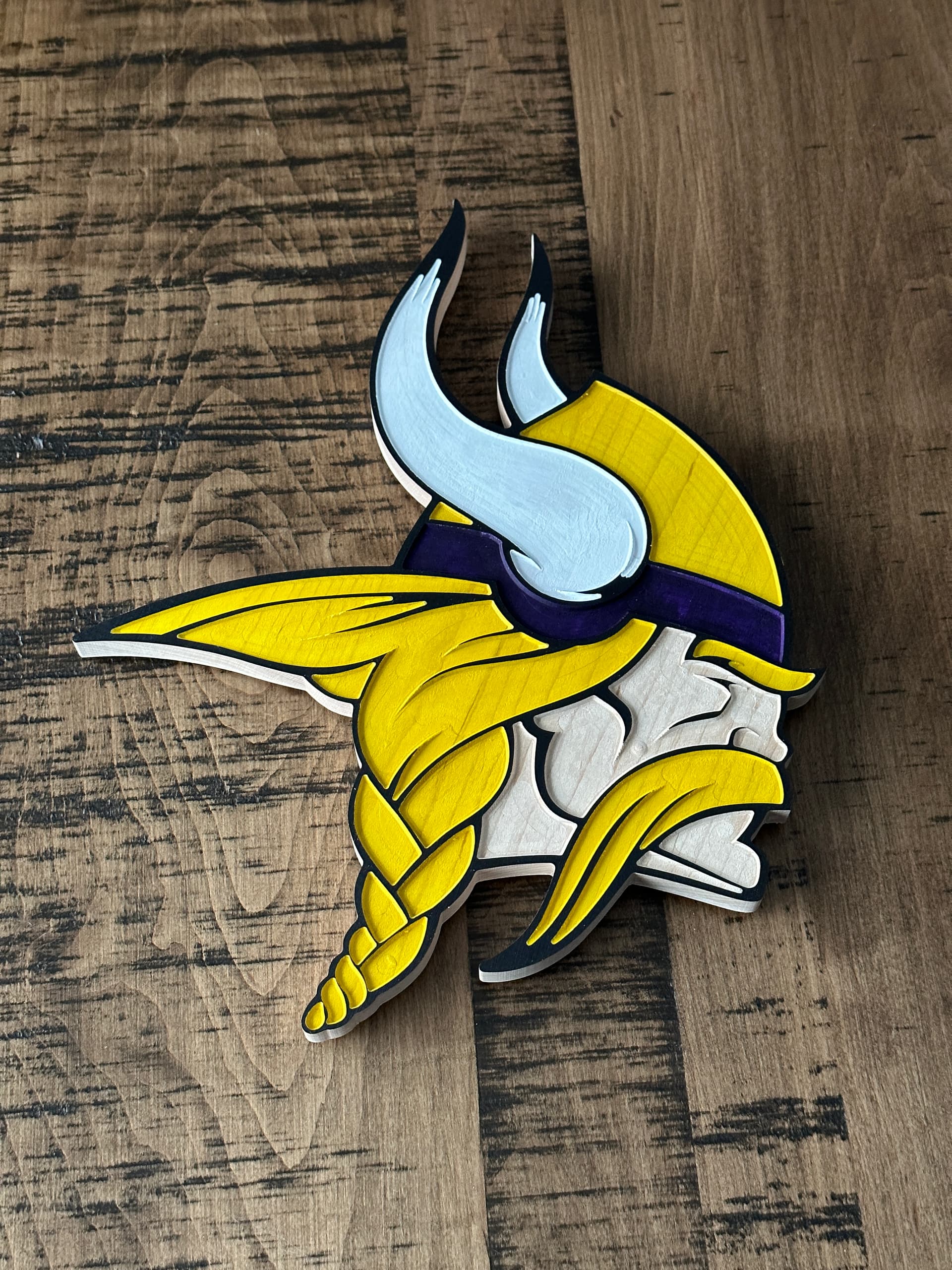
Here’s another Christmas gift I made. But I am wondering if anyone has suggestions for sanding/cleaning up tool marks.
I don’t mind the wood grain coming through the acrylic paint, but I see some marks and want to remove them before painting. But I also mask with oramask so I don’t want to damage that in the process.
No, it’s not tear out. It’s just little tiny lines from where my Amana 1/4” bit moves. Before painting it’s even more apparent. And you can see a small circle on the cheek, next to the mustache, where it’s raised. I’m not sure what causes this.
Also, I’m afraid to say it, but I’m not familiar with what trimming is.
Tramming is squaring up the machine to itself, esp. surfacing the wasteboard so that it is level relative to the machine movement.
The big things which helps on pocket bottom cut quality are:
adjusting the depth per pass so that the final pass removes a very thin layer of material (e.g., if cutting an 0.5" deep deep pocket w/ a depth per pass of 0.125" (4 passes), reduce depth per pass to 0.124" so that 5 passes are made and the final one removes only 0.004" of thickness)
adjusting stepover so that the spacing of toolpath preview lines is as even as possible
running a second full-depth cut at a markedly different stepover