I got a chance to run my new system (5.1 Pro, 80mm spindle, Sweepy Pro) and have run into several issues - I need advice:
FEED HOLD does not retract the spindle. Unlike the Feed Hold with my 3XXL, when I press the feed hold on the Power Pendant, the spindle stops in place, spinning, and does not retract. On the XXL, the feed hold stopped the gantry, but raised the Z out of the wood.
The situation was as follows: At a point in the middle of the job, one of the pieces of the design came loose (broke it’s tabs and came free). I saw the piece move free and immediately hit the feed hold. On the XXL, once the spindle was lifted out of the wood, I would have safely removed the offending loose piece, and then pressed feed hold again and pressed START to restart in the same place.
However, now, with the spindle still spinning and still embedded in the wood, I could not safely extract the loose piece. I was stuck. I could not stop the spindle. The only way to stop the spindle was to press STOP - which did stop the spindle, but then did not retract the spindle from the piece either. Obviously, I could not restart either.
Pressing any other button on the interface hung Carbide Motion (this happened consistently - three times) and I needed to kill it and restart, reconnect, re-initialize, etc.
The Sweepy Pro brushes were making contact with the bitsetter on its way in and out of the bitsetter, enough to trigger the lights on the bitsetter. This seemed to be the cause of a perpetual loop in the software, where it repeatedly attempted to zero the bit on the bitsetter…return almost to the position on the piece where it started and then returning to the bitsetter yet again to measure. The only way out was to press STOP and then remove the bristles from the sweepy pro and start again.
I found this issue because of issue #2, but it actually exists in multiple situations. The issue is, in the automated startup cycle, there is no point where it is safe to put back the bristles (or lower them) for the Sweepy Pro. Upon pressing START, the spindle is jogged to the bitsetter, it lifts up, automatically spindles up, and then begins the job. When do you re-apply the boot of the Sweepy?
Also, when you change bits, you have a chance to remove the boot - but when do you put it back on???
The thumb screws on the Sweepy Pro are inconvenient enough (very poor design, it seems), but you don’t have a chance to put them back on - unless I’m missing something.
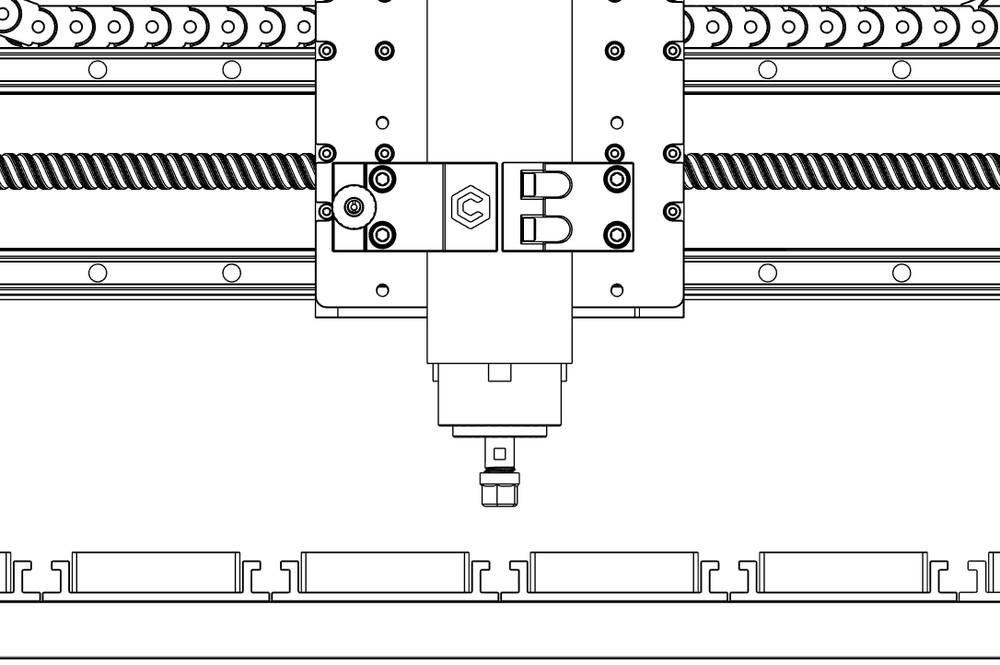
When the Sweepy Pro is fully up (because the workpiece is close to the spindle, there is some kind of contact with the spindle as it attempts to descend. I can’t quite figure out what’s making contact, but there’s a pretty heft clunk, and then steps are skipped on Z. The problem went away when I removed the Sweepy Pro boot,
The new behaviour of Feedhold is just how the Shapeoko 5 it setup - it’s more inline with how Pause is handled on industrial machines. You can tap pause/start as often as needed to creep up on a sketchy cut. If you need to stop the spindle, you can hit the Spindle Enable button on the VFD box. I understand that it doesn’t help create clearance to remove a stuck piece of stock off the endmill unless you can catch it at just the right point in a retract move. We are willing to accept feedback if the retraction is a net benefit, but in a lot of cases, it was a time-waster that made people reluctant to hit pause.
Better handling of pauses for the Sweepy Pro workflow is something that we understand could be improved.
I will try to make some suggestions in the next development cycle.
If you get a chance, can you take a video of this and send it to @Luke ?
#1 is a major concern for me as well. My 5.1 should be shipping tomorrow and I am not sure how I am going to like the new behavior. I have seen the explanations for it ever since the 5.1 came out but I still use that capability from time to time just as @GJM describes.
Hitting the button to turn the spindle off in my case with a 3rd party spindle may not get it spinning back up to speed when I resume. Even if it does unless you can raise up and re-lower to the precise spot it would be pointless.
Maybe add a button in CM to remember the current Z, raise to max and then return with the press of another button.
Or does the manual jogging capability still work when the feed hold is pressed.
Genuine, not-company-line testimonial, I find the new feed hold behaviour to be useful more often than I wish I had the old behavior. And if you do need to abort a cut, raise the spindle (even move it to a more convenient location) to fix something, Carbide Motion now has a program restart feature. Just make a note at which line you had to pause, and you can pick up where you left off. At no point will you be stuck in a situation like: “Oh no, I paused, and now I have to restart and wait an hour and a half for the machine to catch up”. The tools are there to make it not a big deal.
Winston, maybe I just don’t understand the way the new feature is intended to work - and what my options are.
For the past 6 years, I’ve used the feed hold almost specifically:
to clear a piece that’s in the way (as just described)
to pause a job for the night and pick it up in the morning (I would then turn off the router using a separate switch
to tighten something that came loose
to change the position of a clamp that will be in the way soon
I suppose I COULD do some of those with the bit spinning…but I’m certainly not crazy about putting my hands anywhere near a spinning bit.
I found myself “stuck”…and maybe it’s because I don’t understand the new button…I pressed it and the machine stopped. I press it again and nothing happens. I look on the screen for START or whatever I used to press and I don’t see it…or if I press it, nothing happens. For me, right now, once I press the feed hold on the pendant, I’m done.
Carbide Motion is hanging on me if I press Feed Hold and then STOP. If I just press stop, I get the usual and expected behavior. The soft buttons of Pause Resume don’t seem to ever become active…certainly not when the feed hold is pushed - – but I’m going to have to spend more time experimenting.
What’s the proper procedure for this? For example, in the old days, it was:
Feed Hold
Router Off
Do the voodoo
Router On
Feed Hold
Start / Resume or STOP, if I want to stop the job
What should I be doing now?
Also - can you describe the order of actions to “abort a cut, raise the spindle (even move it to a more convenient location) to fix something”?
When you push the feed hold (the one under the red estop), that sends a signal to the controller to freeze. It does not resume when you hit it. In Carbide Motion, you should see the interface grey out the pause button and the Start button become clickable. That’s what you’d hit to resume. If it doesn’t, there might be a bug somewhere that we need to fix.
Regarding your use cases, there’s nothing stopping you from pausing overnight. That still works. Just disable the spindle before you walk away. But I would also recommend you try using the “Program Restart” feature instead. That way you don’t need to keep everything powered on.
As long as the thing you’re tightening or clamp you’re adjusting isn’t directly under the spindle, I don’t envision it being a problem. But in the rare case where it is, Program Restart can help.
With regards to aborting a cut because you need to fix something, the process is:
Hit pause. Make a mental note of the line number of the program where you paused. Then hit Stop in Carbide motion. Everything should cease.
Then you can go into the Jog Menu, do whatever you need to do, and then use Program Restart and the line number, to pick up exactly where you left off. If you want to be safe, you can start the program a couple lines earlier so there’s some overlap in what the machine does.
To use Program Restart, just go through the motions to run a program the way you normally do, but instead of hitting the Start button in the window that shows a program’s progress (the “Start” that actually makes the machine begin moving), you hit the Program Restart button that’s located below where Pause is.
My most frequent use of the behavior on the earlier machines was to swap out the deep sweepy for the regular as I got further into a deep cut. Obviously doing that with the spindle on would not be a good idea.
Knowing that this was the behavior on the 5 I ordered the Sweepy Pro in the hopes that resolves my use case. However it seems that @GJM has identified some issues even with that.
I currently have the spindle mounted kind of high. I don’t think there is room to adjust but even if there is that takes longer than swapping the boot.
Although I guess raising the whole sweepy assembly is safer with the spindle running. Still creepy.
I actually just broke the plastic on my original sweepy by tightening the screws too much. I ordered a new one so I can include it when I sell the machine. I was a built bummed that I couldn’t buy just the top of the sweepy instead of the whole thing but oh well.
Winston - I have some updates on my machine now that I’ve had a chance to run a few jobs.
I now understand how the Feed Hold works on the power pendant - and it does work correctly. I was confused because the old 3XXL FH needed to be pushed a second time to engage the soft buttons on the software - and that is no longer needed. It’s much better this way!
I will point out that pressing the feed hold a second time seems to place the machine in a strange state - and then, pressing START, STOP, or the Red STOP tends to hang the software. I haven’t done enough testing to be able to put up a repeatable error…but that seems to be a problem.
This leaves me with the problems associated with the Sweepy Pro design…and there are a few issues here - I’m tagging in @robgrz as well :
First, there is no time to put the boot back on the sweepy after it goes to the bit-setter. I’m guessing the only solution right now is to FH the machine while it’s on its way across the piece after it hits the bitsetter - turn off the spindle manually at the VFD - put the boot on - lower it to the expected height (see height issues below) - turn the spindle back on - then press START to continue it’s path. That’s an unseemly work-around for a premium add-on.
If you raise the Sweepy Pro to the top of it’s travel, the 80mm spindle will make contact with the mechanism when it descends - and lose steps
The sweepy pro bristles can trigger the bitsetter button on the way in and out of the bitsetter creating a loop in the software. Therefore, you need to raise the boot high enough to clear the bitsetter, and then lower it again after it clears the bitsetter. Again, very awkward and error-prone
The “thumb screws” for the boot have to come completely out of the unit in order to remove the boot. This design is cumbersome, at best. Most of the time, you need to raise the boot in order to get the thumb screw entirely out of the boot - which kind of negates the benefits of having a fixed height in the first place. If the thumb screws are a necessary evil, the boot ought to be designed so that you can loosen the screw and slip out the boot…slip the boot back in and tighten the screw. Even just having the screws retain in the boot when released, would be better than what it is now…but it really needs to be updated
It seems the Sweepy Pro was not designed for either the bitsetter or the 80mm spindle. It also does not seem to flow properly within the sequencing of CM.