I just beginning. I’m making some signs for horse trails. All that I want to do is cut one simple vee cut. I don’t want any interior to the letters. I’ve checked out many fonts, but they all seem to outline each letter, instead of a single track letters.
Please help me with this.
Thanks
I apologize for not quite understanding your issue. Here are some examples that may help you understand what’s happening? Hopefully someone more skilled will answer.
V_Carve_Example.c2d (540 KB)
What you are looking for are ‘Single Line’ fonts. Windows doesn’t support such fonts very well, so CC doesn’t support them very well either.
Modern fonts are outlines. To get single line text, you need to set the text in a different program that supports single line text, export that as an image (preferably an SVG), them import that into CC.
Now, with all that said, you might be able to come close in CC using some specialized fonts. The ‘Zniko’ font is an outline font, but extremely narrow. Running a No Offset Contour toolpath on it may provide what you need:
I have successfully used it (albeit with an endmill rather than a V Bit).
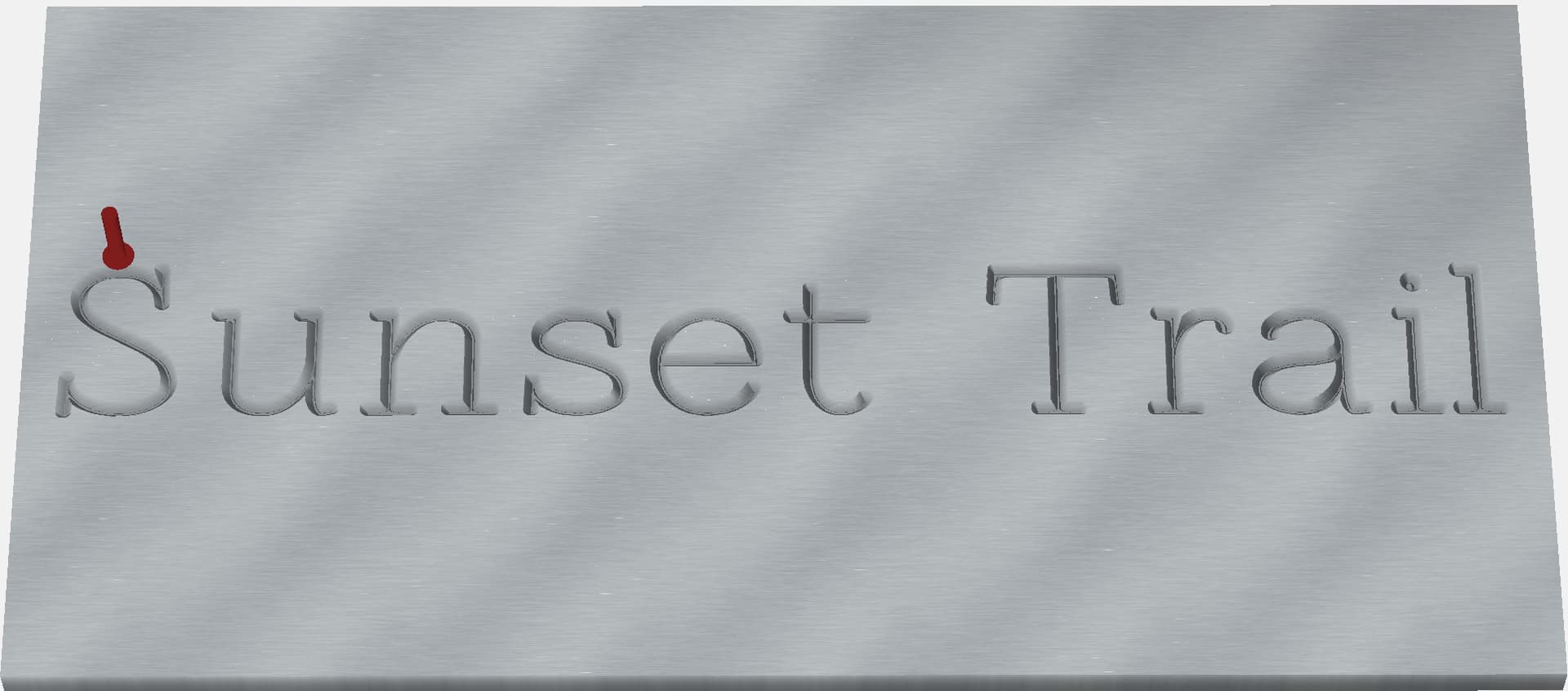
Here’s an example using a 60 deg V Bit. This is a No Offeset Contour cut, not a VCarve:
V Test.c2d (128 KB)
This uses the ZNiko font, at 120% spacing. I’ve Converted to Curves so you can see it properly even if the font is not installed.
1 Like
See:
Thanks everyone.
I actually had been always going to contour and not using v-carve. I have learned from your answers and thank you for them. V-carve works great for the trail signs that I need to make.
1 Like
This topic was automatically closed after 30 days. New replies are no longer allowed.