Bear with me everyone I have a question and a possible solution I’m not sure but I wanted to pick everyone’s brain the static disconnect has always been an issue for me to use dust collection on my shapeoko 4 XXL I have an ultimate bee that I run dust collection on with no issues I’ve heard others that have the Long Mill and onefinity and x-carve machines that do not suffer from the static disconnects the one thing that I can see that is very common between these other machines is the controller is not physically attached to the machine like it is on my shapeoko here is my question has anyone ever moved their controller off of the machine and attached it simply to their table I’m thinking that maybe this might cure the transfer of the static electricity from the dust collection to the controller I’m not certain but wanted to ask everyone’s opinion on it thanks in advance
The only way to find out is to try it. However even with it off the frame it is still connected.
If you have a Makita and/or C3D router the brushes can cause disconnects. The brushes get about halfway worn down and the short wire that connects to the brush will cause the brushes to not fully engage the armature of the router motor. When they start that you get electrical noise that can cause disconnects.
If it really is static that is causing your disconnects then the only remedy is a good grounding setup. Everything in the dust collection system must be grounded. You need anti static hoses and a ground wire ran inside the hoses if they are not anti static type hoses. The movement of air causes static and the dryer the environment the more you get static build up.
See I’ve only had it happen to me once and I quit using dust collection immediately after and I’ve never had another disconnect since stopping using the dust collection I use the same dust collection setup for my ultimate bee and I have never had a disconnect knock on wood lol and like I mentioned above the controller for it is not mounted to the machine I have it in a box that is mounted to the wall and I know the controllers for most of the other machines that I mentioned above are normally mounted beside the machine but not directly to the machine I know they’re still connected through by the wires but that and the difference in the way the controllers work are the only two differences I could think of
What kind of controller hardware or board does the Ultimate Bee have, and how does does it transfer information (i.e. USB, Ethernet, Parallel port, etc.)? Supposedly, USB is the least stable connection and is used because of ubiquity on modern computers. Parallel ports are on the other extreme, super stable, but you’d have to dig deep in your garage to find an old PC with a parallel port.
Xpro v5 controller for the ultimate bee and I use a USB to connect controller to computer
We have a blog post on this:
https://carbide3d.com/blog/dust-collection-disconnects/
and a 10-step plan on support which works for pretty much everyone, and for those whose setup it doesn’t work for, have a very good success rate at puzzling out how to address it.
Please write in to support@carbide3d.com and work through this with us.
Let me ask you a question though I love my shapeoko but I am curious you believe that the fact that the controller is mounted to the machine could be linked to the static disconnect whereas other machines that have the controller mounted away from the machine with only wires connecting the two could be part of the calls to all this? Or is it possibly that it’s a different type of controller that is less resistant to the static
I think the better solution is to make sure the entire machine is grounded well so that the static charge can’t build up anywhere. If you take a good voltmeter and measure the “continuity to ground” resistance throughout the machine, I bet that you will find that multiple parts have inadequate grounding including the Z axis where the router and dust collection are attached. Fix that and your disconnects should be resolved.
One option. I have never had a static disconnect. My 5 pro sits on a wood table, the controller is mounted to a plywood base. I run a static hose from Woodcraft. The hose does not contact to any metal on the machine (plastic holders). Just a thought.
I had a ton of static disconnects until I fully grounded the machine like Will links to, and went with an anti-static dust hose, haven’t had a disconnect since then on my pro xxl.
Exactly like my setup. No-disconnects either with my 65mm ER11 spindle.
I bought an anti-static dust hose which really didn’t help. The disconnect issue went away when I bought the C3D 65mm spindle. That makes me think the disconnections were mostly due to the router noise…
I also bought an antistatic hose but it didn’t resolve my disconnects. When I then measured the continuity to ground at multiple points on the Z axis and other parts of the machine, there was either no continuity at all or the resistance was 30-50 ohms when it needs to be close to 0 ohms to show good grounding. Despite the antistatic hose, there were still many places where static charge could build up and not be grounded. It was only when I created new grounding paths, that I solved my problems.
I have had occasional disconnects on my ShapeOKO. Everything was grounded and I installed a ground wire on the vacuum hose. The ultimate fix was to plug the vacuum into a separate outlet from the machine.
You may have done this but just didn’t write it in your post, but if you didn’t properly ground the anti-static hose - which for me completely resolved my static disconnects - it wouldn’t stop them from happening.
I bought a vinyl hose with the steel spiral reinforcement, and peeled back the vinyl coating to expose the wire. Because it was going to be temporary (hahaha!) I just clip on a ground wire at the spindle after I put on my dust shoe. I have only had two? disconnects since I did that, and both were when I forgot to put the ground wire on the hose.
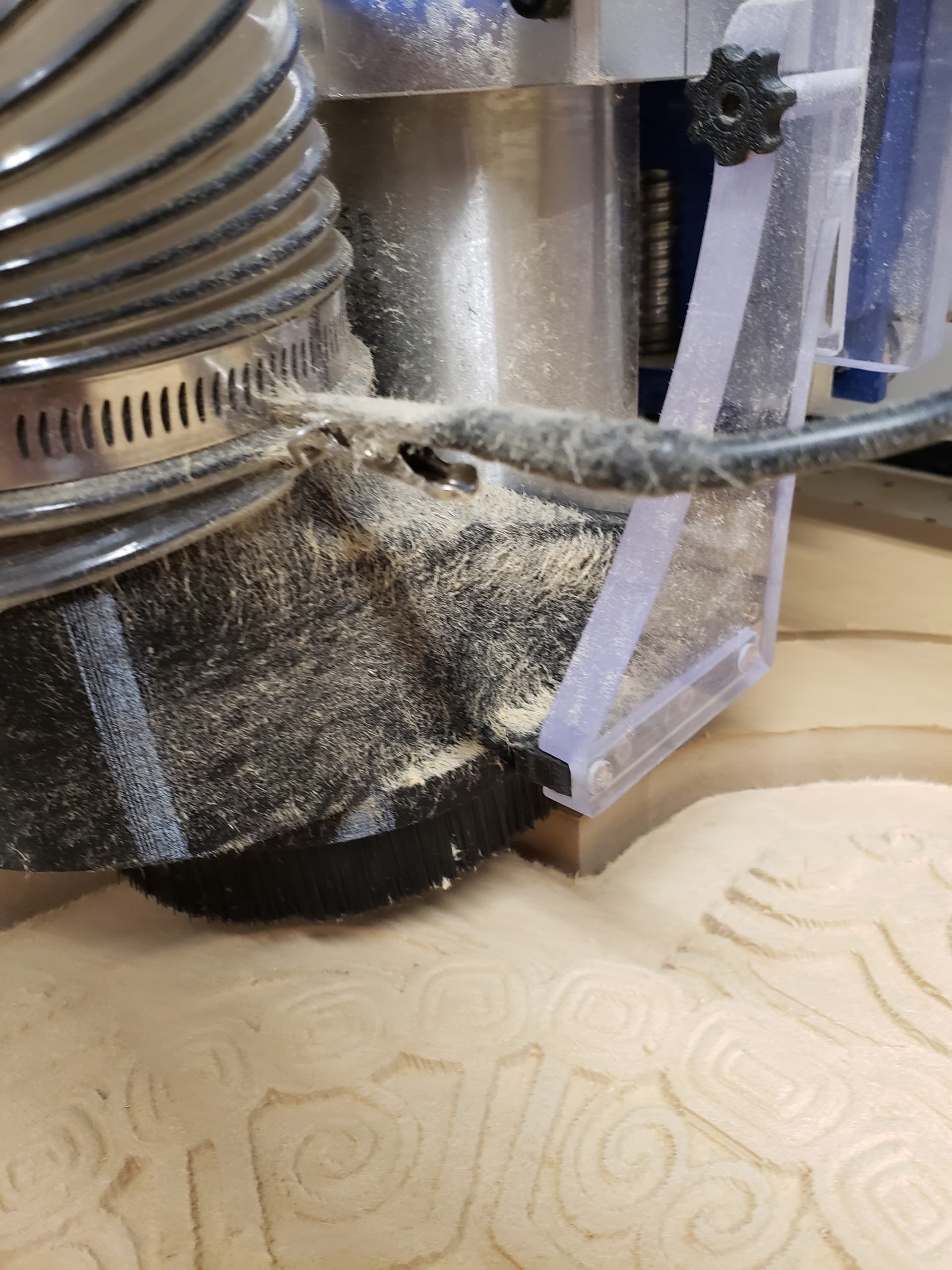
Better Pic of the ground strap.
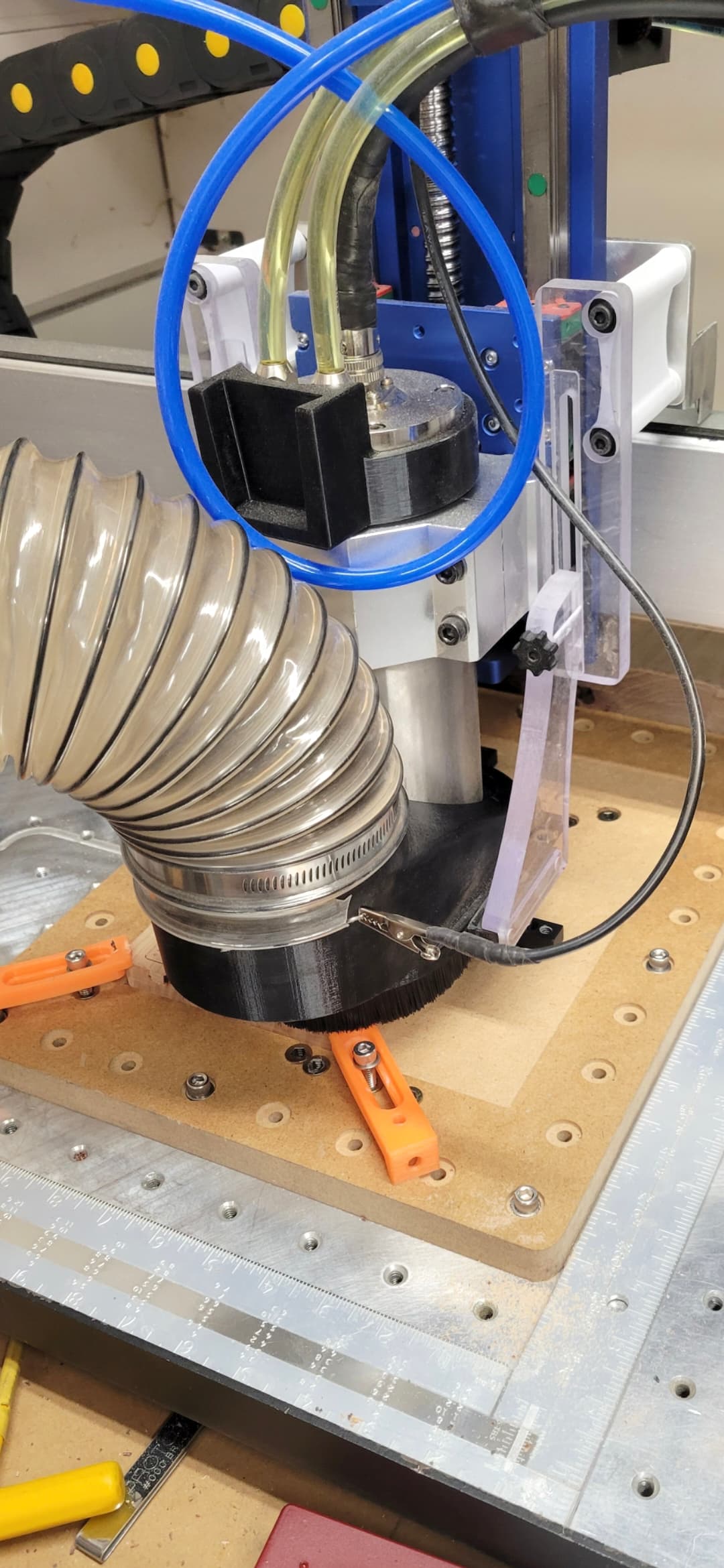
I’ve been farting around with this disconnect stuff for a few years now. Just when I think I have it settled, boom, happens out of nowhere. Usually 3 hours or more into a job. Not frustrating at all…I have grounded everything, anti-static hose, etc…The other day I decided to run test after test to force it to disconnect while documenting it each time. 3 out of 13 times it disconnected. Could not replicate any one scenario. I did this prior to connecting a USB isolator directly from CPU to Shapeoko with a 3 ft cord in hopes of causing the same problem over and over and then watch the isolator take care of it. Well, I have run the thing for 40+ hours added up since then and now tonight can’t make it through a few perimeter cutouts without it dropping out. I think the best solution in a MN temp controlled garage is to not use it until May. Getting tired of babysitting the damn thing.
Please send a photo of your overall setup and a list of the steps which you have taken to mitigate EMI in to support@carbide3d.com and we will do our best to look into this with you.
This topic was automatically closed after 30 days. New replies are no longer allowed.