I finally finished setting up my machine and did my first test cut. It was a beautiful thing but I do have to agree with @GJM about the Sweepy Pro. I just don’t have a clear workflow in my head of how to use it.
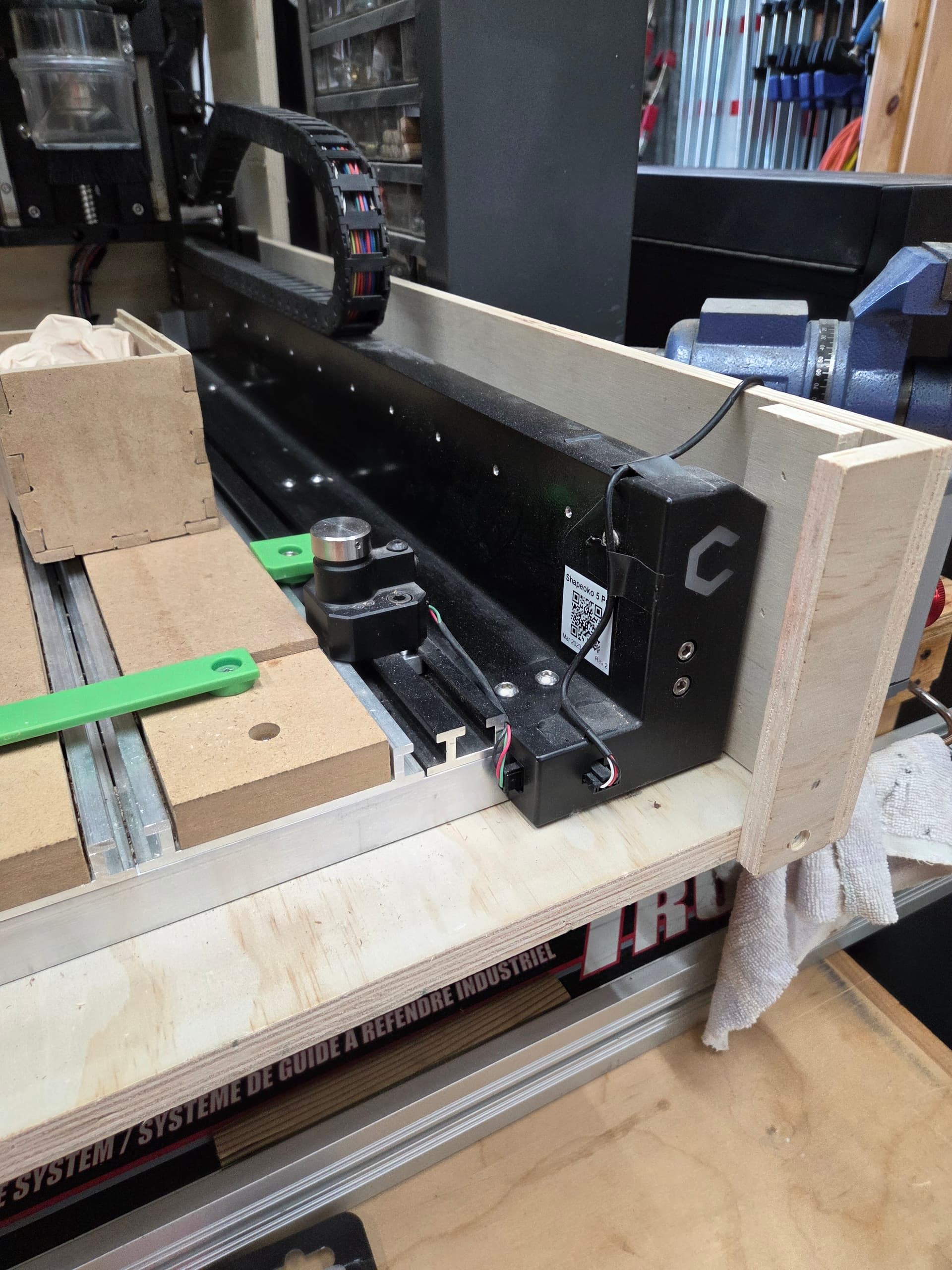
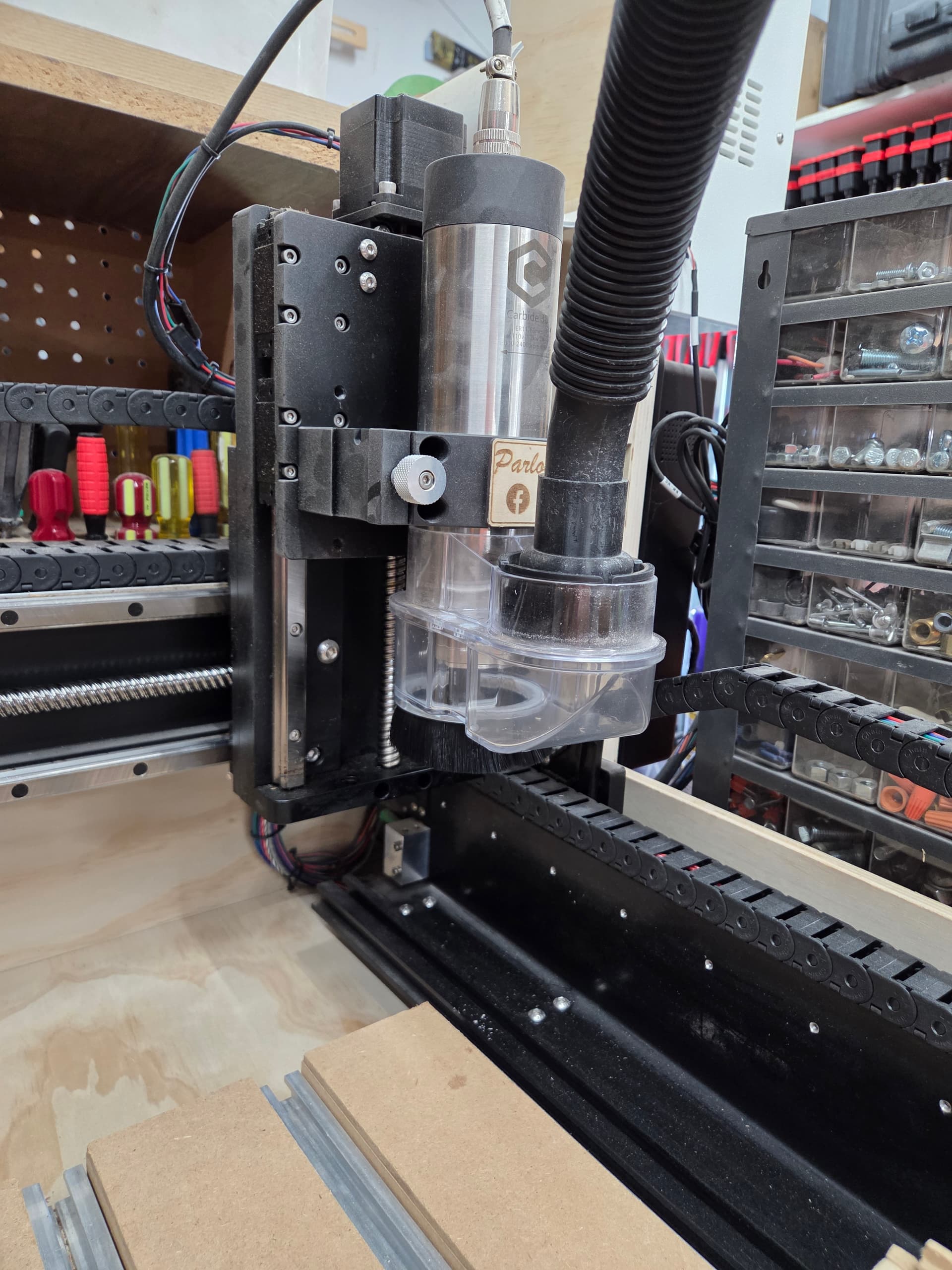
If you set the height low enough and you piece is less than an inch or so the sweepy will jam into the bitsetter. If you set it high enough to clear the bitsetter then you have to lower it after the spindle is up to speed. Taking the lower section off to clear the bitsetter would be worse because you have to put it back on while the spindle is going.
Does anyone have a workflow that they are happy with?
Also, I may have done myself a disservice by installing the riser blocks. Now the sweepy pro in its lowest setting can’t get below an inch above the spoilboard.
Yes but there is no pause after the tool change. The spindle moves to the cutting position and spins up right away.
And when you say remove it I assume you mean the lower section only. I have seen a similar product that the front section was removeable instead of the lower section. Maybe that would work better with the bitsetter.
Depending upon CAM software, you can sometimes customize how the post-processor behaves. It may be possible to add a prompt like the “insert tool X” tool change prompt, but “put the sweepy pro back on, silly”.
OH, the pro!
That’s danger fun because the back plate will totally smush your fingers if you let it. I used to raise the bottom before tool change and then lower it once the cut had started. It was never my favorite thing to do and it made me long for a pneumatic system that I have no idea how to design.
I am using Vectric and the post from @Allen44 which does have a pause built in to allow you to put the dust boot on. That worked great until the 5 Pro and some change in the interface with GRBL causes that pause to be ignored.
That’s odd. I’d hit up Vectroc support and see if there’s a fix for that. I should do the same when I switch back to Fusion from OnShape. Silly OnShape CAM
That’s really odd… CM used to move back to the toolchange position & pause after the bitsetter.
They did have to sacrifice some functionality in GRBL to allow for independent twin Y axes.
But the machine still pauses BEFORE the tool change, right? So it should be able to pause after.
Another reason the macros (M6, M2, M30…) should be exposed, and in the data folder.
Aye, that’s why I’m thinking it’s a bug somewhere. I know that some operations got weird with the Y-axis. I’ve switched controllers because reasons, so I’m no help here.
I’m on an early version 8.XX. The machine travels over t the bitsetter, pauses for the bit change. I take off the lower half and change the bit. Hit ok and the machine measures the bit, moves away from the bitsetter and then stops, ramps up spindle speed and continues with the cut. This is when i put the lower half back on.
Yes, it pauses before the tool change and bitsetter.
Afterward with the post from @Allen44 it would move to the initial cutting position and prompt you to put the dust boot on and wait for you to hit the start button on the CM screen before spinning up but now it moves to the start position and spins up but waits for you to hit start on CM before proceeding.
As I recall with that post, the behavior on initial tool is to go to the start position and ask you for the dust boot. Subsequent tool changes in the same job just stay up front for that dust boot prompt.
I think the pause he was using in the gcode is what got sacrificed in the GRBL.
I will try hitting the stop button on my VFD controller and then hitting the run again. Assuming the voltage coming across the PWM line is continuous and not just an event then that should work.
I do exactly what Redlander says except that i put back sweepy right after the tool change and before measuring it. It just dont touch anything while it measure it. How come yours are touching??
Just pointing this out…
The bitsetter on the pro is higher than it was on the earlier models of machine…it therefore is very much in the way of a fixed height dust boot. This REQUIRES that you either remove the lower boot or lift it out of the way when the spindle moves to the bitsetter - and lower it again after it leaves the bitsetter. With the spindle on the pro and latest CM, the spindle starts right up and there is no pause after measuring on the bitsetter…at this time.
As an additional “complaint”, the “removable” boot on the Sweepy Pro is controlled using two thumb screws which must be COMPLETELY REMOVED. it is not a “loosen and slide it out” set up…it’s an “unscrew and completely remove the screws, set them aside and then remove the boot” set up. Putting it back on is equally cumbersome.
I agree and I’ve given the input for a Sweepy Pro specific behavior. If you raise the Sweepy Pro all the way, it clears the Bitsetter without removal. Currently I pause it after the BitSetter routine and it starts the rapid to the workpiece. I stop the spindle, lower the boot, restart the spindle, then resume. Cumbersome, but it works.