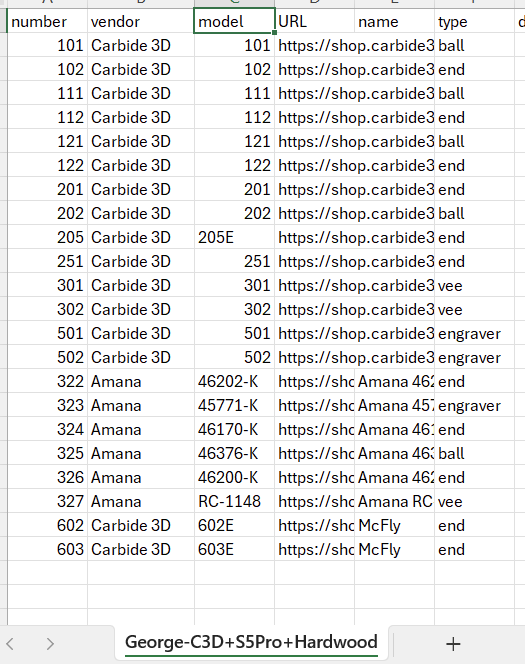
I have been mostly (aside from maintenance and a project for the wife) away from using my CNC machine for almost a year (medical reasons) and at that time I had created a Duplicate Tool Library with a new name and then drastically reorganized and eliminated many of the end mills that I would not be using to make tool selection easier.
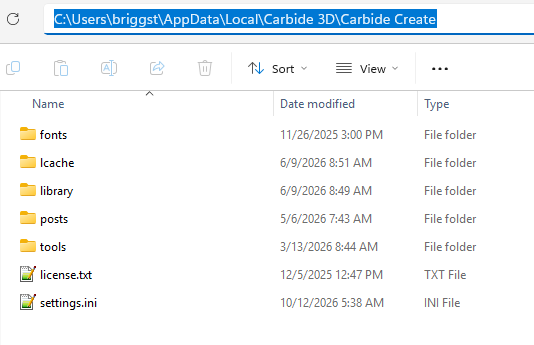
I may have screwed something up last year in that I can’t seem to find the separate default tool .csv files that only have my truncated list. I see the library file I created and in that .csv file I can only see the Carbide Create default tools under the name i created and not and of my updates . I do think I am in the correct folder since I can see the duplicated library names. Within Carbide Create itself, I can select either the default system entries or my truncated library by selecting a different “Machine” name for tool selection.
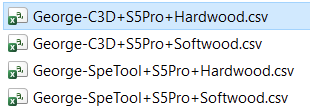
I also seem to have duplicate CSV file names that appear to be backup names (with only a tilde symbol as the first character). I think I should be able to safely delete them.
I have Carbide create running on 3 separate computers … my original Windows 10 machine, my new Windows 11 machine and on the Windows 11 laptop that also runs Carbide Motion. I did such a good job of migration my Carbide Create settings that all those computers show the same characteristics. And I am on the latest stable version of the code.
CAN SOMEONE PLEASE explain to me what that folder structure is suppose to look like and why I am seeing the above situation? If need be I can delete Carbide Create and reinstall it from scratch, but I am worried that I will lose other items like my additional fonts (which aren’t in the font folder under “Carbide Create” anyway) OR, my update Tool Database will not deleted.
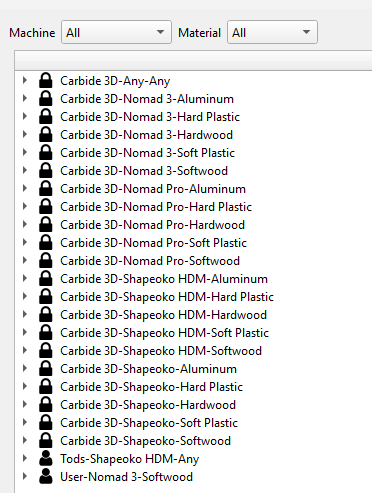
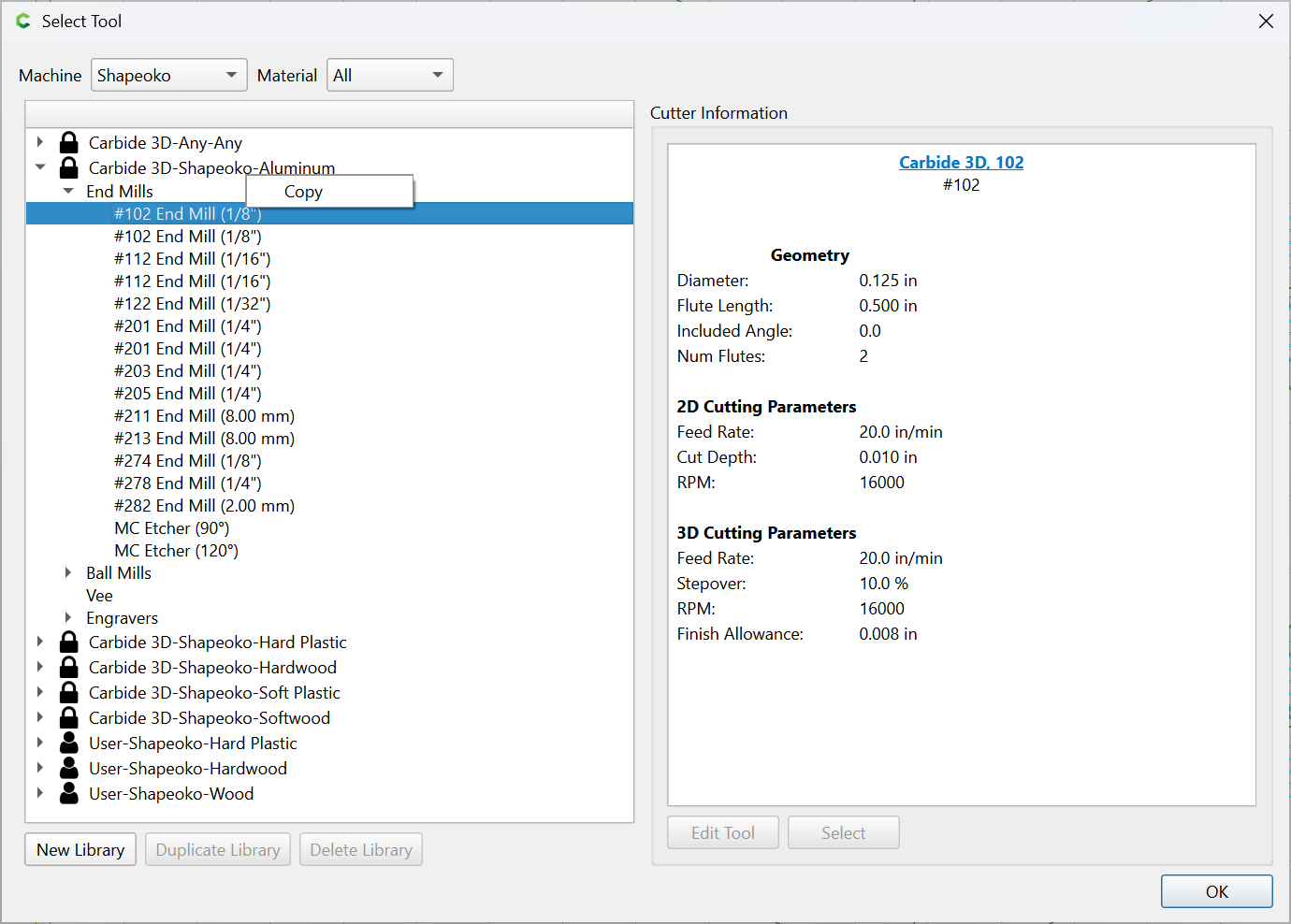
Note that only the standard Carbide Create items appear and none of my custom ones! And this is only under my unique name. HENCE my confusion! Where are my shortened tool name list and why do i see the the Carbide Create listings without my additions?
I will watch the video that Will pointed to (which I had done so a while ago) to see if it helps here. I guess I am just confused on what I am suppose to be seeing for names and data.
Will … so why am I seeing the data for the Carbide 3D Tools in my copy of the CSV files even though I deleted the unused tool names? The names are not in the tool selection drop down, but the names and data are in the mentioned CSV files as shown above? Thanks.
Sniplet was in my above post … but I think I will do the below.
I am thinking I should just uninstall Carbide Create, make sure the tool database folder is deleted, and then reinstall from scratch so that I can better understand how it works with my changes. Looking back on the file dates, I have been away longer than I realized, meaning I must have forgotten what I had learned back then when I did create new tool libraries.
Thanks for all the suggestions and responses. My frustration level is high due to the fact that I had to take so much time away from the woodshop, and in less than one month I will not be able to do any woodworking for at least another 2 months. It is too easy to forget new things when you are away from them.
Thanks again. If I have any meaningful revelations after the reinstall I will post as a followup.
FYI … Uninstalling does not wipe the local data including any libraries you created. You need to manually delete the contents of the TOOL folder.
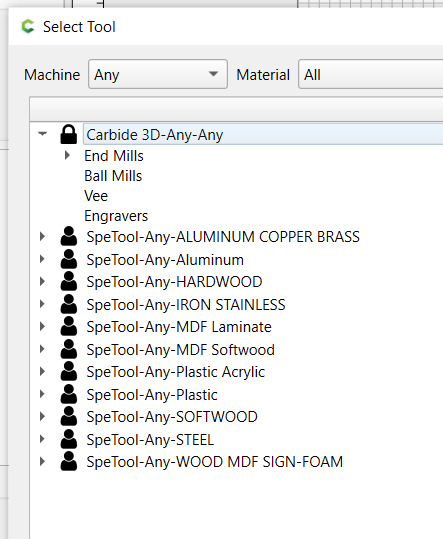
What is the difference between ANY and ALL? After the reinstall, selecting ALL for the Machine and ALL for the material shows that CARBIDE 3D-ANY-ANY library entry with only MC Etcher in it. This can be seen in one on my posts above. It still looks dumb sitting there. Why is that entry there?
Any means the machine, “Any”. Not the same as All
Notice all the libraries listed have the string, “Any” in the filename?
Naming Convention
++.csv
If you are editing the .csv file while Carbide Create is open, it won’t cache the file after the changes. You have to close CC & reopen it to read the latest version of the tool libraries.
However, if you edit from CC, the changes get updated immediately in the .csv
Tod /// See my post before yours … if I select ALL - ALL then I still see that entry with only MC Etcher defined.
So , for Material, ANY and ALL are not the same … though I can’t rationalize a difference … but either ANY or ALL for material still gives those silly MC Etcher selections only. Why?
It is a little strange. If I select a specific machine, “Shapeoko HDM”, and an “Any” material, I still see the Carbide3d-Any-Any library, even though it’s not a “Shapeoko HDM” machine.
So, “Any” gets included with a specific material, But the “Any” machine is exclusive.???
I guess the question is why the strange behavior of just showing the 2 MC Etchers with that selection. And why the strange behavior with the ANY selections. Not sure I need to directly bother Support, though it does seem like an error.