
I have tried to trace this, but it never comes out clean. This picture looks like it would be easy to trace into a vector.
You might want to recreate the outside circle and text, and focus on tracing the center art.
Inkscape can do it.
Well, the original is a vector — why not get that?
Or, rather than trace, why not just re-draw?
underwater search.c2d (672 KB)
See if this helps. It’s the best I can come up with. You will have to fix the text.
The text is quite easy to address, just get a copy of:
(or assemble a suitable collection of type specimens and memorize a reasonable number of them)
then, once identified, re-set the type, if need be, purchasing a license for it from a reputable font vendor.
Here is what I did with CC Trace tool.

underwater search.c2d (724 KB)
Check this out guys. I am having a hard time connecting the open vectors. Any suggestions? I truly appreciate the help. I also was able to watch some of the videos that were sent to me and read some articles.
Thank you.
For each region, you will need to duplicate and then isolate geometry which may then be joined:

select, then copy-paste in-place the geometry which needs to be duplicated:

Then draw geometry to isolate the section needed:


Done


Trim Vectors

Click to remove what is not wanted:


OK

Select what one wants to close:

Join Vectors


Repeat for each other region…

3 Likes
dive plate.c2d (824 KB)
Any suggestions on the toolpathing?
I guess I am a little late to the game.
I did add the St. Lucie Sheriff’s badge, it will need to be resized, but it has more detail.
st lucie badge.c2d (892 KB)

I did some work on the Sheriff’s badge, it still needs some cleaning up.
st lucie with updated star.c2d (1.2 MB)
2 Likes


1 Like
DUDE! That came out way better than mine. Thank you
Thank you for the plaudits.
6 years of doing this, and I’ve learned a few tricks… lol.
2 Likes
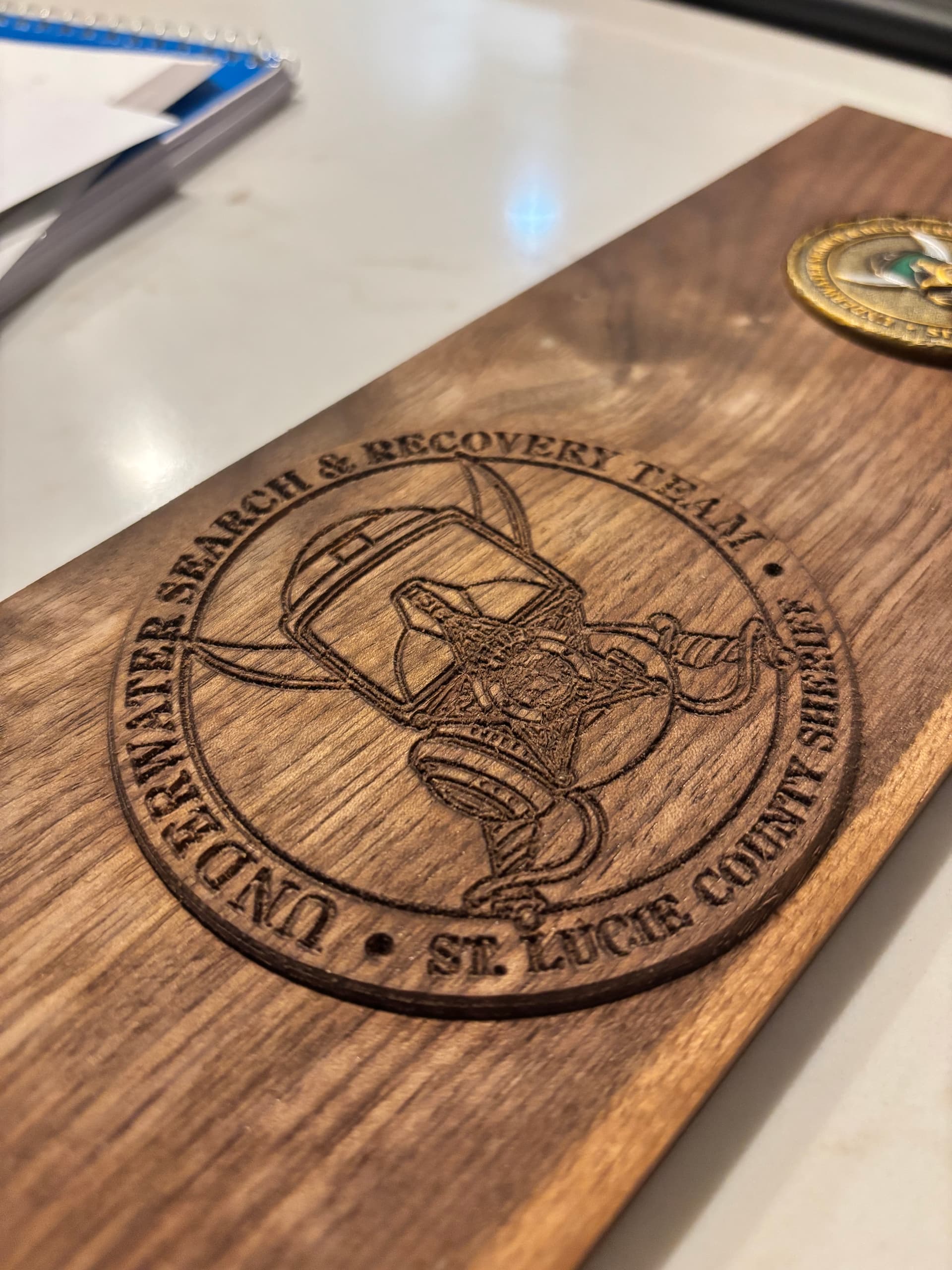
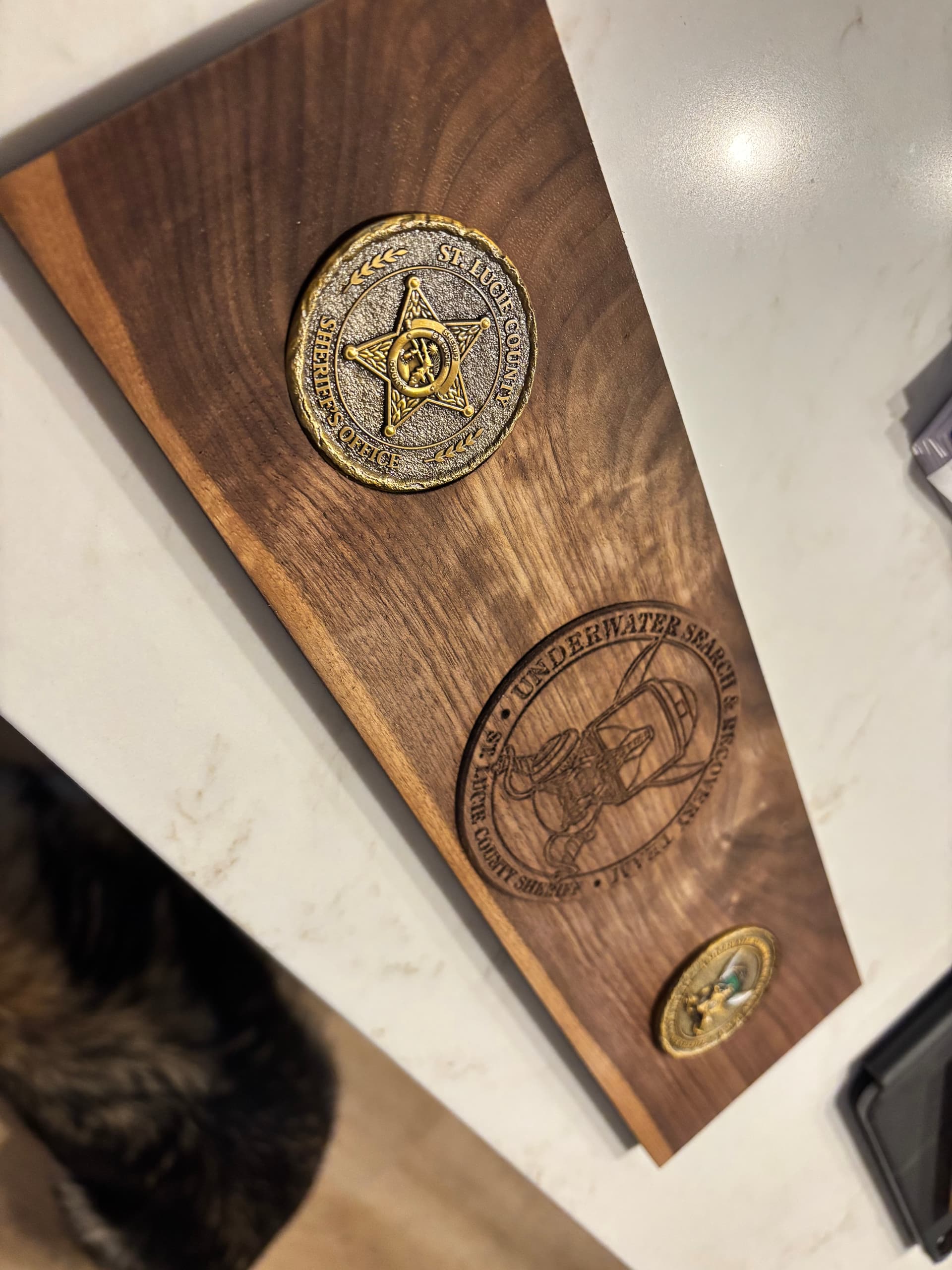
This came out great with all the hep provided. SDGuy, I would love to know how you got the final file right. I am still learning.
3 Likes
This will go on a perpetual plaque for all current and prior Dive team members. I will post some pictures when it’s done.
Thanks again!
1 Like
1 Like
That seems so easy. So this is what you did with the Dive Team Logo?
I uploaded the image and asked ChatGPT to create a line drawing. Then I took the output and uploaded it to Convertio.com and converted the image to an SVG.
CC’s line tracing function is pretty good but there are better tools available. As you can tell by the results I achieved vs what CC output.
This topic was automatically closed after 30 days. New replies are no longer allowed.