With all due respect, this is not a matter of the software not working. Carbide Create is a good tool for making CNC designs.
What happened when they upgraded is that they had to make significant changes in how the program works under the hood. That’s producing the error messaging you’re getting. I’m getting it, too on a few files.
But I also just tested a file I made last year and it opened fine in V8 836.
That said, you can easily go to (Downloads) and you’ll see the option to download V7 as well for Mac and PC.
When you move the C2D file over to Applications and the Save dialogue box pops up, I gave mine this name in Finder: Carbide Create V7. The present version, 836, I defaulted to Carbide Create.
Easy peasy.
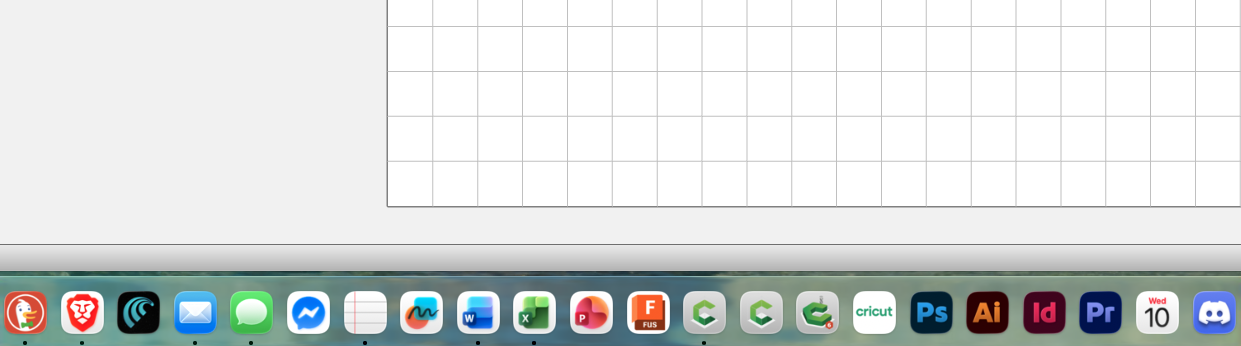
If something doesn’t open in V8, I pop open the CC V7 app in Applications, it’s too confusing to have it in my Doc, though you very well could have V7 V8 and Motion all in order left to right, and then in your mind, realize if you’re trying to open an older folder, try the one in the middle first. If you get the err message, close V8, and drop the file into V7, and you should be golden.
(In the attached screenshot, I’ve set the files up in this config.)
And TBH, if you’re just starting with your machine, I would not jump into 3D straight out of the gate.
It’s going to take time to learn how to run your machine. I built a table for mine, complete with adjustable casters, and that took three weeks in and of itself before I could even put the thing together!
After that, it takes time, too, to get a sense of paying attention to the depths of your toolpaths, what are your best feeds and speeds, materials, the various bit options that are endless, securing boards to your bed with the right number of clamps, and learning that you often have to go 0.1 to 0.05 deeper than the thickness of the wood you’re cutting so that you’re going all the way through and not digging a scaled replica of the Marianas Trench into your spoil boards.
And this is for operating ANY CNC!
You’re on a journey that leads to lots of enjoyment from your Shapeoko.
I encourage you to give it a go, and not throw in the towel. But I will say that if you’re in a mood to call the office this morning and get a refund, CNCing may not be for you. Believe you me, this is a nothingburger compared to the service opportunities we all face as CNCers.
Even my friend Ryan Drapela will tell you over on CIC Academy that after 10-plus years of running dozens of CNCs, he still makes mistakes. Time-consuming, frustrating, and aggravating mistakes. Such is the life of every woodworker, whether you have a CNC or not!
And if you’re running all Macs like I am, well, don’t think you’re going to jump over to Vectrics and pick that up.
It does not work on a Mac.
As a matter of fact, I’m not aware of any other company’s CNC software that works on our much better operating machines.
I’ve seen suggestions that you might could design files in Fusion, but if you’re already frustrated by the V7/V8 issue, I promise, you’ll be pulling your hair out trying to learn that process on top of all the other enumerated challenges I mention above.
You’re not running into a problem here. You’re learning there’s other ways to skin the proverbial cat. That’s part of woodworking. There’s always a couple dozen ways to do the same thing. The lone exception seems to be the present situation, but that’s because Carbide Create’s latest version is so much better than what we had in earlier versions and it keeps getting better with time.
I’ve not yet delved into even using STL files and 3D yet and I’ve had CC Pro for a year and two months now.
Given a number of external challenges as well, for the Now, I’m still polishing my skills when it comes to operating the machine and getting things as close to perfect as I can get them. On average, it takes about three different runs on a project to get it where you want it. I’m quite computer literate, but Ryan will confirm that to you as well. He says it all the time in his CNC videos. (I’m not sure I’ve watched it, but Andy Bird Makes also has a video up on YouTube that’s titled, “I made so many mistakes!”)
Again, I’d not be so quick to jump ship. This is a minor hiccup and for us Macs, I’m not aware of which ship you’d jump to without investing in a crappy virus-susceptible POS PC, either! I made the leap on Oct 11, 2007 and have not regretted it once.
There are things I’d like to be able to use in Vecrtics, 'cos I feel you have to go to longer lengths to get the same result in C2d, but that’s not even possible given my freedom from Windoze.
This just challenges me harder to find those other paths around mole hills and an occasional mountain.
If you stick with this, you can become very good at making things you can’t make on any other kind of machine in the world. Just don’t throw in the towel unless this all sounds like it’s too much and get a table saw, band saw, drill press, planer, drum sander, jointer and all that stuff instead! (You’ll probably still need all of them anyway!)_
Cheers!