Using carbide create there are two places to set offsets one is in the design where you are given the option as to how big the offset and weather it be inside or outside. In contour toolpaths you can also set offsets but are not given a choice of how large only inside, outside or none. I have found that in contour toolpath the offset is determined by the size of the bit you are using, 1/4 inch bit 1/4 inch offset and so forth. Now my question is which takes priority the offset in design or the one in toolpath? Example if I set the offset in design to .25 and then choose offset again in the toolpath and am using a 1/4 inch bit will the offset be 1/2 inch?? Tried to simulate this but ended up more confused. Where it all stems from. In using a roundover with none offset for the bit the advice is to set the offset to .005 to eliminate the little ridge caused by the cutter. I again tried to simulate this and again more confused than before. I guess I need cnc for dummies. Seems like a simple problem but I can’t figure it out. Please in the answer make it simple, I know you can impress me with your knowledge, but I need time to appreciate it. thanks.
For a roundover, I create an offset in design of about 0.010" outside for the outside edge of my part or 0.010" inside of a shape that will be pocketed. In the toolpath I select the offset shape created in design and use a contour toolpath with no offset. I have found that the depth of cut should be about 80% of the roundover radius. Hope that helps…
it sure does help a great deal. I also spent time in contour and pocket and can now see the difference. Thanks for sharing your knowledge.
There are two different offsets here, they really are pretty much independent.
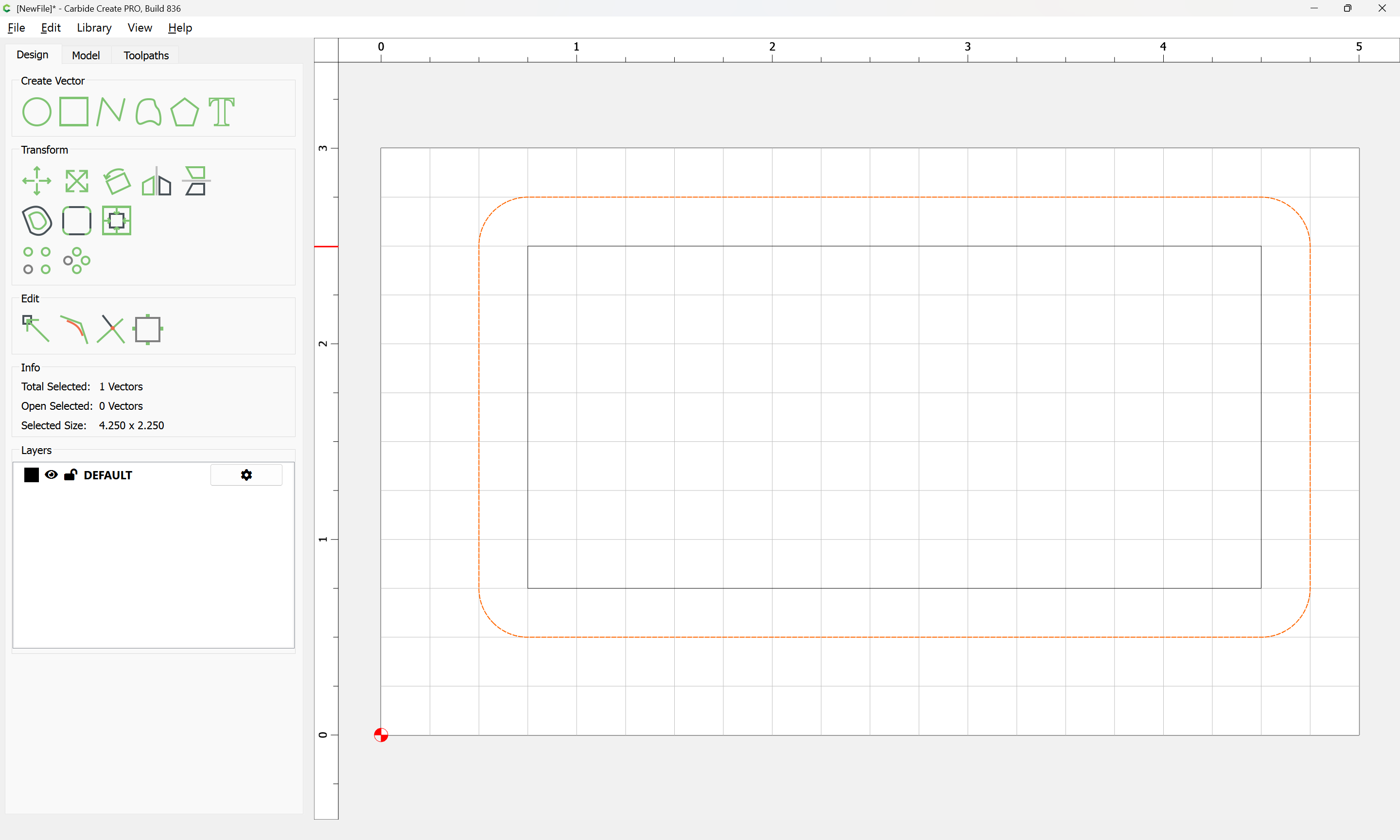
In the design, the Offset function creates new geometry. Once it is created, it’s treated the same as any other geometry. You can perform all the same operations on the new geometry as you could on the original. The fact that it was created using the offset function isn’t recorded anywhere, the program doesn’t track that at all.
For toolpaths, the Offset for contours are really “Inside, outside, or right up the middle”. Once you are creating toolpaths, if the geometry was created using Offset, it has no effect on the Toolpath. It’s completely independent.
So, there is no “priority”. If you have the contour be outside the new geometry, well, that’s exactly what it will do.
The offset in contour toolpath is really just which side, not how far.
1/4” tool, 1/8” offset. Toolpath is on center of tool.
Stock to leave allows you increase or decrease the offset.
So rather than doing math & offsetting the curve, make the tool the diameter of the tool tip, and use Stock to leave move it away from the edge 0.005 - 0.010”. Then make the depth the height of the cutting edge - your small offset
If you have Pro, then there is a control for this for Contour toolpaths “Stock to Leave”
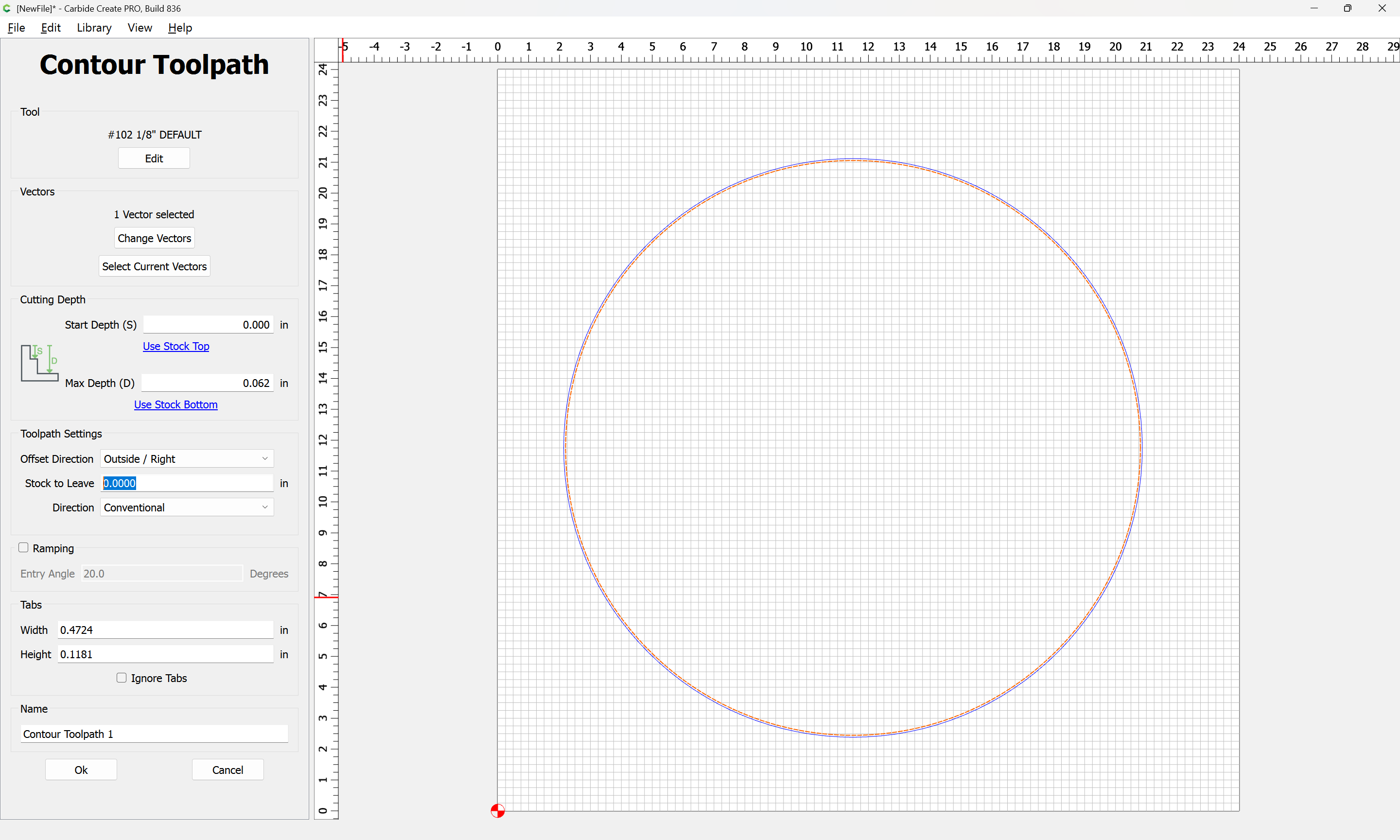
In the absence of that feature, then both will be used:

If we Offset (to the outside) by 0.25":
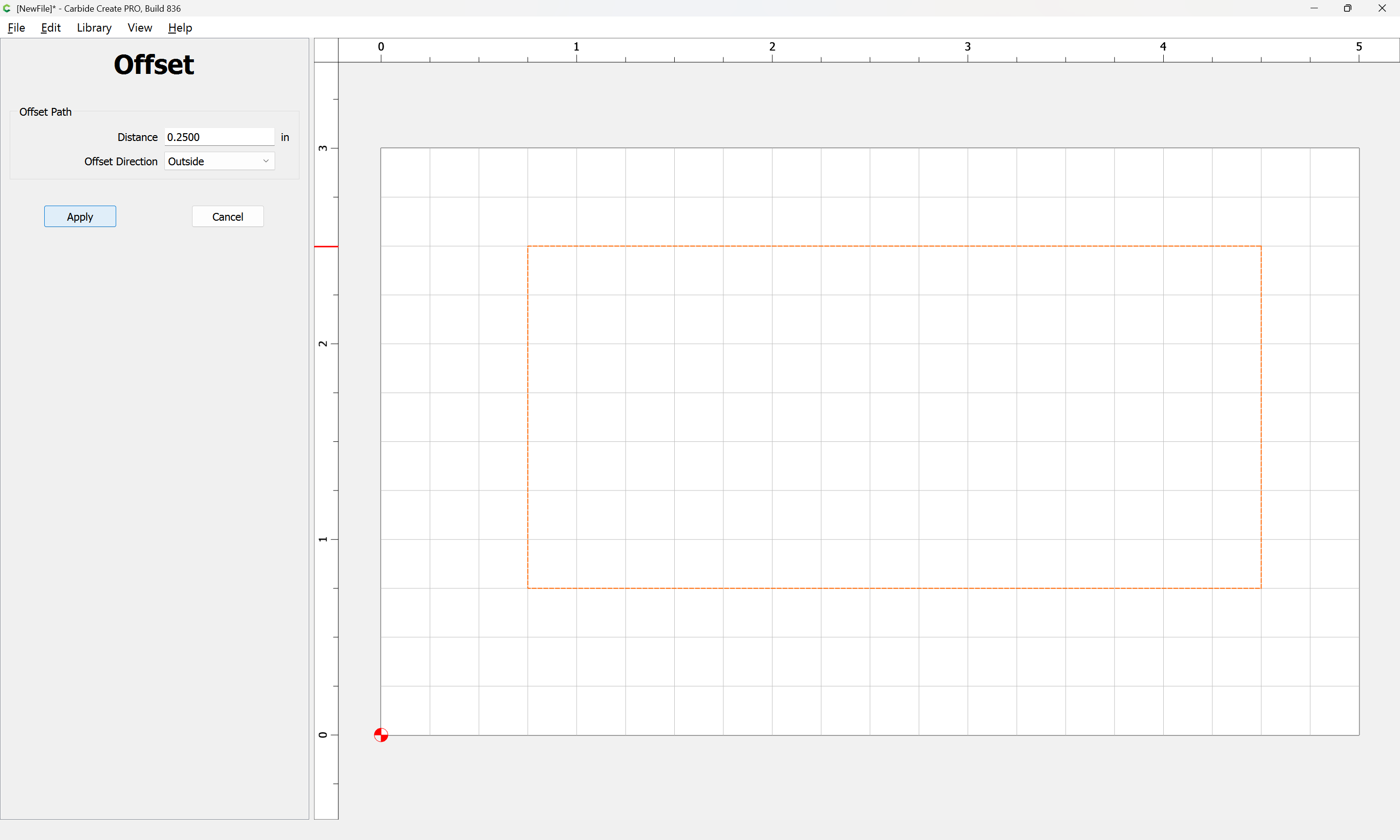
Apply
and then apply an Outside Contour toolpath which will be offset by the radius of the tool, so for a 1/4" tool, by 1/8" of an inch:
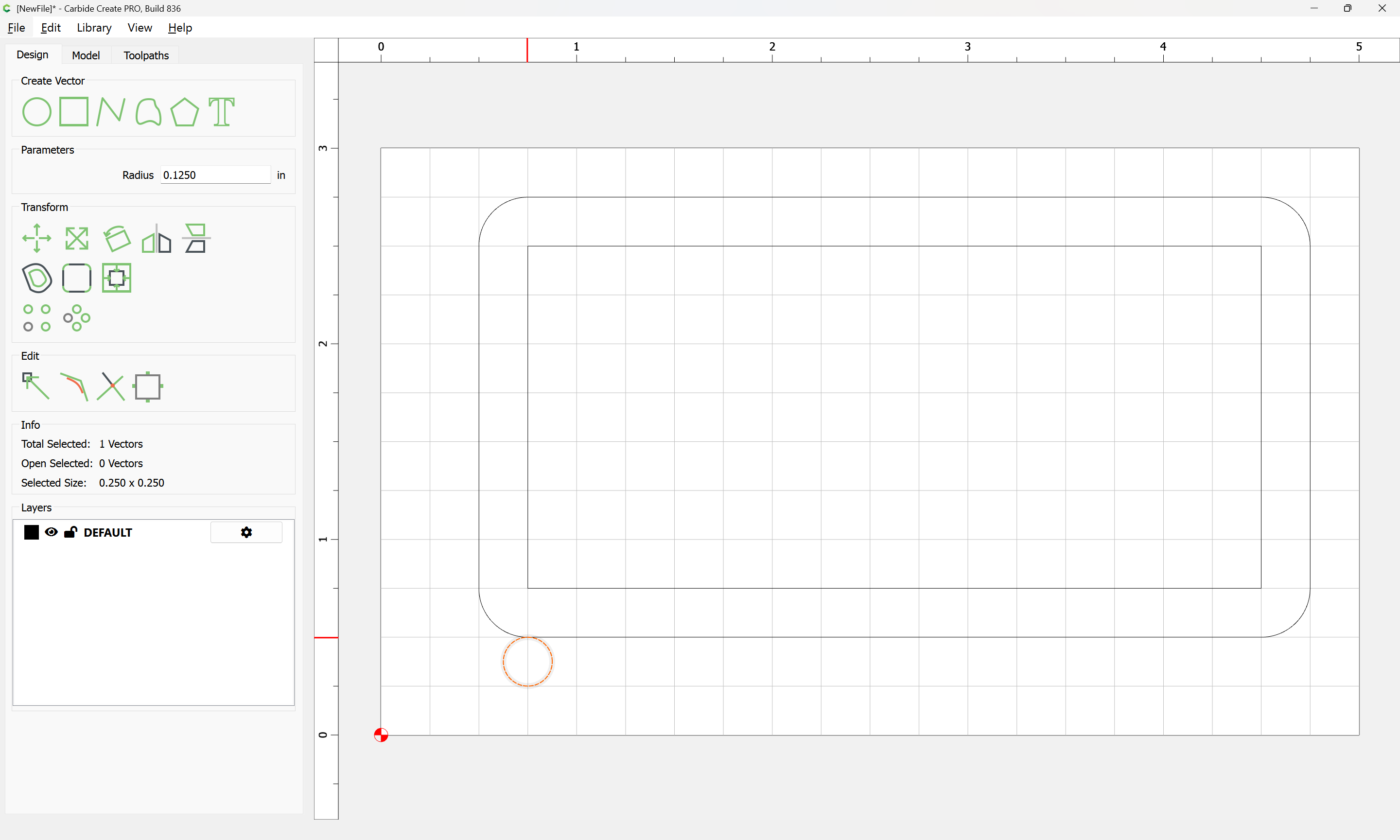
we assign the Outside Contour toolpath in Toolpaths to the Offset geometry:
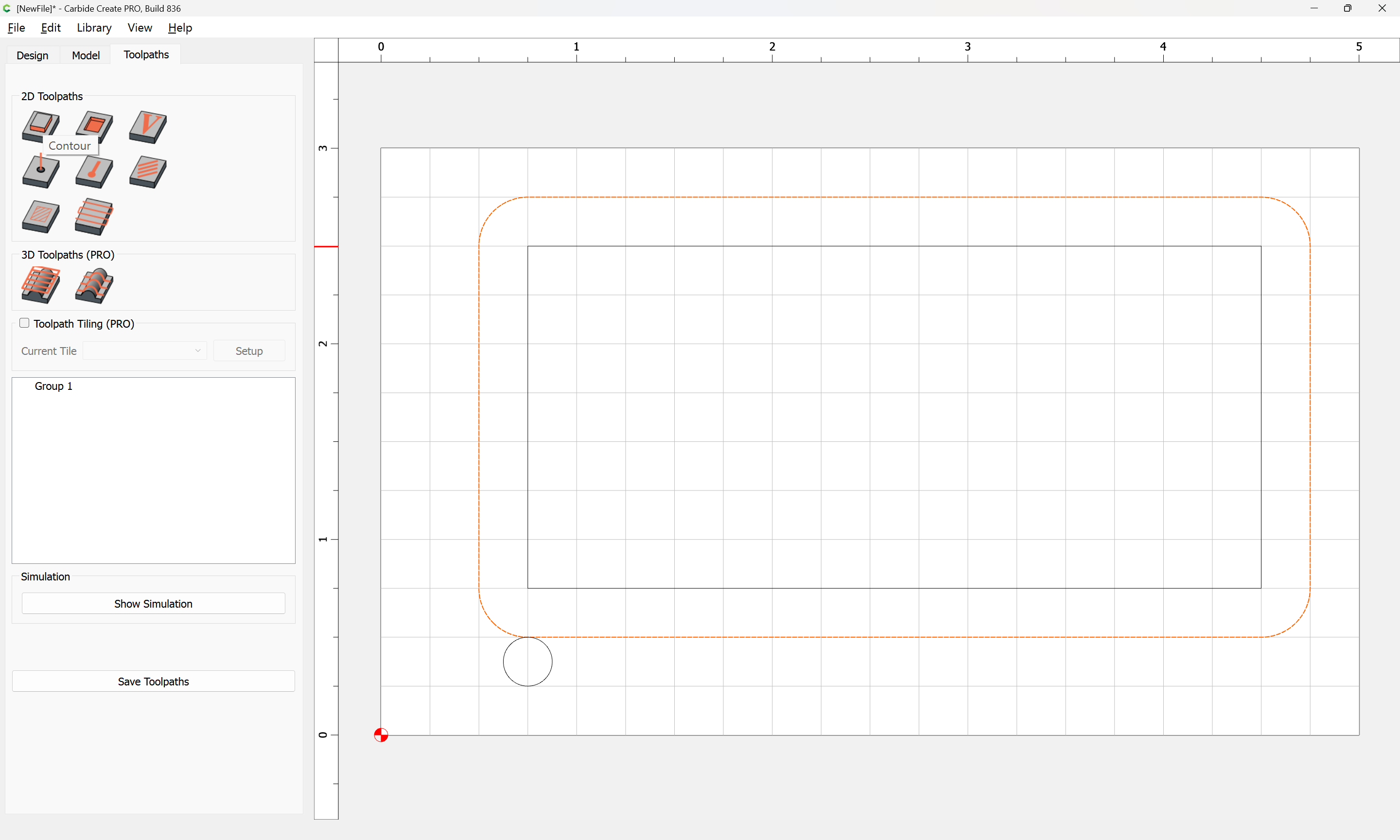
Use Current Selection
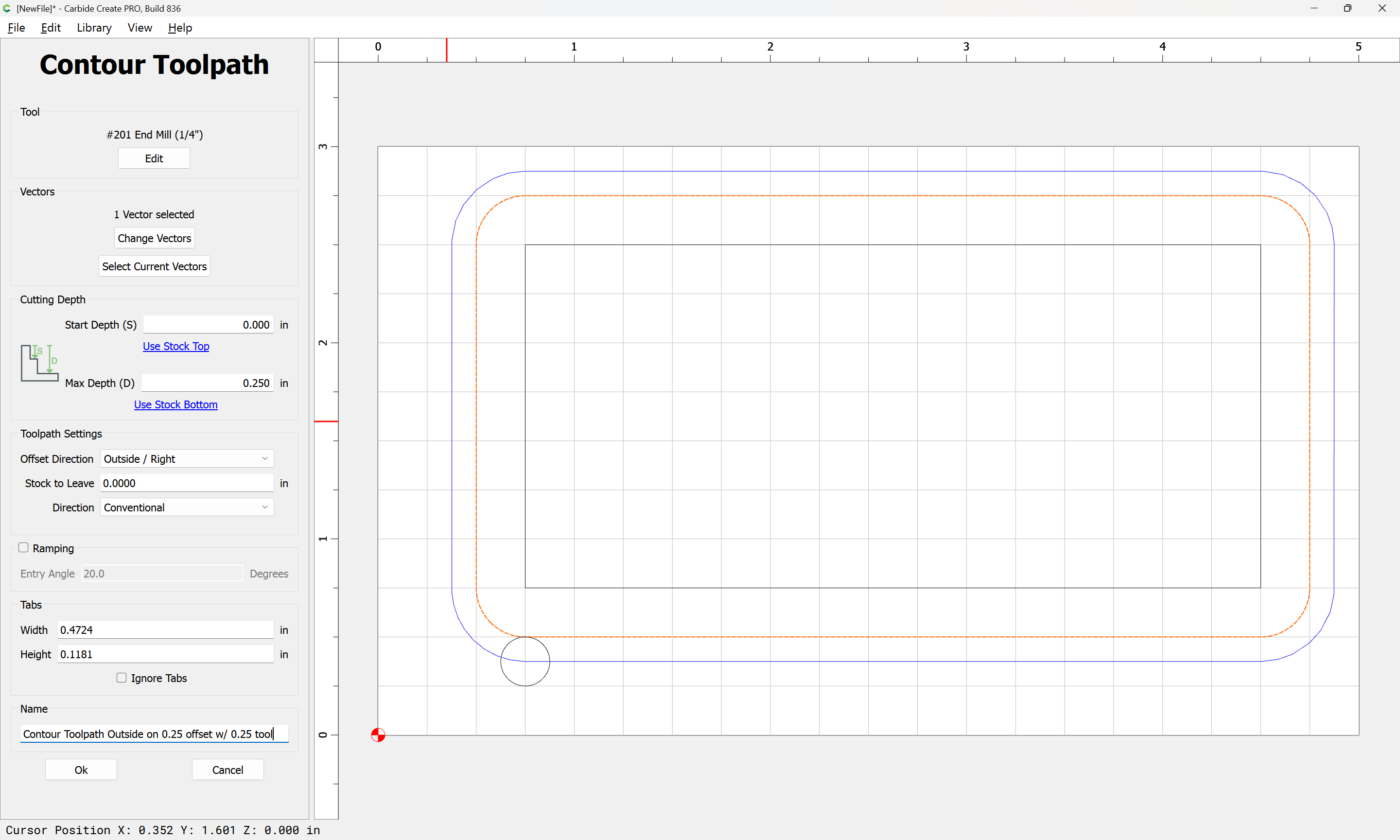
we see that the toolpath travels through the center of our tool proxy and when previewed:
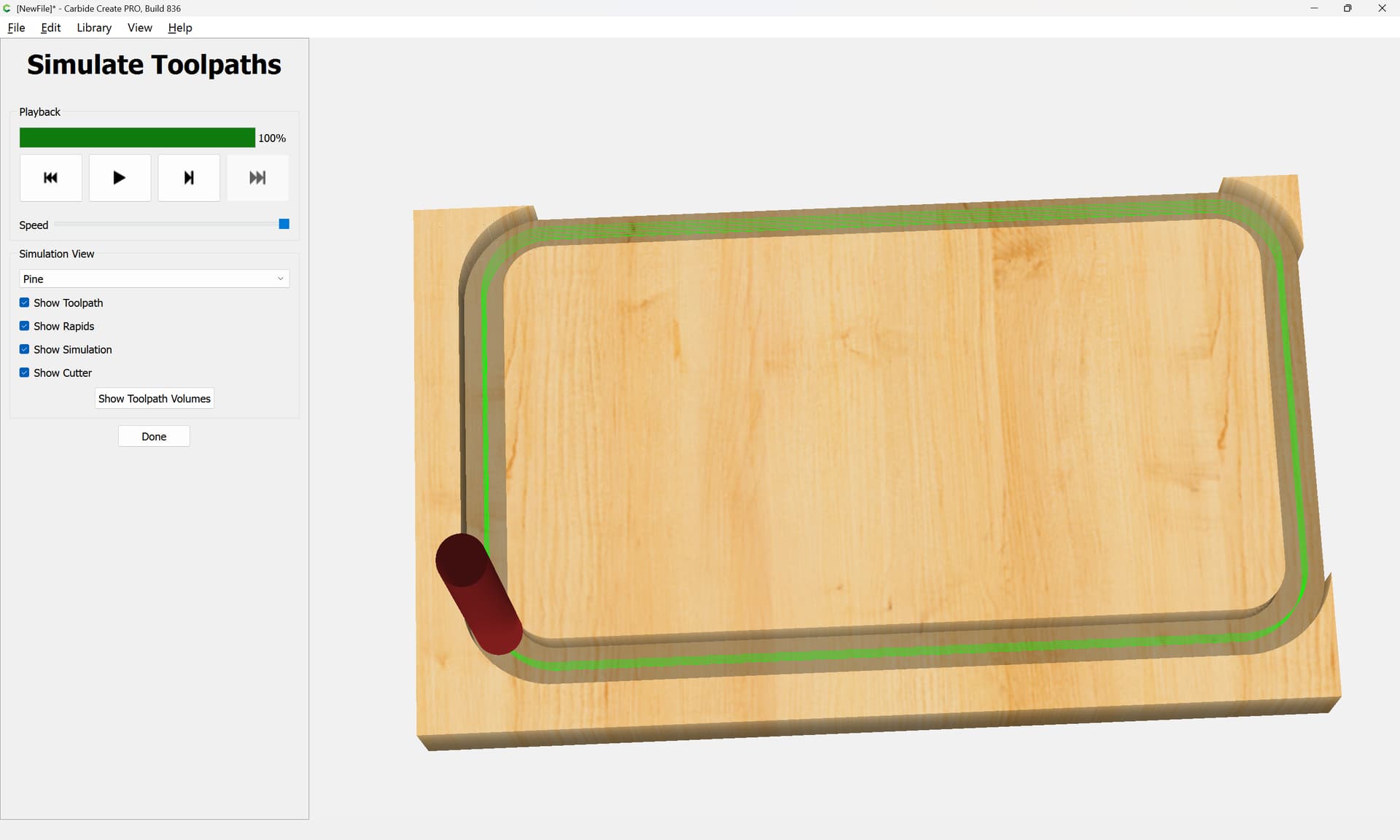
cuts away compleatly at the back and right where only 0.25" of Stock material is left beyond the edge of the offset geometry.
FWIW, I find this potentially confusing enough, that I pretty much only use No Offset Contour unless actually cutting out a part.
If you are using a Roundover tool, please see:
If that’s not it, let us know the specifics of what you are doing (links to the tooling you are using? upload the file you are working on? photos of what you are trying to achieve? a sketch of what you mean?) and we will do our best to assist.
For my part, my usual approach is just to create geometry, assign a toolpath, then check things in the 3D Preview, if need be, adjusting Stock dimensions so as to afford a cutaway, and iterating until things line up as desired.
Can someone provide an explanation on Stock to leave? I have seen it, but don’t understand it.
Imagine that you want to cut a region as a roughing pass:
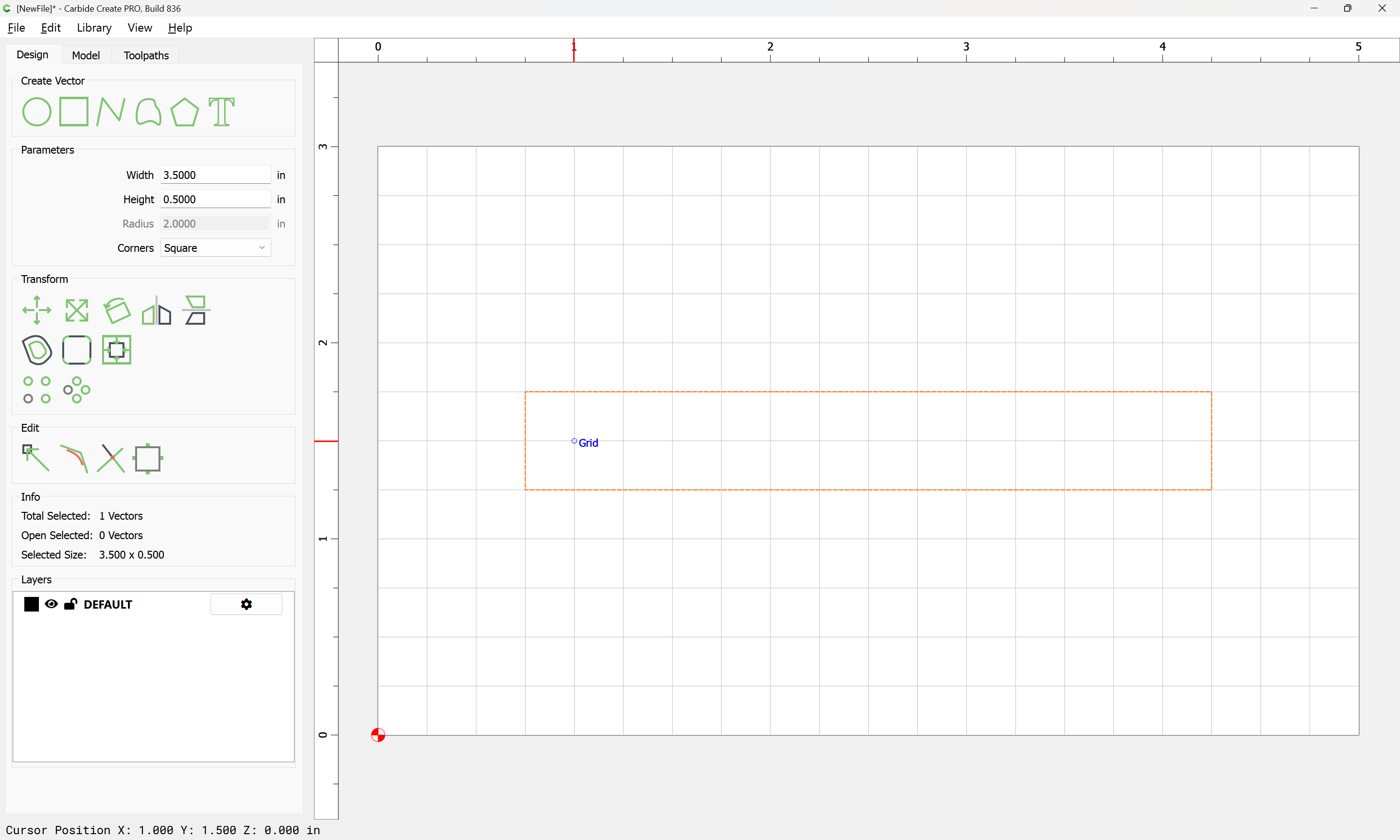
and one wants to leave a Roughing Clearance of 0.063 inches:
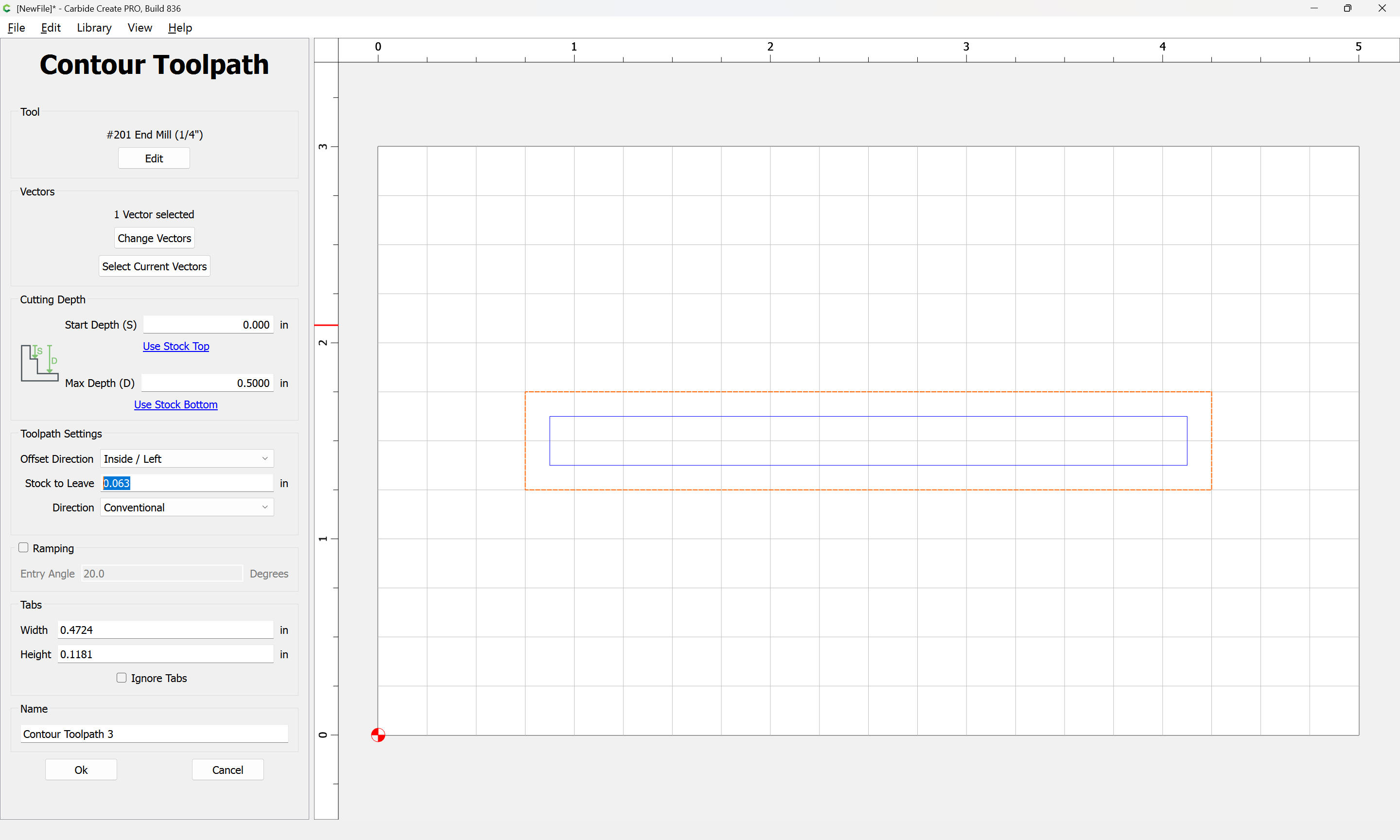
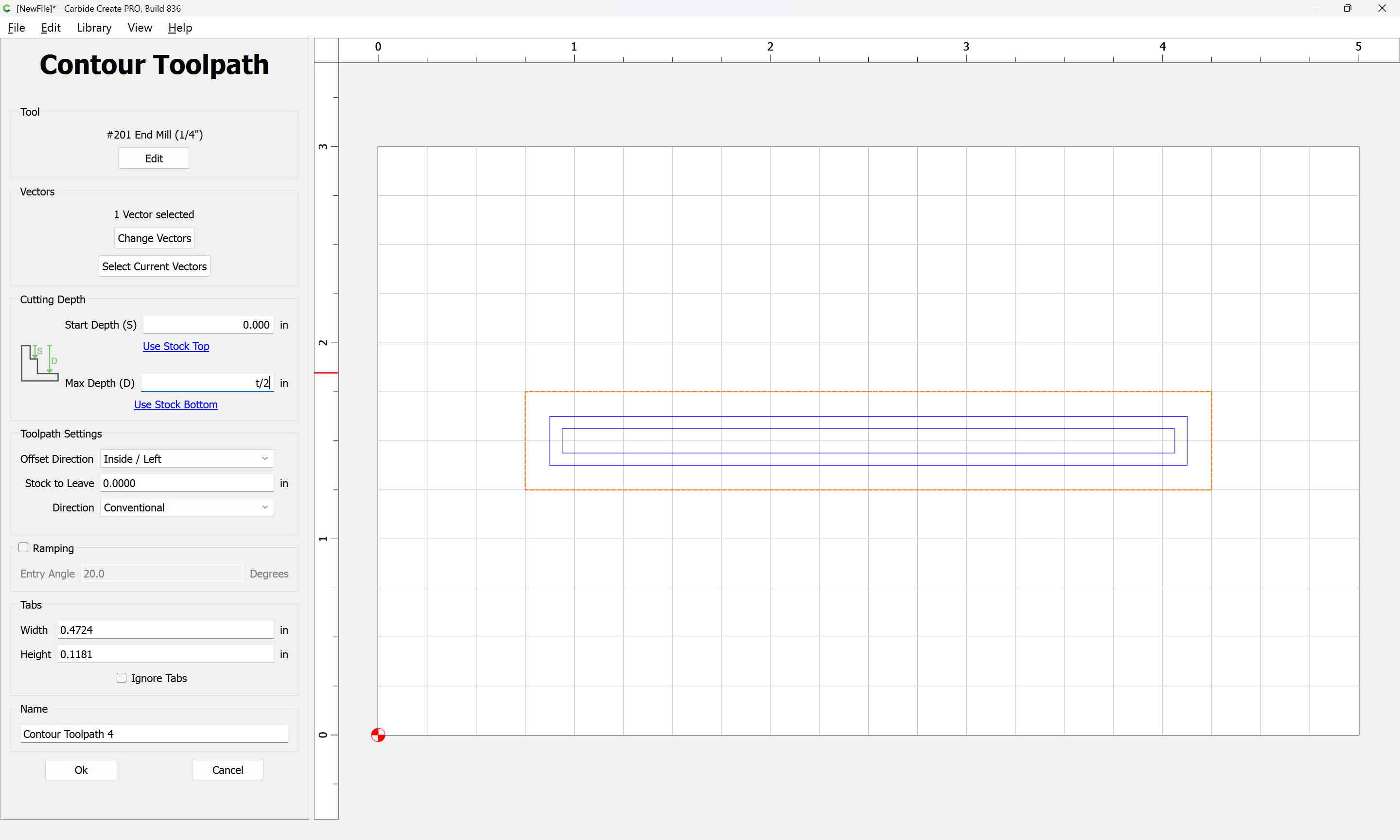
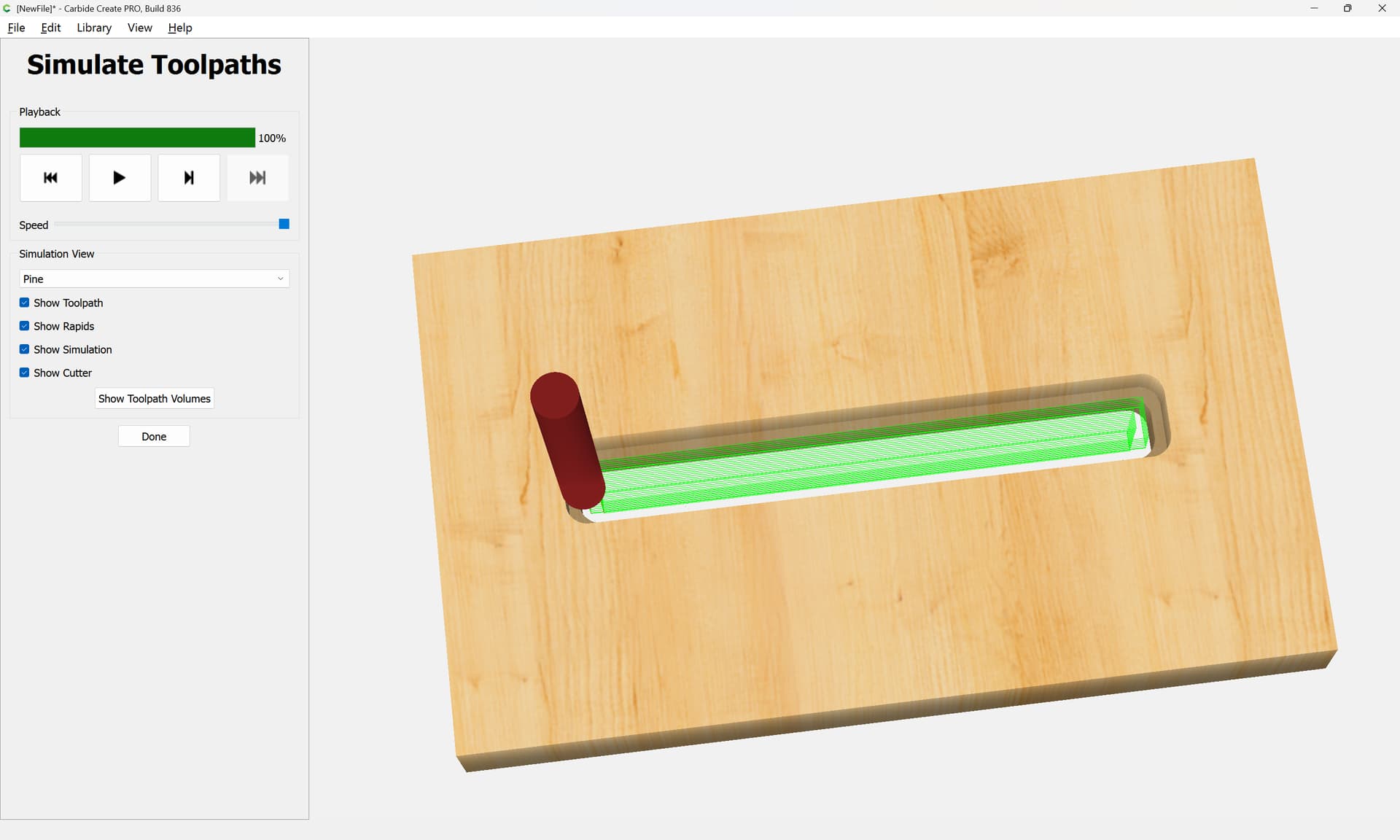
then the toolpath will be inset by that dimension, which can be verified by making a partial depth toolpath which does not leave stock uncut:
This topic was automatically closed after 30 days. New replies are no longer allowed.