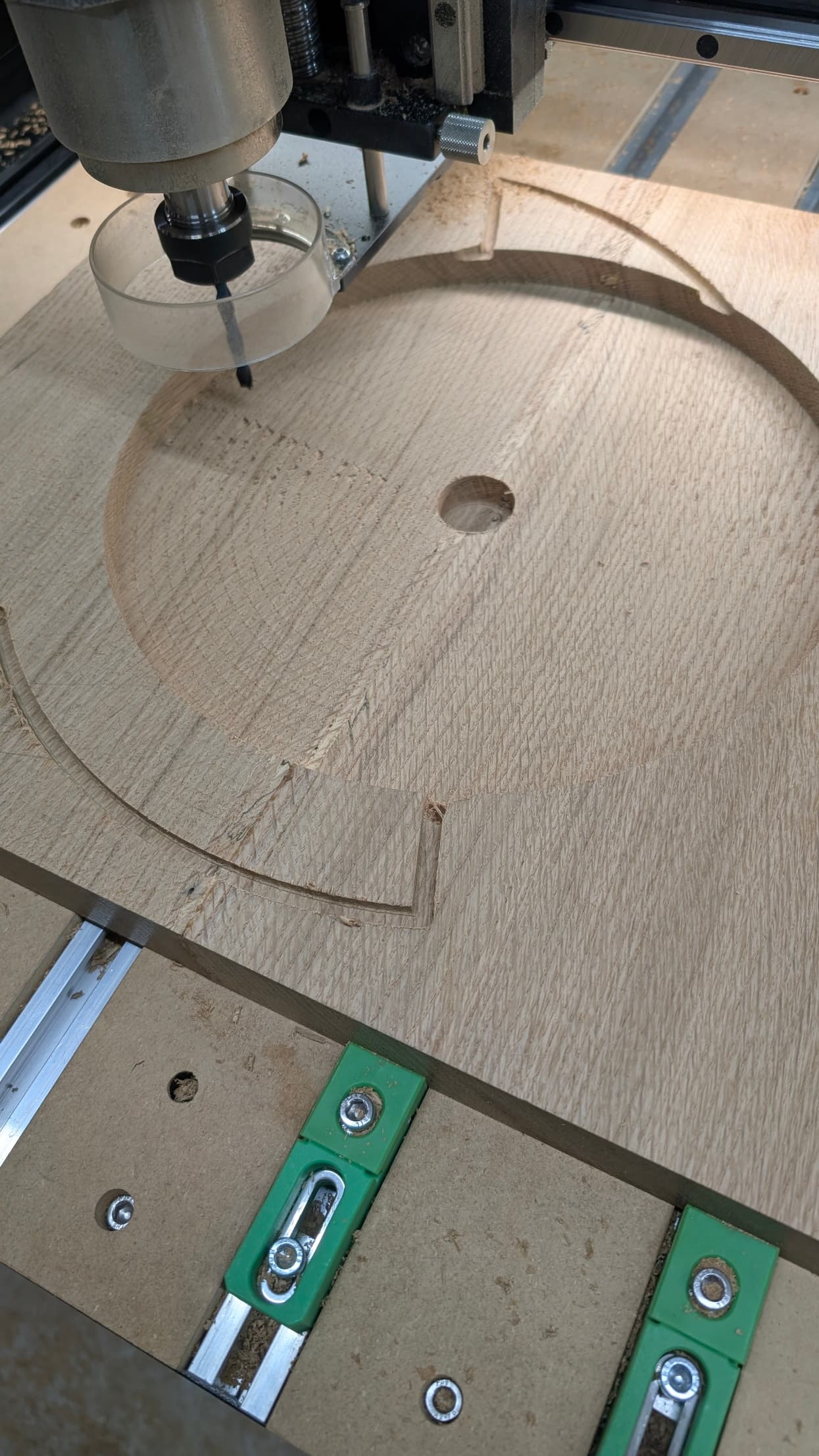
I was running a very simple job that should have had no issues…and it had issues. I’d love it if someone could weigh in on what might have gone wrong.
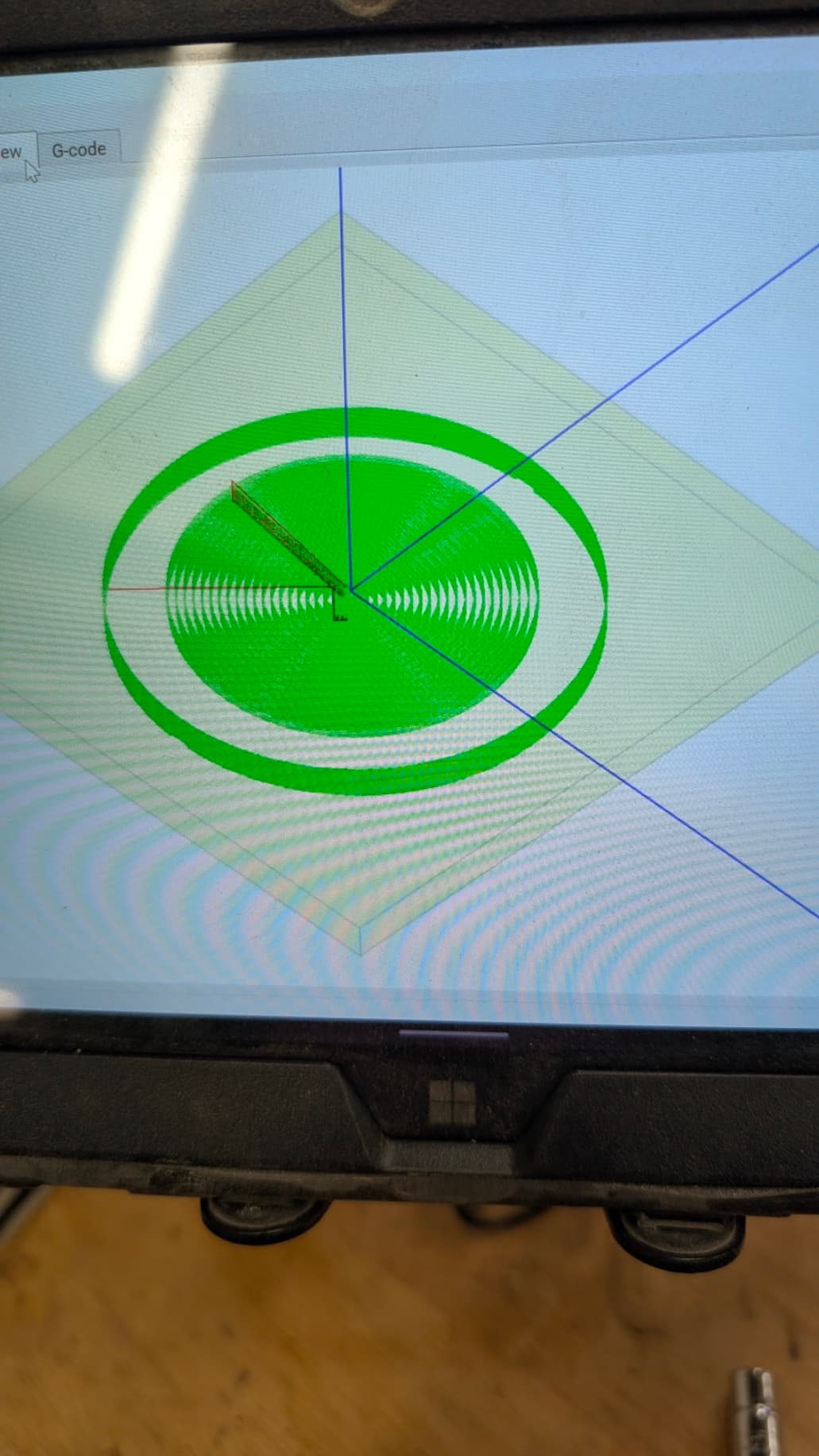
Here is the job I’m trying to run: Pedestal Base 14 Round.c2d (524 KB)
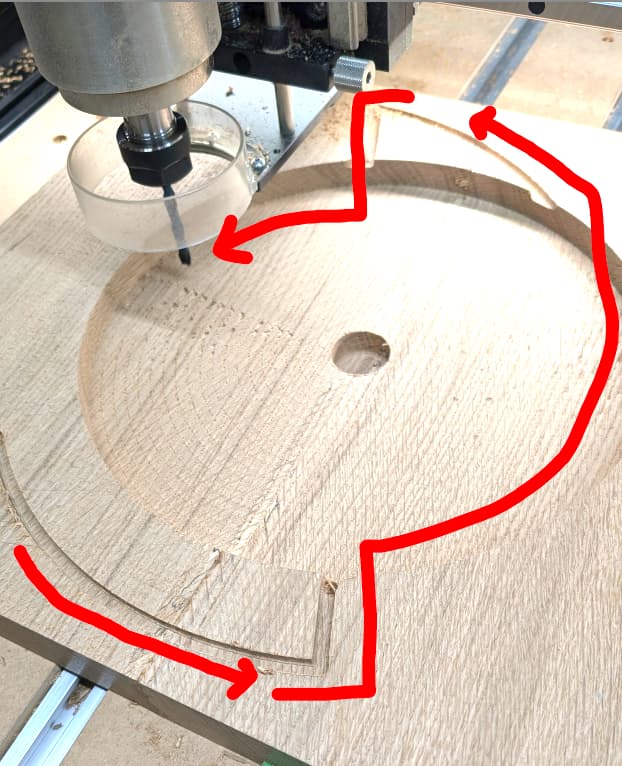
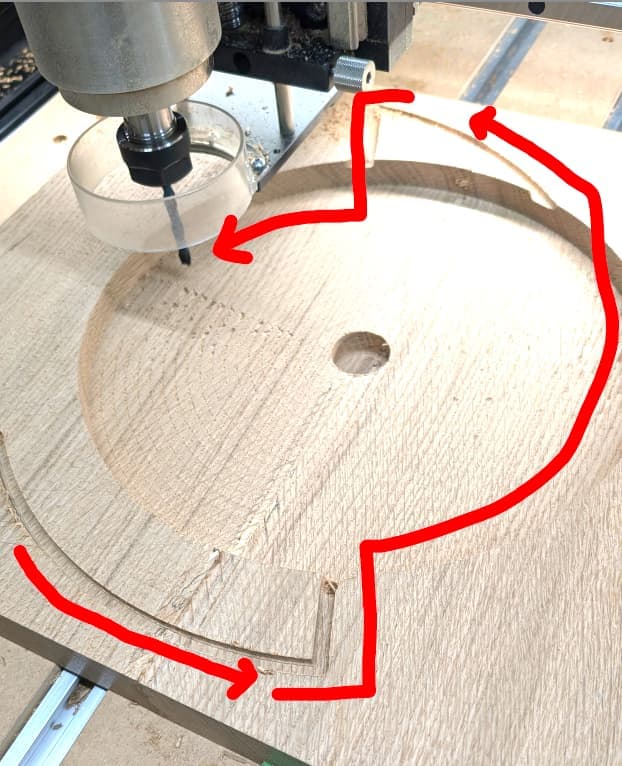
Super simple. Everything went fine while it hogged the circular dado in the middle and then carved through the center hole. Then it went to start doing the cutout and it started a very odd path:
I didn’t notice any missinng steps (I have a 5pro with the 80mm spindle and it wasn’t getting pushed). But even if it missed steps, look at the path it took…why would it cut to the middle, continue the curve, then cut to the outside again and then return to the inside to move to the other side?
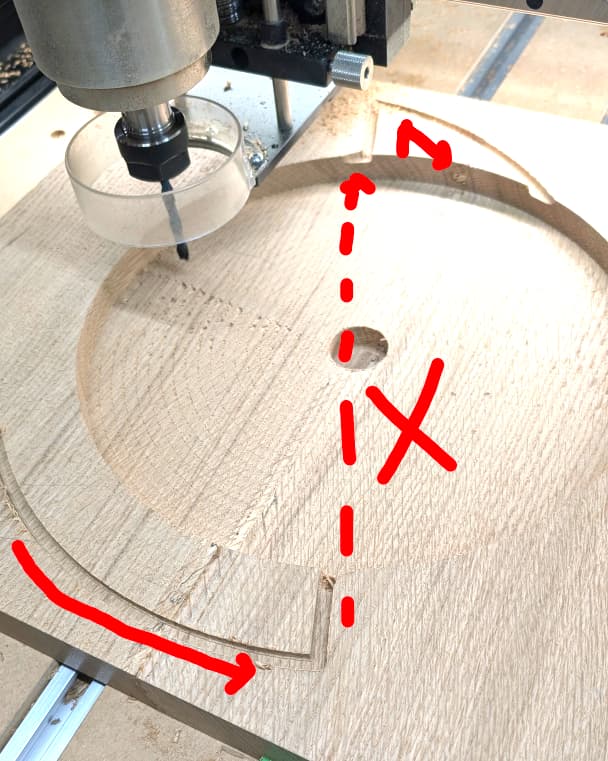
The distance from the center to where it started the path is correct…so it doesn’t look like it shifted… It just kind of took it’s own course.
Can anyone suggest why? I have three more of these to do…preferably today.
ah, sorry. i missed that. i’m guessing that this was an issue with the head not retracting far enough so it was moving to do the outer loop but didn’t retract enough and went through the material instead of over it.
That doesn’t reallyi make sense…the path is a circle, this time, it changed directions…it made a hard left to the middle, then took a right and followed an inner circular path around then made a hard right to get back to the outside…went circular for a bit then made another hard left and cut to the middle. If it was off a step or two, or retract issues, it would have tried to continue on the circular path…but it didn’t. It should have just gone around in circles. And, the fact that it returned to the middle and then started taking the inner path around the circle makes no sense either.
EDIT: Just be clear, it DID NOT go straight across the middle like this:
Anything like this my default is reinitialize and rezero, and if that doesn’t solve reboot and repeat.
I had a weird issue this reminds of once due to lost steps. Its hard to explain.
I had the spindle stall early in a toolpath because of too deep a plunge programmed by mistake. Hit pause immediately, stopped the program, and retracted. On my 2 x 4 table, with X0Y0 at the SW corner, the stall happened about X6 Y12. I have some index holes in my table at X40 Y1 and X40 Y23. I check with the 1/4" bit and it dropped right in. Thought it was good, regenerated the program with shallower passes and ran it again…
The cut was off over on the left side of table where the issue happened. Checked the index holes at X8 and it was off by I think about .125". In other words, the spindle was positioned correctly on one end of the table and not the other. Like the coordinate system was distorted.
Anyway, after scrapping that piece, I reinitialized and re-zeroed and it cleared.
I don’t see any sign of lost steps, but its possible. The other is mechanical. There was sort of similar thread recently that turned out to be bearings and pulley Erratic controller behavior
OK…I did some more debugging and it is something with the material and depth of cut. There does not seem to be anything wrong with the machine…proof is upcoming.
I put zero above the workpiece and reran the job that failed…and it completed it’s curve correctly…which means, it’s something that it’s hitting that’s resisting in the cut and it’s getting thrown off. So I’m going to reduce the DOC and see if I can get it past that point.
I also found that my starting depth for that cut was set at .15 from a previous iteration…when it should have been 0, so it was cutting a lot at a time…I’m guessing that’s the issue. Changing everything and trying again…I expect success.
YUP…that was the problem. It was trying to cut about .2" deep into White Oak on a circular path at about 120 ipm (80mm spindle) and choked. It must have been the forces at that particular angle to the grain for it to happen on both sides of the board 180 degrees apart from each other. Interesting lesson.
Glad you figured it out. Side note. I have found circular toolpaths more stressful and prone to lost steps. The machine in continuously moving in 2 axes and proportional tool engagement is higher. As opposed to a linear X or Y move or even diagonal. I have no data to back this up, just my observation with the 65W spindle. Bit strains more on the curving portion of a 100im 40% stepover cut than it does on the straight portion. My most commonly used bits I’ve created a duplicate tool db entry for each meant for circle cuts with less aggressive feeds programmed, so I don’t forget.
Yeah, i had something like that before, all sorts of different reasons, …sometimes even the vacumm brush makes a tight enough seal in deep pckets and messes steps too. Good luck man
I cut out a couple loops i hung from the ceiling on chains , did the job , quick,cheap. Get less static too, no more strong arming the hose. Too old for that lol