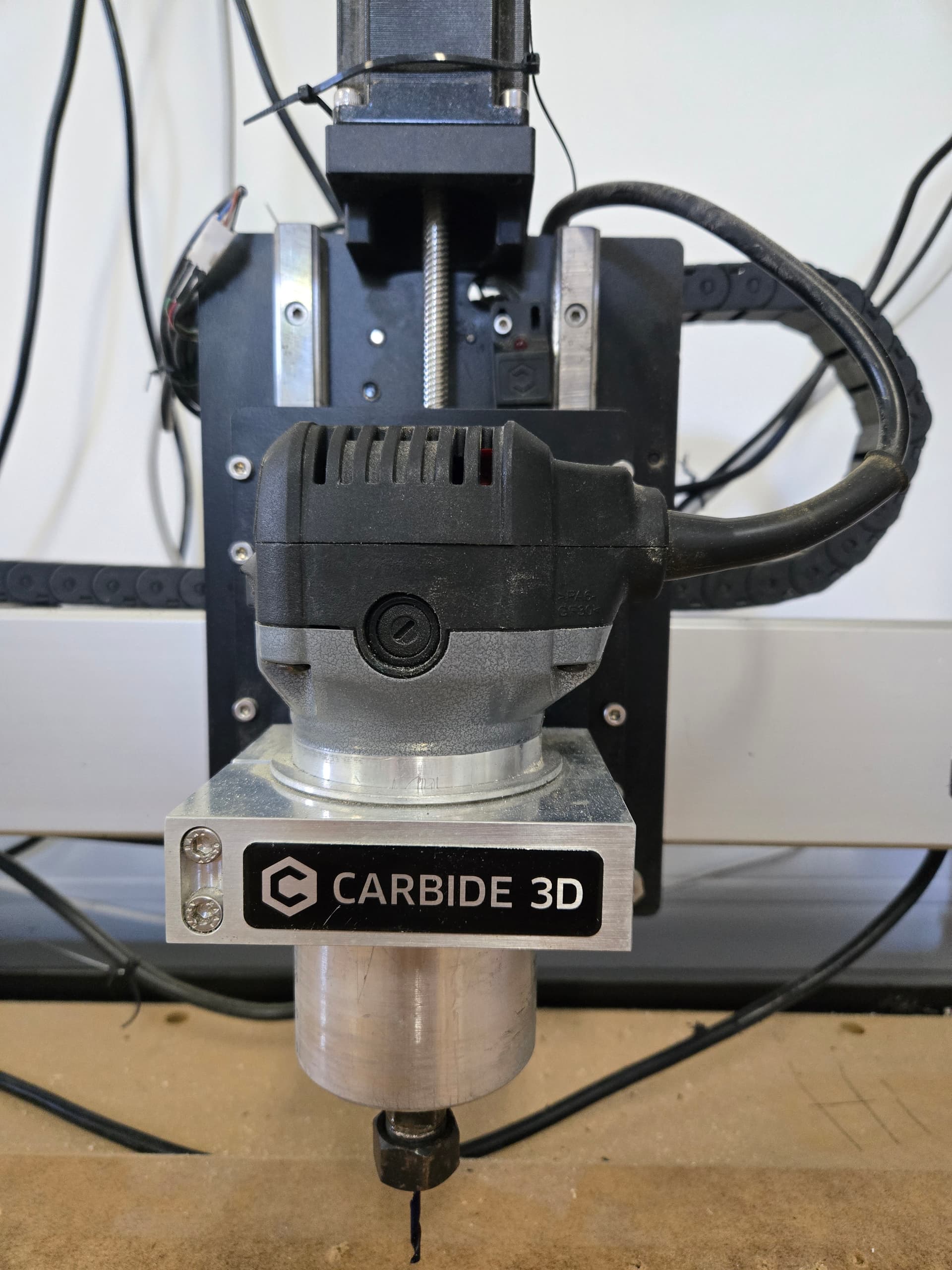
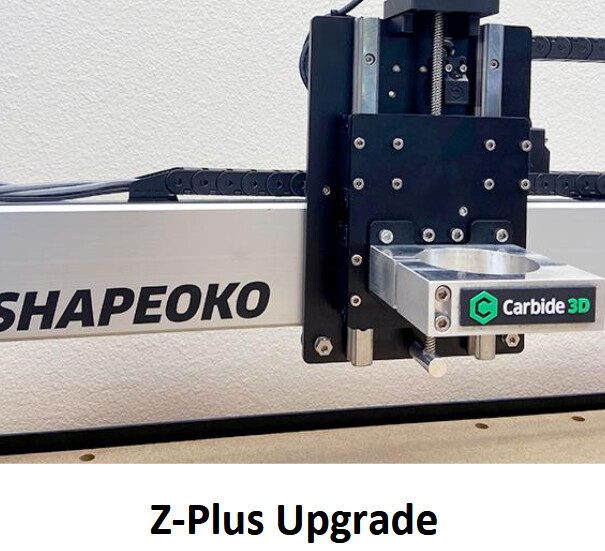
So I just got an old SO3 XXL that appears to be in pretty good condition. It has the Z-plus carriage, and someone upgraded to the EM limit switches.
I’m noticing that I appear to have very little Z-axis travel. I haven’t measured it, but it appears that there should be no reason why the router can’t lift quite a bit higher, other than the position of the limit switch itself.
Am I missing something here, or is that switch in the wrong place? In the attached image, the Z is fully ‘up’.
I think so, but can you tell me how, just to be sure?
Yes, I’m using the PC that came with it. Carbide Motion was already installed.
I did check the settings, and some of them did not look correct, so I made a few tweaks.
For example, the machine size was incorrect. It was set on Shapeoko3, not the XXL, so the travel limits were wrong.
If you look closely at the image, you’ll see that the top of the Z-axis sled is touching the limit switch, so that’s what is preventing it from moving any higher. I’m just wondering if that switch is in the correct place or not. If anyone has a link to the installation guide for those switches, I can check myself.
Hey @Elmojo Are you saying that Z travel is being stopped by the the top of the router plate tripping the proximity switch? It shouldn’t. The Z-axis is designed such that the router plate should travel past the proximity switch all the way up to just short of the Z-motor mount. If your proximity switch is triggering on the top of the router plate, the prox switch it is probably not laying flat enough on the carriage plate and/or is cocked to one side as shown. You probably need a second screw to hold the switch flat against the X carriage plate and square… Mine was really sensitive and had to be positioned just so in order to not trip on the router plate.
Also, there is a chrome pin on the back side of the router plate that triggers the proximity switch and stops the router plate as it is rising in Z. You can’t see it from front, only from above looking down between the router plate and carriage plate. It screws into the backside of the router plate about 2" down on the right side between the lead screw and right rail if I remember correctly. Adjust the height of the prox switch so that the pin trips it just before the top of the router plate hits the Z-motor mount. This will optimize your Z-height.
I’m pretty sure I understand your explanation (thanks for the details, BTW), but there’s no way mine will do that in its current physical configuration. Take a look at this…
You can see that the limit switch is hitting the top of the rail slider. In this position, there’s zero chance of it traveling any higher.
That has to be the wrong position for that switch, right?
Yep, that’s not right, you said the limit switches were replaced correct?
I looks like that switch should be moved to the left and mount the bolt in the right side of the limit switch. It should clear the linear bearing then. I believe it should also have two bolts mounting the switch.
Sounds reasonable.
I tried to look up the instructions, but the link from the Carbide store page for the proximity switches is broken. It just goes to the general hardware support page, and none of the SO3 links seem to cover installation of the prox limit switches. Perhaps one of the Carbide folks could provide a link to the installation instructions… please?
In the meantime, I moved the switch as suggested. It appears that someone broke off the left-side screw, so I had to just stick with one screw, in the right side. It seems fairly solid, but I may try to go back and get that broken stud out and put in the 2nd screw at some point.
Hopefully, this will allow the sensor to pass, and give me the extra Z-travel I was expecting.
Do I need to do any sort of calibration to get it to ‘see’ the new configuration, or will it pick it up on its own?
Just for clarity, no, it was not working previously.
What I changed was settings that were obviously wrong. The travel area was set incorrectly (it was set for a standard size SO3, not the XXL), and had a bitzero enabled, when none exists.
I’m fairly careful with tweaking settings without knowing what they are.
It was refusing to travel the full dimensions of the bed, so I went looking for the culprit, and found the above.
Speaking of travels…how do I speed up the “fast” travel rate? It’s awfully slow. I’m used to machines that have a rapid jog that will move across the full range of an axis in maybe 4-5 seconds. This one is more like 15-20. It’s killing me. lol
The photo posted from Bozo (Thank you sir!) clearly shows the switch offset from the linear rail which would allow the linear bearing to clear to allow full Z access travel.
Thanks! That’s what mine looks like now, after I moved the switch to the new position.
I’ll test it when I get a chance. This is a busy week…
I appreciate all the quick replies. I’m certain I’ll have many more questions about this machine, but so far I’m liking it a lot!
I’ve confirmed that moving the limit switch has indeed restored my full Z-axis motion. Thanks to all who helped figure it out!!
As for the slow jog speeds, I read through the thread posted by @WillAdams. It looks like those settings must have already been incorporated into the default firmware (is that the correct term?), because running $$ from the MDI and checking the log shows that all my values are already at or above the “faster” settings mentioned in that thread.
However, the jog speeds are still really slow. Perhaps jog speed wasn’t one of the parameters that was tweaked? I don’t know enough about GRBL to know.
Any advice appreciated. I feel like I need to go get a sandwich every time I do a manual jog on this thing…
The maximum manual jogging speed when using the Jog interface in carbide motion is 5000 mm/min. That’s a hard-coded limitation* for safety, and has nothing to do with GRBL settings. Using the rapid positioning will be a little faster though I believe. Best strategy is to use rapid positioning to get close to your desired position, then use the manual buttons to fine-tune.
*just to make sure, you’re not using some really old build of Carbide Motion, or a 3rd party gcode sender, are you?
That’s possible. I’m using the one that was on the machine when I got it. I don’t know which version it is. I didn’t update it yet because I wasn’t sure if all versions of CM were compatible with all control boards. I didn’t want to break anything.