at about the 80% mark the y axis got off track up about 1in and x axis off to the right about 2.5in.
for info carbide create/ motion is up to date. i do use windows for design and transfer to a macbook pro using a usb drive.
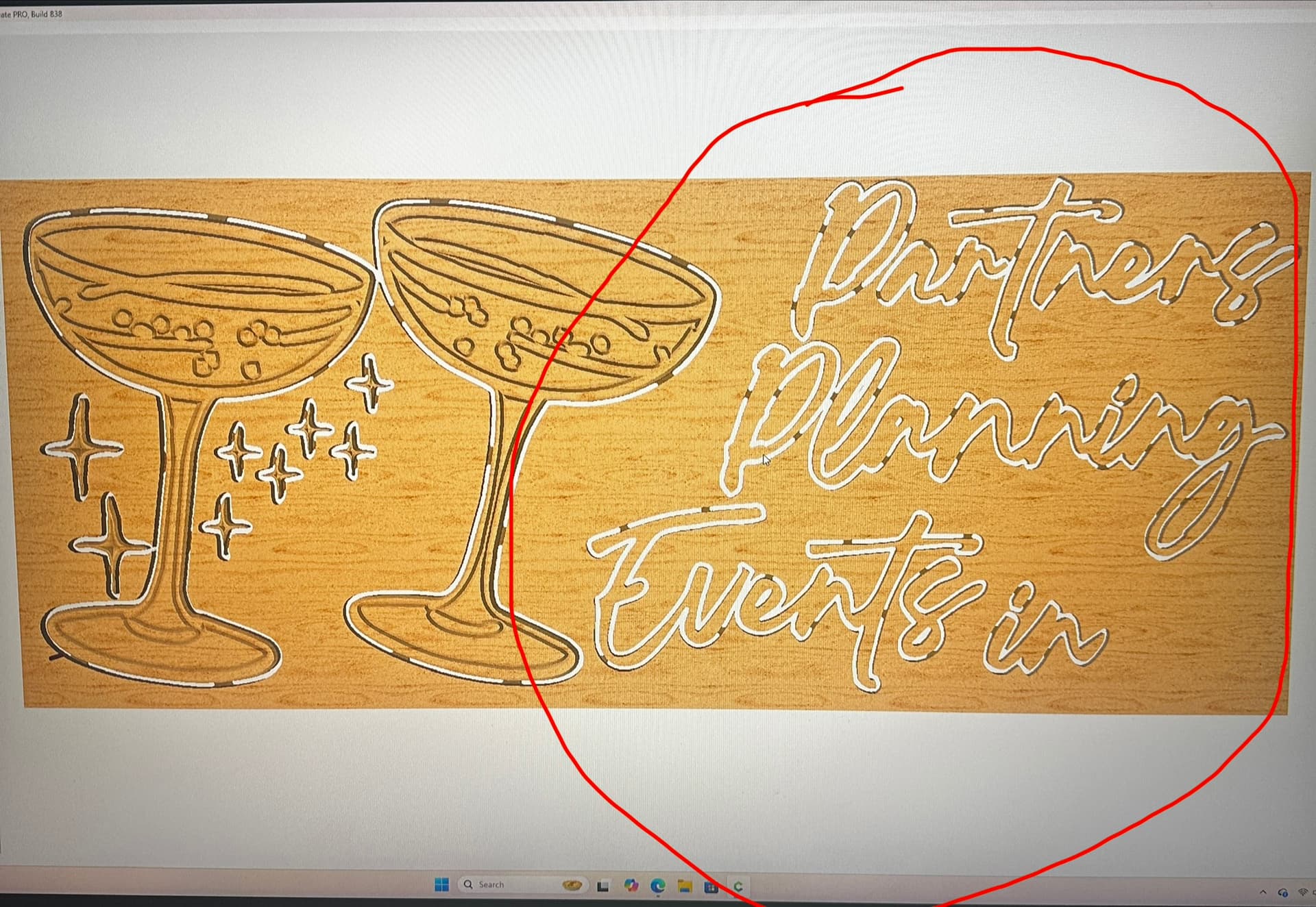
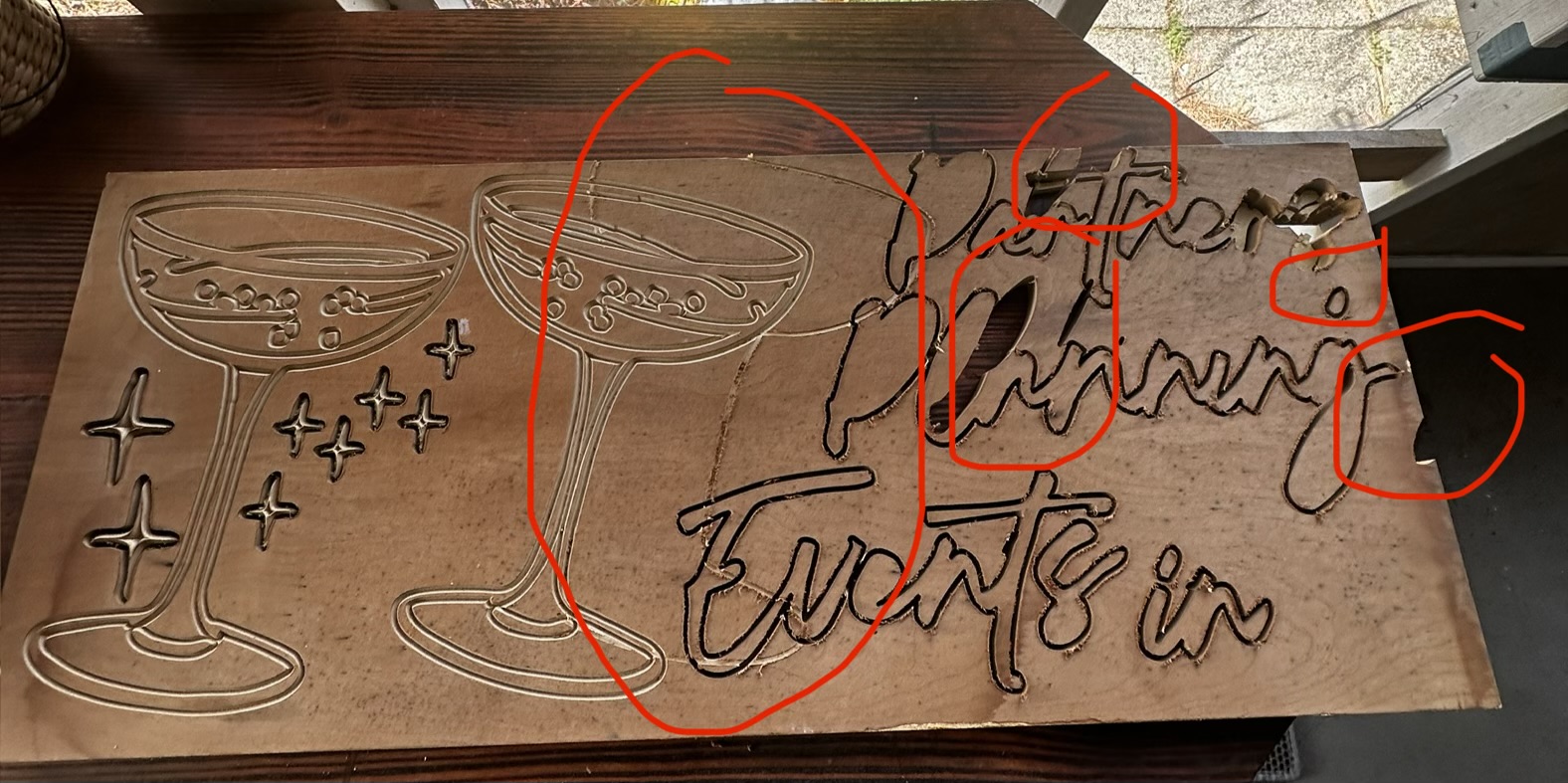
Another consideration is Climb vs. Conventional Milling and tooling engagement — where possible avoid slotting and add geometry and cut as a pocket
and/or
and consider leaving a roughing clearance and taking a finishing pass.
One guess among many possibilities: the material looks thin. It may have been secured well around the perimeter but not in the interior and this allowed the material to flex (up) when the upcut bit engaged that area. As the material flexed up, the bit was ‘grabbed’ by the material and this caused enough radial force on the bit to pull it off the intended toolpath with resulting lost steps at the stepper motors ( this will often pull the bit down in Z as well, making later cuts too deep). These lost steps effectively introduced an offset to the remaining cut.
A few things to try:
- If the material is thin, you could try using double sided tape to secure it better.
- Reduce the tool engagement by decreasing the depth of cut or feed rate.
- Use of a down cut bit may help since to will tend to push the material down rather than lift it.
Cheers.
edit: after staring at your posted images, I do not think the explanation above is correct. If it were, then there should be a cut engaged in the material which is at first correct and then drifts off. I do not see this in your images.
1 Like
Can you post the c2d file or the Gcode used to cut the sign when the problem occurred?
My second guess is that something interfered with machine movement during cutting of the s in Partners (maybe a clamp got tangled up with the dust boot causing lost steps). From that point forward the cut was off. If the file is posted, the toolpath may help confirm this.