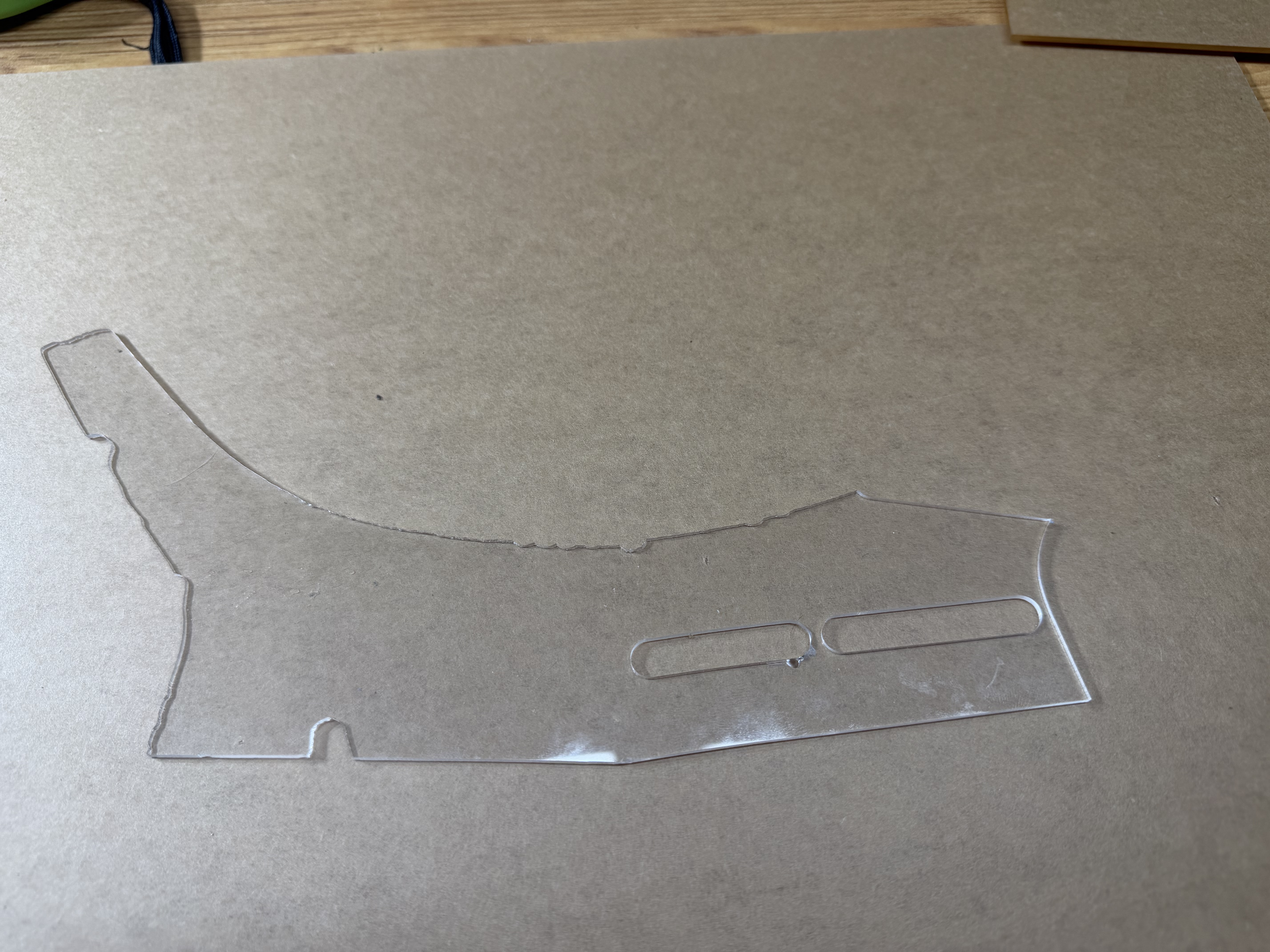
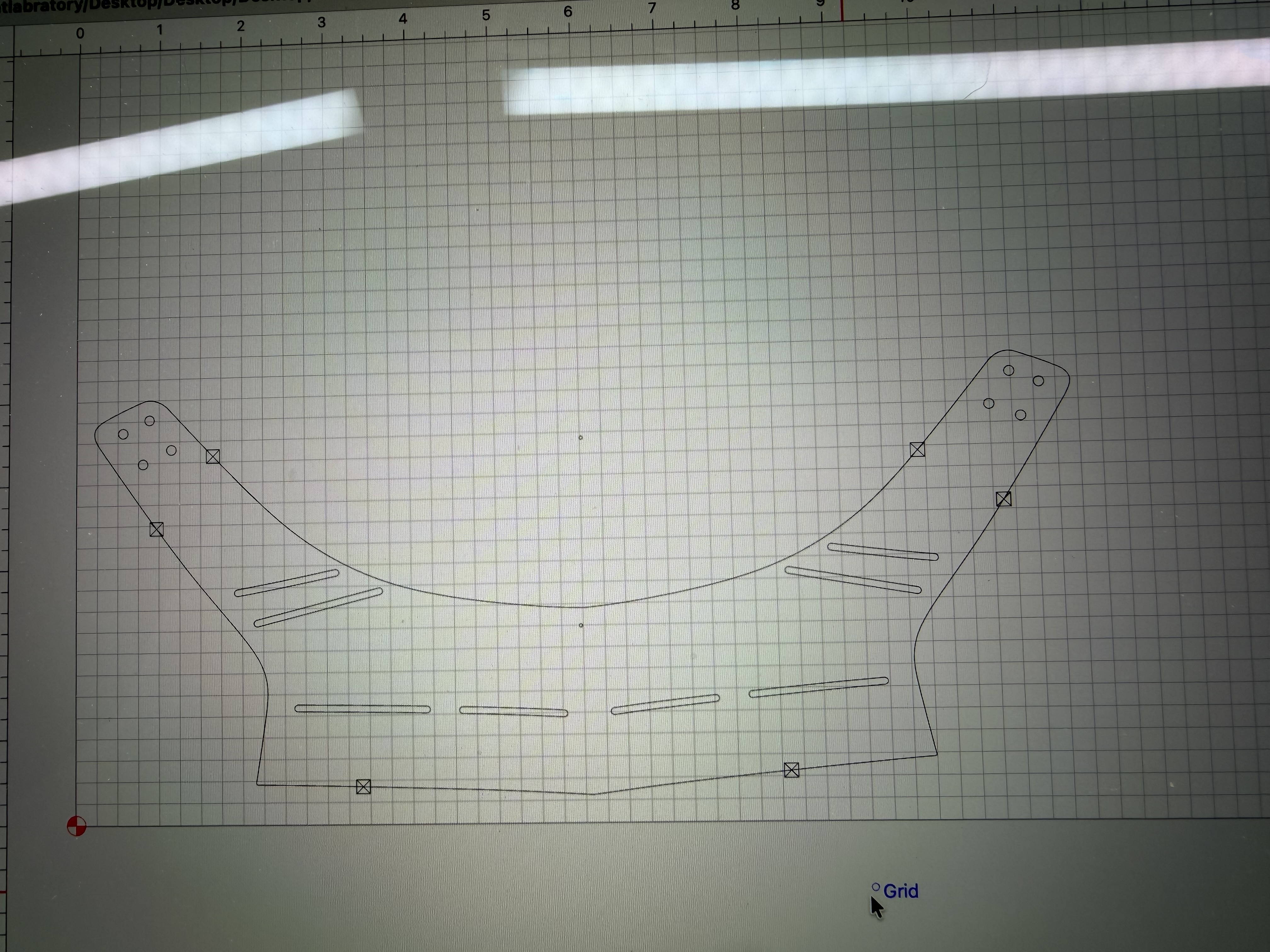
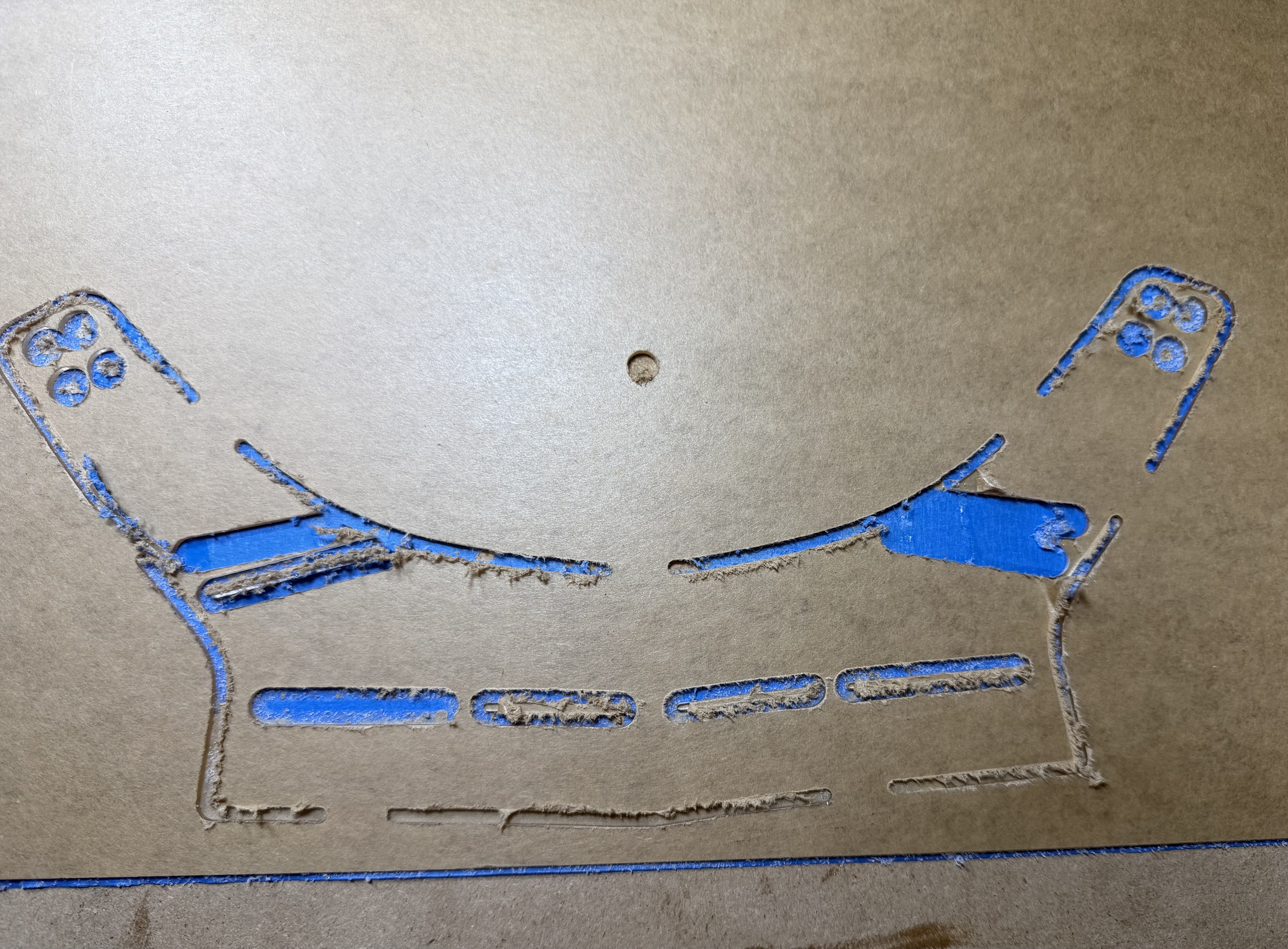
I think I learned a few things. Tape and glue down acrylic to a flat board and not just onto the slats. Maybe cut outside and not on the line? Use a smaller bit as the registration mark will definitely be too big.
Any other suggestions? You can see what I was trying to cut out and the result.
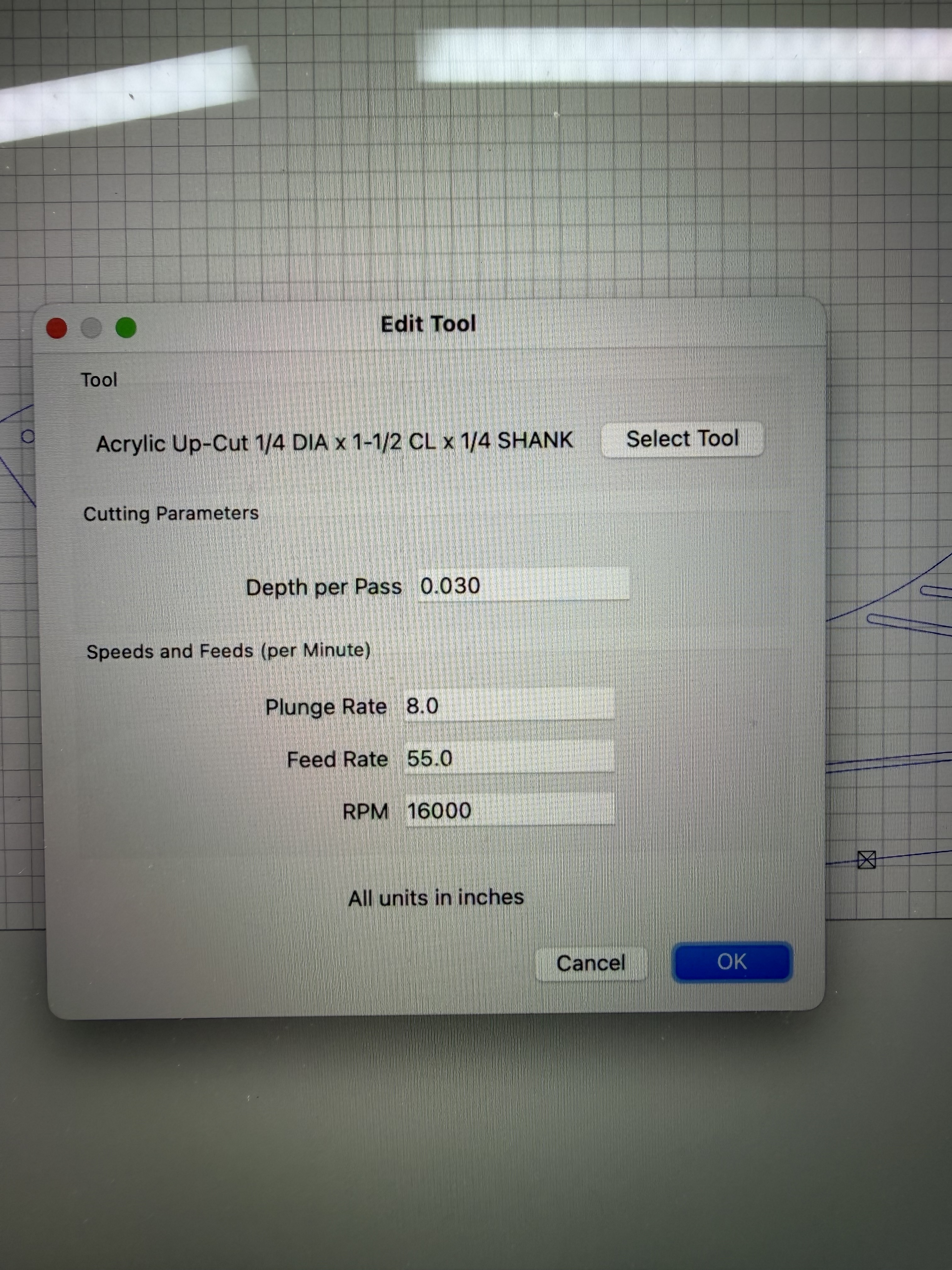
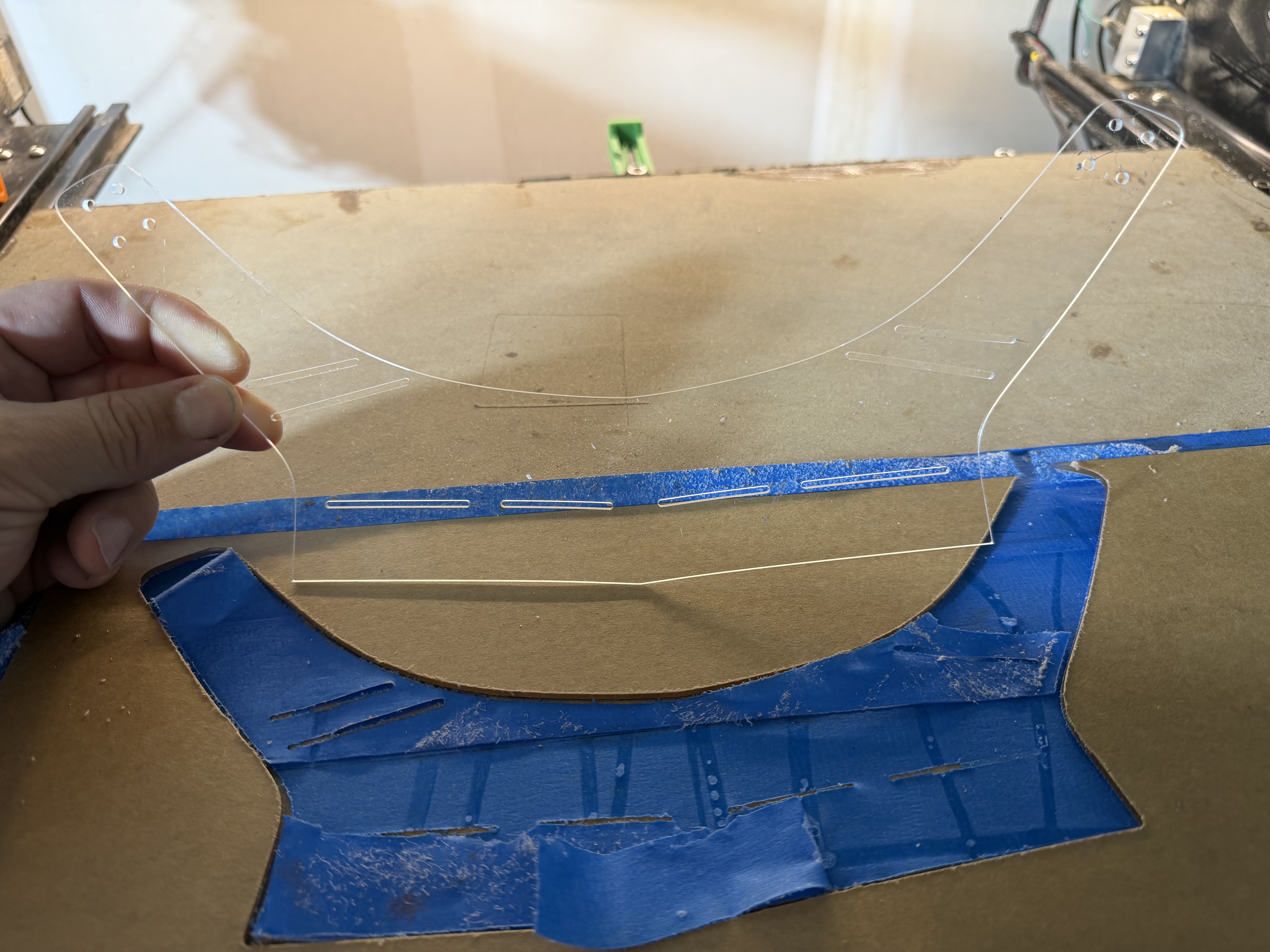
2nd attempt with a 1/8 0 flute upcut bit this time following above guidance. I think I need yet a smaller bit still as the registration marks are far too wide. What’s the smallest bit I can get away with?
Your slots appear to be smaller than 1/8". You will need a cutter equal or smaller than the slot. Smaller is better. Then you need to use a contour or cutout path inside the slot. It looks like you cut ON the line, rather than inside it.
-the slots and holes certainly look narrower in the sketch than on the cut: a bit cannot be larger than the slot or the hole. That is why the right upper “wing” broke off: the slots reached the contour with no material to hold any more, For those rather narrow slots and small holes I recommend to have a pocket cut.
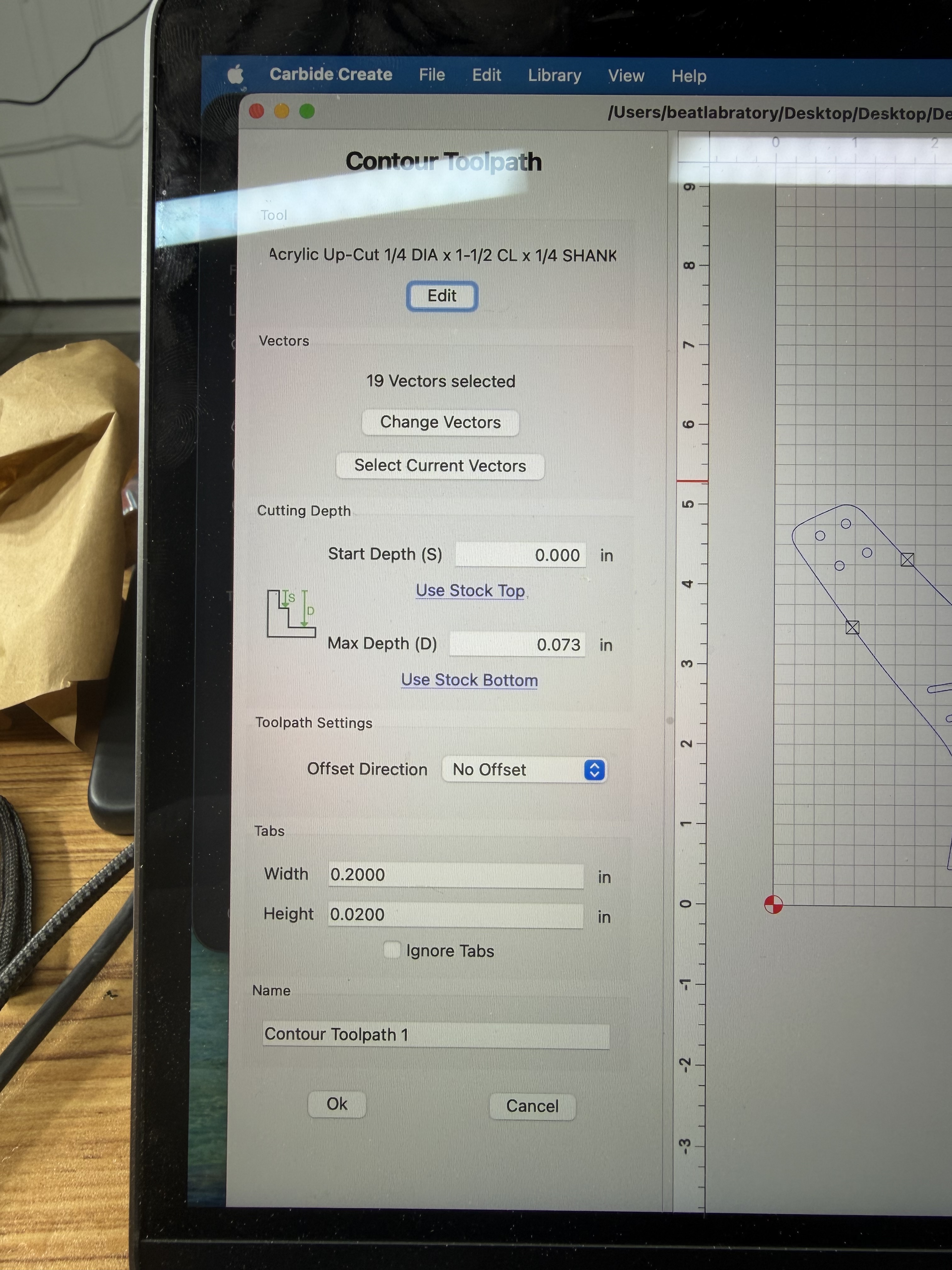
-the outer contour cannot be cut without offset, in your case the outer contour must be set “outside”.If one cuts w/o offset the bit cuts 1/2 of its diameter inside and the other 1/2 outside the contour.
-use O-flutes, not just 1-edge-bits for acrylic and plastic.
-the speed as low as possible, 8000-10000, and the feed as fast as possible. In the beginning use the rather conservative C3D settings, but quickly go up with the feed. Acrylic is heat sensitive: one wants to avoid heat. How does one produce heat with a rotating tool? Having a large surface rubbing on another for a long time. To reduce the heat that means: have little material to rub on each other, hence a O-flute, that not only has one cutting edge (2 or 3 cutting edge-surfaces means much more surface to rub on the acrylic = more heat), but instead of an edge it only has a tooth: much less rubbing surface. And reduce heat by getting the rubbing surface as fast away from the plase as possible: highest feed feasible.
instead of cutting just slots on the outside one should design a cutout: instead of a slot with the bit rubbing on both sides of the slot every time it cuts another round it does so only once per round, does not get stuck by the chips, and is not diverted by the pull of the cutting edges that bends the bit much more than one would imagine.
-the left lower corner is cut deeper than the right lower corner: the spoilboard is not even. Should be flattened.
-if you use thinner bits: buy some cheap ones, you will break some, and try first with plywood of the same thickness: acrylic is sh!tty expensive. Plywood must be cut with higher speed and lower feed. Can be adjusted later, but with plywood one can see the dimensional accuracy.
-extensively use the preview function in CC. unmark “show toolpath” to see a rather precise preview.
Extruded acrylic generally has a lower softening/melting temperature than cast acrylic, therefore as you do use cast acrylic.
However with careful cutting settings the temperature diference should not be that enormous that extruded acrylic cannot be cut, always set the machine that you produce chips. I remove the protective foil from extruded acrylic before I work with it, the foil is a mess on the bit, and is difficult to remove from the cut, the same with the “paper” protection of the cast acrylic, just a little less on the bit, but removing the foil from the product is very tome consuming: I remove usually the cut side of the paper foil before the cut.
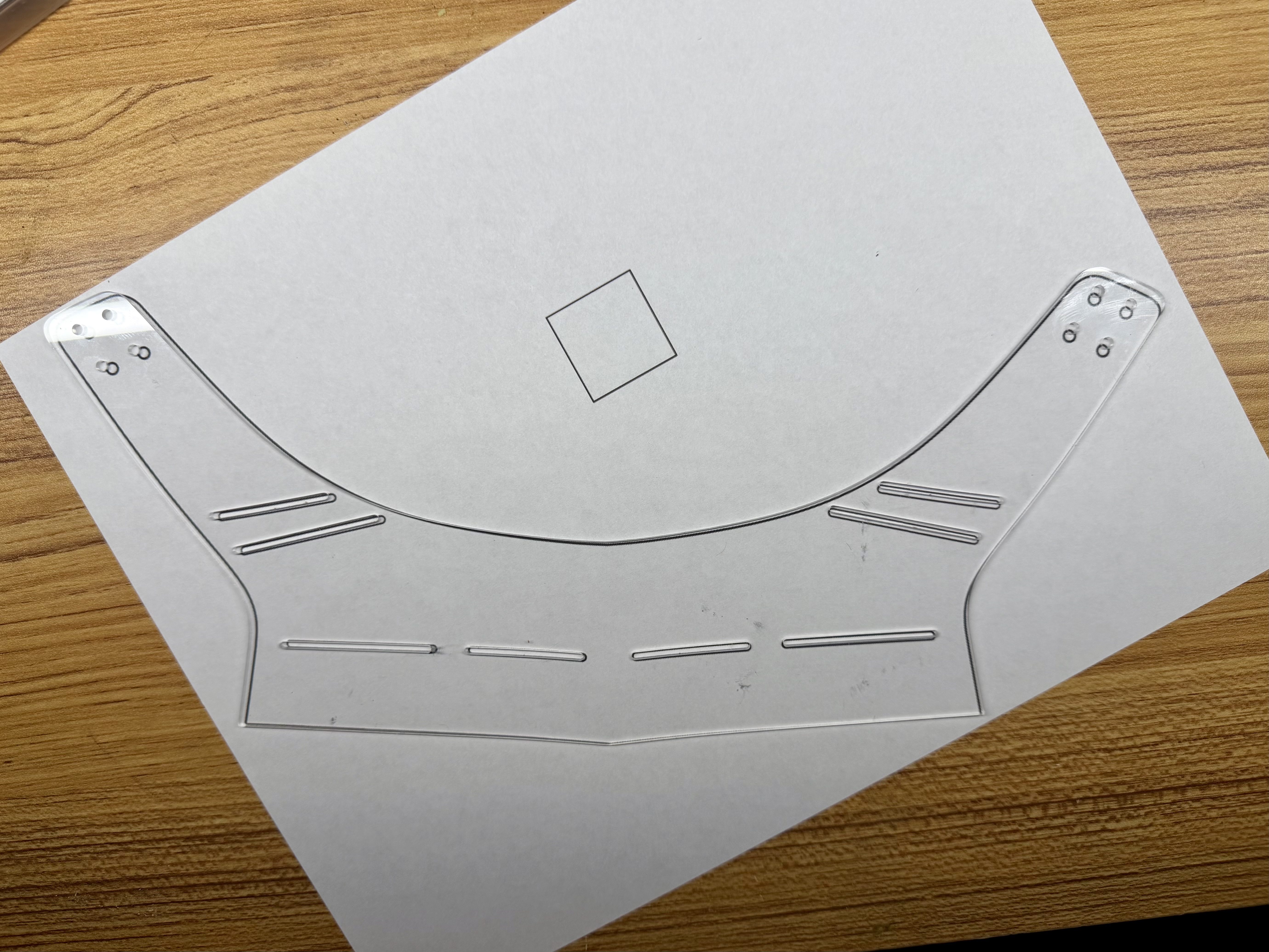
Hey all, I didn’t see these most recent replies before trying again with a 1/16 0 flute up cut bit. Would printing the template out, cutting it out and comparing to this piece be the only way to be sure of accuracy?
Comparing the first cuts to this one, wow. Great improvement.
Looking at your template lineup with the cut piece, I see discrepancies. How did you get the template dimensions into Carbide Create? There are a number of ways to get the design into CC.
If you include the CC file, we can help you get it straightened up.