There are several flattening bits available, CC has the McFly and I use one similar from Woodpeckers that I had prior to the 5Pro. It is 1” diameter.
1 Like
Yes, as previously stated by Tim, there are a few different choices to go with. A 1" surfacing bit is good, even going up as far as 1.5" would be fine. I wouldn’t go much further then that because of the shank size of the cutter. I use the insertable surfacing bit that is 1.5" in diameter and has the replaceable inserts. This way I can use the insert until it gets dull or chips, then rotate it to the next cutting edge. To me this is more cost effective instead of replacing the whole tool that has welded in cutting edges.
2 Likes
Locating the zero for a piece of stock relative to Zero is done using a BitZero — there are only 4 possible probing options:
- XYZ fully registered at a corner
- X at a corner (or edge if using a v1)
- Y at a corner (or edge if using a v1)
- Z when the unit is fully on a surface
which were gone through at:
and which need to match Job Setup which has four position options:

and two height options:
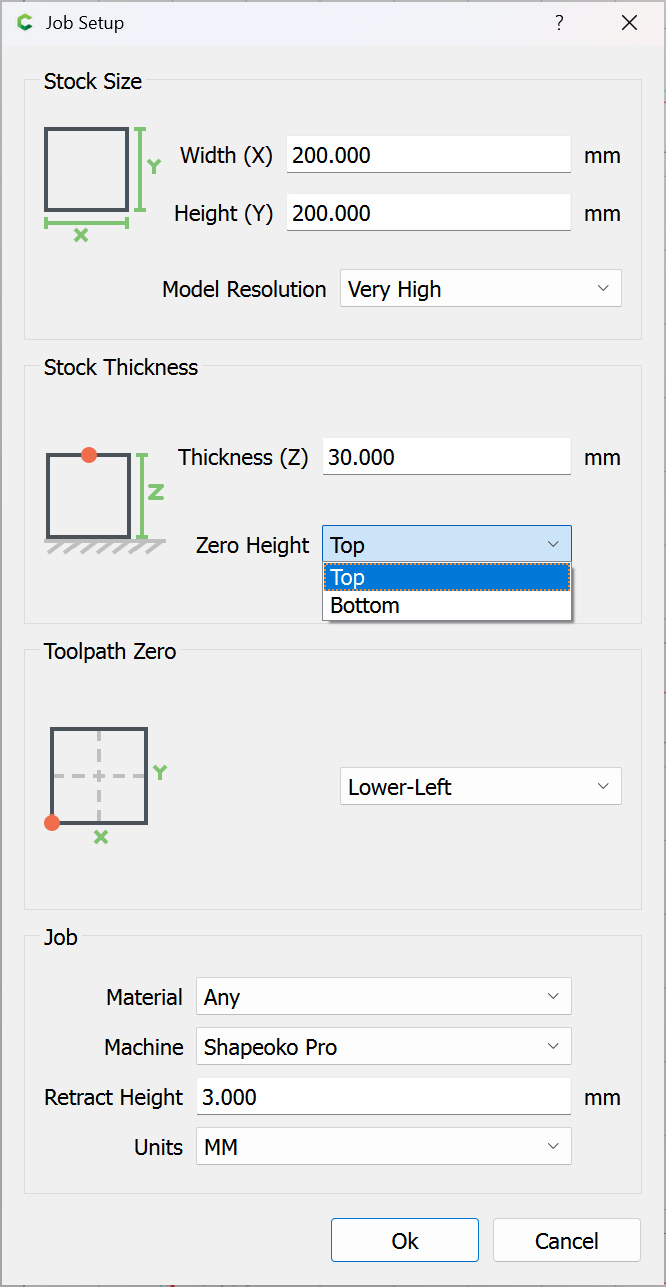
as described at:
https://carbide3d.com/hub/courses/create/job-setup/
If you will let us know step-by-step
- what you did
- what you expected
- what actually happened
we will work with you to determine if the difficulty is in the electronics or some other aspect of the machine.
This topic was automatically closed 30 days after the last reply. New replies are no longer allowed.