What is the best website that will convert a logo into a workable vector file for me? I am not good at taking a file creating a workable vector. I am about to just start paying someone. Who is the best?
Try inkscape. It has a trace option
Carbide Create has a facility for this:
but why are you asking after tracing or creating when you have a file which simply needs minor editing?
Assuming this is in relation to:
1 Like
I’m gonna dive into the training first thing tomorrow with a fresh brain. Thank you for everything. I had a bad day and none of my work was coming together today. 
As the fox said, some days chickens, some days feathers. We all have those days. Just keep moving forward. 
1 Like
https://convertio.co/ has worked well for me depending on the source image. I’ve used it to convert JPG and PNG files to SVG which can then be imported into Carbide Create directly.
1 Like
We’ve seen absolutely insane files come from Adobe/Inkscape/Convertio. We always recommend starting with tracing in Create because it’s specifically made for this application. If that doesn’t work for your images, you can move on to a third-party option.
1 Like
The issue is, this file is multiple colours:

so would require multiple scans using different threshholds (unless one was fortunate enough to have one work out)
A further issue is the inconsistent bordering around the colour transitions.
Tried it in:
https://www.visioncortex.org/vtracer/
which made a mash of said transitions and didn’t seem to yield a usable result:

Ideally, there would be a black-and-white version of this, which would of course trace nicely (if a suitable resolution) which could then be used in a straight-forward way.
Hopefully, the fixed version:
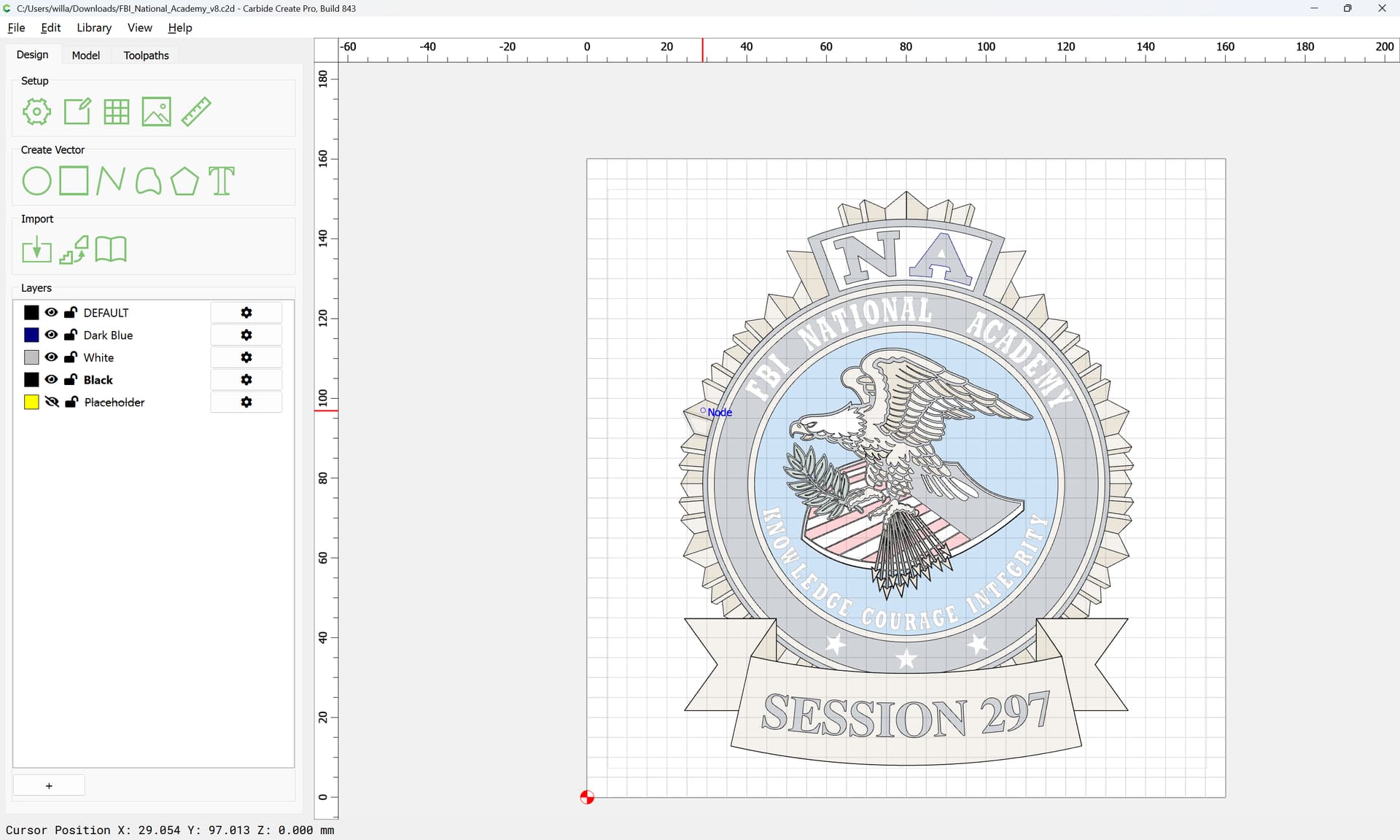
will be an acceptable starting point for @SwatBoss226
1 Like
This topic was automatically closed after 30 days. New replies are no longer allowed.