Hi all,
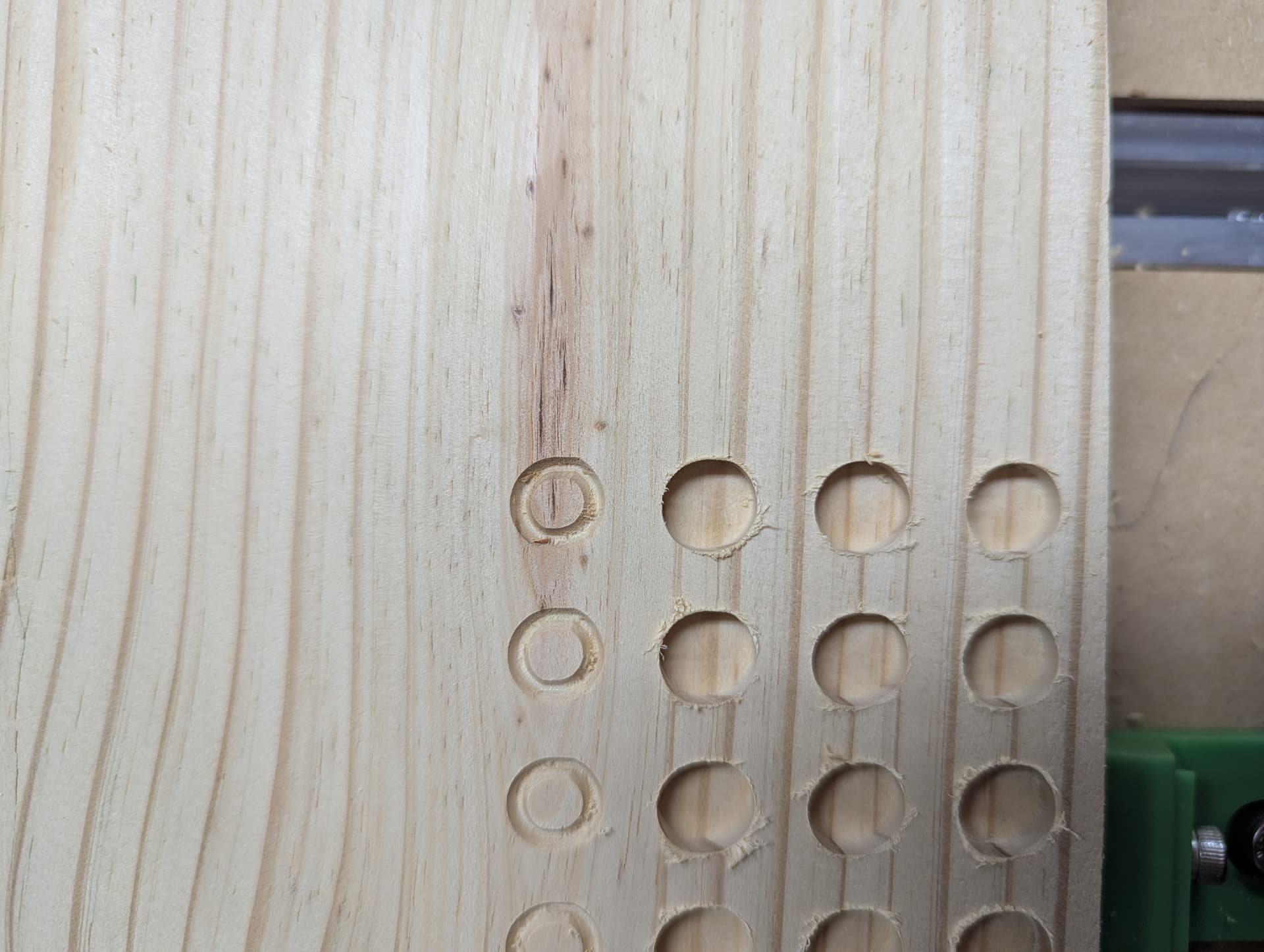
I recently moved and had to disassemble/reassemble my 5 pro and on my first cut it gave the circular holes a leaf-shape where there were two “points” on opposing “corners” of the circle. On the handle of the hammer where the piece was to be rounded, it instead put a point again on opposing corners of the piece. Very strange. The file looks good and I don’t think the error was there…is there a calibration step I need to work this out? Everything else seemed to cut fine.
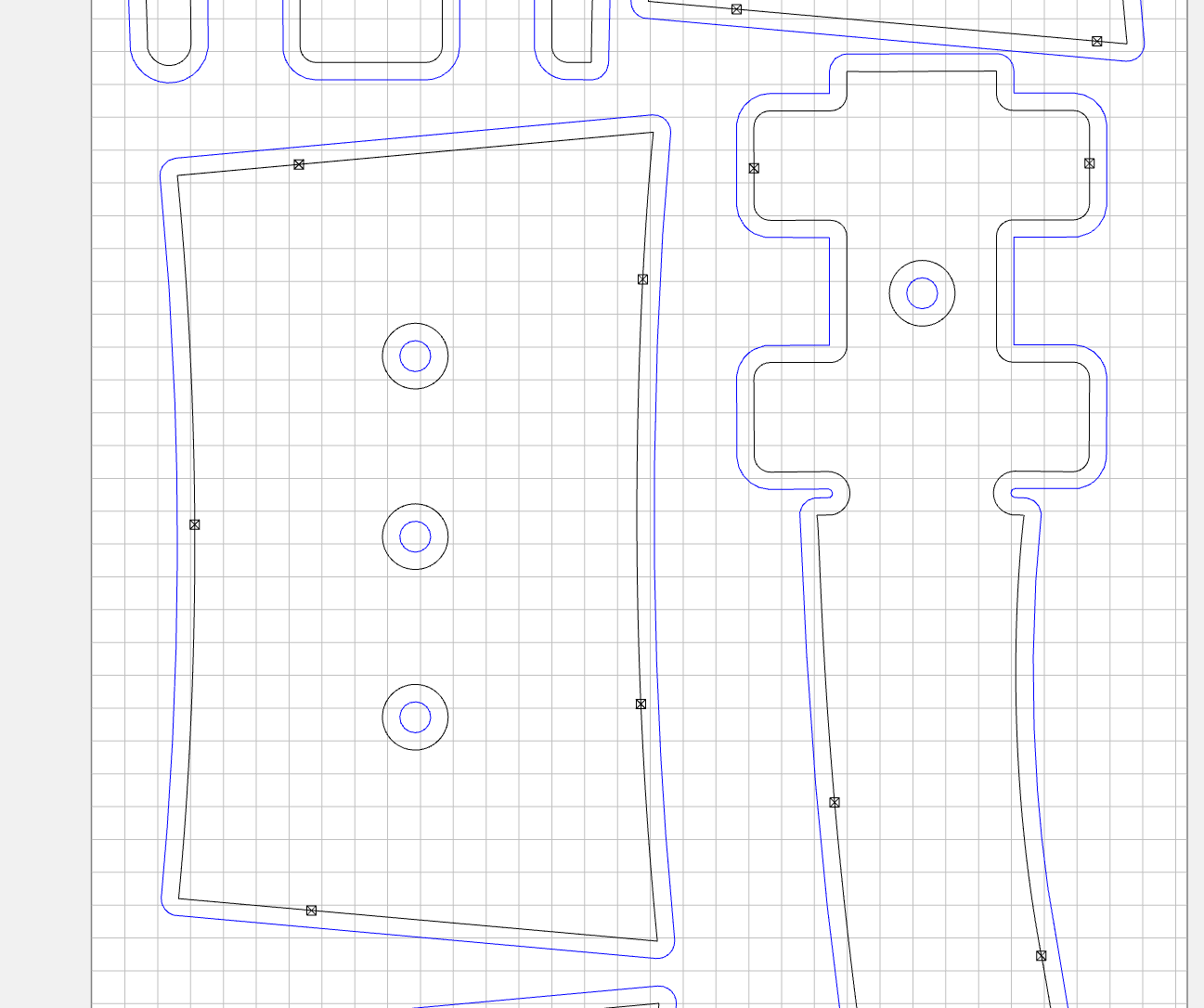
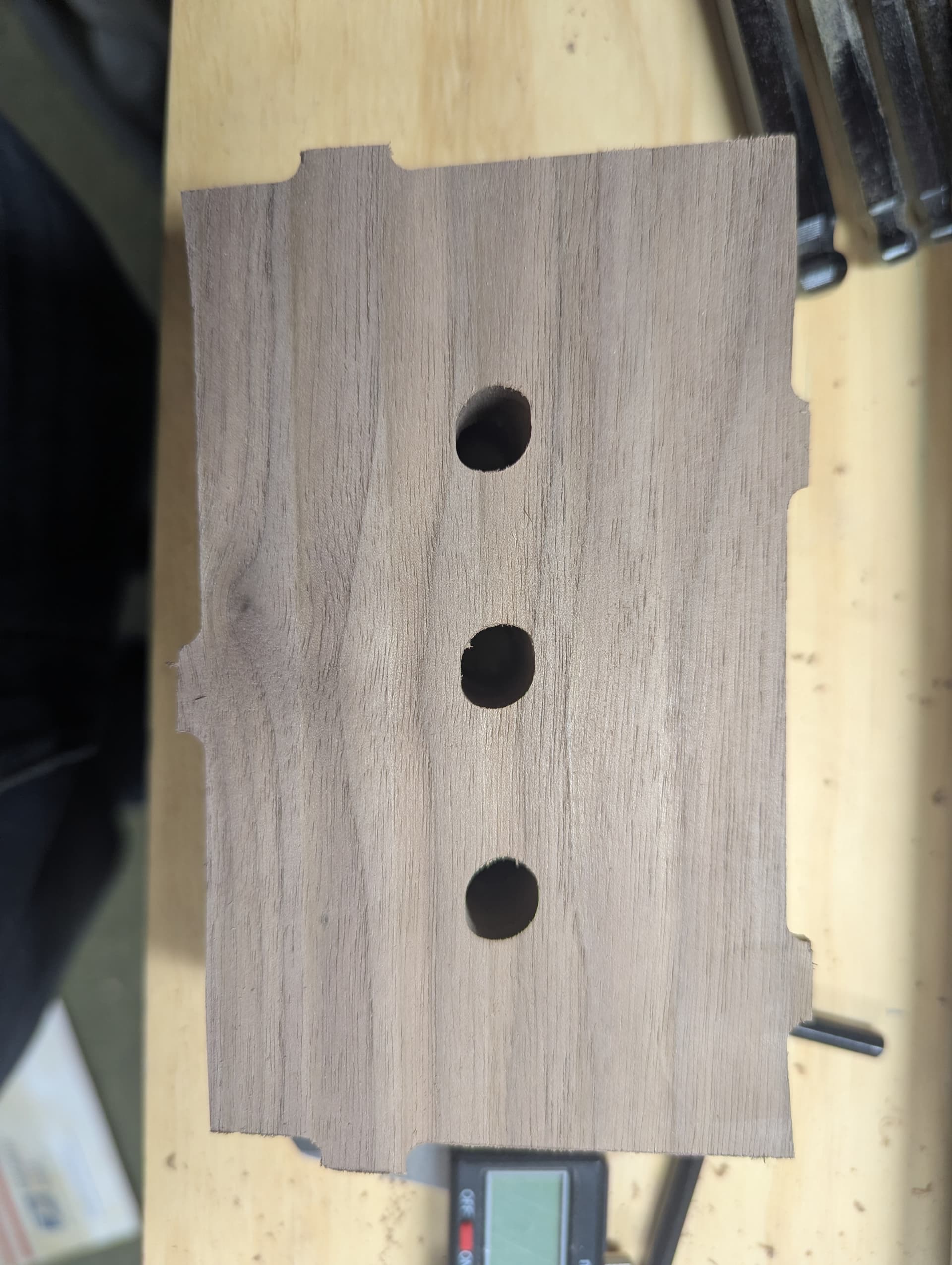
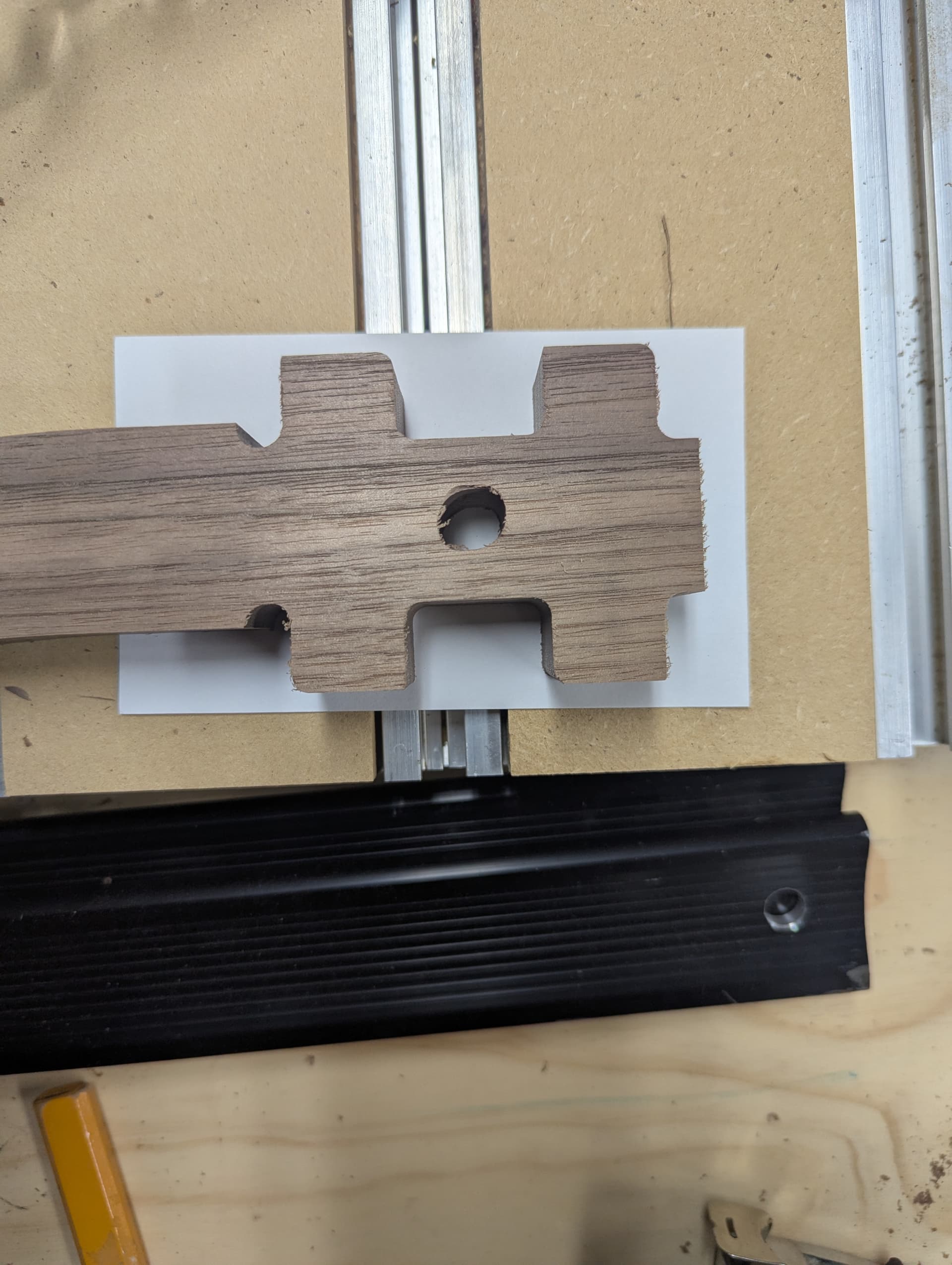
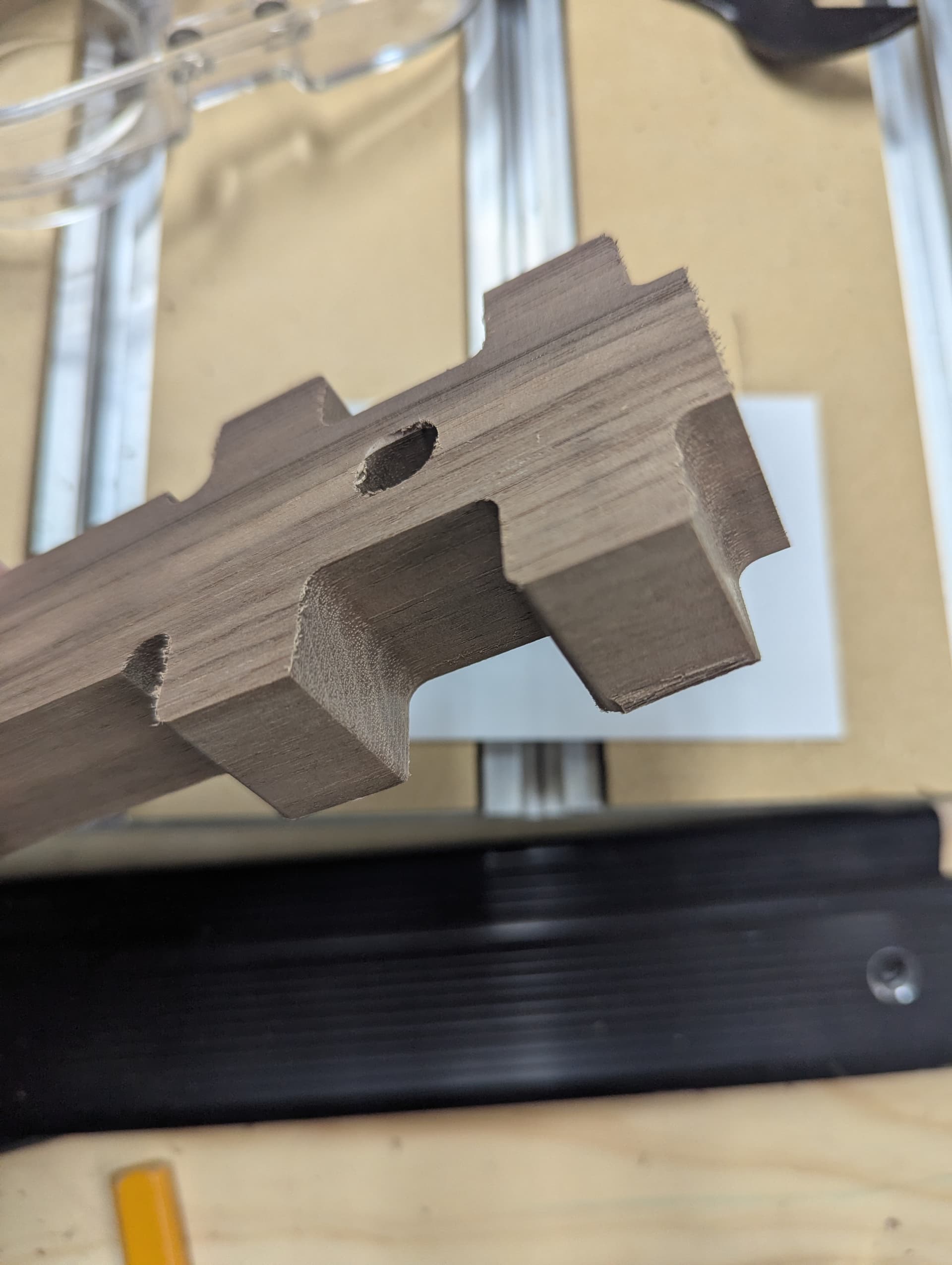
Tool deflection most likely.
If you have Carbide Create Pro you could use an Inside Contour and set Stock to Leave to greater than the defect you are seeing to make a roughing pass, then have a second toolpath which cuts to the final dimension as a finishing pass.
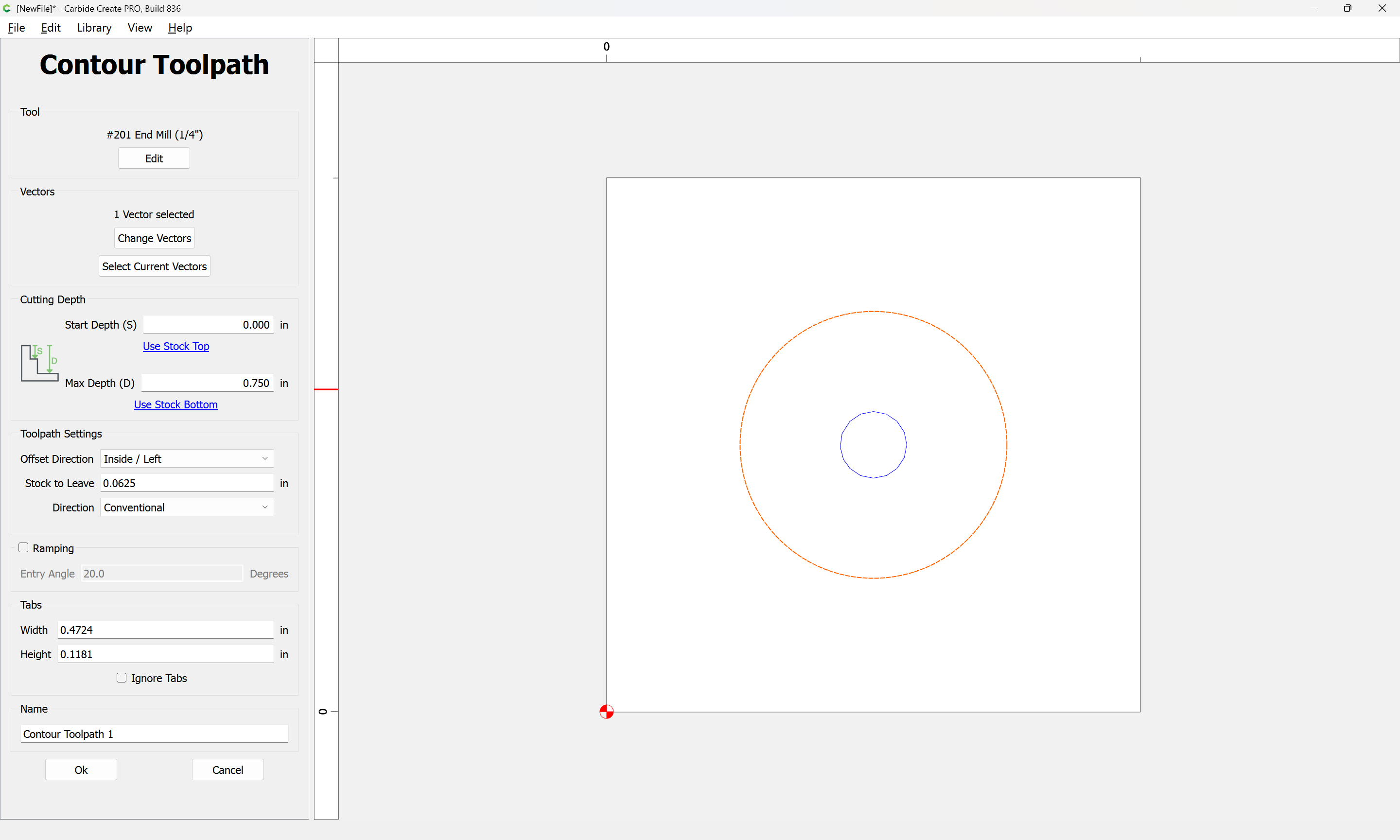
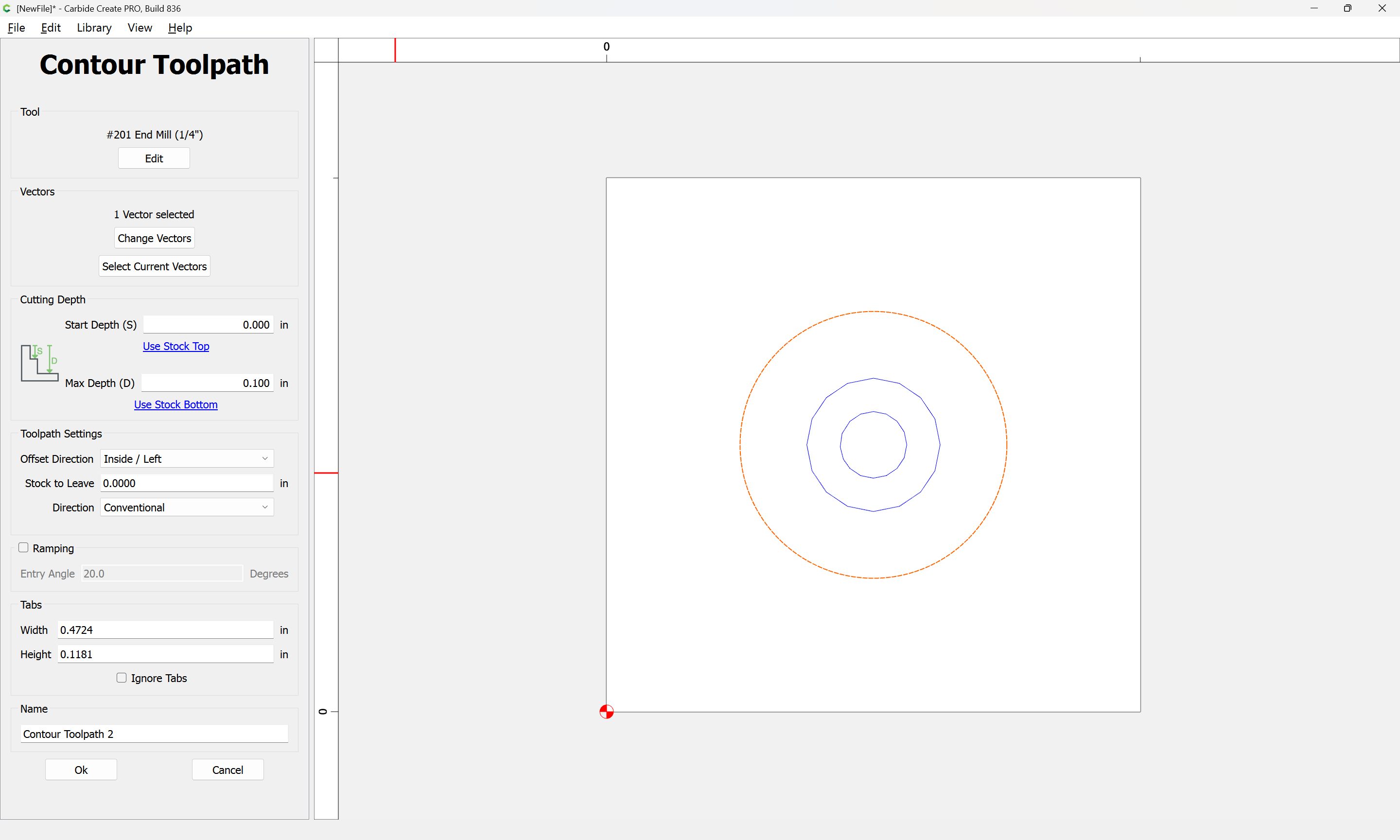
Where possible avoid slotting and add geometry and cut as a pocket. If you don’t have Pro, then add inset geometry:
and/or
and consider leaving a roughing clearance and taking a finishing pass.
1 Like
Did you happen to run a few different diameter hole tests to see if it’s repeatable? Have you run this file before with no issues?
I tried a handful of test holes of diminishing size (I’m sizing a hole for a .5 in metal rod snug fit), only down to 5mm depth to avoid the potential for tool deflection. Bottom row is with the recommended “stock to leave” of 1mm and a second pass to finish. Second row is like the previous…just a regular contour path. Third row from the bottom is ran as a pocket, and the top row is just a V cut, one pass. Even on the V cut you can see there are two distinct parts of the “circle”, with small points on opposing corners.
hole test.c2d (88 KB)
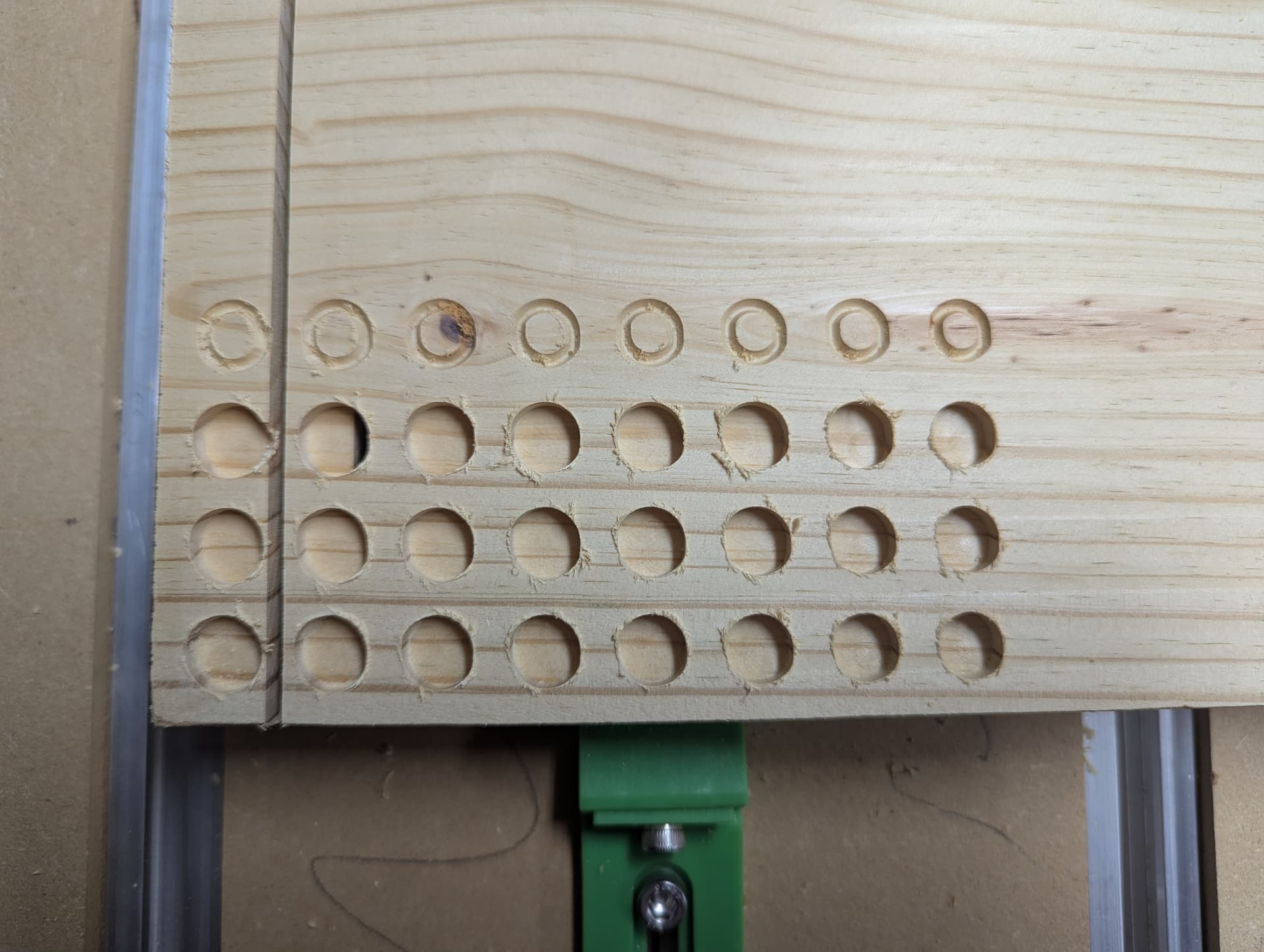
Problem with your X axis ball screw mechanism. Excess backlash on that axis.
@drewpey
As Bozo states, looks mechanical in nature. It looks like based on the direction of the elongation of the cut its on the X axis due to the shape of the hole. Check the backlash and the stepper motor coupling set screws for the X axis…
2 Likes
Found some play in the main carriage. Found this guy’s video below with the same issue and symptoms as well, turns out it was the bolts behind the router mount plate.
Straightforward fix and now my circles are perfect. Thanks!
1 Like
I stole that same design idea but did the design and toolpaths in Fusion.
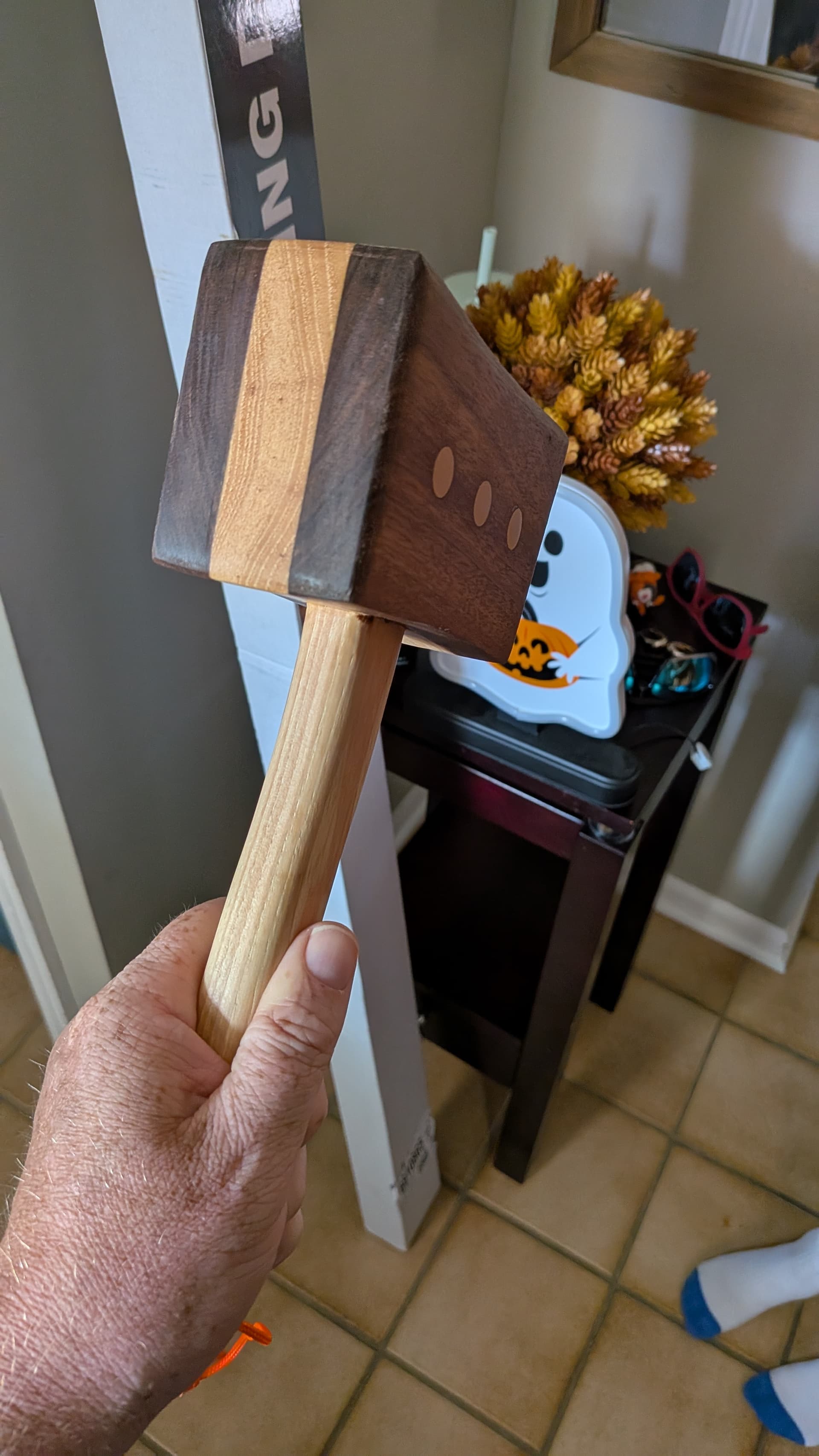
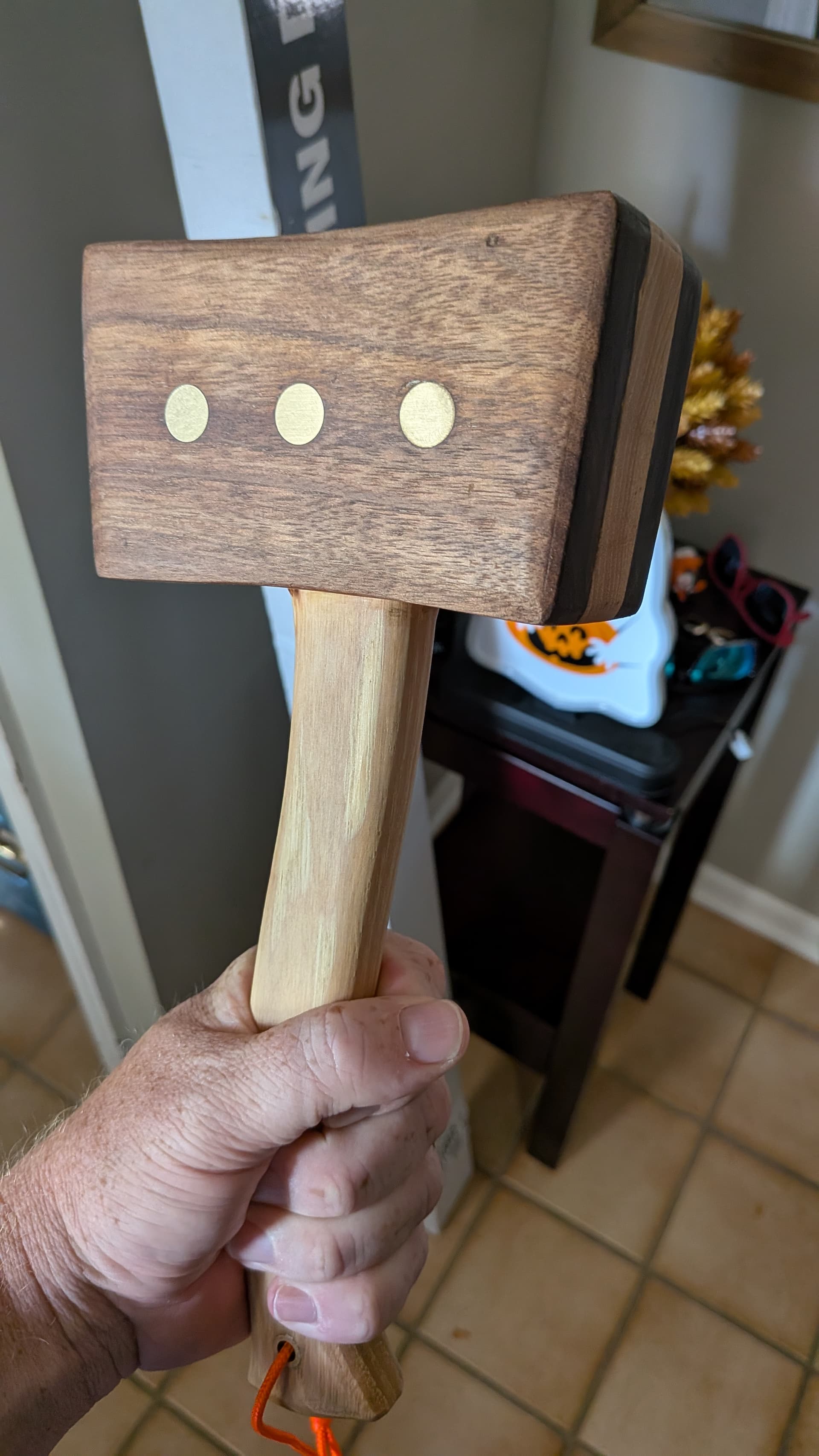
Hickory and Walnut with brass accents. Gifted it to an older woodworker in my neighborhood in hopes he’ll actually use it. I know I’d end up keeping it as a “show piece” which means it would get buried somewhere in my garage.
4 Likes
Yeah it’s a snazzy hammer. Saw it on this video and tried recreating it the best I could:
Just gotta get the machine to cooperate!
This topic was automatically closed 30 days after the last reply. New replies are no longer allowed.